Assess
The Migration Assistant reads your vRO and vRA exports and tells you what to retire, merge or convert.
Kestra replaces vRealize Automation (now Aria Automation and VCF Automation) and vRealize Orchestrator (vRO) with one governed orchestration platform on your own infrastructure.
Keep your Terraform, Ansible and scripts. Retire the vRA licence at renewal.
Runs with vSphere today, and with Nutanix, Proxmox or whatever you move to next.
We map your environment and estimate the migration in a 30-minute call.
Trusted in production by:



Kestra runs alongside vRA until each wave is verified.
The Migration Assistant reads your vRO and vRA exports and tells you what to retire, merge or convert.
A proof of concept on your own workflows, with your security team in the room.
Move in waves by pattern. Both systems run side by side.
Switch off vRA wave by wave and end the licence at renewal.
Pricing
Kestra isn't sold inside a hypervisor bundle or priced per execution: the bill follows how widely you deploy it, not your VMware renewal.
Open by design
vSphere, Nutanix, Proxmox, the public clouds, Terraform, Ansible and your ITSM from one place. VCF Automation 9.1.1 disables native AWS, Azure and GCP endpoints by default.
Any language, declarative
Flows are YAML any engineer can read and review in Git, with the logic in Python, PowerShell, Shell or Ansible, instead of vRO JavaScript only a few people can change.
A starting map. Many objects are retired or merged before anything is converted.
| vRA / vRO | becomes | Kestra |
|---|---|---|
| Service Broker catalog items and request forms | Kestra Apps as the self-service form, or your ITSM portal calling Kestra | |
| Cloud templates | A flow per template pattern, provisioning through Terraform or the vSphere and Nutanix plugins | |
| vRO workflows and actions | Flows and subflows, with the JavaScript moved to Python, PowerShell or Shell tasks | |
| Event subscriptions and vRO schedules | Triggers: webhook, message queue, another flow, or a schedule | |
| Configuration elements and SecureStrings | KV Store and secrets | |
| Resource elements and script modules | Namespace files, minus the modules a plugin already covers | |
| Deployment records and inventory | Kestra Assets, or the CMDB you already run | |
| Resource actions: resize, snapshot, power | Flows run against the asset or the CMDB record | |
| Approval policies | A human approval step in the flow, or your ITSM approval |
From assessment to completed migration.
Migration complete
vRA and vRO replaced together: catalog, request forms, orchestration and the vCenter integration. Ansible and ServiceNow stayed.
Go-live targeted January 2027
On-premises with no outbound connectivity. Kestra Apps for the catalog, Kestra Assets for the resource inventory.
Assessed
The assessment sized several thousand workflows spread across instances and tied to an established service catalog.
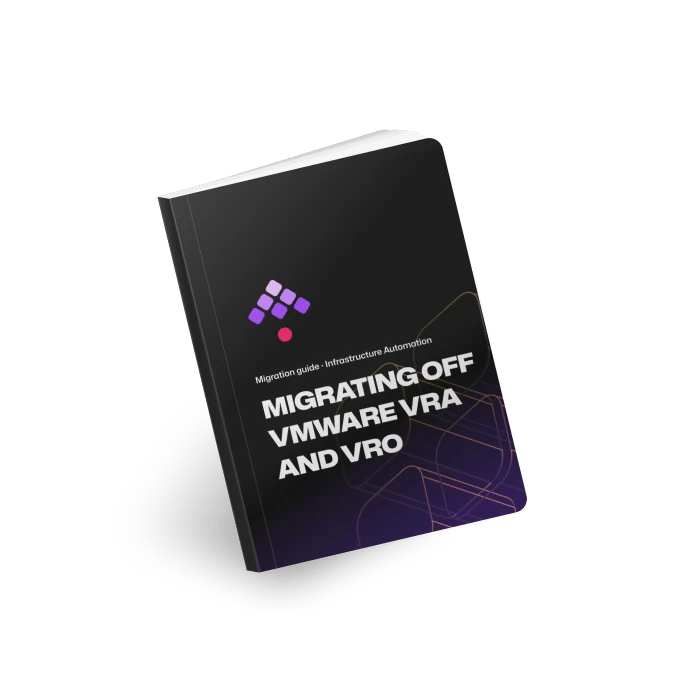
The full method behind this page, written for the team that runs vRA and the people who sign off the move.
The open-source Kestra Migration Assistant reads your vRealize Orchestrator package and vRA export locally, sends nothing to Kestra, and writes a migration brief you open in a browser.
The conversion is the other half, and we run it with you: tests are written from each workflow before it is converted, an engineer reviews every converted flow, and each wave runs against a simulated copy of your environment before it reaches yours.
Run it with us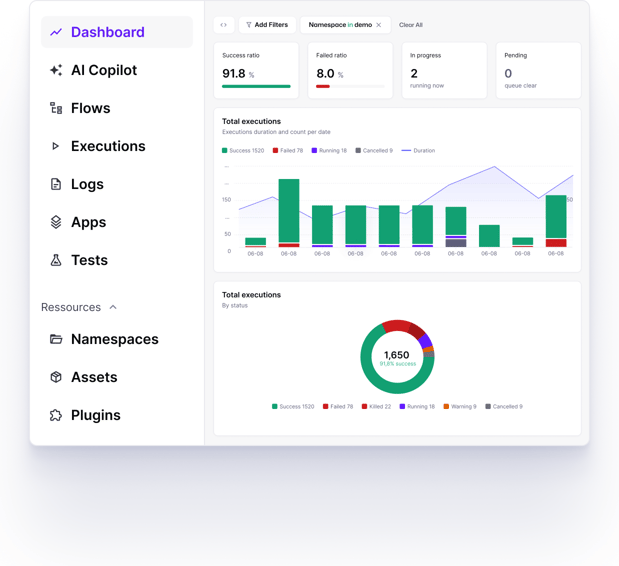
SSO and SCIM, role-based access control, internal or external secrets managers, and full audit logs, on infrastructure you control, air-gapped included.
Namespaces and multi-tenancy, Git integration and versioning with revision history, human-in-the-loop approvals, custom blueprints, and built-in observability across every run.
Worker groups, high availability, and unlimited executions, deployed with Docker, Kubernetes, a single VM, or managed Cloud, with backup, restore, and cluster health monitoring.
The VMware automation that ran in vRA and vRO, rebuilt as flows that also reach beyond vSphere.
The migration is the investment, and the vRA renewal you do not sign pays it back. The calculator works out both sides from your own workflow counts, rates and renewal date.
At renewal you would pay about €1.5M a year for vRA and vRO.
Start from your vRO export count. Change any number and the result updates.
340 will run in Kestra
170 unique Kestra flows
-43 wrappers
need careful conversion
About 2,095 h, so €210K of migration work.
Hours by hand, before the Migration Assistant. The first column is working out what a workflow does, building it in Kestra and checking the result. The second is each near-duplicate once the first exists. Wrappers migrate at no cost.
| Complexity | First of a kind | Each near-duplicate |
|---|---|---|
| Medium | ||
| Complex |
Starting assumptions. A proof of concept replaces them with rates measured on your own workflows.
No quote yet? Leave it blank and we'll show the most you could pay and still come out ahead.
We eliminated the high cost and risk of VMware vRA. What used to take 6 months now takes 6 days with Kestra.
Yes. VMware vRealize Automation (vRA) was renamed VMware Aria Automation, then VCF Automation in VMware Cloud Foundation 9. vRealize Orchestrator (vRO) became Aria Automation Orchestrator and now ships inside VCF Automation. The migration method is the same whichever name your version carries.
Both. Kestra replaces the vRO workflow engine with flows and subflows, and the vRA front end with Kestra Apps for the self-service catalog and Kestra Assets for the deployment inventory. If your catalog lives in ServiceNow or another ITSM portal, it can stay there and call Kestra.
vRA is no longer sold on its own. It ships inside VMware Cloud Foundation, licensed per core on subscription, so the automation bill tracks the size of the hypervisor footprint rather than how much you automate. Gartner expects most VMware customers' bills to grow by 200 to 500 percent at their next renewal, as reported by The Register. The calculator above sets that renewal against the cost of migrating.
No. Kestra runs with vSphere and VCF today, and with Nutanix, Proxmox or any hypervisor you move to.
Yes. The same flows call vCenter on-prem and the AWS, Azure and GCP APIs, Terraform and Ansible, with one audit trail and one access model. That matters since VCF Automation 9.1.1 disables native public cloud endpoints by default.
Yes, for as long as each wave needs.
Wrappers are called as they are; the rest is converted or rebuilt, and the Migration Assistant tells you which. Converted flows are tested against a simulated copy of your environment before they reach yours.
Yes. Self-hosted is a first-class deployment rather than a workaround. Workers run inside your VPC or on-prem, you bring your own secret manager, and Kestra holds no access to your data. Worker Groups let one control plane reach physically isolated networks, and licensing works offline so a fully air-gapped install is supported.
Kestra does not price per execution. The model scales with how broadly the platform is deployed rather than how often your workflows run, so adding volume does not change the bill. Enterprise pricing depends on deployment scope and support tier, and we walk through it on the call.
It depends on the environment. The assessment gives you the wave plan and the dates. A Fortune 500 manufacturer replaced vRA and vRO in about twelve months, with both running side by side until each wave was verified.
Yes. The vRA migration guide covers the method stage by stage, and the open-source Migration Assistant reads your vRO package on your own machine and writes the migration brief.
Run the Kestra Migration Assistant for vRA, a free, open-source command-line tool. It reads your vRO package, and optionally your vRA export, on your own machine, sends nothing to Kestra, and writes a brief: what each workflow does and what it calls, which Kestra plugins cover those systems, whether each element converts directly or needs a redesign, and a plan in waves. It can use a model you host, or none at all, so it also runs air-gapped. The conversion itself is then done in Kestra, starting from the brief.
Self-managed or air-gapped. Your data never leaves your network.