Authors

Anna Geller
Product Lead
Anna Geller
Product Lead
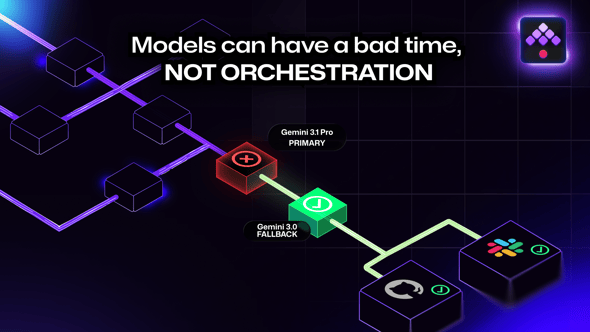
When Gemini 3.1 Pro returned a 503 “model is currently experiencing high demand” response in the middle of our issue triage, the flow didn’t stop. It tried Gemini 3.0, then Gemini 2.5, set the GitHub fields the rest of the flow needed, and logged a single Slack message so we’d know it happened. The model provider had a bad minute. The workflow didn’t.
In this post, I want to walk through why I think orchestration is structurally important for AI workflows, using one flow we run in production as the example: a Kestra flow that auto-routes new GitHub issues to the right product squad based on our internal squad ownership map in Notion.
Kestra has multiple product squads, and every new GitHub issue across our 100+ repositories needs to land on the right squad’s backlog. Doing this manually is a tax that scales linearly with issue volume. We don’t have time for that.
The flow runs on every issues.opened webhook from GitHub and does the following:
gh CLI.Five of those six steps are deterministic. Step 4 is the AI step, and it’s the only one that fails in surprising ways.
A few weeks after we put this flow into production, a triage run failed with this error from Gemini’s API:
{ "error": { "code": 503, "message": "This model is currently experiencing high demand. Spikes in demand are usually temporary. Please try again later.", "status": "UNAVAILABLE" }}This is the standard “preview model is overloaded” failure mode. Google’s preview tier sits behind shared capacity, and when global demand spikes, you wait. There’s no SLA on a preview model.
For a developer notebook, you shrug and rerun. For a production workflow that fires on every webhook event from GitHub, you can’t wait. You either degrade gracefully or you stop triaging.
The fix took 15 minutes and the flow now does four things that would have been a real pain to assemble from scratch.
The single classification task is now three Classification tasks chained with runIf:
- id: classify  type: io.kestra.plugin.ai.completion.Classification  allowFailure: true  provider:    modelName: gemini-3.1-pro-preview
- id: classify_fallback_3  allowFailure: true  runIf: "{{ outputs.classify.classification is not defined }}"  provider:    modelName: gemini-3-pro-preview
- id: classify_fallback_25  allowFailure: true  runIf: "{{ outputs.classify.classification is not defined and outputs.classify_fallback_3.classification is not defined }}"  provider:    modelName: gemini-3.5-flash-lite
First call: Gemini 3.1 Pro Preview, the latest and most accurate.
Second call (only if the first didn’t produce a classification): Gemini 3.0 Pro Preview.
Third call (only if both didn’t): Gemini 2.5 Pro.
The trade-off is that Gemini 2.5 Pro could technically lead to slightly worse classifications than 3.1 Pro on edge cases. When we fall back to it, accuracy drops a few points. We accepted that because a probably-correct owner is more useful than no owner at all, and a squad lead can fix the rare misroutes manually. Blocking triage entirely until 3.1 recovers would be the worse outcome.
Some failures are noise: one 503 in a moment of high contention, immediately fine on the next call. Kestra’s task-level retry handles these without the fallback ever firing:
retry: type: constant maxAttempts: 5 behavior: RETRY_FAILED_TASK interval: PT1SOn the first failure, the task waits one second and tries again. If the outage is transient, the retry succeeds and the fallback chain never runs. If the outage is sticky, the retries exhaust and the fallback chain to other models takes over.
I would argue retry-then-fallback is the right default for such external calls in a workflow. The two failure modes aren’t the same: transient noise is best handled with retry, provider-wide outages with a fallback path. Doing one without the other is a half-measure.
The webhook trigger fires every time someone opens an issue. On a busy morning we may see twenty issue events arrive within a few minutes. Without a guard, we’d hit our Gemini quota and our Notion API rate limit at the same time.
concurrency: behavior: QUEUE limit: 10This caps simultaneous executions of the flow at ten and queues the rest. The trigger isn’t rate-limited, the executions just wait their turn. Calls to Gemini and Notion are paced naturally by the queue, no exponential-backoff bookkeeping required in our code.
Each classification attempt sets allowFailure: true. A failed task doesn’t break the execution, it ends it in WARNING state. We have a separate flow in the kestra.monitors namespace that listens for FAILED and WARNING states across the kestra.products namespace and fires a single Slack message:
triggers: - id: listen type: io.kestra.plugin.core.trigger.Flow conditions: - type: io.kestra.plugin.core.condition.ExecutionStatus in: - FAILED - WARNINGAny time the fallback chain triggers, even when classification ultimately succeeds, we get one Slack ping with a link to the execution. We see the cadence of provider outages without being paged for each one. Over a couple of weeks this also told us, as a side effect, that Gemini 3.1 Pro Preview goes UNAVAILABLE about once every other day. Useful operational data we wouldn’t have collected otherwise.
You could write this as a script with try/except blocks and a Slack webhook. For the first version, that’s reasonable. From my experience, the hand-rolled version becomes fragile in two specific ways after a few months in production.
Failure handling drifts. You add retry to the model call but forget to add it to the GitHub mutation that runs after it. The script grows from 50 to 300 lines, the retry policy accumulates piecewise, and one day a non-retried HTTP call takes the whole job down. In Kestra, retry, allowFailure, and concurrency can be added in a few lines of YAML. Set the retry policy once at the flow level and every failed task will be restarted, including the ones you add later.
Alerting drifts the same way. One Slack webhook for one error type, then another, then a third. Channels and formats diverge, and real failures get lost in stale alerts nobody reads. A single namespace-level monitor flow in Kestra gives every workflow the same alert path, with one place to tune signal-to-noise.
For workflows that mix deterministic and probabilistic steps, the orchestrator lets you reason about the flow as a whole. AI calls succeed, partially succeed, fail with a clear error, fail with a vague one, hang, or return malformed output. The deterministic glue around them has to handle all of those, without being rewritten each time you add a new step.
A reliable AI workflow handles the model call as one task among many, with the same care you’d give any flaky third-party API. The orchestrator’s job is to make that affordable: retry once for noise, fall back across providers for outages, queue concurrent runs so you don’t hammer your own quota, and route alerts through one channel instead of five.
From my experience, when you stop treating the model as the centerpiece and start treating it as one node in a graph, the failure modes become tractable. If you want to see how Kestra approaches this end-to-end, take a look at our AI automation page.

Stay up to date with the latest features and changes to Kestra