Authors

Loïc Mathieu
Lead Developer
Loïc Mathieu
Lead Developer
During Kestra 2.0 development, Ludo, our CTO, told me he wanted to loop over millions of iterations inside a workflow. I love a challenge, so I answered with the only reasonable reply: hold my beer.
In Kestra 1.x, you loop inside a workflow with either the ForEach task or the ForEachItem task, and both have caveats.
ForEach creates task runs inside the execution for each iteration. With 1,000 iterations and 3 sub-tasks, you end up with 3,000 task runs inside the execution. The execution context grows linearly with the number of iterations, and the processing time grows much faster than that, because of the bookkeeping of execution messages inside the Executor and the construction of the RunContext. The RunContext is built for each task run and contains the information of all previous task runs, including their outputs. On top of that, outputs were stored inside the execution in 1.x, so in practice you hit a limit of a few hundred iterations before the message becomes too big to process and fills the memory.
ForEachItem processes each iteration in a subflow and only tracks the sub-executions with per-state counters. Its iteration values must come from an internal storage file, and you must pass inputs to the subflow if you need context from the parent execution.
We wanted the simplicity of ForEach with the flexibility and execution model of ForEachItem, so we built the new Loop task.
The Loop task iterates over values defined inline, as with ForEach, or stored in an internal storage file, as with ForEachItem. You define its sub-tasks inline, like ForEach, but Kestra runs them as sub-executions, and the main execution only tracks per-state counters. It takes the best of both tasks, and the sub-executions stay invisible to the user.
To be honest, we were inspired by Netflix Conductor, which processes loops this way.
Here is how it works, simplified:
Loop task, it starts one or more sub-executions of kind LOOP, depending on the concurrencyLimit and the number of values. It attaches loop metadata to each of them in a loopRun attribute.LOOP, it finds the loop task ID in the loopRun and processes only the loop’s sub-tasks, not the whole execution. It builds the RunContext from the main execution’s context, so sub-tasks can use the outputs of any previous task as if they ran in the main execution. That’s what keeps sub-executions invisible to the user.LOOP, it sends a LoopEvent message.LoopEvent, it updates the per-state counters of the parent execution, starts new LOOP sub-executions if needed, and terminates the Loop task of the main execution once all iterations are done. It also sends an event so the UI updates in real time.This comes with a few caveats:
Loop, and the Loop task maps them once all iterations are done. It’s more declarative than before, and we added a Pebble function, loopOutputs(), to help work with them.It also simplifies a lot:
Loop also performs better than ForEach, even though it creates sub-executions. The lighter execution context and the reduced bookkeeping in the Executor more than make up for the cost of creating sub-executions. Our benchmarks show a 3x improvement.
Back to Ludo’s request. Here is the flow I used to measure Loop:
id: loop-benchnamespace: benchmarks
inputs:  - id: nbIteration    type: INT
tasks:  - id: setLabels    type: io.kestra.plugin.core.execution.Labels    labels:      scenario: Loop      iterations: "{{ inputs.nbIteration }}"
  - id: loop    type: io.kestra.plugin.core.flow.Loop    values: "{{ range(1, inputs.nbIteration) }}"    concurrencyLimit: 16 # 4x the number of available cores    tasks:      - id: output        type: io.kestra.plugin.core.output.OutputValues        values:          some: value
For the 1.x run, the same flow uses io.kestra.plugin.core.flow.ForEach.
| Iterations | 10 | 100 | 1,000 | 10,000 | 100,000 |
|---|---|---|---|---|---|
| ForEach (1.x) | 0.44s | 4.39s | 4min 23s | X* | X** |
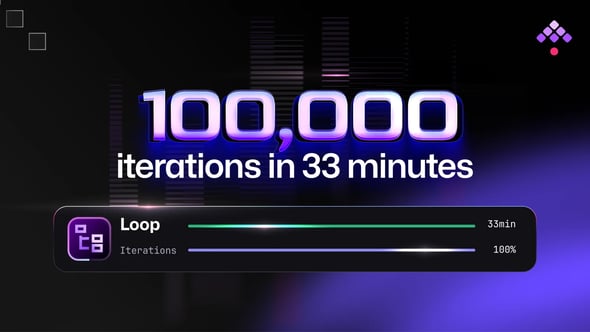
| Loop (2.0) | 0.56s | 1.28s | 11.5s | 1min 47s | 33min |
* I stopped it after 3h15 because I didn’t want to wait any longer.
** Of course, I didn’t even give it a try.
Loop handles 100,000 iterations, while ForEach didn’t scale past 1,000. A few other things stand out:
So can we scale to millions of iterations with the new Loop task? Yes. The current implementation renders and loads the whole list of values for each iteration, so 1 million iterations would take about 80 hours. That’s 288ms per iteration, which might be acceptable depending on what each iteration does.
We could improve that, for example, by rendering values in batches and saving them in the Loop output (a lookahead buffer). Honestly, that would mostly optimize this particular benchmark. A loop with millions of iterations doing real work would most likely run for days in a distributed environment, which would already perform better than my small 4-CPU benchmarking machine.
Loop is one piece of the 2.0 engine rewrite. The rest of the story, from the queue that deletes on consume to outputs stored outside the execution, is in how we rebuilt the Kestra engine in 2.0. If you’re moving flows off ForEach, the ForEach to Loop migration guide covers the output mapping, and the Loop best practices cover the rest.
If you have any questions, reach out via Slack or open a GitHub issue.
If you like the project, give us a GitHub star and join the community.

Stay up to date with the latest features and changes to Kestra