Authors

Romain Jouhannet
Product Manager
Romain Jouhannet
Product Manager
Your orchestrator has credentials to every database, bucket, and API in your stack. Your secrets scanner watches your git repositories. Nobody watches the flow definitions in between. Here is a Kestra flow that does, in about 40 lines of YAML, using ggshield, GitGuardian’s open-source scanner.
Kestra stores flows in its own database. You can sync them to git, but nothing forces a flow written in the UI to ever reach a repository, so a scanner wired to GitHub or GitLab never sees it.
Kestra gives you {{ secret('NAME') }} for credentials and masks the value in logs. The failure is human: someone pastes a warehouse password into a password: property to test a connection, it works, and the paste stays. The question this flow answers every morning is simple: does any flow contain a credential that should have been a secret() call?
Four tasks: export every flow in the instance to a ZIP, scan it with ggshield in a Docker container, count the findings, then alert Slack.
id: scan_flows_for_secretsnamespace: company.security
tasks:  - id: export_flows    type: io.kestra.plugin.kestra.flows.Export    auth:      username: "{{ secret('KESTRA_USERNAME') }}"      password: "{{ secret('KESTRA_PASSWORD') }}"
  - id: scan    type: io.kestra.plugin.scripts.shell.Commands    taskRunner:      type: io.kestra.plugin.scripts.runner.docker.Docker    containerImage: gitguardian/ggshield:latest    env:      GITGUARDIAN_API_KEY: "{{ secret('GITGUARDIAN_API_KEY') }}"    inputFiles:      flows.zip: "{{ outputs.export_flows.flowsZip }}"    outputFiles:      - report.json    commands:      - python -m zipfile -e flows.zip flows/      - ggshield secret scan path --recursive --yes --json --exit-zero flows/ > report.json      - |        python - <<'EOF'        import json        r = json.load(open("report.json"))        hits = [e["filename"].split("/")[-1] for e in r["entities_with_incidents"] if e["total_incidents"]]        print("::" + json.dumps({"outputs": {"incidents": r["total_incidents"], "flows": ", ".join(hits)}}) + "::")        EOF
  - id: alert    type: io.kestra.plugin.core.flow.If    condition: "{{ outputs.scan.vars.incidents > 0 }}"    then:      - id: slack        type: io.kestra.plugin.slack.notifications.SlackIncomingWebhook        url: "{{ secret('SLACK_WEBHOOK_URL') }}"        payload: |          {"text": "GitGuardian found {{ outputs.scan.vars.incidents }} hardcoded secret(s) in Kestra flows: {{ outputs.scan.vars.flows }}"}      - id: flag_as_warning        type: io.kestra.plugin.core.execution.Fail        allowFailure: true        errorMessage: "{{ outputs.scan.vars.incidents }} hardcoded secret(s) found. See report.json in the scan outputs."
triggers: - id: daily type: io.kestra.plugin.core.trigger.Schedule cron: "0 7 * * *"Three secrets to set in the namespace: your Kestra login for the export, a GitGuardian API key (the free plan is enough), and a Slack webhook. Every credential the flow needs goes through secret(), so it practices what it checks, and ggshield’s default output truncates matched values, so the stored report never contains a full secret.
A green run every morning is a dated, auditable statement that no flow in the tenant holds a hardcoded credential. A run that finds secrets names the flows to fix, in Slack and in the execution list, with the JSON report attached. GitGuardian’s engine covers more than 600 specific detector types plus generic high-entropy patterns, so AWS keys, database URIs, SaaS tokens, and private keys are caught in one pass.
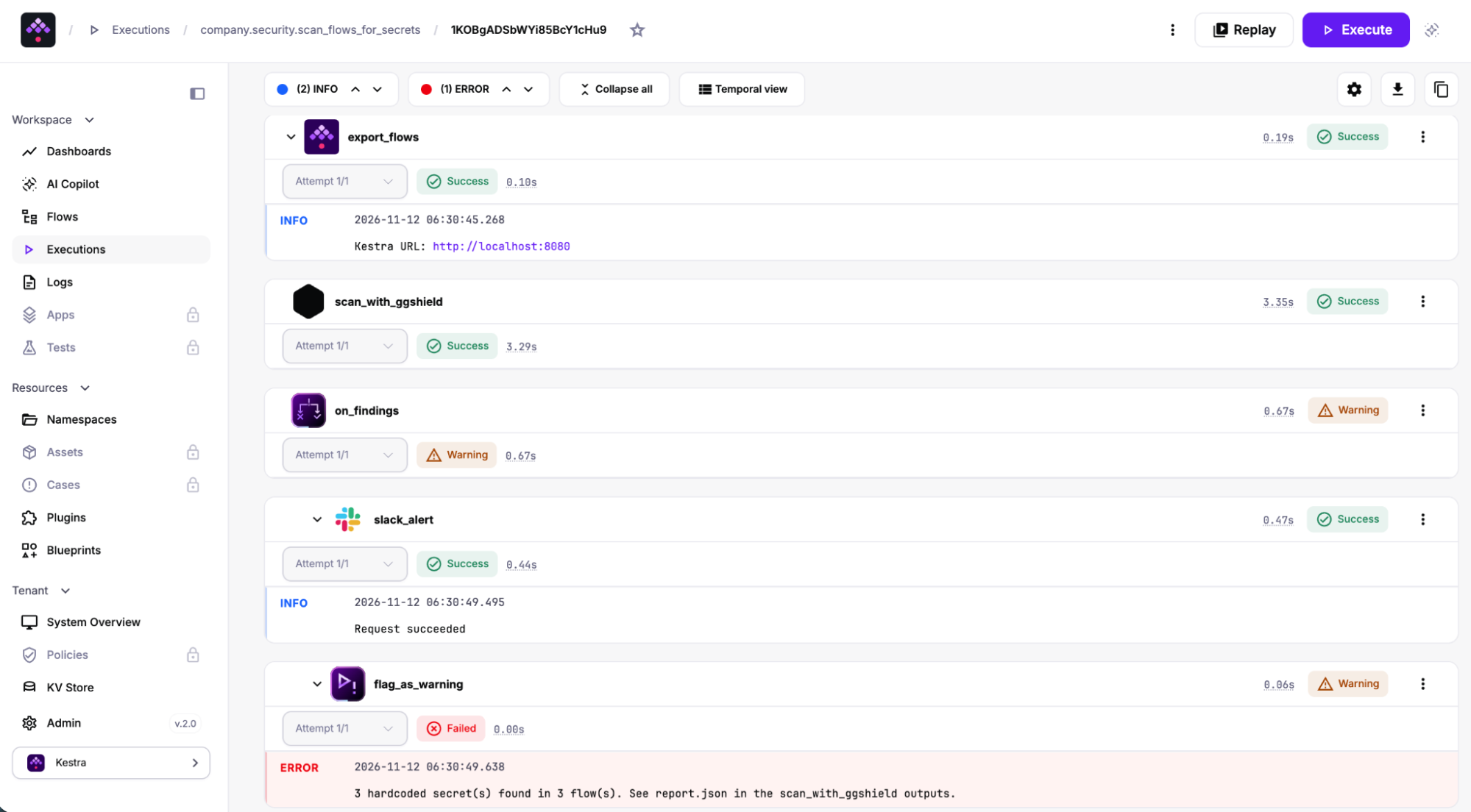
A run of the full version that found secrets: export, scan, and Slack alert, then flag_as_warning puts the execution in Warning.
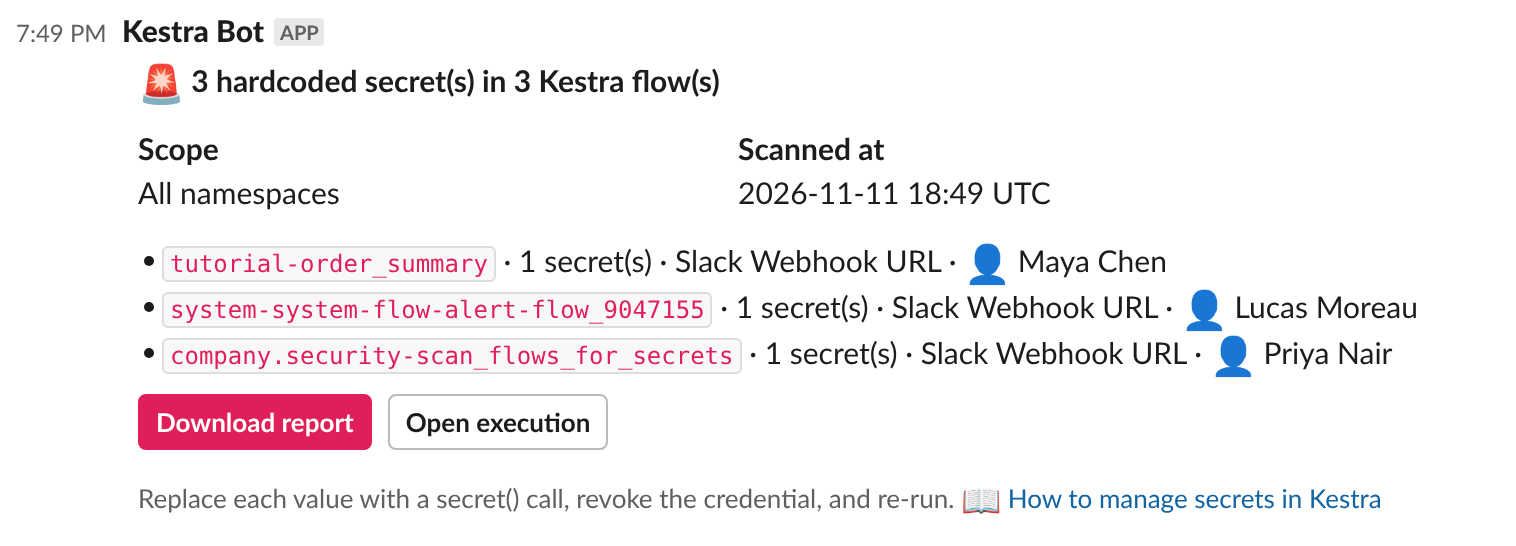
The Slack alert from the full version: the counts, one line per flow with the detector and the owner label, and buttons to the report and the execution.
On the Business and Enterprise plans, the same finding as an incident in GitGuardian, under a custom source named Kestra.
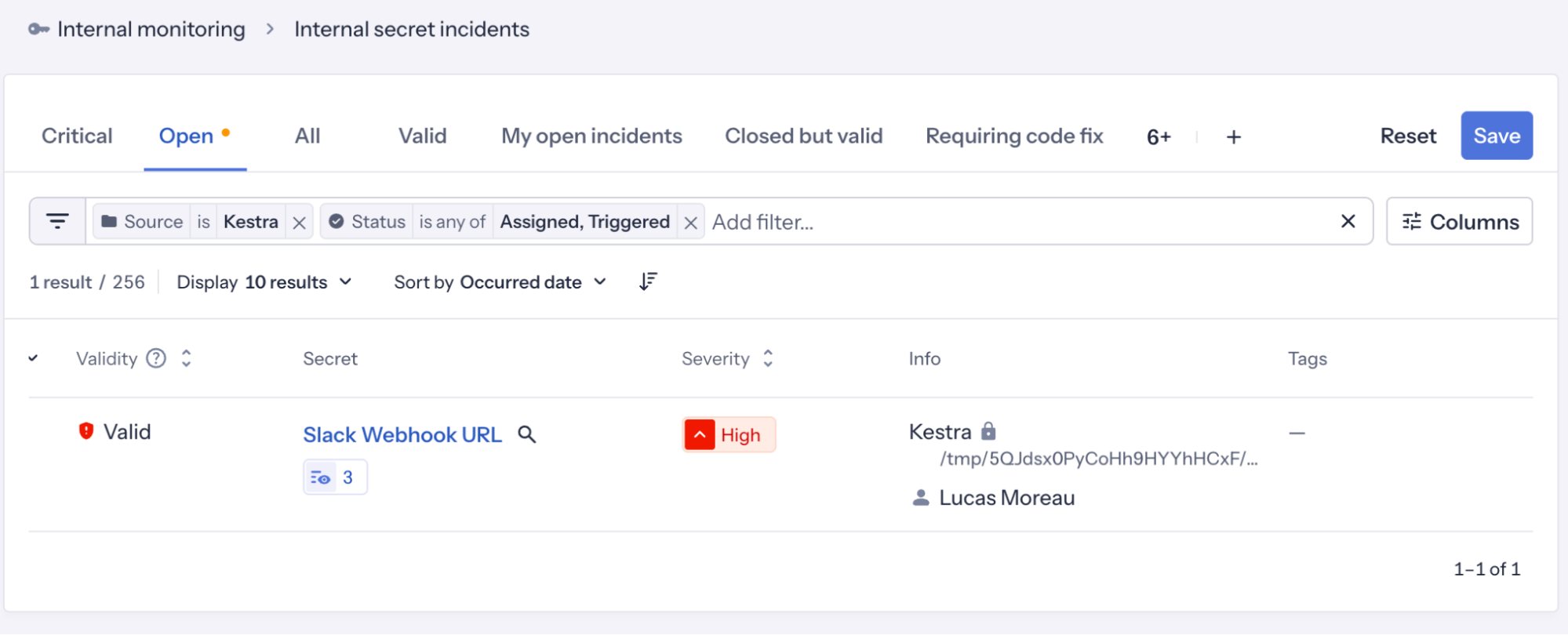
--source-uuid <your custom source> to the ggshield command and each finding becomes a dashboard incident with an owner, a severity, and the usual remediation workflow. In the blueprint, this is the create_incidents input.The full version of the flow is published as the Scan Kestra flows for hardcoded secrets with GitGuardian blueprint. It works on the free plan, and a create_incidents input switches on incident creation for the Business and Enterprise plans.
Scan your flows and find out what your orchestrator has been holding. The Kestra secrets docs cover how to move a pasted credential behind secret(), and ggshield is free to try with a GitGuardian account.

Stay up to date with the latest features and changes to Kestra