Kestra vs. Ansible Automation Platform: From Playbook Runner to Full Orchestrator
Ansible Automation Platform (formerly Ansible Tower) excels at executing playbooks and managing Ansible inventory at scale. Kestra takes that further—orchestrating Ansible as one step in multi-tool workflows that span Terraform, PowerShell, ServiceNow, and cloud APIs, with approvals, audit trails, and self-service Apps built in.
Playbook Execution Engine vs. Full IT Orchestration Control Plane
Orchestrate Everything, Including Ansible
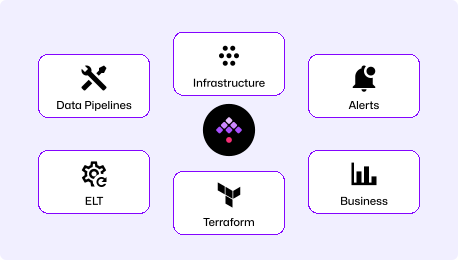
Kestra is the control plane that sits above your tools. Run Ansible playbooks as tasks inside multi-step workflows that include Terraform provisioning, API calls, approvals, and ITSM updates. Define every workflow in YAML, version it in Git, and deploy through CI/CD. Ansible does what it does best—Kestra coordinates the rest.
"How do I chain Ansible with Terraform, ServiceNow, and approvals in one auditable flow?"
Ansible-First Automation Platform
Red Hat Ansible Automation Platform (AAP, formerly Ansible Tower) centrally manages Ansible playbook execution with Tower/Controller, a private content hub, and Event-Driven Ansible. It's the standard for scriptable infrastructure automation—excellent for teams running playbooks at scale but limited when workflows need to span multiple tools or require complex orchestration logic.
"How do I centrally run and manage Ansible playbooks across my fleet?"
Ansible Runs Your Playbooks. Kestra Orchestrates Your Operations.
Cross-Tool IT Orchestration
Ansible as one task in multi-step workflows (alongside Terraform, PowerShell, scripts)
Dynamic self-service Apps with approval gates and RBAC
Full audit trail and evidence logging per execution
Event-driven triggers from webhooks, ServiceNow, queues, or schedules
Works with existing AAP—complement or replace as needed
Ansible-Centric Execution
Centralized playbook execution and inventory management
Workflow templates for chaining Ansible jobs (limited branching)
Event-Driven Ansible for reactive automation (separate component)
Strong for Ansible-native teams, thinner outside the Ansible ecosystem
Per-managed-node subscription model scales with fleet size
Ansible Automation Platform is the right choice when your primary need is centralized Ansible playbook execution with inventory management and RBAC. Kestra is the right choice when Ansible is one piece of a larger automation puzzle—when you need to chain it with Terraform, add approval workflows, integrate with ServiceNow, or build self-service portals for ops teams. Many Kestra customers use both: AAP for Ansible execution, Kestra as the orchestration layer on top.
Time to First Orchestrated Workflow
Kestra starts in minutes with a single Docker Compose command. Ansible Automation Platform requires RHEL, an active Red Hat subscription, and a multi-component installation (Controller, Hub, EDA) that typically takes hours for dev and days for production.
Download Docker Compose, start it up, and pick an IT automation Blueprint. Your first Ansible-integrated workflow is YAML with parameters, secrets, and retries already built in—the same format it will run in production.
Hours
to days
# Ansible Automation Platform requires:
# - Active Red Hat subscription
# - RHEL 8/9 infrastructure
# - Ansible Automation Platform installer
# Installation steps:
# 1. Download AAP setup bundle
# 2. Configure inventory file
# 3. Run setup.sh (installs Controller + Hub + EDA)
AAP requires a RHEL subscription, installation of Automation Controller, Private Automation Hub, and optionally Event-Driven Ansible as separate components. Production HA setup with clustered controllers, execution environments, and receptor nodes takes significant configuration time.
Unified Orchestration YAML vs. Multi-Component AAP Configuration
messageText: "Patching complete for {{ inputs.target_hosts }}"
Include Ansible playbooks as tasks in YAML workflows alongside any other tool. Pass data between steps, add approval gates, handle errors with retries, and write results back to ServiceNow—all in one readable file you can review in a pull request.
AAP: Job Templates + Workflow Templates in Tower UI
# AAP Workflow Template (UI-configured, exported as JSON)
# Chains Ansible jobs with limited branching logic
# - Use webhook notifications (limited data passing)
# - Write custom Python/Bash to bridge tools
# - Or buy a separate orchestration layer
AAP defines jobs as templates in the Tower/Controller UI, chained via Workflow Templates with a visual editor. Git integration is available but workflows are primarily UI-configured. Integrating Ansible with non-Ansible tools (Terraform, scripts, ServiceNow) requires custom scripts or external orchestration.
Ansible Execution Management vs. Full IT Orchestration
Orchestrate Ansible playbooks alongside Terraform, PowerShell, cloud APIs, and ITSM tools in unified YAML workflows. Self-service Apps let ops teams trigger parameterized runbooks without touching YAML.
Ansible Automation Platform centralizes playbook execution with strong inventory management, credential vaulting, and job scheduling. Workflow Templates chain Ansible jobs with limited cross-tool orchestration. Event-Driven Ansible adds reactive triggers as a separate component.
Kestra vs. Ansible Automation Platform at a Glance
Primary use case
Cross-tool IT orchestration (Ansible + Terraform + APIs + scripts)
Centralized Ansible playbook execution and management
Full execution logs, artifacts, audit trail per step
Job output logs, activity stream, per-job stdout
Air-gapped deployment
Supported (on-prem, Kubernetes, disconnected)
Supported (RHEL required, Private Automation Hub for offline content)
Licensing
Flat instance + worker-based pricing
Per-managed-node subscription (Red Hat)
Language support
Python, Bash, Go, SQL, Ansible, PowerShell, R, and more
Ansible (YAML playbooks) + Script/Command modules
Open source
Apache 2.0
AAP is subscription-only; Ansible Engine is GPL
Kestra gave us the orchestration layer we were missing. We kept our Ansible playbooks and added Terraform, approvals, and ServiceNow integration—all in one workflow. The team was up and running in a day.
Infrastructure Automation Lead @ Enterprise Healthcare
Keep your existing Ansible playbooks and inventory. Kestra wraps them in YAML workflows that add approvals, Terraform provisioning, ServiceNow updates, and PowerShell steps—without rewriting a single playbook.
Self-Service Without the Portal Tax
Kestra Apps give ops teams dynamic, data-backed forms for triggering workflows—no separate service catalog software required. Forms pull live data from APIs or databases, approvals are inline, and every execution is logged.
Built for Regulated Environments
Full audit trails, secrets via enterprise vaults (CyberArk, HashiCorp Vault), AD/OIDC SSO, and air-gapped deployment. Kestra passes compliance requirements in healthcare, government, and financial services—where both execution evidence and access controls are mandatory.
When to Choose Kestra vs. Ansible Automation Platform
You need approval gates, dynamic self-service forms, or multi-step branching logic.
Full audit trails and compliance evidence are non-negotiable requirements.
Your team works in Python, Bash, Go, or SQL alongside Ansible.
You want to use Ansible as an execution engine without locking into the AAP ecosystem.
Choose Ansible AAP When
Your automation is entirely Ansible-native with no need for cross-tool orchestration.
Central inventory management, credential vaulting, and RBAC for Ansible are the primary needs.
Your organization is already deeply invested in the Red Hat ecosystem.
Event-Driven Ansible for reactive Ansible-only workflows is the core requirement.
Frequently asked questions
Find answers to your questions right here, and don't hesitate to Contact Us if you couldn't find what you're looking for.
Not necessarily. Many teams use Kestra as the orchestration layer above AAP—Kestra manages the multi-step workflow while AAP executes the Ansible playbooks. However, if your primary need is running Ansible playbooks with RBAC and inventory management, AAP covers that well. Kestra becomes the better choice when workflows need to span multiple tools, require complex approval logic, or need to integrate deeply with Terraform, ServiceNow, or cloud APIs.
Yes. Kestra's Ansible plugin runs any existing playbook with the same parameters, inventory, and vault secrets you use today. You don't need to rewrite anything. Kestra adds orchestration on top: chain the playbook run with pre-approval steps, Terraform provisioning, post-execution verification, and ITSM ticket closure—all in one YAML workflow.
AWX is the upstream open-source project for Ansible Automation Platform—it provides Controller UI, job templates, and workflow templates without a subscription. Kestra differs fundamentally in scope: where AWX manages Ansible execution, Kestra orchestrates cross-tool workflows. AWX is Ansible-centric by design; Kestra is language- and tool-agnostic. If you outgrow AWX's Ansible-only model, Kestra is a natural next step.
Yes, and without requiring a separate component. Kestra has built-in event-driven triggers—webhooks, message queues (Kafka, SQS, Pub/Sub), file detection, and polling triggers—that can kick off any workflow, including ones that run Ansible playbooks. EDA in AAP is Ansible-specific; Kestra's event system works across all tools in a workflow.
Kestra integrates with enterprise secrets managers (CyberArk, HashiCorp Vault, AWS Secrets Manager, Azure Key Vault) to inject credentials at runtime. Inventory can be passed as inputs, read from files, or fetched from an API as a workflow step. You maintain your existing inventory management and simply reference secrets via Kestra's secrets manager integration in the workflow YAML.
Kestra scales horizontally with worker groups, allowing you to run Ansible against different network segments, data centers, or cloud regions using dedicated workers. For pure Ansible fleet management at massive scale, AAP's Controller with execution environments is well-optimized. For workflows that combine Ansible with other tools—which most enterprise automation requires—Kestra's architecture handles both the orchestration and execution at scale.
Getting Started with Ansible Orchestration
See how Kestra extends Ansible into full IT lifecycle orchestration.