Authors

François Delbrayelle
Lead Software Engineer
François Delbrayelle
Lead Software Engineer
At Kestra, building a new plugin feature (or fixing a bug) involves the same repeatable steps every time: read the issue, design an approach, write the code, run the tests, open a pull request, get it reviewed, run QA, and ship. A senior engineer can do this in around four hours for a basic or medium-complexity task (and several days for a comprehensive, multi-task plugin). The work is thorough.
We asked a different question: what if we kept the thoroughness and removed the repetition?
It started with a single experiment: a QA Skill to test whether structured instructions could reliably drive browser automation against a live Kestra instance. It worked. That early success seeded the rest — the Planning Skill, then the developer and reviewer agents, and eventually the full orchestrated cycle described in this post.
This post describes how the Plugins & Ecosystem Squad introduced Context Engineering into its development workflow, and what happened when we let AI agents handle the mechanical parts while humans stayed in control of the decisions that actually matter.
I presented this approach at DevLille 2026, with live terminal recordings of a full cycle on a real Kestra issue.
Context Engineering is about building the right environment, not just crafting the right question.
A well-prompted agent can write a Kestra task that compiles. A context-engineered agent can write one that follows Kestra plugin conventions, passes the test suite, handles edge cases correctly, includes YAML usage examples, and creates a pull request with the right reviewer team and a valid issue link in the body — on the first attempt.
Structure drives that gap: explicit domain knowledge encoded as Skills, deterministic workflow steps with clear success conditions, feedback loops that route QA failures back to the developer agent for correction, and human approval gates at the decisions that create the most value.
This is Context Engineering. It does not replace developer judgment — it channels it into the right moments.
Skills and agents are both plain markdown files — but they behave differently. They run on Claude Code and OpenCode, with a build step that generates both formats from a single markdown source.
A Skill is a procedural instruction set: numbered steps, decision points, and success conditions that run in the main context window. Invoked by a human (e.g. /kestra-plugin-planning), it may orchestrate other steps or spawn agents.
An agent is a role definition: a system prompt that describes a specific persona, its responsibilities, and its constraints. When a Skill spawns an agent, that agent runs in its own isolated context window — no shared history with the orchestrator — and returns a structured result when done. The developer and the reviewer are agents; the planning and implementation steps are Skills.
The distinction matters because agents can be reused across Skills, updated independently, and invoked directly when needed. For example, kestra-plugin-code-reviewer can be called manually to review a colleague’s PR outside of the full workflow, and /kestra-plugin-doing-qa can be run standalone to perform a non-regression QA pass on an existing branch.
Before describing the workflow, it helps to locate where we are. We map agentic AI adoption across five levels, with two sub-levels each for L4 and L5:
| Level | Name | Description |
|---|---|---|
| L1 | Manual | Prompts typed into a chat UI. Copy-paste driven. |
| L2 | Augmented | Copilot suggestions inline while a human codes. |
| L3 | Scripted | Deterministic, human-designed automation — fixed steps, no agent autonomy. |
| L4a | Supervised Agentic | Dynamic multi-agent workflows with explicit human approval gates. |
| L4b | Autonomous Agentic | Agents run end-to-end without human checkpoints. |
| L5a | Self-Optimizing | Agents emit telemetry and propose improvements to their own Skills. |
| L5b | Self-Authoring | Agents create new agents and Skills from scratch. |
The Plugins & Ecosystem Squad operates at L4a: agents handle execution, humans own decisions. Every approval gate is an explicit checkpoint, not an accidental pause.
Most teams skip directly from L2 to L3 and stall there, because scripted automation breaks when requirements change. The jump to L4a — where agents adapt dynamically within a structured context — is where real productivity gains begin.
The workflow starts where all feature work starts: a GitHub issue. But before any issue is written, a more fundamental question has to be answered — why does this work exist?
Every plugin feature on the backlog has an origin. It is either:
This is product thinking, and it belongs at the very start of the software development lifecycle (SDLC). The answer shapes the spec: a customer-signal issue names the use case and the success criterion. A Dev Marketing issue frames the plugin in the context of the integration story it supports. An innovation issue admits its exploratory nature upfront and scopes the acceptance criteria accordingly.
An issue that skips the “why” is an issue that may be built correctly but shipped to nobody.
We write issues differently now. A good issue for this workflow is a complete business and technical specification in markdown. It includes:
This dual-audience design is intentional. A human engineer can read the issue and understand what to build. An AI agent can parse the same file and extract acceptance criteria, affected plugin classes, edge cases to handle, and expected outputs. No ambiguity. No “we’ll figure it out during implementation.”
The issue serves as the contract that drives the entire SDLC that follows.
Existing frameworks like BMAD, Git Spec Kit, or Superpowers cover similar ground but are deliberately generic. We evaluated them and chose not to adopt any: generic methodologies give generic results. Our Skills and agents encode Kestra plugin conventions, Kestra-specific security rules, Kestra’s test and annotation patterns, and the squad’s own review instincts. That specificity is the point. Keeping the surface area small and domain-specific — KISS — is what makes the agents reliable enough to trust on real issues.
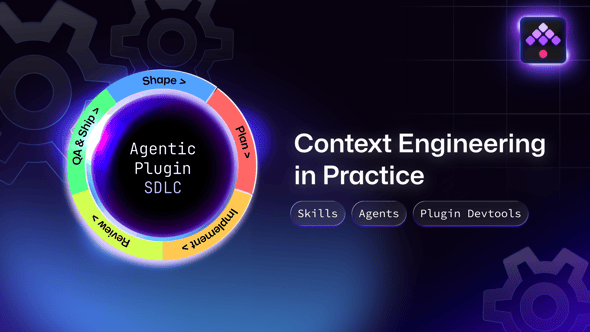
Here is the full lifecycle, with the exact Skills and agents at each step.
/kestra-plugin-managing-issuesActor: any squad member (human)
The squad member runs /kestra-plugin-managing-issues with a description or an existing issue URL. The Skill first asks about the origin of the work — customer signal, Dev Marketing initiative, internal bet, or innovation — then asks whether this is a new feature, a bug fix, or a reformat of an existing issue. From those answers, it generates a fully structured GitHub issue body following Kestra plugin conventions — acceptance criteria, YAML examples, affected tasks, and a clear statement of why the work exists — and posts it to the correct repository.
The issue becomes the contract for everything that follows. Weak spec in, weak output out.
/kestra-plugin-planningActor: any squad member (human) → agent
The squad member runs /kestra-plugin-planning with the issue URL. A planning agent reads the issue, queries the Kestra MCP server for relevant task schemas, blueprints, and documentation, and generates a structured implementation plan covering four sections:
A plan is not always the output. Before generating one, the Skill triages the issue: if it looks like a usage problem — a misconfiguration, a missing property, a flow that can be fixed without touching plugin code — the Skill queries the Kestra MCP server for the relevant documentation and blueprints, and posts a fix attempt directly as a comment on the issue instead. No plan, no implementation cycle, no /plan-approved required. The reporter gets unblocked immediately.
Only when the issue is clearly a plugin code change does the Skill generate and post the structured plan. The squad member reads it, asks questions if needed, and — when satisfied — posts exactly /plan-approved on the issue.
/plan-approvedActor: any kestra-io org member (human)
This step does not require a Skill. The approver posts /plan-approved as a comment on the issue.
Before implementation begins, the orchestrator verifies two things:
/plan-approved comment body exists (partial matches are rejected)kestra-io GitHub organizationBoth checks are hard gates. If either fails, the workflow stops with a clear error message. This is not a formality — it is the mechanism that keeps humans in control of what gets built and who authorized it. The approver can be a different person than the one who wrote the issue or ran the planning step.
If the approver is not satisfied with the plan, they leave a comment on the issue explaining what needs to change. The squad member reruns /kestra-plugin-planning — which picks up the feedback from the issue thread — and a revised plan is posted. This loop continues until /plan-approved is posted. No implementation starts until it does.
/kestra-plugin-implementing or /kestra-plugin-implementing-multipleActor: any squad member (human) → orchestrator → sub-agents
The squad member runs one of two Skills depending on the scope:
/kestra-plugin-implementing <issue-url> — single issue, sequential execution/kestra-plugin-implementing-multiple <issue-url-1> <issue-url-2> ... — multiple approved issues run in parallel via an agent team, one teammate per issueAgain, this can be a different person than the ones who wrote the issue or approved the plan.
Once the orchestrator confirms the approval gate, it drives two sub-agents and one Skill in sequence:
kestra-plugin-developer — the developerReads the issue and the approved plan, then targets the listed files directly — no broad codebase exploration, since the planning Skill already mapped the relevant classes and design decisions. Implements the full feature in one batch: writes the code, runs the Gradle test suite, fixes any failures within the same session, and opens a pull request with the correct reviewer team (kestra-io/plugins), a closes: link to the issue, and a description that matches what was implemented.
kestra-plugin-code-reviewer — the reviewerReviews the full cumulative branch diff across four independent tracks:
| Track | What it checks |
|---|---|
| Business Requirements | Does the implementation actually address the acceptance criteria from the issue? Any gaps, scope creep, or missing cases? |
| Kestra Guidelines | Correct @Schema annotations, proper @Plugin metadata, TDD conventions, backward compatibility — the shared coding standards that the developer agent also follows. |
| Security (OWASP Top 10) | Tenant isolation, secrets in logs, Pebble template injection, unsafe deserialization, vulnerable dependencies introduced without justification, and more — applied to every changed file in the Java/Kestra context. |
| Performance | Memory leaks from unclosed streams, unbounded allocation, O(n²) loops over user-controlled collections, thread-safety on shared state, blocking calls where async is available, regex compiled per iteration instead of as a static constant. |
The reviewer returns one of three verdicts: APPROVE, REQUEST CHANGES, or BLOCK. REQUEST CHANGES triggers another implementation cycle. BLOCK surfaces the problem for human review. A five-cycle retry limit prevents infinite loops.
/kestra-plugin-doing-qa — end-to-end testingRuns browser-based QA against Kestra Enterprise Edition. The Skill derives test scenarios from the issue’s acceptance criteria, presents them to the human for review, and waits for confirmation before executing — so the squad can add, remove, or adjust scenarios before any browser automation starts. Complexity classification (Simple / Standard / Complex) determines the depth of coverage. On FAIL, the failing scenarios route back to the developer agent for a correction cycle.
Before running flows, the Skill checks whether the required secrets are already present on the Kestra instance. If any are missing, it pauses and asks the user to add them before continuing — so QA never silently fails due to a missing credential.
For plugins that require an external service — a cloud provider, a database, a message broker — the Skill can spin up the dependency locally. It uses a Docker Compose file for self-contained services, or Floci for cloud provider emulation, so QA runs against a real stack without requiring live cloud accounts.
Actor: squad member (human)
The human reviews the generated pull request. The PR arrives with a reviewed diff, passing tests, and a QA report — not raw output to triage. The reviewer focuses on semantics and product judgment, not syntax.
When satisfied, they merge and release via the Plugin Devtools. The release stays with the human — intentionally.
Plugin Devtools is an internal private repository that provides the squad’s local toolchain: running a Kestra instance, deploying plugins locally for development and testing, and releasing plugins to the registry. The QA Skill relies on Plugin Devtools to start Kestra Enterprise Edition and hot-deploy the plugin under test before exercising the acceptance criteria in the browser. Step 5 uses it again for the final release.
For a medium-complexity feature — a new Kestra task with CSV and JSON processing, full tests, and YAML usage examples:
| Manual | With agents | |
|---|---|---|
| Time | ~4 hours | ~30 minutes |
| Speedup | — | ~8× |
| Cost per issue (unoptimized) | — | ~$2.70 |
| Cost per issue (optimized) | — | ~$1.65 (≈340K input + 30K output tokens) |
Token breakdown for the same session:
| Budget item | Share |
|---|---|
| Skills + agents definitions loaded into context | ~20K tokens (~6% of input) |
| Developer agent + QA Skill | ~70% of total input |
| Planning (Opus) + implementation and review (Sonnet) | 100% of cost |
The cost figure covers the full cycle: planning, implementation, code review, and QA. The developer agent and QA together consume about 70% of the token budget — which is expected, since they do the most work.
But the headline number understates the change. Manual processes routinely compress some steps under time pressure — planning gets light, code review skims, QA gets cut short. With agents, every issue gets thorough planning, detailed review across four tracks, and QA that covers happy paths, failure scenarios, and non-regression. The quality floor rises alongside the speed.
Token consumption in agentic workflows grows faster than linearly: every turn adds to the context window that all subsequent turns must read. We use three techniques to counteract this.
Pass the plan to the developer. The planning Skill maps the relevant classes and design decisions upfront and posts them as a structured comment on the issue. The developer agent reads that comment and targets the listed files directly, skipping broad codebase exploration. Eliminating even a few exploration turns has an outsized effect: each saved turn roughly halves its own cost because context window growth is roughly triangular.
Compact at strategic points. The workflow issues /compact (a context pruning command) at three specific moments: mid-implementation (after all files are written, before running tests), after the developer agent returns, and after QA (which accumulates significant browser and terminal history). Each compaction flushes turn history while preserving the essential state, keeping the context window lean for the next heavy stage.
Filter terminal output with rtk. All shell commands in the workflow are proxied through rtk, a token-optimizing CLI layer that strips redundant output from git, gradle, gh, and similar tools before it enters the context window. On a full implementation session this saves 60–90% of terminal output tokens.
These optimizations together cut the cost from ~$2.70 to ~$1.65 per issue — a reduction of nearly 40% with no change to output quality.
The agents work because the knowledge they need is explicit and version-controlled.
A central hub — a private repository called engineering-ai-hub — holds all Skills and agent definitions. The developer agent and the code reviewer agent both reference the same shared Kestra plugin guidelines — so they operate from identical conventions without duplication. When a convention changes, one file changes and both agents pick it up immediately.
Skills are tool-agnostic at the source level. A build step generates Claude Code and OpenCode formats from a single markdown source, so the same knowledge works across AI coding tools.
Kestra maintains around 200 plugin repositories. The naive alternative — an AGENTS.md file at the root of each repository — would require duplicating hundreds of lines of Kestra plugin conventions across every repo and keeping them in sync by hand. Any update to a guideline, a new edge case discovered, a security rule added — all of it would need to be propagated to 200+ files manually. That approach doesn’t scale.
Skills and agents solve this at the architecture level: the knowledge lives in one place, and the repositories just point to it. Each plugin repository holds a set of symlinks pointing directly into the hub’s build output:
.claude/agents → ../engineering-ai-hub/.claude/agents.claude/skills → ../engineering-ai-hub/.claude/skills.claude/hooks → ../engineering-ai-hub/.claude/hooks.opencode/agents → ../engineering-ai-hub/.opencode/agents.opencode/skills → ../engineering-ai-hub/.opencode/skillsWhen the hub is updated and rebuilt, every repository picks up the change immediately — no copy, no commit, no propagation step. The symlinked directories are excluded from each plugin repository’s .gitignore so they are never accidentally committed.
Setting up or refreshing symlinks on a new repository is a one-command operation: the kestra-agents-update script from Plugin Devtools pulls the latest hub changes and creates or repairs all symlinks automatically.
No agent has implicit knowledge about Kestra plugin conventions. Everything it knows, it was told — explicitly, in writing, by engineers who have shipped plugins.
The Skills and agents described here are not a first draft. The squad has been iterating on them for more than three months, refining instructions after every session where something went wrong, every review cycle that exposed a gap, every QA failure that revealed a missing guardrail. The workflow has been battle-tested on over 100 real issues. Each improvement is a pull request on the hub — reviewed, merged, and instantly live across all plugin repositories via the symlinks.
Software Engineers have always lived at the intersection of Product, Software Architecture, and Outcomes — translating business intent into working systems while making the design decisions that shape what gets built and why. That was true before AI coding tools existed. In 2026, with agents handling the mechanical execution layer, it is even more true: the craft moves up the stack, not out of the picture.
The developer’s role shifted from typing code to curating context.
Writing issue specs that are complete enough to be machine-parseable is harder than writing vague tickets. Reviewing a generated plan critically is faster than writing it from scratch, but requires genuine domain expertise. Reviewing a pull request that already passes tests and QA requires a different kind of attention — less syntax, more semantics.
The human touchpoints that remain are the ones that should remain:
| Step | Who | What |
|---|---|---|
| Write the issue | Any squad member | Spec authoring with /kestra-plugin-managing-issues |
| Approve the plan | Any kestra-io org member | /plan-approved comment on the issue |
| Trigger implementation | Any squad member | /kestra-plugin-implementing or -multiple |
| Review and merge | Squad member | PR review, merge, release |
At L4a, agents handle execution; humans own decisions. Advancing to L4b or L5a does not change that principle — it changes which decisions are worth a human’s attention.
The current workflow sits at L4a — supervised agentic, with explicit human approval gates. Two natural next levels are within reach.
At L4a, humans approve plans and review PRs. At L4b, those gates are selectively removed for classes of issues that have demonstrated reliable output quality. A bug fix with a clearly reproducible test case may not need a plan approval step. A documentation-only change may not need human PR review before merge.
The path to L4b is evidence-based: instrument each gate, measure how often human feedback changes the outcome, and remove gates where the change rate is below a meaningful threshold. Every gate that stays is a gate that earns its place.
The release gate — human merge and publish — is the last to go, and may never go. Autonomous release capability requires a level of trust in end-to-end correctness that takes time to establish and can only be built incrementally.
At L5a, agents emit structured telemetry about where they struggle. Planning agents flag issues where the spec was ambiguous. Developer agents flag patterns where the first implementation consistently fails code review. QA agents flag scenarios that reliably surface failures.
That telemetry becomes the input for Skills & agents improvement proposals. An L5a system does not just execute the workflow — it identifies which parts of the workflow produce the most errors and proposes concrete edits to the Skills & agents that govern those parts. A human reviews the proposal, approves it, and the change is applied via an automatically opened pull request on the hub.
The architecture we built supports L5a: Skills & agents are version-controlled markdown files, agent output is structured and capturable, and the feedback loops already exist between QA, code review, and the developer agent. The missing piece is the telemetry layer and the self-improvement agent that reads it. That is the next thing we are building.
The real invitation is to look at your own squad and ask: what does your team know that an agent does not? What conventions, guardrails, and review instincts live only in people’s heads? Write those down as Skills and agents. Test them on real issues. Iterate. The stack will keep changing; the knowledge your team encodes will not.
What comes after context engineering is loop engineering: wrapping agents in verification, event-driven, and hill-climbing loops so the system not only executes but improves over time, closing the gap between what the agent does today and what your team would have done instead.

Stay up to date with the latest features and changes to Kestra