Authors

François Delbrayelle
Lead Software Engineer
François Delbrayelle
Lead Software Engineer
The Kestra MCP server started with a set of tools covering the full plugin registry and Blueprint catalog. That was enough for an AI coding agent to write correct Kestra flows: discover plugins, inspect task schemas, retrieve ready-made YAML templates.
It was not enough to reason about the platform itself.
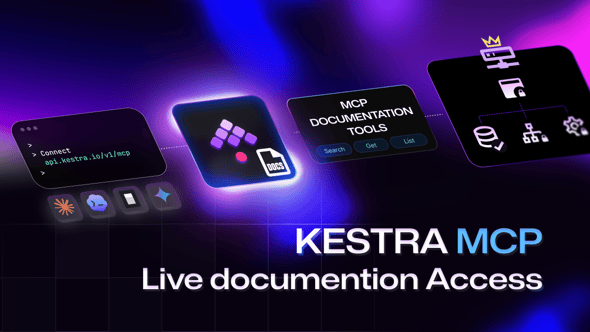
Choosing a storage backend, structuring RBAC namespaces, deciding between a polling trigger and a reactive one, understanding how worker groups isolate execution — these decisions live in the documentation, not in task schemas. Three new tools close that gap: search_docs, get_doc, and list_doc_children.
Add the Kestra MCP server to Claude Code with a single command. If you already have it configured from the earlier release, no change is needed — the documentation tools are automatically available alongside the plugin and Blueprint tools, for 12 tools total.
# Project-scoped (stores in .claude/settings.json in current repo)claude mcp add --transport http kestra https://api.kestra.io/v1/mcp
# User-scoped (global, available in every project)claude mcp add --transport http --scope user kestra https://api.kestra.io/v1/mcp
The same endpoint also works with Codex CLI, Gemini CLI, OpenCode, and any other MCP-compatible agent — see the Plugins & Blueprints post for configuration snippets.
All three tools carry readOnlyHint: true. They are backed by the same Elasticsearch index that powers the documentation search on kestra.io, and they support an optional version parameter to target a specific Kestra release (e.g. v0.23). When omitted, the current installed version is used.
| Tool | What it does |
|---|---|
search_docs | Search documentation pages by keyword. Returns matching pages with their parsedUrl and title. |
get_doc | Fetch the full markdown content and metadata of a documentation page. Accepts a parsedUrl path (e.g. docs/getting-started) or a docId. |
list_doc_children | List all documentation pages under a given path prefix, ordered by navigation order. Returns each child’s parsedUrl and metadata. |
The foundation. An agent connected to the Kestra MCP server can write a flow without guessing task names or property shapes:
list_plugins to discover which plugins are availableplugin_tasks to enumerate tasks, triggers, and task runners for the right plugintask_schema to get the exact JSON schema, property types, defaults, and outputs for each taskThe result is valid YAML on the first attempt, with no hallucinated property names and no tab to the plugin reference. This is the baseline: correct flows, every time.
Closing the hallucination gap with kestractl
The MCP tools eliminate most hallucinations — unknown property names, wrong types — but an agent can still produce structurally plausible YAML that the Kestra server rejects. The safest pattern is to validate the generated flow against a real instance before treating it as done:
kestractl flows validate my-flow.yaml --namespace prodWire this into a tool-call loop: generate the flow with the MCP tools, validate with kestractl, feed any validation errors back to the agent, and repeat until the server returns a clean result. This turns Level 1 from “usually correct” to “provably correct.”
Install kestractl with one command — see the kestractl docs for setup and authentication options.
Before writing from scratch, a smarter agent checks whether the problem has already been solved:
search_blueprints with a keyword like "dbt", "slack", or "file transfer" to scan available templatesget_blueprint_flow on the best match to retrieve the full YAMLtask_schema on the tasks it does not recognize to understand the properties to customizeThis is faster than authoring from scratch and produces output that follows Kestra’s own patterns. The agent is not just writing flows — it is inheriting the team’s accumulated best practices.
Levels 1 and 2 make an agent a good flow writer. Level 3 makes it a Kestra architect.
Flow YAML expresses what to execute. Architecture is about how the platform is deployed and why specific design choices apply to this environment. That knowledge lives in the documentation: storage backends, secret manager integrations, RBAC namespace design, worker group isolation, subflow composition, trigger types, task runner tradeoffs.
With the documentation tools, an agent can fetch that knowledge on demand:
Designing a storage strategy
Agent calls: search_docs("internal storage backends")→ returns: docs/concepts/storage and related pages
Agent calls: get_doc("docs/concepts/storage")→ returns: full markdown explaining GCS, S3, Azure Blob, MinIO options,  configuration syntax, and tradeoffs
Agent calls: list_doc_children("docs/concepts/storage")→ returns: child pages for each backend with their navigation order
The agent can now tell you not just how to configure a storage backend, but which one fits a given deployment and why — including the configuration keys and the caveats specific to each.
Structuring RBAC namespaces for a multi-tenant deployment
Agent calls: search_docs("namespace RBAC multi-tenant")→ surfaces: docs on namespaces, roles, bindings, and tenant isolation
Agent calls: get_doc("docs/enterprise/rbac")→ returns: full RBAC model, role hierarchy, binding syntax, and examples
With that context, the agent can propose a namespace structure, generate the YAML for namespace creation, and explain what each role allows — without the human ever leaving the conversation.
Choosing between task runner backends
Agent calls: list_plugin_elements(elementType: "TASK_RUNNER")→ lists all available backends: Docker, Kubernetes, GCP Batch, AWS Batch, …
Agent calls: search_docs("task runners Kubernetes")→ surfaces: configuration guide and comparison pages
Agent calls: get_doc("docs/task-runners/kubernetes")→ returns: full setup guide, resource configuration, isolation model
The agent understands the tradeoffs between a local Docker runner and a cloud-managed batch runner, can recommend one given a deployment context, and generates the complete configuration.
The key distinction
A flow-writing agent knows how to call io.kestra.plugin.aws.s3.Upload correctly. An architect-level agent knows whether S3 is the right storage choice for this deployment, how to configure the corresponding internal storage backend, and how that decision affects every flow that writes to internal storage. The documentation tools provide the second layer.
Consider a team onboarding to Kestra with an AI agent as their guide. Without documentation tools, the agent can write flows and answer task-level questions. With documentation tools, it can:
The agent does not just execute — it advises.
Three tools added to the existing MCP server: search_docs (keyword search returning parsedUrl and title), get_doc (full markdown content and metadata for a page), and list_doc_children (all child pages under a path prefix, ordered by navigation). All three support an optional version parameter; the current Kestra version is used by default.
search tool?search returns lightweight snippets across all content types. search_docs focuses on documentation pages and returns parsedUrl and title so an agent can find the right page. get_doc then fetches the complete markdown. list_doc_children enables structured navigation — useful when an agent needs to survey a whole section rather than retrieve one specific page.
A flow-writing agent composes correct task YAML. An architect-level agent understands platform decisions: which storage backend fits a deployment, how to structure RBAC for a multi-tenant environment, when subflows are preferable to trigger chaining, and how worker groups isolate workloads. The documentation tools provide that second layer of reasoning, directly in the conversation.
No. The endpoint is unchanged: https://api.kestra.io/v1/mcp. The three new tools appear automatically alongside the plugin and Blueprint tools, for 12 tools total. No reconnection or configuration update is needed if you already have the server registered.

Stay up to date with the latest features and changes to Kestra