Getting Started with Declarative Orchestration
See how Kestra can simplify your workflows—and scale beyond app automation.
Book a demon8n connects apps visually for fast automation. Kestra orchestrates data pipelines, infrastructure, and AI workloads at enterprise scale. One automates tasks. The other carries it into production across teams.
Write workflows in YAML. Run tasks in any language. Deploy through Git and CI/CD. Kestra orchestrates data pipelines, infrastructure, and AI workloads with isolated execution and team-level governance built in.
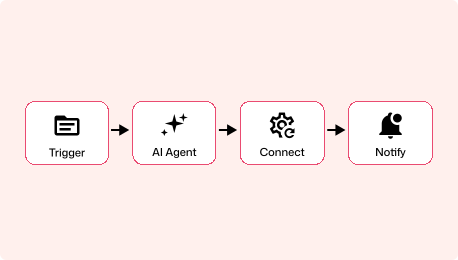
Visual-first workflow automation platform built around a drag-and-drop node editor. Connect SaaS apps, build AI agent workflows, and prototype automations quickly with JavaScript and Python code nodes.
Both tools start with a single Docker command. The difference isn't setup time. In Kestra, your first workflow is already production-shaped: YAML you can commit, review, and deploy through CI/CD. In n8n, your first workflow lives in the browser and needs reworking before it's production-ready.
curl -o docker-compose.yml \https://raw.githubusercontent.com/kestra-io/kestra/develop/docker-compose.ymldocker compose up
# Open localhost:8080# Pick a Blueprint, run it. Done.Start with Docker Compose, open the UI, pick a Blueprint, and run it. Your first workflow is a YAML file, the same format it'll be in six months when it's running across teams with retries, scheduling, and namespace isolation.
docker run -it --rm \ -p 5678:5678 \ n8nio/n8n
# Open localhost:5678# Drag nodes, connect them, execute.Start with a single Docker command, open the visual editor, and drag nodes together. Fast to prototype, but workflows live in the browser by default, and moving them to version control requires the Enterprise tier.
YAML is readable on day 1. Our docs are embedded in the UI for easy reference, the AI Copilot writes workflows for you, or start with our library of Blueprints. Workflows go through pull requests and CI/CD like any other code.
Workflows are built by dragging nodes onto a canvas and connecting them. Fast for prototyping, but version control is an Enterprise feature and workflows live in the browser by default.
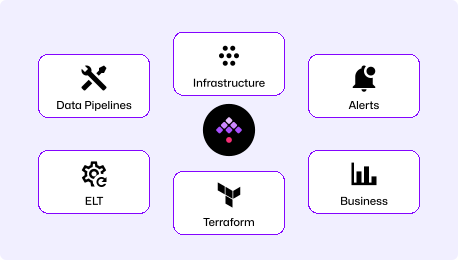
Orchestrate across data pipelines, infrastructure operations, AI workloads, and business workflows in one unified platform. Distributed, isolated, and built for production.
Purpose-built for connecting apps and building visual automations. Strong AI agent tooling with LangChain, MCP, and 12 vector store integrations. Not designed for infrastructure orchestration or multi-team isolation at scale.
| | | |
|---|---|---|
| Primary use case | Universal workflow orchestration | Visual app-to-app automation |
| Workflow definition | Declarative YAML (code-first) | Visual canvas (drag-and-drop) |
| Architecture | Distributed, queue-based, horizontally scalable by default | Node.js, horizontally scalable via queue mode (Redis + workers) |
| Languages supported | Agnostic (Python, R, Bash, Node.js, Go, SQL & more) | JavaScript, Python (code nodes) |
| Task isolation | Container per task | Shared Node.js process |
| Version control | Native (Git, CI/CD, Terraform) | Enterprise feature (Git-based) |
| Multi-tenancy | Namespace isolation, RBAC per namespace | RBAC with project-level roles (no namespace isolation) |
| Air-gapped deployment | Supported | Not available |
| AI approach | Pipeline orchestration for any AI workload (visual or code-based) | Visual AI agent builder (LangChain, MCP, 12 vector stores, evaluations) |
| Triggers | Schedule, webhook, flow, file detection, message queue, polling | Schedule, webhook, SSE, Redis, workflow lifecycle, error, app-event |
| Failure handling | Retries with backoff, timeouts, allowed-failure policies, reprocessing | Error workflows, retry logic |
| Secrets management | Built-in secrets manager, encrypted variables | Encrypted credentials, external secrets integration |
| License | Apache 2.0 (open-source) | Sustainable Use License (source-available) |
| Plugins / Integrations | 1,100+ | 400+ built-in (1,000+ with community nodes) |
| Cloud | Early access | Available (Azure Frankfurt) |
Bring your existing Python, SQL, Shell, Go, and R scripts. Define workflows in declarative YAML. No wrappers, no framework lock-in.
Build your first scheduled workflow in under 5 minutes with our Quickstart Guide. No Node.js runtime to manage, no visual canvas required. Write YAML and execute.
Data pipelines, infrastructure provisioning, AI workloads. One platform with container-level isolation and RBAC per namespace.
Find answers to your questions right here, and don't hesitate to Contact us if you couldn't find what you're looking for.
See how Kestra can simplify your workflows—and scale beyond app automation.
Book a demo