/

Kestra vs. PagerDuty Process Automation: Orchestration vs. Runbooks

PagerDuty Process Automation (formerly Rundeck) makes it easy to give ops teams click-to-run access to scripts and Ansible playbooks. But when incidents demand multi-step remediation across cloud APIs, Kubernetes, and ITSM—Kestra's event-driven orchestration engine handles it all in declarative YAML, with approvals, retries, and full audit trails built in.
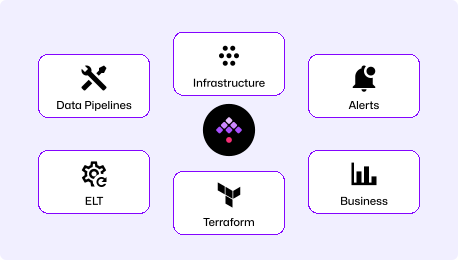
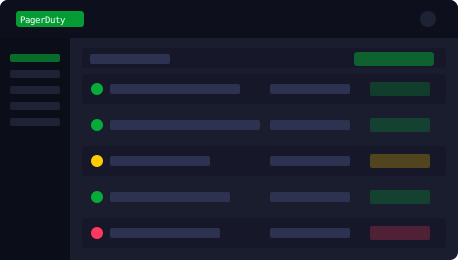
kestra ui

Full Incident Orchestration vs. Click-to-Run Runbooks

End-to-End Incident & Ops Automation

Define every incident workflow in YAML—from alert ingestion to automated diagnosis, human-in-the-loop approval, remediation, and ITSM ticket closure. Kestra triggers on webhooks, PagerDuty alerts, Kafka events, or schedules. Every execution is logged, versioned, and auditable.

"How do I automate the full incident lifecycle—from detection to resolution—with a clear audit trail?"
Runbook Catalog, Limited Orchestration

PagerDuty Process Automation excels at giving operators self-service access to scripts and Ansible playbooks via a job catalog. But multi-step logic, conditional branching, data passing between steps, and complex event-driven triggers require workarounds. Version control is available only on Enterprise tier.

"My runbook worked, but the next step failed silently. How do I orchestrate the whole remediation flow?"

Replace Manual Runbooks
with Intelligent Automation

Incident Orchestration Platform
  • Trigger workflows from PagerDuty alerts, webhooks, or Kafka events automatically
  • Multi-step remediation with conditions, retries, and parallel execution
  • Inline approval gates—pause for human review before impactful changes
  • Full audit trail and evidence logging for compliance and post-mortems
  • Git-native—every workflow reviewed, versioned, and deployed through CI/CD
Job Catalog & Runbook Tool
  • Click-to-run job catalog—great for individual runbooks, not complex flows
  • Limited conditional logic and data passing between job steps
  • Version control only available on Enterprise tier
  • No native IaC integration—Terraform and complex pipelines require extra tooling
  • Per-host licensing costs compound as infrastructure scales

Time to First Incident Automation Workflow

Kestra starts in minutes with Docker Compose. PagerDuty Process Automation (Rundeck) requires Java, database configuration, and node setup before running a single job.

~5

Minutes
curl -o docker-compose.yml \
https://raw.githubusercontent.com/kestra-io/kestra/develop/docker-compose.yml
docker compose up
# Open localhost:8080
# Pick an Incident Automation Blueprint, run it. Done.

Download the Docker Compose file, run it, open the UI, and pick an incident automation Blueprint. Your first workflow includes a webhook trigger, automatic diagnosis step, approval gate, and ITSM ticket update—all in readable YAML.

Hours

of setup
# PagerDuty Process Automation (Rundeck)
docker run -d -p 4440:4440 rundeck/rundeck:latest
# Then configure: DB backend, node executor,
# ACL policies, SSH credentials, project structure...
# Version control (Git) requires Enterprise tier

PagerDuty Process Automation (formerly Rundeck) requires Java, a relational database, and node/agent configuration before running a single job. The Enterprise tier adds version control—meaning basic GitOps requires an upgrade.

Declarative Orchestration vs. UI-First Job Templates

Kestra: Readable, reviewable, deployable

YAML workflows read like documentation. The AI Copilot writes them for you. Every workflow goes through Git and CI/CD—no hidden state in a UI. Approvals, retries, PagerDuty alert triggers, and ITSM integration are first-class YAML constructs.

Rundeck: UI-first, limited orchestration

PagerDuty Process Automation job definitions live in the UI by default. Multi-step flows require chaining jobs or writing inline scripts. Complex conditional logic is awkward, data passing between steps is limited, and version control requires the Enterprise tier.

Incident Orchestration Platform vs. Runbook Catalog

Kestra Image

One platform for alert-triggered workflows, multi-step remediation, human approval gates, and ITSM ticket closure. Works on-prem, in Kubernetes, and in air-gapped environments.

Competitor Image

PagerDuty Process Automation provides a self-service runbook catalog with SSH-based execution and RBAC. Excellent for click-to-run ops tasks—but limited when incident workflows need conditional logic, event-driven triggers, or data pipelines between steps.

Kestra vs. PagerDuty Process Automation at a Glance

Primary use case Full incident lifecycle orchestration (detect, diagnose, remediate, close) Self-service runbook catalog and job automation
Workflow definition Declarative YAML (code-first, Git-native) UI-based job templates (Git requires Enterprise tier)
Event-driven triggers PagerDuty alerts, webhooks, Kafka, schedules, file detection, flow triggers Webhooks and schedules (limited queue-based triggers)
Multi-step orchestration Conditions, loops, parallelism, data passing, sub-flows Job chaining (limited conditionals and data passing)
Approval gates Inline Pause tasks with dynamic forms and resume logic Manual job inputs (basic, no dynamic forms)
IaC integration Native Terraform, Ansible, PowerShell, Python, Pulumi Ansible as standalone job step (no native Terraform/IaC)
Observability Full execution logs, artifact storage, Gantt view, clear error messages Basic job output logs (limited structured observability)
Air-gapped deployment
Fully supported (on-prem, Kubernetes)
Partial (Runbook Automation Cloud requires connectivity)
Version control Native (Git, CI/CD, Terraform provider) Enterprise tier only
Multi-tenancy Native namespace isolation with per-namespace RBAC Project-based RBAC (no namespace isolation)
Licensing model Flat instance + worker-based pricing Per-host pricing—costs compound as infrastructure scales
SRE and platform engineering team

We replaced Rundeck after it dropped jobs in HA mode and gave us no visibility. Kestra handles our entire incident automation pipeline—from PagerDuty alert to ITSM closure—with full audit trails and approval gates.

SRE Lead @ Private Healthcare

100%

Audit coverage for incident workflows

0

Dropped jobs since migration

3x

Faster mean time to resolution
See how ops teams automate incident response with Kestra
Read the story

Kestra Is Built for the Full Incident Lifecycle

Event-Driven from Alert to Resolution

Kestra triggers on PagerDuty alerts, Kafka events, webhooks, and file detection. Automated diagnosis, conditional remediation, human approval gates, and ITSM ticket closure all happen in a single declarative workflow—no handoffs between tools.

Git-Native Runbooks That Actually Scale

Every workflow is YAML you can commit, review in a pull request, and deploy through CI/CD. When Mercy Health's team needed to update their incident response playbook, it was a PR—not a UI change on a live production system.

Works Anywhere: Cloud, On-Prem, Air-Gapped

Deploy Kestra on Kubernetes, Docker, or bare metal. Run remote workers close to targets in hybrid and OT environments. Air-gap deployments supported for regulated industries—the Austrian Ministry of Defense runs Kestra fully disconnected from the internet.

When to Choose Kestra vs. PagerDuty Process Automation

Choose Kestra When
  • Your incident workflows require multi-step logic, conditions, and data passing between steps.
  • You need event-driven triggers from PagerDuty alerts, Kafka, or message queues.
  • Audit trails, compliance logging, and post-mortem evidence are requirements.
  • You want self-service Apps with dynamic approval forms—not just click-to-run scripts.
  • Version control and GitOps matter to your team today, not as an Enterprise upgrade.
Consider PagerDuty PA When
  • Your use case is purely self-service access to simple ops scripts and Ansible playbooks.
  • PagerDuty on-call integration is already deeply embedded and a catalog of runbooks is sufficient.
  • Your workflows are single-step or two-step with no complex logic or data dependencies.
  • You don't need Git-native workflow management and are comfortable with UI-first definitions.

Frequently asked questions

Find answers to your questions right here, and don't hesitate to Contact us if you couldn't find what you're looking for.

See How

Getting Started with Modern Incident Orchestration

See how Kestra replaces runbook tools with end-to-end incident automation—from alert to resolution.