Getting Started with Modern Runbook Orchestration
See how Kestra modernizes operational runbooks with declarative YAML and event-driven triggers.
Rundeck gives ops teams self-service access to scripts and Ansible playbooks via a clean UI with RBAC. Kestra takes that foundation further—adding declarative YAML orchestration, event-driven triggers, complex multi-step workflows, and self-service Apps with dynamic forms—without losing the simplicity ops teams depend on.
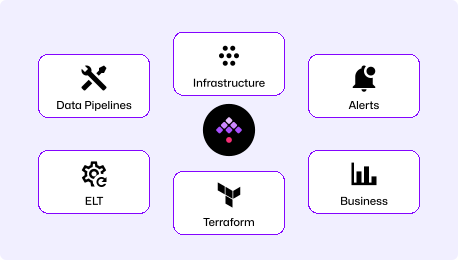
Define every workflow in YAML that lives in Git. Run scripts, Ansible playbooks, Terraform, and REST APIs as coordinated steps with conditions, parallelism, and retries. Trigger workflows from events, webhooks, or schedules. Self-service Apps give ops teams dynamic forms and inline approvals—without a separate portal.
Rundeck (open-source, now part of PagerDuty as Process Automation) provides a web UI for giving operations teams self-service access to scripts and Ansible playbooks with fine-grained ACLs. It excels at SSH-based job execution with inventory management—but lacks native IaC support, complex multi-step orchestration, and Git-native workflow management.
Both start with Docker. Kestra's first workflow is production-shaped YAML you can commit and review. Rundeck's first job is configured in the UI with limited version control until you add Git Source Control (Enterprise or plugin).
curl -o docker-compose.yml \https://raw.githubusercontent.com/kestra-io/kestra/develop/docker-compose.ymldocker compose up
# Open localhost:8080# Pick an Operations Blueprint, run it. Done.Download the Docker Compose file, run it, pick a Blueprint for your use case—Ansible patching, VM lifecycle, incident response—and run it. Your first workflow is YAML you can immediately put in Git.
docker run -d \ --name rundeck \ -p 4440:4440 \ rundeck/rundeck:latest
# Open localhost:4440# Create jobs via UI# Configure nodes, ACLs, credentials manually# Version control: add Git SCM plugin separatelyRundeck starts quickly with Docker but job definitions are created in the UI by default. To get version control, you need to configure the Git Source Control plugin (OSS) or use the Enterprise SCM integration. Production HA requires additional database and cluster configuration.
Write workflows in YAML that read like documentation. The AI Copilot drafts them for you. Workflows go through Git and CI/CD—no hidden configuration state. Add approvals, secrets, retries, and event triggers as YAML constructs.
Rundeck jobs are created via the UI with step-by-step configuration. They can be exported as YAML or XML for backup, but the primary authoring model is the browser. Workflow steps are largely sequential with limited conditional logic.
Live DAG topology view, real-time execution logs, artifact storage, and a built-in code editor with embedded documentation. Workflows that span multiple tools and environments show every step's state, output, and timing.
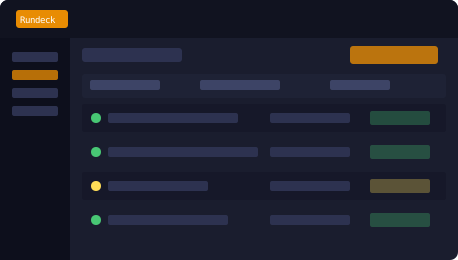
Rundeck provides a clean, functional UI for job scheduling and log viewing. It excels at giving ops teams access to scripts with RBAC—but the interface is designed for single-tool jobs rather than multi-step cross-tool orchestration, and log visibility is limited for complex workflows.
| | | |
|---|---|---|
| Workflow definition | Declarative YAML (code-first, Git-native, CI/CD deployable) | UI-configured jobs (YAML/XML export for backup, not primary authoring) |
| Orchestration model | Event-driven DAGs with complex dependencies, parallelism, conditions | Sequential job steps with basic linear chaining |
| Ansible integration | Ansible as a step in multi-tool workflows with data passing | Ansible plugin runs playbooks as standalone jobs |
| Plugin ecosystem | 1,200+ plugins (cloud, data, DevOps, AI, ITSM) | ~120 plugins (scripts, nodes, fewer cloud-native) |
| Scalability | Horizontally scalable via Kafka + worker groups | Server clustering for HA; limited for massive parallel workloads |
| Architecture | Cloud-native microservices (Kubernetes, Docker ready) | Monolithic Java server (agentless SSH execution) |
| Multi-tenancy | Native namespace isolation with per-namespace RBAC | Projects + ACLs (no true namespace isolation) |
| API design | API-first with full REST API for all operations | REST API available but not fully featured (no job versioning via API) |
| Self-service Apps | Built-in dynamic forms with API-backed fields and approval gates | Job options (basic form inputs on job execution) |
| Version control | Native (Git, CI/CD, Terraform provider) | Git SCM plugin (OSS) or Enterprise SCM integration |
| Windows / PowerShell | First-class Windows worker support with PowerShell tasks | Limited Windows support; SSH-centric architecture |
| Event-driven triggers | Webhooks, schedules, file detection, message queues, polling | Webhooks and schedules (basic, no queue-based triggers) |
Kestra workers run natively on Windows with full PowerShell task support. No SSH workarounds, no Cygwin hacks. If your runbooks include Windows servers, Kestra handles them the same way it handles Linux—with the same YAML, retries, and audit trail.
Add human approval gates directly in your YAML workflow as Pause tasks with dynamic forms. Approvers get notified via Slack, email, or your ITSM—and their decision is logged with a timestamp. No separate approval workflow tool required.
Trigger any workflow from a webhook, a ServiceNow ticket, a Kafka message, a file appearing on S3, or a schedule. Kestra's event-driven architecture means runbooks respond to real events—not just manual button clicks. This is how you reduce MTTR without adding oncall burden.
Find answers to your questions right here, and don't hesitate to Contact Us if you couldn't find what you're looking for.
See how Kestra modernizes operational runbooks with declarative YAML and event-driven triggers.