Authors

François Delbrayelle
Lead Software Engineer
François Delbrayelle
Lead Software Engineer
VMware remains the backbone of many enterprise infrastructures. From development clusters to mission-critical production workloads, vSphere environments power a large portion of modern virtualized infrastructure.
But while VMware excels at virtualization, automating what happens around virtual machines is still surprisingly fragmented.
As we explain in our guide on modern infrastructure automation, most companies still rely on a patchwork of scripts, pipelines, and legacy orchestration tools.
Virtualization workflows are no exception.
VMware vRealize Automation (vRA), now Aria Automation, is powerful, but it often becomes a rigid automation silo where operational logic is difficult to evolve, integrate with modern pipelines, or extend beyond the VMware ecosystem.
Kestra takes a different approach. Instead of locking automation inside a virtualization portal, VMware operations become workflow steps in a broader orchestration platform, where VM lifecycle management, infrastructure automation, and application workflows can all run together.
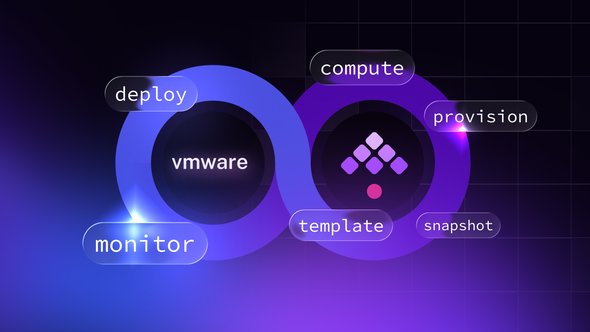
You can now orchestrate the entire lifecycle of VMware virtual machines directly from Kestra, integrating VM management with deployment pipelines, infrastructure automation, and event-driven workflows.
Let’s explore the orchestration capabilities this plugin brings to VMware environments.
VMware environments rarely operate in isolation.
Virtual machines are part of larger operational workflows: deployments, testing environments, scaling events, incident recovery, and infrastructure provisioning.
The VMware plugin brings VM lifecycle management directly into Kestra workflows, allowing infrastructure teams to:
Instead of automating VMware in isolation, teams can now treat it as one component of a larger orchestration workflow.
If you are planning to replace vRA and vRO rather than extend them, our vRA to Kestra migration guide covers the full migration, from inventorying your estate to retiring vRA at renewal. Read how the Migration Assistant shrinks the inventory before anything is converted.
VM lifecycle operations such as starting, stopping, or deleting virtual machines are fundamental to managing VMware environments. The Kestra VMware plugin orchestrates these tasks directly through both vCenter-managed clusters and standalone ESXi hosts.
Common operational tasks like provisioning, restarting, or decommissioning virtual machines can now be orchestrated directly inside Kestra workflows.
This includes:
These operations are uniform across vCenter and ESXi, giving teams flexibility whether they run managed clusters or standalone hosts.
Snapshots are the safety net of most VMware environments.
Before upgrades, configuration changes, or infrastructure experiments, teams rely on snapshots to preserve a rollback point.
With Kestra, snapshot management becomes fully automated and integrated into workflows.
You can automatically create checkpoints before risky operations, validate changes, and revert instantly if something fails.
Snapshots are a vital part of infrastructure resilience, and automating them ensures repeatability and rapid recovery.
For larger environments using vCenter, Kestra extends its orchestration to template management, which is pivotal for scaling and standardizing VM deployments.
Templates are often the backbone of environment provisioning.
They allow teams to standardize machine configurations and rapidly deploy new environments for testing, staging, or scaling.
With Kestra workflows, template operations can now be integrated directly into deployment pipelines — for example automatically cloning a full test environment before running integration tests.
Templates are often the starting point for CI/CD pipelines or environment provisioning. With Kestra, these operations can now be tied into broader workflow orchestration, such as automatically cloning a testing environment before a release cycle begins.
One of the most powerful capabilities of the VMware plugin is event-driven automation.
Instead of running scheduled scripts, Kestra can react to VMware events as they occur.
This enables infrastructure workflows such as:
The plugin can react to many common VMware lifecycle events, including:
These events can trigger downstream workflows such as sending alerts, updating configuration databases, or kicking off CI pipelines.
For example, you can notify a Slack channel when a VM is powered off or automatically trigger a backup workflow after a shutdown event.
id: vm-event-listennamespace: your.company
triggers:  - id: watch    type: io.kestra.plugin.ee.vmware.esxi.Trigger    interval: PT1M    server: "exsi.vsphere.local"    port: 443    username: "foo"    password: "bar"    eventType: VM_POWERED_OFF    vmNameRegex: "vm-.*"
tasks:  - id: foreach-event    type: io.kestra.plugin.core.flow.ForEach    values: "{{ trigger.events }}"    tasks:      - id: notify-slack        type: io.kestra.plugin.notifications.slack.SlackIncomingWebhook        url: "{{ secret('SLACK_WEBHOOK') }}"        messageText: "A VM named *{{ json(taskrun.value).vmName }}* was powered off at {{ json(taskrun.value).timestamp }}."
This turns your Kestra workflows into responsive infrastructure agents, not just scheduled jobs.
Virtual machines remain a critical foundation of enterprise infrastructure.
But the way we automate them is evolving.
The VMware plugin for Kestra brings virtualization operations into a modern orchestration model where infrastructure workflows are:
Instead of relying on siloed orchestration portals or brittle scripts, teams can now integrate VMware directly into the same workflows that power their data, deployment, and platform automation.
This is a key step toward treating infrastructure as orchestrated workflows rather than isolated systems.
VMware becomes just another orchestrated component in your platform workflows.
👉 Explore the VMware plugin and start orchestrating your vSphere environments with Kestra.
👉 Moving off vRA and vRO entirely? Read the vRA to Kestra migration guide.
Have questions or feedback? Join our Slack community or open an issue on GitHub.
Like what we’re building? Support us with a star on GitHub.

Stay up to date with the latest features and changes to Kestra