Modernizing Legacy IT Automation with Kestra
See how enterprises replace HP OO and other legacy runbook tools with Kestra's declarative platform.
HP Operations Orchestrator (now under OpenText after Micro Focus) is an enterprise runbook tool used in large organizations for decades. Kestra offers a modern alternative—declarative YAML, cloud-native architecture, self-service Apps, and Git-native governance—without the licensing complexity and maintenance overhead of HP OO.
Define workflows as declarative YAML that lives in Git. Run Ansible, Terraform, PowerShell, and REST APIs as coordinated steps with conditions, retries, and data passing. Self-service Apps with dynamic forms and inline approvals replace rigid runbook catalogs. Every execution is logged, auditable, and reproducible.
HP Operations Orchestrator (HP OO), now an OpenText product, is an enterprise IT automation tool featuring a proprietary, Java-based graphical designer. While historically feature-rich, it struggles with legacy drawbacks like complex installation, Java overhead, proprietary content packs, and expensive licensing.
Kestra runs in minutes on any infrastructure with a single Docker Compose command. HP Operations Orchestrator requires a Java application server, a database, deployment of the Central component, and configuration of content packs before running a single flow.
curl -o docker-compose.yml \https://raw.githubusercontent.com/kestra-io/kestra/develop/docker-compose.ymldocker compose up
# Open localhost:8080# Pick an IT Automation Blueprint, run it. Done.Download Docker Compose, run it, open the UI, pick a Blueprint, and run your first IT automation workflow. YAML-defined, Git-ready from minute one. No Java application server, no content pack deployment.
# HP Operations Orchestrator installation:# 1. Install Java 11+ application server# 2. Configure enterprise DB (Oracle, MSSQL, PostgreSQL)# 3. Deploy HP OO Central WAR/installer# 4. Configure LDAP/SAML for SSO# 5. Deploy and activate content packs for each integration# 6. Configure RAS (Remote Action Server) agents# on each execution target# Typical time: 2-5 days for dev, weeks for production HAHP OO requires deploying the Central component on a Java application server, configuring an enterprise database, deploying content packs for integrations, and configuring LDAP/SSO. A production HA setup with clustered Central servers, load balancers, and failover databases takes days and typically requires professional services.
Write orchestration logic in YAML that reads like documentation. The AI Copilot helps draft workflows. Every flow is a file in Git—reviewable in pull requests, testable in CI/CD, and deployable via Terraform or GitOps. No proprietary designer required.
HP OO flows are built in the proprietary Studio designer using drag-and-drop operation nodes from content packs. Flows are stored in a proprietary repository (not Git-native), versioned through HP OO's own system, and deployed via content packs. Integrating with modern APIs requires custom operations or content pack development.
Live execution topology, real-time logs per step, artifact storage, and a built-in code editor with embedded documentation. Deploy workflows through CI/CD pipelines with a Terraform provider. Runs in Kubernetes with automatic scaling.
HP OO Central provides a web UI for triggering flows, viewing execution history, and managing content. The authoring experience requires the separate HP OO Studio desktop application. The architecture centers on a Java application server with RAS agents for remote execution—a model that predates cloud-native infrastructure.
| | | |
|---|---|---|
| Workflow definition | Declarative YAML (code-first, Git-native, CI/CD deployable) | Graphical flow designer (proprietary Studio, XML-based, not Git-native) |
| Architecture | Cloud-native microservices (Kubernetes, Docker, air-gap ready) | Java application server + RAS agents (legacy enterprise architecture) |
| Integrations | 1,100+ open plugins (cloud, ITSM, Ansible, Terraform, databases) | Content packs (proprietary, version-locked, licensed separately) |
| Version control | Native Git, CI/CD, Terraform provider | HP OO proprietary repository (no native Git workflow) |
| Self-service Apps | Built-in dynamic forms with API-backed fields and inline approvals | Flow inputs and run configurations (basic, no dynamic field population) |
| Execution model | Kubernetes-native workers, horizontally scalable, Kafka queue | RAS (Remote Action Server) agents on target systems |
| Event-driven triggers | Webhooks, schedules, file detection, message queues, polling | Schedule-based or manual trigger (limited event-driven) |
| Observability | Full step-level logs, artifacts, audit trail, error surfacing | Execution logs per flow run (limited step-level visibility) |
| Licensing | Flat instance + worker-based pricing (open-source core) | Complex enterprise licensing (executions, content packs, HA) |
| Cloud-native support | Native Kubernetes deployment, auto-scaling, cloud APIs | Runs on VMs/containers but not designed for Kubernetes-native ops |
| Multi-tenancy | Native namespace isolation with per-namespace RBAC | Tenant separation via organization units and role configuration |
| Open source | Apache 2.0 (open-source core) | Proprietary enterprise software (no open-source option) |
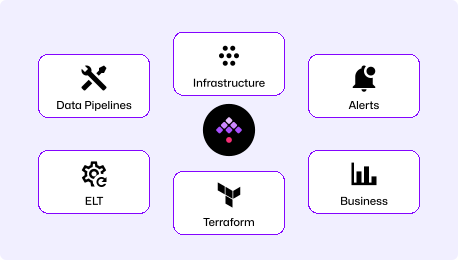
Kestra's 1,100+ plugins are open-source, versioned with the platform, and integrate with the full modern stack—cloud APIs, Ansible, Terraform, Kubernetes, ITSM, and databases. No separate content pack licenses, no version compatibility matrix to manage.
Every workflow is a YAML file that lives in your Git repository. Deploy through CI/CD pipelines, review in pull requests, roll back to any previous version. No proprietary flow designer required—use VS Code, vim, or any editor you already use.
Kestra's plugin ecosystem covers every integration category that HP OO handles—ITSM (ServiceNow, Jira), infrastructure (Ansible, Terraform, vSphere), scripts (PowerShell, Python, Bash), and notifications (Slack, Teams, email). Migration is systematic: map each HP OO operation to a Kestra task type and rewrite the flow in YAML.
Find answers to your questions right here, and don't hesitate to Contact us if you couldn't find what you're looking for.
See how enterprises replace HP OO and other legacy runbook tools with Kestra's declarative platform.