Kestra vs. Microsoft Fabric: Universal Orchestration vs. Unified Microsoft Analytics

Microsoft Fabric is a unified analytics platform that brings data engineering, warehousing, and reporting together in a single Azure-native environment. Kestra is a workflow orchestration platform that works with any cloud, any stack, and any language, with the option to self-host and version-control every workflow in Git.
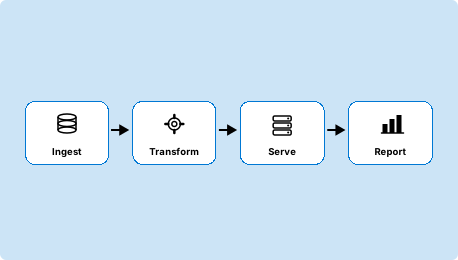
Two Approaches to Data Infrastructure

Stack-Agnostic Orchestration for Any Environment

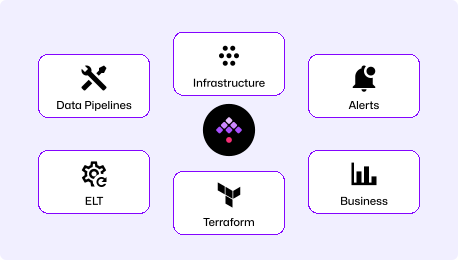
Declarative YAML orchestration platform for engineering and data teams. Orchestrate data pipelines, infrastructure automation, and business workflows across any cloud, any tool, and any language. Self-hosted or on Kestra Cloud, with Git-native deployments and full audit trails.

"How do I orchestrate across our entire data stack, regardless of which cloud or tools we use?"
Microsoft's Unified Analytics Platform

All-in-one SaaS analytics platform built on Azure. Data Factory pipelines, a data warehouse, Spark notebooks, real-time analytics, and Power BI reports all share OneLake as a common data layer. If your data stack lives in Microsoft and Azure, everything connects natively.

"How do I unify our data engineering, warehousing, and reporting on a single Microsoft platform without managing separate tools?"

Unified Analytics for Microsoft Shops.
Universal Orchestration for Everyone Else.

Production-Grade Workflow Orchestration
  • Orchestrate data pipelines, infrastructure, and business processes across any cloud or stack
  • Self-hosted or cloud, with full data residency control independent of Microsoft
  • GitOps-native: version control, CI/CD, and Terraform for all workflows
  • RBAC, audit logs, and multi-tenancy for enterprise compliance
  • Handles 100,000+ concurrent tasks with no Azure capacity billing
Unified Microsoft Analytics Platform
  • Data Factory, data warehouse, Spark, real-time analytics, and Power BI in one subscription
  • OneLake as a shared data layer across all Fabric workloads
  • Capacity-based Azure pricing (compute and storage share a pool)
  • Azure-only, cloud-only deployment
  • dbt integration, Dataflow Gen 2, and Apache Airflow integration

Time to First Workflow

Microsoft Fabric requires an Azure account, a Fabric-enabled workspace, and capacity allocation before any pipeline runs. Fabric is a SaaS platform so there is no infrastructure to deploy, but Azure account setup, capacity provisioning, and workspace configuration take time. Kestra runs in two commands.

~5

Minutes
curl -o docker-compose.yml \
https://raw.githubusercontent.com/kestra-io/kestra/develop/docker-compose.yml
docker compose up
# Open localhost:8080
# Pick a Blueprint, run it. Done.

Download the Docker Compose file, spin it up, and you're ready (database and config included). Open the UI, pick a Blueprint, run it. No Azure account, no capacity allocation, no workspace configuration.

~45

Minutes

Create or sign in to an Azure account, enable Microsoft Fabric in your tenant, provision Fabric capacity (or start a trial), create a workspace, and build your first pipeline in the Data Factory visual designer. Enterprise setups require Azure AD configuration and capacity planning.

YAML Workflows in Git vs. JSON Pipelines in the Azure Portal

Kestra: Readable by Your Whole Team

YAML is readable on day 1. Our docs are embedded in the UI for easy reference, the AI Copilot writes workflows for you, or start with our library of Blueprints. Workflows live in Git and deploy through your existing CI/CD pipeline.

Fabric Data Factory: Low-code pipelines in the Azure portal

Fabric Data Factory pipelines are built primarily through a visual designer inside the Azure portal, which most users interact with rather than editing JSON directly. The underlying pipeline definition is JSON, and while Copilot can generate steps from natural language, those steps land back in the same Azure portal with no local files and no native Git integration in the standard experience.

One Platform for Your Entire Technology Stack

Kestra Image

Orchestrate data pipelines, infrastructure provisioning, business processes, and event-driven automations across any cloud or tool stack. Self-host with full control or use Kestra Cloud. Every workflow is a YAML file that lives in Git.

Competitor Image

Run data engineering, data warehousing, real-time analytics, and Power BI reporting on a unified Microsoft platform. OneLake connects all workloads under a single storage layer, which is Fabric's core architectural advantage for Azure-native teams. Outside that ecosystem, the platform isn't designed for multi-cloud orchestration, self-hosting, or workflows that span tools Microsoft doesn't own.

Kestra vs Microsoft Fabric at a Glance

Primary use case Universal workflow orchestration Unified analytics platform (data factory, warehouse, BI)
Workflow definition Declarative YAML (version-controlled in Git) Low-code visual designer (JSON, stored in Azure)
Deployment model Self-hosted or Kestra Cloud Azure cloud-only (no self-hosting)
Cloud compatibility Any cloud (AWS, GCP, Azure, on-prem) Azure-only
Languages supported Agnostic (Python, R, Bash, Node.js, SQL & more) Python (Spark/notebooks), SQL, low-code GUI
Data pipeline support
Native support (ETL, dbt, Spark, Airbyte)
✓ Native (Data Factory, Dataflow Gen 2, dbt jobs, Spark)
Infrastructure automation
Native support
Not designed for this
Business intelligence Triggers and reports via plugins (not built-in BI) ✓ Power BI embedded natively
Self-service for non-engineers
Kestra Apps
Power BI and low-code tools for business users
GitOps and version control
Native Git sync, Terraform provider
Pipeline export for manual version control; no native Git
Multi-tenancy and RBAC
Enterprise namespace isolation
✓ Azure AD, workspace roles, capacity governance
Open source
Open source (Apache 2.0)
Closed source Microsoft SaaS
Kestra made the data mesh possible. We produce far more data now, and deliver it nearly 10 times faster.
Julien Henrion, CDO @ Leroy Merlin
+900%In data production
+250Active users
+5000Workflows created

Kestra Orchestrates Across Any Stack

Multi-cloud and stack-agnostic by design

Kestra's 1,200+ plugins cover every major cloud provider, data warehouse, message queue, and database (AWS, GCP, Azure, Snowflake, Databricks, BigQuery, Kafka, and more). A pipeline that reads from S3, transforms in Databricks, and writes to Azure SQL lives in the same YAML as one that does the reverse. Adding a new tool to the stack means adding a plugin, not rearchitecting the platform.

Workflows in Git, deployed through CI/CD

Every Kestra flow is a YAML file reviewed in a pull request, versioned in Git, and deployed through the same CI/CD pipeline as your application code. Every change is tracked, every deployment is auditable, and rolling back a broken pipeline is a git revert. Automation gets the same engineering discipline as the rest of your infrastructure.

Self-hosted on any infrastructure

Kestra deploys on Docker or Kubernetes on any cloud or on-premises environment, including air-gapped clusters with no internet access required. Execution logs, workflow definitions, and secrets stay on your infrastructure. Teams operating in regulated industries or multi-cloud environments run Kestra where their data already lives, without taking a dependency on a single cloud provider's availability or pricing.

The Right Tool for the Right Job

Choose Kestra When
  • Your data stack spans multiple clouds or includes tools outside the Microsoft ecosystem.
  • Self-hosting is required for data residency, air-gapped environments, or cloud independence.
  • Workflows must live in version control, pass code review, and deploy through CI/CD.
  • You need infrastructure automation, not just data pipeline orchestration.
  • You want orchestration costs tied to your infrastructure, not Azure capacity billing.
Choose Microsoft Fabric When
  • Your data stack is Azure-native: data lives in OneLake, reporting runs in Power BI, compute runs in Synapse.
  • You want a single Microsoft subscription covering data engineering, warehousing, real-time analytics, and BI.
  • Your team is standardized on Microsoft tooling and wants to avoid managing separate orchestration infrastructure.
  • Native dbt jobs, Dataflow Gen 2 transformations, and Spark notebooks running on shared OneLake are central to your architecture.
  • Business users need Power BI dashboards directly connected to the same data infrastructure engineers build.

Frequently asked questions

Find answers to your questions right here, and don't hesitate to Contact Us if you couldn't find what you're looking for.

See How

Getting Started with Declarative Orchestration

See how Kestra can simplify your workflows—and orchestrate beyond the Azure ecosystem.