Authors

Benoit Pimpaud
Benoit Pimpaud
Automation focuses on the execution of tasks—triggering scripts, transferring data, or running jobs. Orchestration, however, operates at a higher level: coordinating these tasks, defining dependencies, and ensuring everything flows across systems and teams. Despite its potential, orchestration tools often overlook a crucial aspect: accessibility. Most platforms cater exclusively to developers, leaving non-technical users with limited visibility and fragmented solutions to perform their part in the workflow. The result? Silos, manual workarounds, and missed opportunities to maximize automation’s value. Kestra Apps change this.
By introducing a layer of self-service interfaces on top of orchestrated workflows, Kestra Apps make orchestration accessible to everyone. Developers retain full control of the backend processes, while end-users—regardless of technical expertise—can interact directly with workflows through intuitive forms, approval buttons, or output dashboards.
Kestra Apps bridge the gap between technical orchestration and practical usability, enabling true collaboration across teams and simplifying even the most complex workflows.
This blog dives into how Kestra Apps bring workflows closer to your teams. From simplifying file uploads to enabling dynamic data requests, we’ll explore practical examples and how Apps make automation accessible to everyone.
Uploading files to an FTP server—still a thing, right? But doing it securely and efficiently? That’s where the pain begins. Kestra Apps simplify it all. Instead of dealing with credentials, server configurations, or outdated UIs, users can select their FTP configuration, choose a folder, and upload their file with a single click. Automation shouldn’t feel manual. With Apps, workflows handle the complexity while users get an experience that makes sense.
With Apps we can build a simple frontend allowing users to upload a file, selecting the FTP configuration they want and the folder to simply upload files without the worry of credentials inputs, server configuration, or old designed UI.
id: upload_ftpnamespace: company
inputs:
  - id: file    displayName: File    type: FILE
  - id: folder    displayName: FTP Folder    type: STRING
  - id: file_name    displayName: Filename in the FTP    type: STRING    description: What will be the file name in the FTP?    defaults: "data.csv"
  - id: ftp_config    type: SELECT    values:      - FTP Company      - FTP Shiny Rocks      - FTP Internal
tasks:  - id: switch    type: io.kestra.plugin.core.flow.Switch    value: "{{ inputs.ftp_config }}"    cases:      "FTP Company":        - id: ftp_company          type: io.kestra.plugin.fs.ftp.Upload          host: ftp://ftp.company.com          port: 21          username: "{{ secret('FTP_COMPANY_USER')}}"          password: "{{ secret('FTP_COMPANY_PASSWORD') }}"          from: "{{ inputs.file }}"          to: "{{inputs.folder}}/{{inputs.file_name}}"
      "FTP Shiny Rocks":        - id: ftp_shiny          type: io.kestra.plugin.fs.ftp.Upload          host: ftp://ftp.shiny.com          port: 21          username: "{{ secret('FTP_SHINY_USER')}}"          password: "{{ secret('FTP_SHINY_PASSWORD') }}"          from: "{{ inputs.file }}"          to: "{{inputs.folder}}/{{inputs.file_name}}"
      "FTP Internal":        - id: ftp_internal          type: io.kestra.plugin.fs.ftp.Upload          host: ftp://ftp.internal.com          port: 21          username: "{{ secret('FTP_INTERNAL_USER')}}"          password: "{{ secret('FTP_INTERNAL_PASSWORD') }}"          from: "{{ inputs.file }}"          to: "{{inputs.folder}}/{{inputs.file_name}}"
    defaults:      - id: default        type: io.kestra.plugin.core.execution.Fail        errorMessage: "Please choose an existing FTP configuration"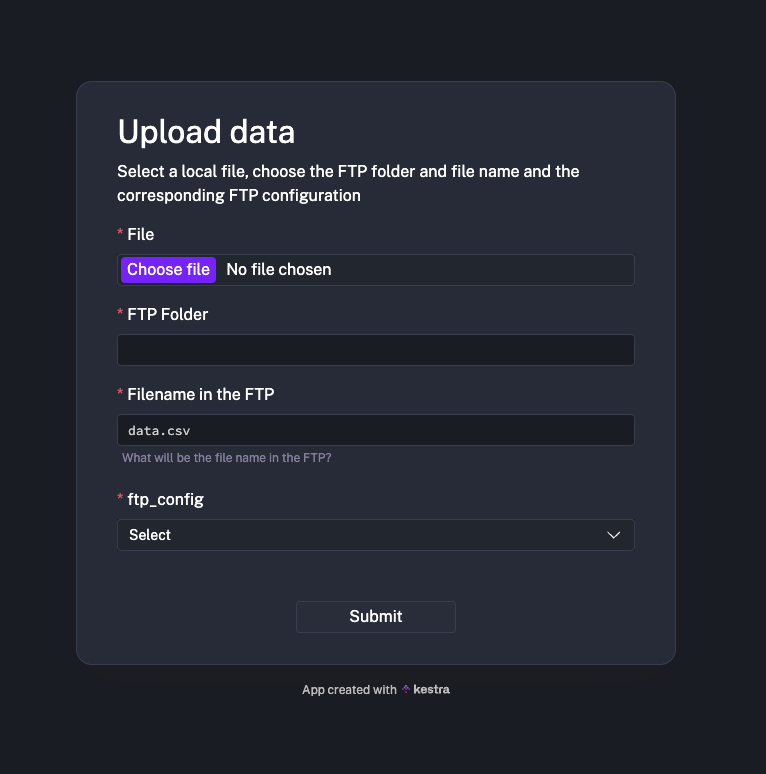
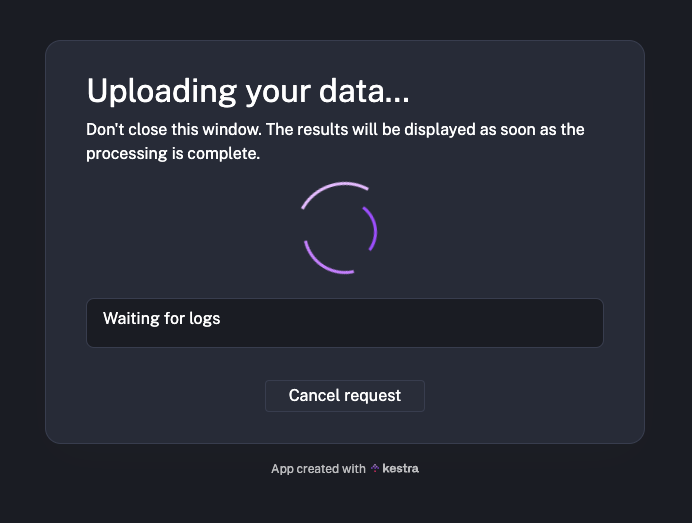
This example is one of the many one can imagine! Providing a simple interface for any users to request infrastructure deployment, file access, days off for holiday, etc. There are tons of cases where these need custom specifications and underlying automation.
Kestra already made easy connection with any system. It now provides the key to build custom interface on top of these automations.
Sometimes you build dashboards. Tons of dashboards. But data consumers often crave something more flexible—a dynamic interface where they can craft their own analysis by tweaking dimensions, measures, and parameters on the fly.
We can build an app that will bound such request while allowing users to play with parameters.
For example, let’s take a parametized query allowing us to aggregate some data over time. The end user might want to download trends for different dimension and measures alongside a specific time frame.
Such workflow can be easily setup in Kestra, like this:
id: query_analysisnamespace: kestra.weather
inputs:  - id: dimension    type: SELECT    values:      - city      - region      - country
  - id: start_date    type: DATETIME
  - id: end_date    type: DATETIME
tasks:  - id: query    type: io.kestra.plugin.jdbc.postgresql.Query    sql: |      SELECT        _{{ inputs.dimension }} AS city,        DATE(_time) AS date_time,        AVG(_temperature) AS avg_temperature      FROM weather.staging_temperature      WHERE        _time BETWEEN '{{ inputs.start_date}}' AND '{{ inputs.end_date }}'      GROUP BY _{{ inputs.dimension }}, DATE(_time)    store: true
  - id: ion_to_csv    type: io.kestra.plugin.serdes.csv.IonToCsv    from: "{{ outputs.query.uri }}"
  - id: chart    type: io.kestra.plugin.scripts.python.Script    inputFiles:      data.csv: "{{ outputs.ion_to_csv.uri }}"    outputFiles:      - "plot.png"    beforeCommands:      - pip install pandas      - pip install plotnine    script: |      import pandas as pd      from plotnine import ggplot, geom_col, aes, ggsave
      data = pd.read_csv("data.csv")      print(data.head())      plot = (          ggplot(data) +          geom_col(aes(x="date_time", fill="city", y="avg_temperature"), position="dodge")      )      ggsave(plot, "plot.png")
outputs:  - id: plot    type: FILE    value: '{{ outputs.chart["outputFiles"]["plot.png"] }}'
pluginDefaults: - type: io.kestra.plugin.jdbc.postgresql values: url: "jdbc:postgresql://{{ secret('POSTGRES_HOST') }}/data" username: "{{ secret('POSTGRES_USERNAME') }}" password: "{{ secret('POSTGRES_PASSWORD') }}"We can wrap up this workflow with an App where the user can select his parameters, hit execute and get the graphic he wants.
id: self_serve_analyticstype: io.kestra.plugin.ee.apps.ExecutiondisplayName: Self-serve Analyticsnamespace: kestra.weatherflowId: query_analysisaccess: PRIVATEtags:  - Reporting  - Analytics
layout:  - on: OPEN    blocks:      - type: io.kestra.plugin.ee.apps.core.blocks.Markdown        content: |          ## Self Serve Weather Analysis          Select the geography granularity dimension and a timeframe
      - type: io.kestra.plugin.ee.apps.execution.blocks.CreateExecutionForm      - type: io.kestra.plugin.ee.apps.execution.blocks.CreateExecutionButton        text: Submit
  - on: RUNNING    blocks:      - type: io.kestra.plugin.ee.apps.core.blocks.Markdown        content: |          ## Running analysis          Don't close this window. The results will be displayed as soon as the processing is complete.
      - type: io.kestra.plugin.ee.apps.core.blocks.Loading      - type: io.kestra.plugin.ee.apps.execution.blocks.CancelExecutionButton        text: Cancel request
  - on: SUCCESS    blocks:      - type: io.kestra.plugin.ee.apps.core.blocks.Markdown        content: |          ## Request processed successfully          Here is your data
      - type: io.kestra.plugin.ee.apps.execution.blocks.Outputs
      - type: io.kestra.plugin.ee.apps.core.blocks.Markdown        content: Find more App examples in the linked repository
      - type: io.kestra.plugin.ee.apps.core.blocks.Button        text: App examples        url: https://github.com/kestra-io/enterprise-edition-examples/tree/main/apps        style: INFO
      - type: io.kestra.plugin.ee.apps.core.blocks.Button        text: Submit new request        url: "{{ app.url }}"        style: DEFAULT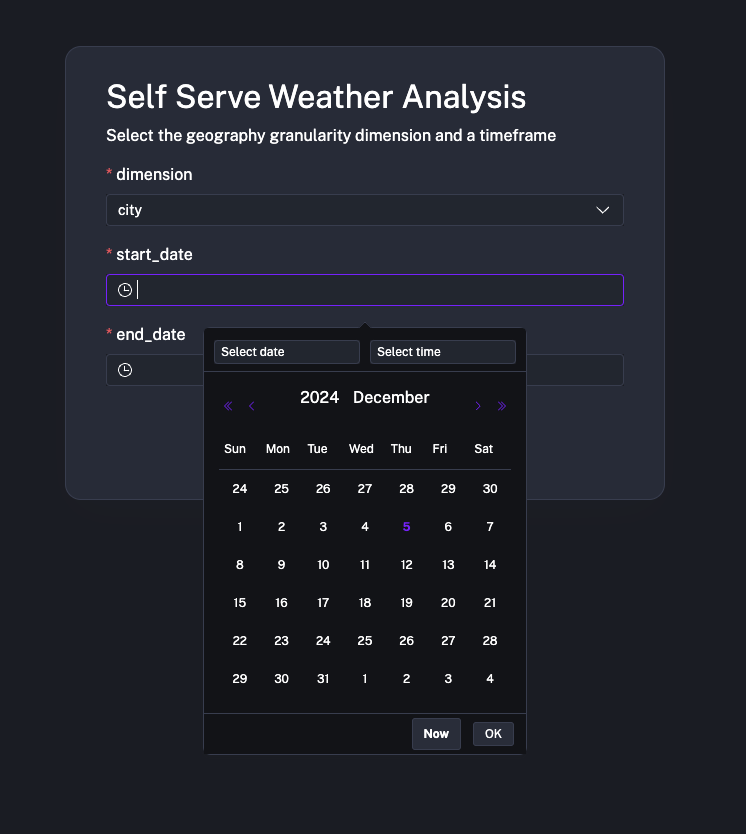
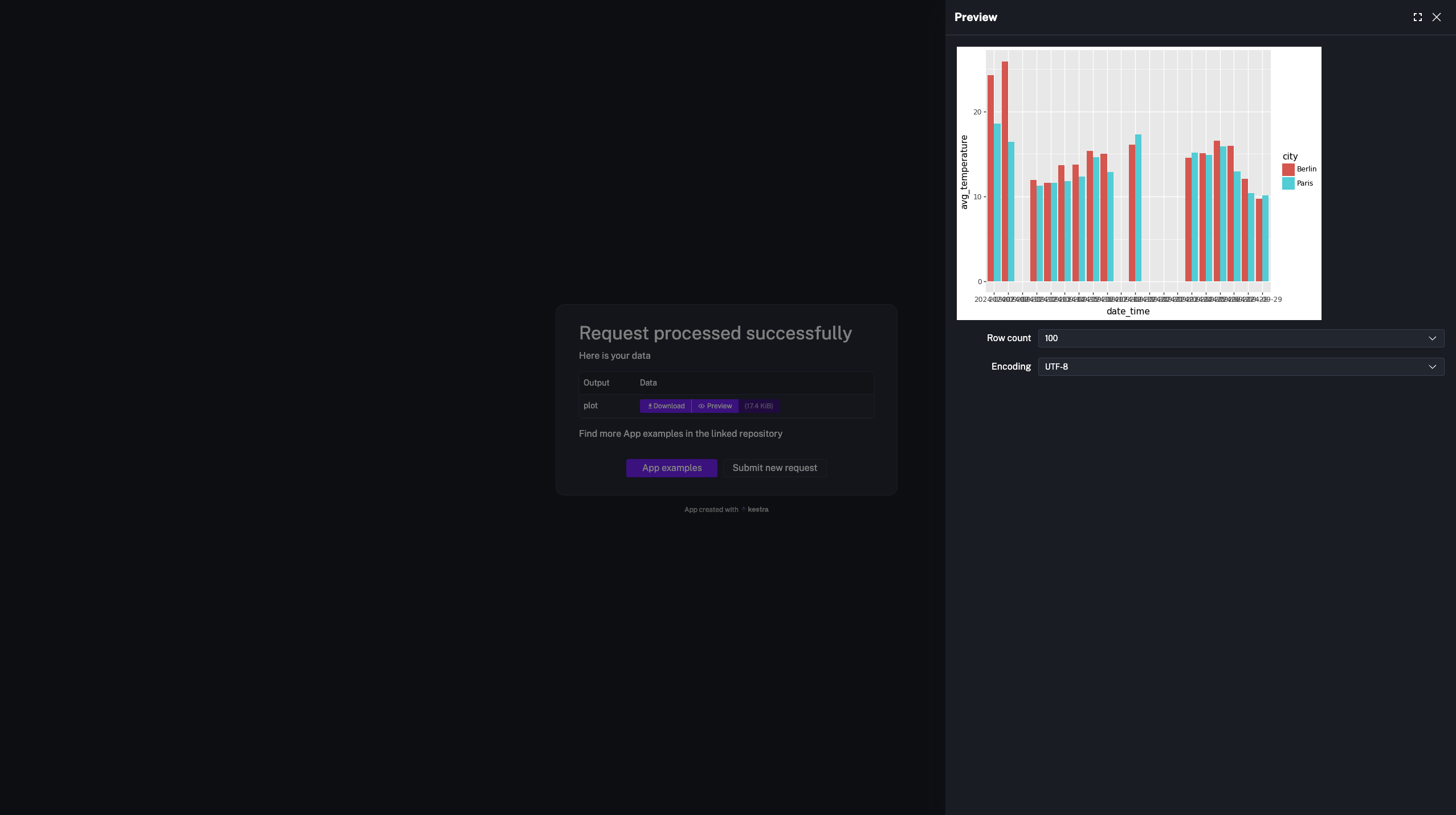
With Kestra Apps, you can build intuitive, self-service interfaces on top of complex workflows, making automation part of daily operations for teams like product, sales, and customer success.
This capability shines when repetitive, manual processes—like qualifying user research responses or evaluating lead discussions—can be managed by automated workflows.
For example, take a sales or product team managing user inquiries. Traditionally, they might rely on spreadsheets and manual scoring to categorize and respond, leading to delays. By connecting workflows to advanced APIs like Hugging Face, you can automate tasks like categorization and response generation while keeping the interface user-friendly.
Here’s how it works:
Below is an example YAML configuration showcasing how Kestra workflows and Apps make this possible:
id: user_research_categorization_feedbacknamespace: kestra
inputs:  - id: user_context    type: STRING
variables:  pre_prompt: "You're an senior product manager with a strong baground in user research."  new_discussion_prompt: "Write a friendly message to welcome the user and ask an open question (what, when, where, etc.) to engage a new discussion"  follow_up_prompt: "It's been quite a long time you didn't message the user. Write a follow up question to get some news"  discovery_prompt: "The user already gave you some information about his issues or project timeline. Part of a sales discovery framework set in your sales motion, write a question to deep-dive and get more information about high level use case, project timeline, etc."
tasks:  - id: llm_categorization    type: io.kestra.plugin.core.http.Request    uri: https://api-inference.huggingface.co/models/facebook/bart-large-mnli    method: POST    contentType: application/json    headers:      Authorization: "Bearer {{ secret('HF_API_TOKEN') }}"    formData:      inputs: "{{ inputs.user_context }}"      parameters:        candidate_labels:          - "new discussion"          - "follow up"          - "discovery"
  - id: message_category    type: io.kestra.plugin.core.debug.Return    format: "{{ json(outputs.llm_categorization.body).labels[0] }}"
  - id: llm_prompting    type: io.kestra.plugin.core.flow.Switch    value: "{{ json(outputs.llm_categorization.body).labels[0] }}"    cases:      "new discussion":        - id: new_discussion_prompt          type: io.kestra.plugin.core.http.Request          uri: https://api-inference.huggingface.co/models/Qwen/Qwen2.5-1.5B-Instruct/v1/chat/completions          method: POST          contentType: application/json          headers:            Authorization: "Bearer {{ secret('HF_API_TOKEN') }}"          formData:            model: "Qwen/Qwen2.5-1.5B-Instruct"            messages: [              {"role": "system", "content": "{{ vars.pre_prompt }}. {{vars.new_discussion_prompt }}"},              {"role": "user", "content": "{{ inputs.user_context }}"}            ]
        - id: log_response          type: io.kestra.plugin.core.log.Log          message: "{{ json(outputs.new_discussion_prompt.body) }}"
      "follow up":        - id: follow_up_prompt          type: io.kestra.plugin.core.http.Request          uri: https://api-inference.huggingface.co/models/Qwen/Qwen2.5-1.5B-Instruct/v1/chat/completions          method: POST          contentType: application/json          headers:            Authorization: "Bearer {{ secret('HF_API_TOKEN') }}"          formData:            model: "Qwen/Qwen2.5-1.5B-Instruct"            messages: [              {"role": "system", "content": "{{ vars.pre_prompt }}. {{vars.follow_up_prompt }}"},              {"role": "user", "content": "{{ inputs.user_context }}"}            ]
        - id: log_response2          type: io.kestra.plugin.core.log.Log          message: "{{ json(outputs.follow_up_prompt.body) }}"
"discovery": - id: discovery_prompt type: io.kestra.plugin.core.http.Request uri: https://api-inference.huggingface.co/models/Qwen/Qwen2.5-1.5B-Instruct/v1/chat/completions method: POST contentType: application/json headers: Authorization: "Bearer {{ secret('HF_API_TOKEN') }}" formData: model: "Qwen/Qwen2.5-1.5B-Instruct" messages: [ {"role": "system", "content": "{{ vars.pre_prompt }}. {{vars.discovery_prompt }}"}, {"role": "user", "content": "{{ inputs.user_context }}"} ] - id: log_response3 type: io.kestra.plugin.core.log.Log message: "{{ json(outputs.discovery_prompt.body) }}"id: user_researchtype: io.kestra.plugin.ee.apps.ExecutiondisplayName: Get answer recommendation for user researchnamespace: kestraflowId: user_research_categorization_feedbackaccess: PRIVATEtags: - User Research
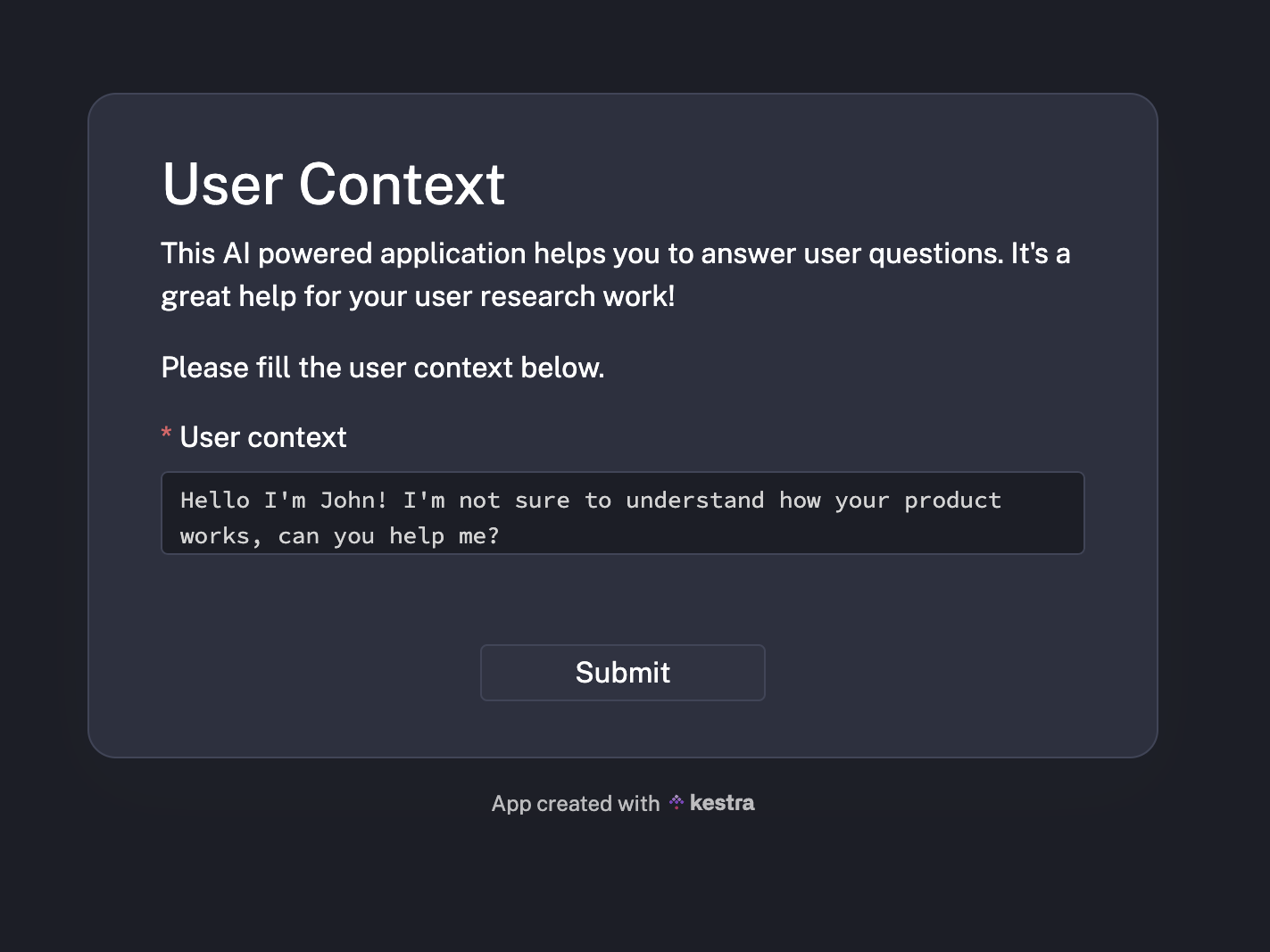
layout: - on: OPEN blocks: - type: io.kestra.plugin.ee.apps.core.blocks.Markdown content: | ## User Context This AI powered application helps you to answer user questions. It's a great help for your user research work!
Please fill the user context below. - type: io.kestra.plugin.ee.apps.execution.blocks.CreateExecutionForm - type: io.kestra.plugin.ee.apps.execution.blocks.CreateExecutionButton text: Submit
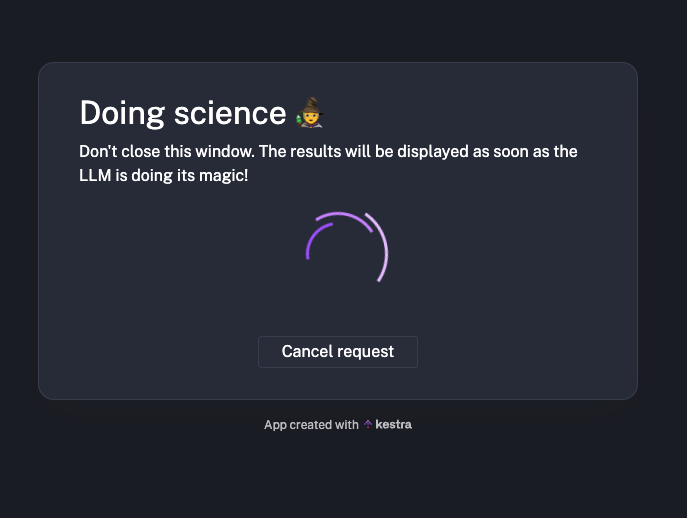
- on: RUNNING blocks: - type: io.kestra.plugin.ee.apps.core.blocks.Markdown content: | ## Doing science 🧙 Don't close this window. The results will be displayed as soon as the LLM is doing its magic!
- type: io.kestra.plugin.ee.apps.core.blocks.Loading - type: io.kestra.plugin.ee.apps.execution.blocks.CancelExecutionButton text: Cancel request
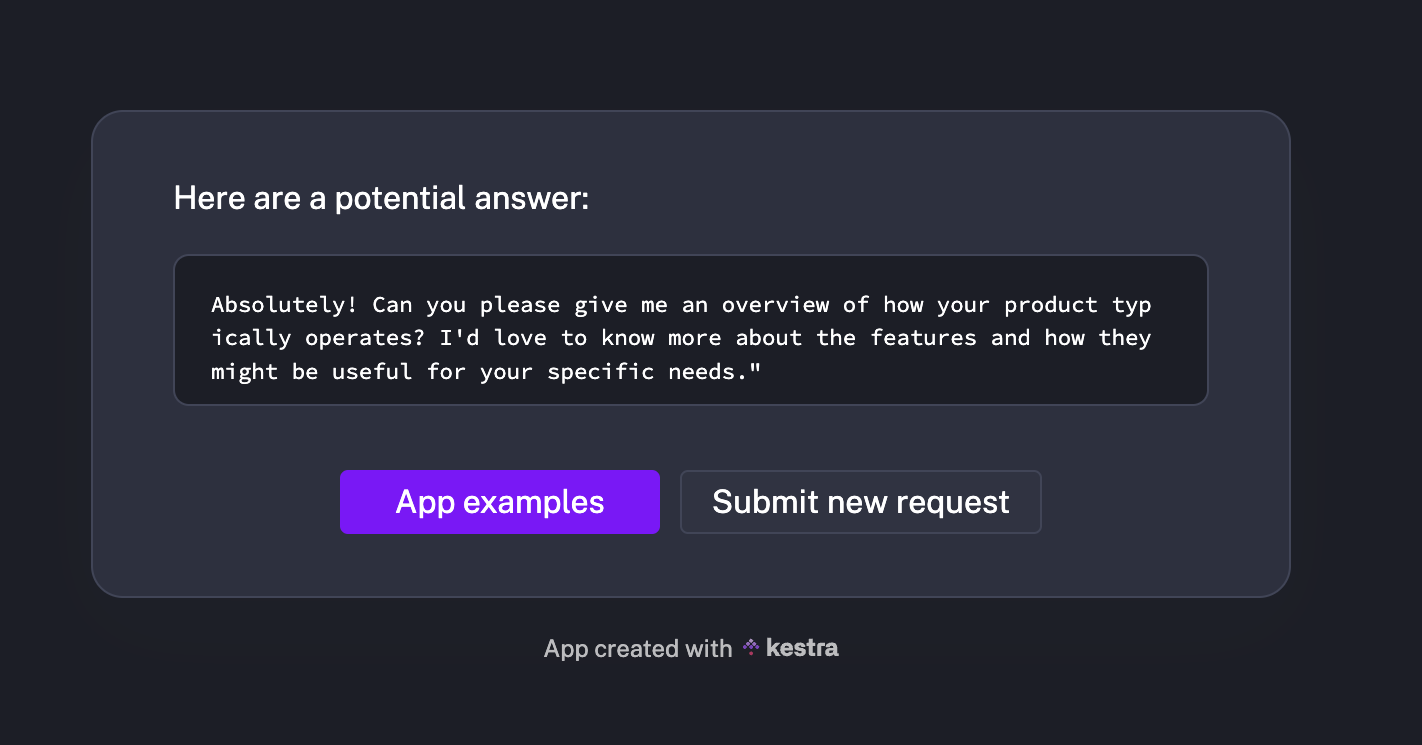
- on: SUCCESS blocks: - type: io.kestra.plugin.ee.apps.core.blocks.Markdown content: | Here are a potential answer:
- type: io.kestra.plugin.ee.apps.execution.blocks.Logs filter: logLevel: INFO taskIds: ['log_response', 'log_response2', 'log_response3']
- type: io.kestra.plugin.ee.apps.core.blocks.Button text: App examples url: https://github.com/kestra-io/enterprise-edition-examples/tree/main/apps style: INFO
- type: io.kestra.plugin.ee.apps.core.blocks.Button text: Submit new request url: "{{ app.url }}" style: DEFAULTWith Kestra Apps, this workflow is paired with a simple UI that allows users to provide input and see results.
Here is our main user interface. Here the user is asked the general user context
LLMs are doing the work under the hood
And then we get a potential answer for our user
This example is just one of many. Whether automating lead qualification, simplifying infrastructure requests, or responding to customer inquiries, Kestra Apps make automation accessible to all teams.
By combining the power of orchestration and intuitive interfaces, Kestra ensures automation isn’t confined to backend systems but becomes a practical, everyday tool for everyone.
Apps open up a wide range of possibilities for automating user-facing processes. We’re excited to see how you’ll use them to build self-service applications for your data products and business processes. If you have ideas or feedback, we’d love to hear from you.
With Apps, you can make Kestra workflows accessible to everyone, regardless of their technical expertise. Try out Apps in the latest version of Kestra Enterprise Edition, and let us know what you think!
If you have any questions, reach out via Slack or open a GitHub issue.
If you like the project, give us a GitHub star and join the community.

Stay up to date with the latest features and changes to Kestra