Authors

François Delbrayelle
Lead Software Engineer
François Delbrayelle
Lead Software Engineer
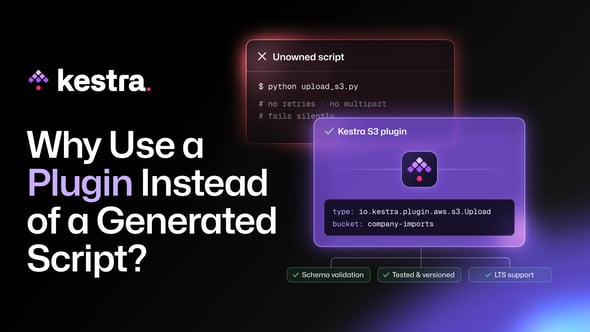
“Your S3 plugin uploads a file. I can do that in ten lines of Python. Why would I use a plugin for that?”
Any coding assistant now writes a script that uploads a file to S3 or queries Snowflake, and the first run works.
A Kestra plugin doing the same upload has a maintainer, a test suite, a release process and a support window.
The generated S3 upload leaves out:
A generated script has no owner and no test that says what it was supposed to do.
When the script exits with code 0, the orchestrator reports a green run.
A Kestra plugin is Java code in its own repository, with an owner, released like any other software. It declares what it accepts, so Kestra can validate a flow before loading it.
You never have to touch the Java. You write a task in YAML, as in the example below, or fill in a form in the no-code editor and Kestra generates the YAML. Using a plugin takes no programming language, so analysts and ops teams can build flows without waiting for a developer.
Every task property has a type, a default, a description and validation rules. Kestra generates a JSON Schema from the plugin, and the editor uses it to validate your flow before it runs. A typo in a property name gets a red underline while you type. A script takes whatever string you hand it, and the same typo becomes a failed execution.
The reference docs, examples and property tables on the plugin pages are generated from annotations in the code, so they can’t drift apart. Outputs are documented the same way, with their types, so you know what outputs.query.uri holds before you reference it in the next task. The plugin developer guide shows how.
Each plugin ships with unit tests built on the Kestra test framework, and many run against real services in containers. The checks run on every pull request. Each plugin’s main branch is built on a schedule every weekday, so a break caused by an upstream change shows up even when nobody touched the code.
Plugins are published as versioned artifacts, and the release and indexing process is itself a set of Kestra flows. We wrote about how we ship 1300+ plugins this way in How Kestra Ships 1300+ Plugins. A weekly compatibility run builds the plugin library against the latest development branch of Kestra core, so we catch a breaking change in the engine before it reaches you.
The AWS plugin runs on the official AWS SDK for Java, and other plugins use the vendor’s official Java SDK when one exists, so you get the vendor’s own authentication, retry and API behavior. Dependabot bumps those dependencies, both for security fixes and to keep each plugin current with the service it talks to.
Every plugin repository runs a security scan on top of the Dependabot updates, so a CVE in a transitive dependency of a client library is ours to find and fix.
Some automation platforms build everything around scripts. A workflow is a chain of scripts, and integrations come from a hub of shared ones: you pick a script from the catalog, copy it into your workspace and edit it.
A script copied into your workspace is your fork. If the upstream author fixes a bug or the API changes, your copy stays as it was until someone notices and syncs it by hand. The same integration ends up in many versions across teams, and each team owns its own copy. The platform schedules them and reports their exit codes, and everything inside them is yours to maintain.
Kestra has one implementation per integration, maintained in one place and upgraded by changing a version number. Your flow references the task type:
id: nightly_exportnamespace: company.data
tasks:  - id: query    type: io.kestra.plugin.jdbc.postgresql.Query    url: jdbc:postgresql://db:5432/app    username: "{{ secret('PG_USER') }}"    password: "{{ secret('PG_PASSWORD') }}"    sql: SELECT * FROM orders WHERE created_at > current_date - 1    fetchType: STORE
  - id: upload    type: io.kestra.plugin.aws.s3.Upload    from: "{{ outputs.query.uri }}"    bucket: company-exports    key: orders/{{ execution.startDate | date('yyyy-MM-dd') }}.ion
The flow holds no connection logic and no SDK to pin. When the AWS plugin ships a fix, every flow that uses it gets the fix on the next version bump, without anyone editing a file.
Three more things stay out of your flow:
A plugin can also ship triggers. A trigger watches an external system and starts an execution when something happens: a new file lands in an S3 bucket, a row appears in a Postgres table, a message arrives on Kafka or SQS. The flow runs only when there is something to process, and the trigger hands the event to the flow as data.
triggers: - id: new_files type: io.kestra.plugin.aws.s3.Trigger bucket: company-imports prefix: incoming/ interval: PT1M action: MOVE moveTo: bucket: company-imports key: processed/This is hard to do well in a script, because a script only runs when something calls it. To react to a bucket you end up with one of two designs:
In both cases the logic that decides “is this event new?” lives inside the script, next to the business logic, and each team writes it a bit differently. A missed or duplicated event doesn’t raise an error, it just means a file was never processed or was processed twice.
With a plugin trigger, the polling, the state and the deduplication belong to the plugin and the platform. The trigger’s state is tracked by Kestra, so a restart picks up where it left off. Each event becomes a normal execution, with logs, outputs, retries and alerts like any other run, and the files it found are already in internal storage when your first task starts. Realtime triggers (Kafka, SQS and similar) go further and start an execution per message as it arrives, with no polling interval to tune.
The trigger is also covered by the same tests, schema validation and LTS support as the tasks in the plugin. A script that tries to do the same job gets none of that, and you find out it broke when the data stops showing up.
Kestra publishes LTS releases that are supported for one year, with up to two active at the same time. Security and bug fixes are backported to every supported line, and patch releases ship weekly. Plugins follow the same promise: the plugins that belong to an LTS release are supported for as long as that LTS is. If you pin an LTS, you don’t have to chase upstream changes in every integration you use.
Kestra and its core plugins are open source. Kestra Enterprise adds:
Kestra runs scripts in Python, Node.js, R, Shell and more, with tasks such as the Python script task.
Use a script when:
Use a plugin when:
In a flow, the script holds the part that is unique to your business, and plugins handle everything around it: fetching the input, authenticating, storing the output, alerting on failure.
For every generated script, someone has to know whether it is safe on production data and who reviewed it. A maintained plugin answers those questions once, for everyone.
Our plugin squad uses agents to build and review plugins, and we described how in Context Engineering in Practice. Their output goes through the same pipeline as everything else: review, tests, compatibility checks, release.
If you use an assistant to write your flows, the best thing it can do is pick a plugin. That’s why we publish the MCP and docs tools, so an agent writes io.kestra.plugin.aws.s3.Upload and skips the hand-written boto3 code.
Ask three things:
If the answer to the third question is yes, use the plugin. If it’s no, write the script, put it in a flow, and let Kestra handle everything around it.
Browse the full catalog on the plugins page, or read the plugin developer guide if the integration you need is missing. For the Enterprise offer, including supported plugins across LTS releases, talk to us.

Stay up to date with the latest features and changes to Kestra