Authors

Benoit Pimpaud
Benoit Pimpaud
We’re excited to announce the release of Kestra 0.9. This latest update brings a range of user experience improvements to make data orchestration a more enjoyable experience. Let’s dive into the key features and enhancements.
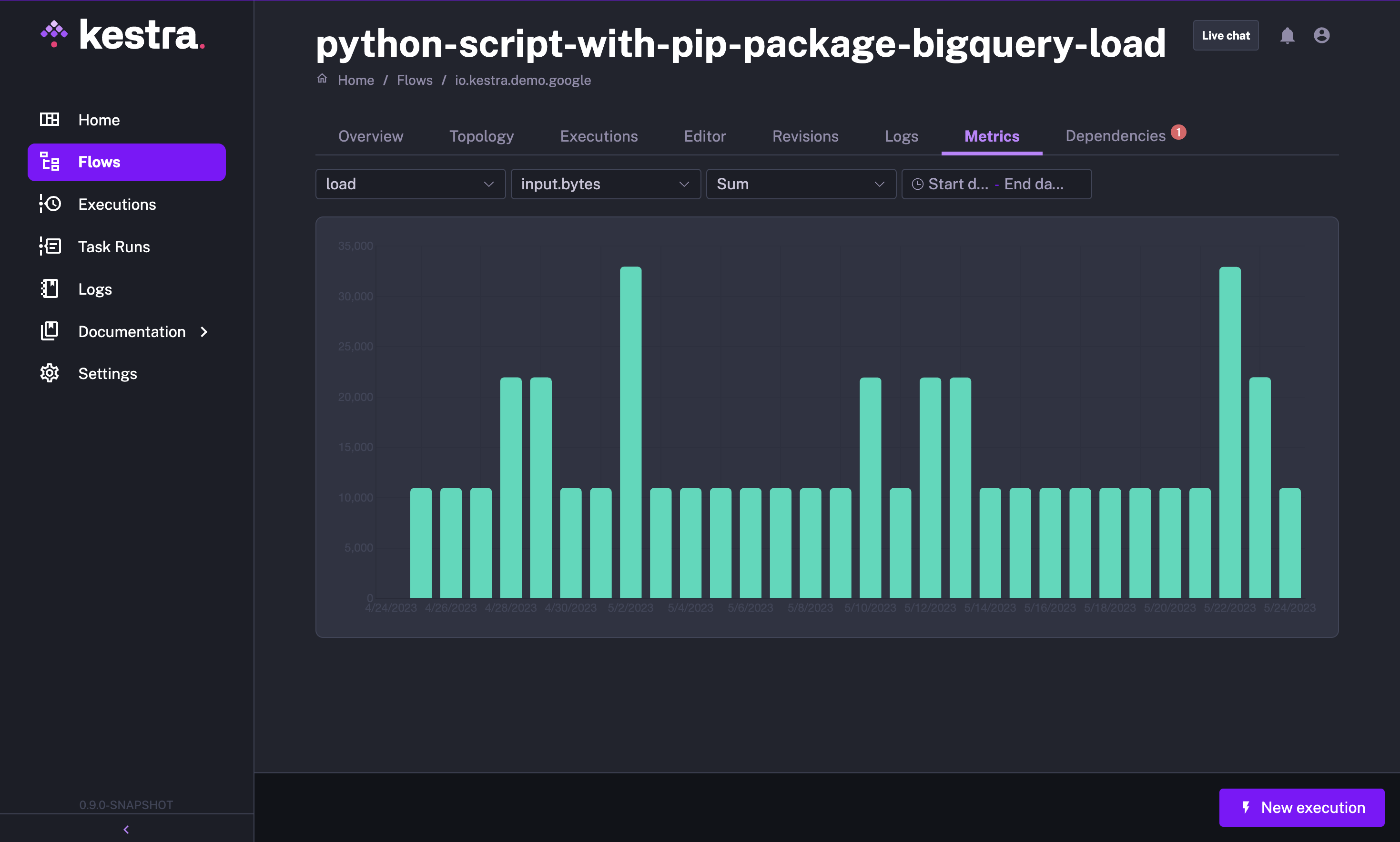
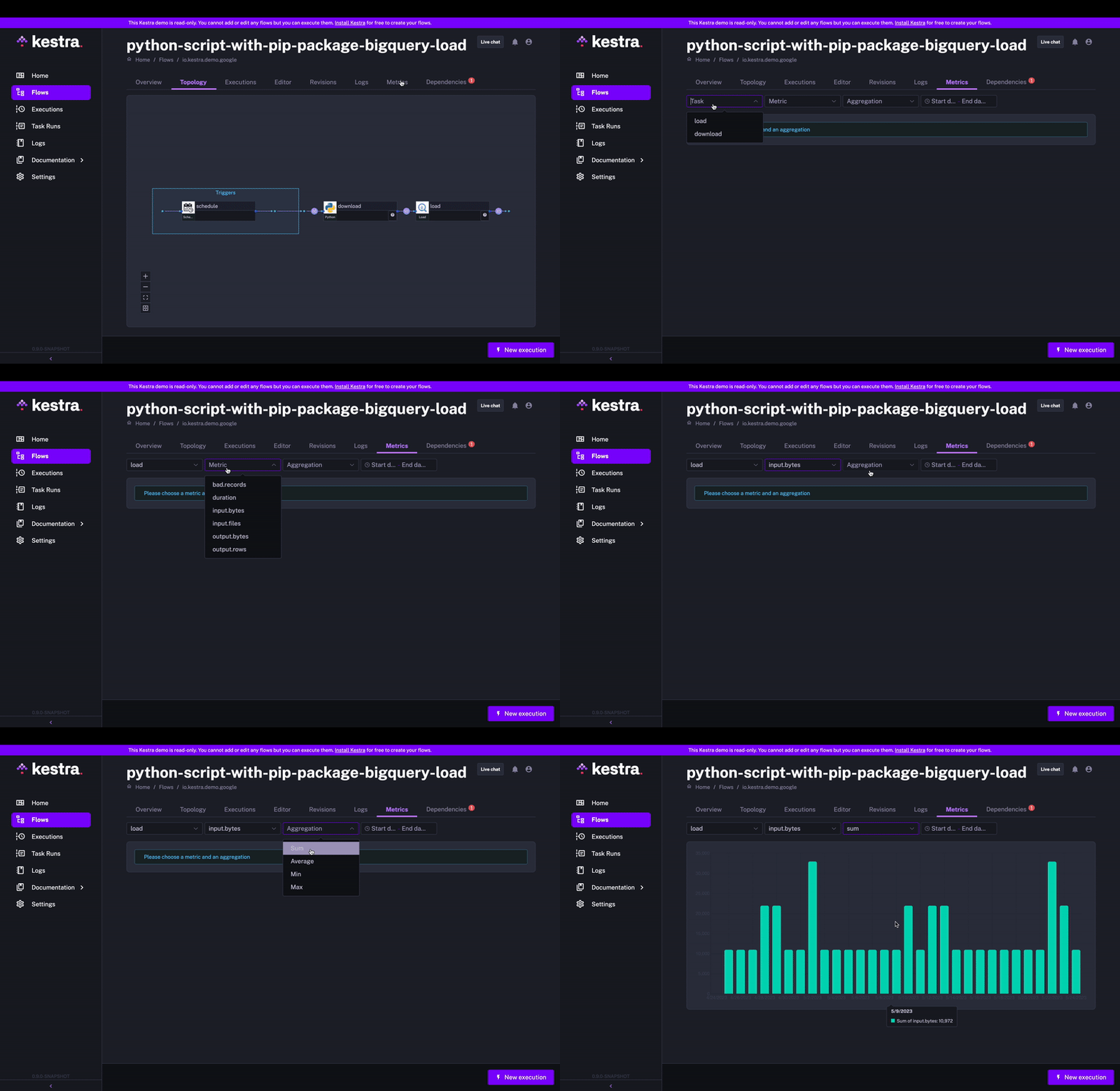
In previous versions, Kestra provided metrics for flow execution. However, there was no user-friendly interface to explore and visualize these metrics.
With Kestra 0.9.0, we’ve introduced a new Metrics tab at the flow-execution level. You can now easily track specific metrics, such as the number of rows processed, fine-grained processing times of specific steps within your task and more. There are two types of metrics that you can track: counter and timer. This documentation page includes an example showing how you can leverage these two metric types to track how many rows get processed in each partition and how long this process took.
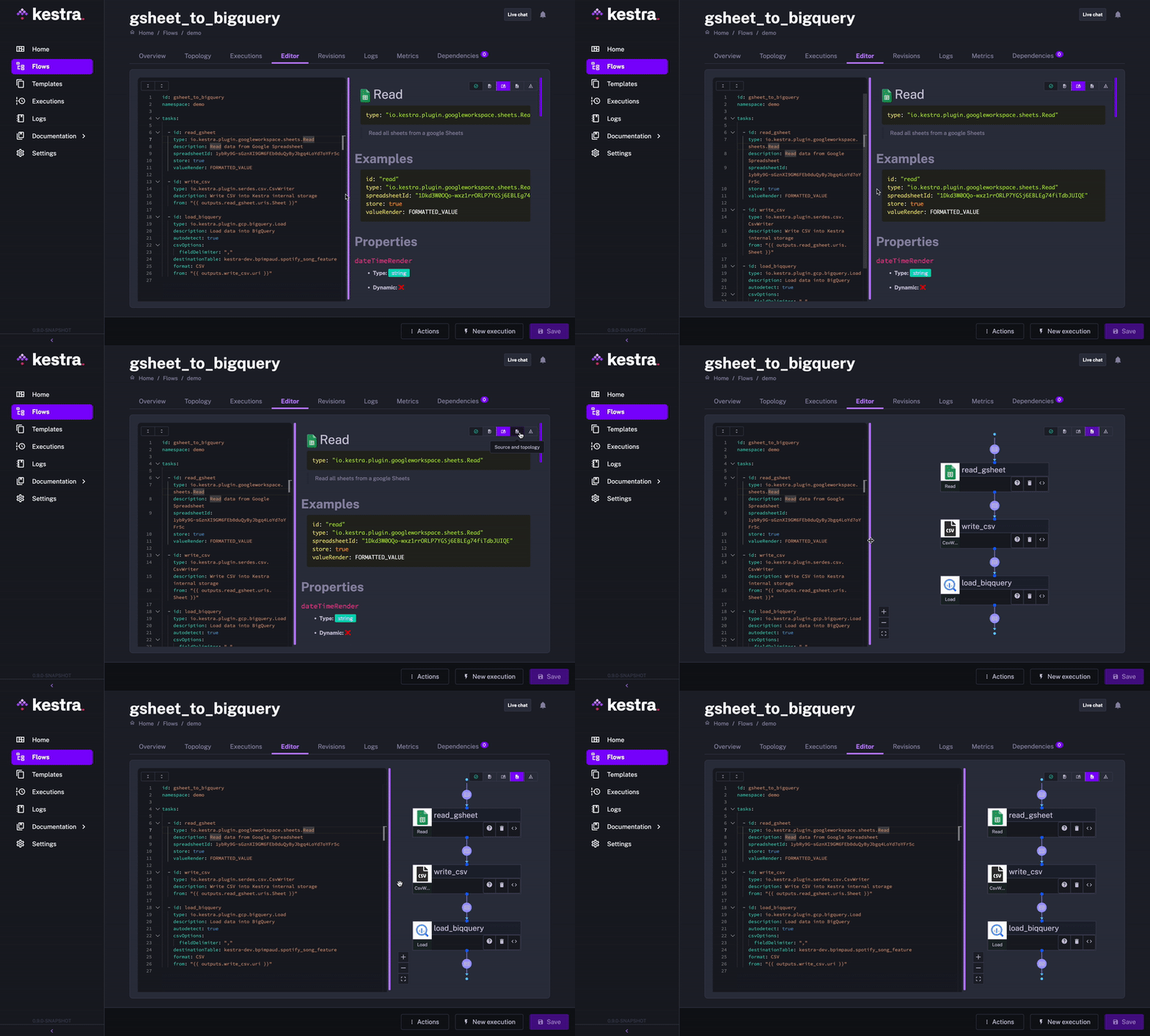
We’ve introduced the ability to save flows as drafts even if there are errors in the flow declaration. This User Experience improvement allows you to save and return to your work at any time without losing progress on your flow creation.
We’ve focused on enhancing the user experience with the following improvements:
With Kestra 0.9.0, we’re thrilled to introduce new plugins that extend the capabilities of the platform:
id: gitPythonnamespace: company.team
tasks:  - id: GitHub    type: io.kestra.core.tasks.flows.Worker    tasks:
    - id: cloneRepository      type: io.kestra.plugin.git.Clone      description: password is only required for private repositories      url: https://github.com/anna-geller/kestra-flows      branch: main      username: anna-geller      password: "{{envs.github_access_token}}"
- id: pythonScript type: io.kestra.core.tasks.scripts.Python commands: - ./bin/python flows/etl_script.py requirements: - requests - pandasWe’ve also improved the documentation and addressed some enterprise-specific needs.
The documentation provides a new User Interface guide to help you navigate and leverage Kestra’s UI.
For Kestra Enterprise Edition (EE) users, we’ve implemented the following enhancements:
Finally, we also move update Java from version 11 to 17. If you have custom plugins you will have to update your Java to version 17.
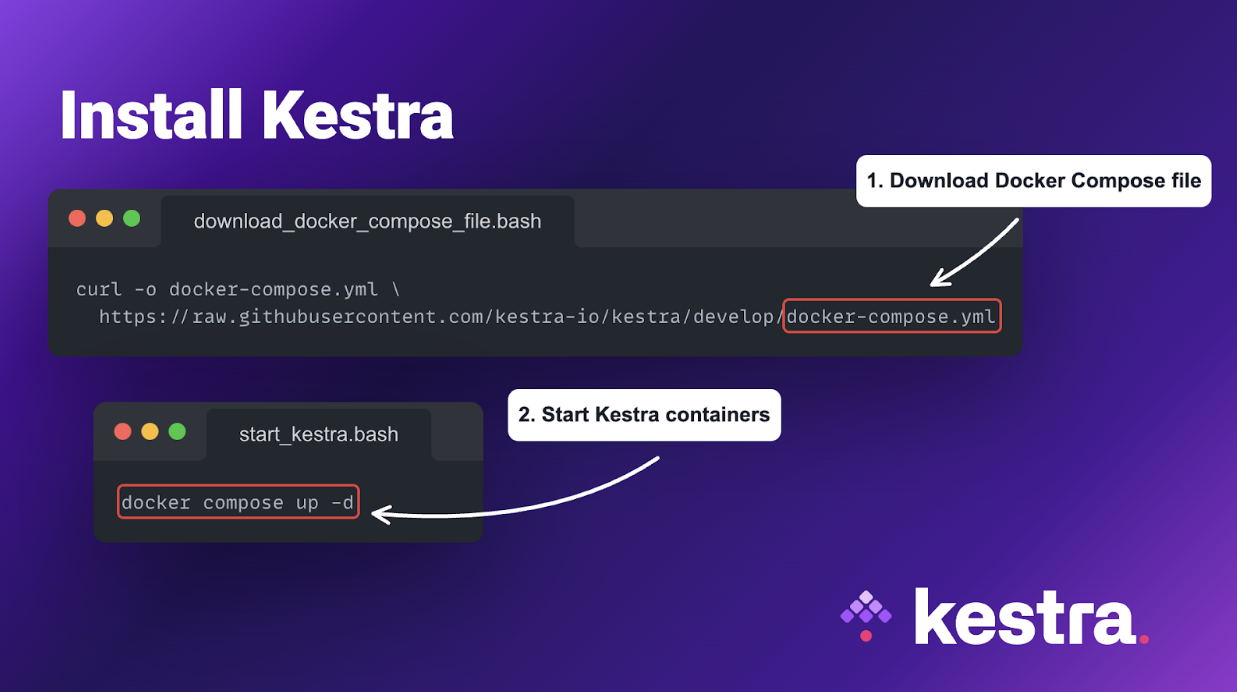
To take the new features for a spin, you can start Kestra using Docker Compose.
Kestra is continuously improving. While the Git plugin simplifies working with custom scripts, we are working on further improving the user experience in orchestrating custom business logic built in Python. Follow us on Twitter or LinkedIn to stay up to date with the new releases and updates.
Your feedback is invaluable to us. Join our Slack community, and share your thoughts and suggestions. If you encounter any issues, you can also open a GitHub issue. Your input helps us prioritize future enhancements.
To see the code and contribute, check our GitHub repository and give us a star if you like the project.

Stay up to date with the latest features and changes to Kestra