Authors

Loïc Mathieu
Loïc Mathieu
Maybe you’ve already heard about Bard, an AI experiment by Google. Bard is generative AI, it can respond to questions posed in natural language.
I love jokes, so I asked Bard to tell me a joke, and I love sarcasm, so I asked it to tell me a sarcastic joke.
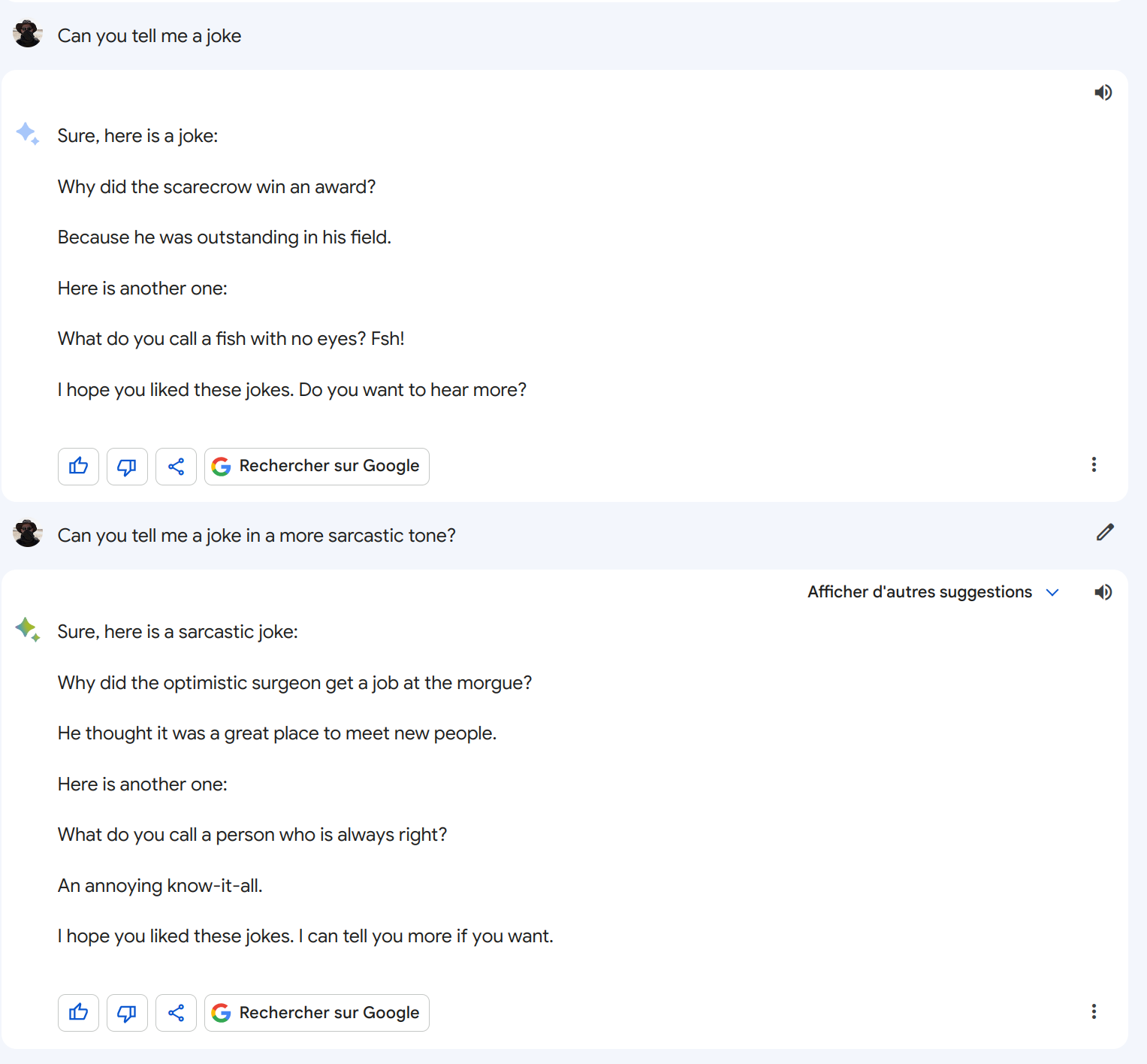
Behind Bard, there is a generative AI based on Google’s PaLM 2 large language models (LLMs) that you can use via the Google Vertex AI API.
What I would like is to receive, each morning, a joke in my professional email so I can start my working day with a smile.
We are using Kestra to schedule a workflow that will call the Vertex AI API and then send an email.
If you’re new to Kestra, check the getting started guide.
Let’s first call the text completion API to ask Bard to tell me a joke, this can be done with the following Kestra workflow. The prompt property is the question we asked Bard.
id: bard-jokesnamespace: company.teamtasks: - id: ask-for-jokes type: io.kestra.plugin.gcp.vertexai.TextCompletion region: us-central1 projectId: "{{vars.projectId}}" serviceAccount: "{{vars.serviceAccount}}" prompt: Please tell me a jokeThis task will output Bard’s response in the form of predictions.
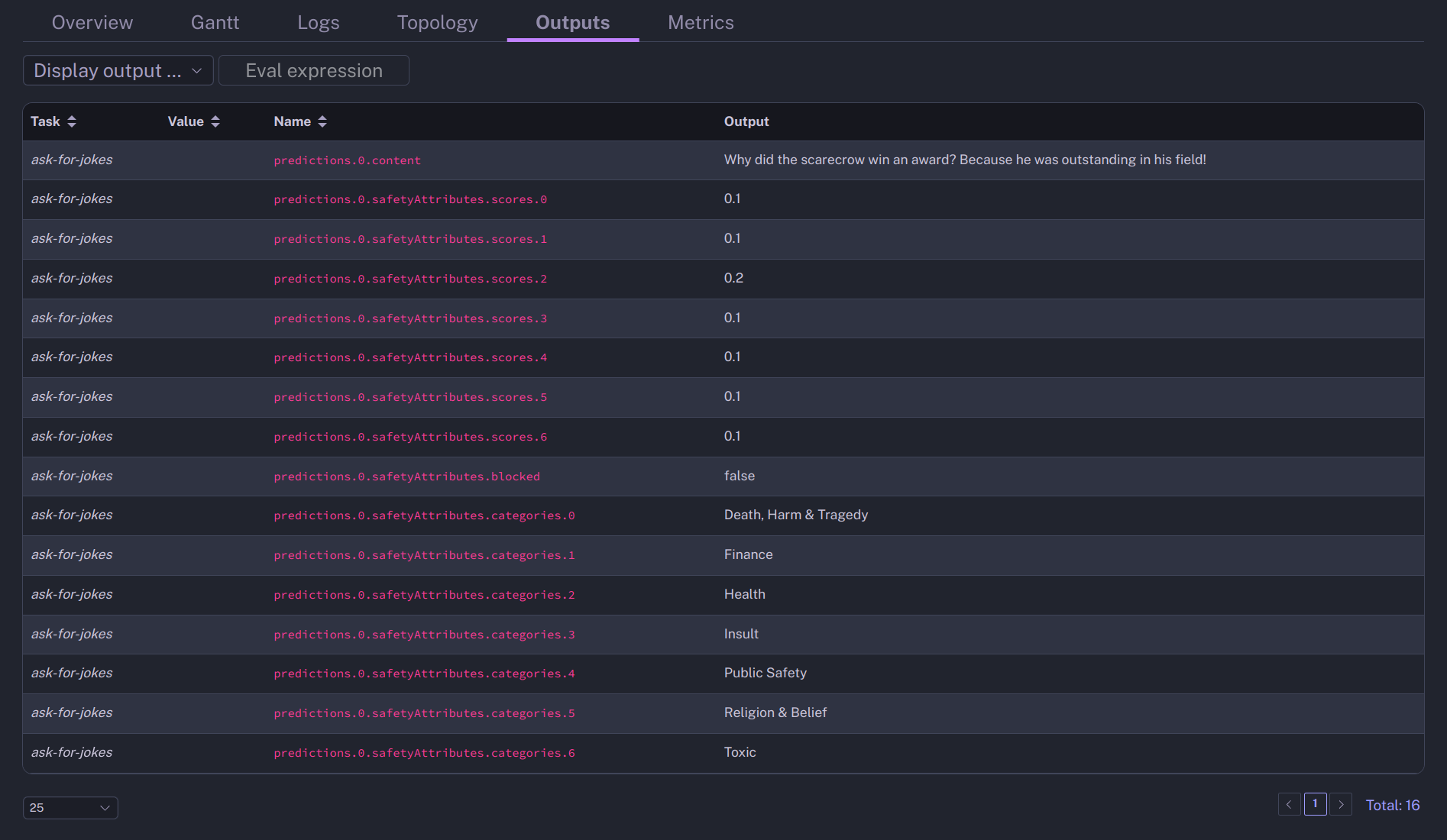
You can see that the joke is in the content property.
Text completion is handy but limited. To mimic a conversational style, consider using the chat completion instead. Chat completion can contain multiple messages (the conversation) and examples to provide context to the model on how to answer the question.
id: bard-jokesnamespace: company.teamtasks: - id: ask-for-jokes type: io.kestra.plugin.gcp.vertexai.ChatCompletion region: us-central1 projectId: "{{vars.projectId}}" serviceAccount: "{{vars.serviceAccount}}" context: In a sarcastic tone messages: - author: user content: Please tell me a jokeThis example is simple. For more complex use cases, you can pass a list of messages to fine-tune the response.
To send the joke via email, we will add a MailSend task that will use the output of the ChatCompletion task as the email message text.
id: send-by-emailtype: io.kestra.plugin.email.MailSendhost: localhostport: 3025transportStrategy: SMTPfrom: lmathieu@kestra.ioto: lmathieu@kestra.iosubject: Daily JokehtmlTextContent: "{{outputs['ask-for-jokes'].predictions[0].candidates[0].content}}"The expression {{outputs['ask-for-jokes'].predictions[0].candidates[0].content}} will refer to the content of the first candidate of the first prediction. Predictions are the output of the ask-for-job task.
If you want to test this example, you can use this Docker command to start a GreenMail test mail server:
docker run -t -i -p 3025:3025 -p 3110:3110 -p 3143:3143 \ -p 3465:3465 -p 3993:3993 -p 3995:3995 -p 8888:8080 \ greenmail/standalone:2.0.0Google PaLM API includes safety attributes in its response to mitigate issues with improper responses. We can use these attributes to avoid sending the email if the joke seems not safe.
Here I use the If task to only send a mail if the safety score is less than 0.5.
- id: safety-belt type: io.kestra.plugin.core.flow.If condition: "{{outputs['ask-for-jokes'].predictions[0].safetyAttributes[0].scores[0] < 5}}" then: - id: send-by-email type: io.kestra.plugin.email.MailSend [...]Last but not least, to have it executed each day at 9 AM, we can add a Schedule trigger to the flow. It uses a CRON expression to define the schedule.
triggers: - id: daily type: io.kestra.plugin.core.trigger.Schedule cron: "0 9 * * *"The full YAML source of the workflow looks as follows, before executing it, you should set the two variables to your GCP project identifier and service account.
id: bard-jokesnamespace: company.teamvariables: projectId: <your-project-id> serviceAccount: <your-sa>triggers: - id: daily type: io.kestra.plugin.core.trigger.Schedule cron: "0 9 * * *"tasks: - id: ask-for-jokes type: io.kestra.plugin.gcp.vertexai.ChatCompletion region: us-central1 projectId: "{{vars.projectId}}" serviceAccount: "{{vars.serviceAccount}}" context: In a sarcastic tone messages: - author: user content: Please tell me a joke - id: safety-belt type: io.kestra.plugin.core.flow.If condition: "{{outputs['ask-for-jokes'].predictions[0].safetyAttributes[0].scores[0] < 5}}" then: - id: send-by-email type: io.kestra.plugin.email.MailSend host: localhost port: 3025 transportStrategy: SMTP from: lmathieu@kestra.io to: lmathieu@kestra.io subject: Daily Joke htmlTextContent: "{{outputs['ask-for-jokes'].predictions[0].candidates[0].content}}"For more information, you can have a look at the Google Quickstarts for Generative AI and the documentation of the TestCompletion and ChatCompletion tasks.
Integrating humor with technology, as demonstrated in this guide with Bard’s generative AI and Kestra, is an example of the interesting things that can be achieved. This is just a glimpse into the potential applications. Experiment with daily jokes is a fun exploration of what’s possible. It’s an invitation to think creatively and see how technology can be leveraged for different purposes, including brightening your day.
If you have any questions, reach out via Kestra Community Slack or open a GitHub issue.
If you like the project, give us a GitHub star and join the open-source community.

Stay up to date with the latest features and changes to Kestra