Authors

Benoit Pimpaud
Benoit Pimpaud
Kestra is powerful in many ways: you can get started in a few minutes, build robust workflows, and manage everything as code and from the UI.
But what if you need a dedicated plugin with your custom logic arising from business needs?
Kestra provides an extensible plugin architecture to help with that.
Every Kestra task is part of some plugin.
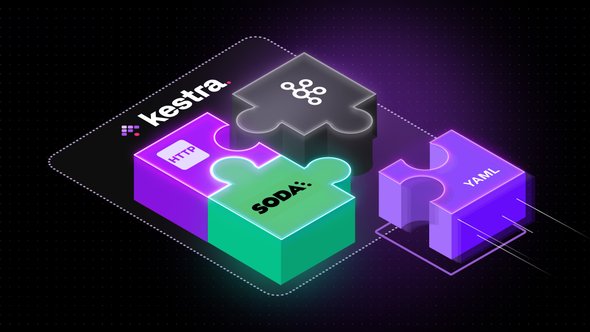
This post will dive into one of our customer’s dedicated plugins. They combined Soda tests with their homegrown data quality platform into a dedicated plugin.
The company has a homegrown data quality platform in place that effectively centralizes all data metrics at the broader corporation level.
Meanwhile, some teams have opted to use Soda for conducting analytics tests on Big Query tables. This decision however requires the aggregation of these test metrics into the internal data quality platform, which serves as the hub for all consolidated data.
In order to seamlessly integrate Soda tests into this data quality platform, the team decided to build a custom plugin. Even though Kestra already provides a Soda plugin to run tests through the Soda Python library, they needed support for consuming and producing Kafka messages, which their data quality platform relies on to communicate with external services. On top of that, their custom plugin covers functionality to interact with their internal APIs via HTTP.
Creating such a meta-plugin proves to be highly advantageous, especially when dealing with specific try-catch patterns, establishing communication with APIs, and constructing a comprehensive abstraction layer on top of it.
The development team chose a stepwise approach to create this integrated plugin. Since Kestra already includes the necessary components, they initially developed a Kestra Flow. This Flow enabled them to execute Soda tests and send the resulting metrics to Kafka topics. The outcome was a Kestra flow composed of various tasks, with each task addressing a specific functionality.
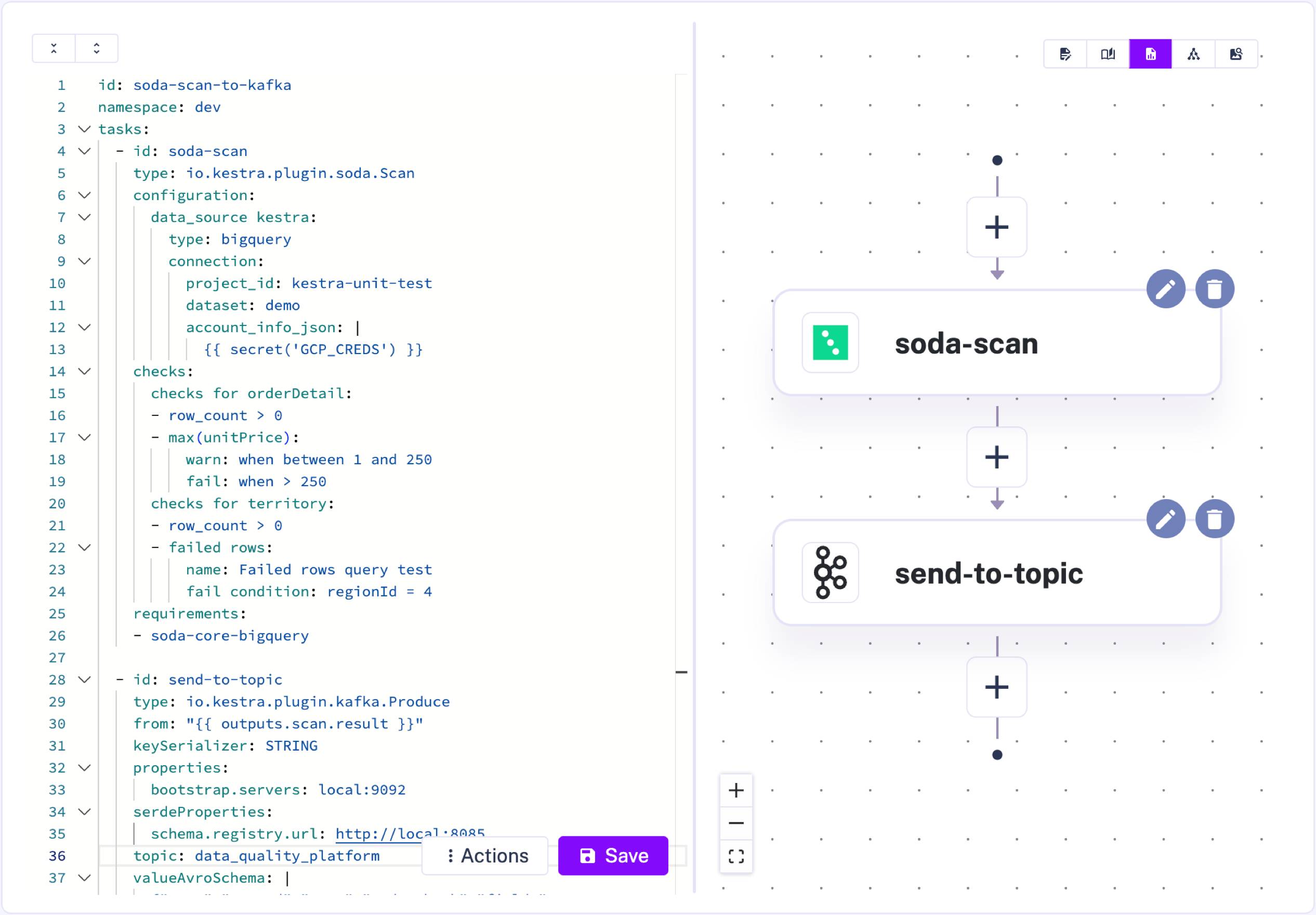
This initial version proved that YAML’s simplicity accelerates development and shortens the feedback loop.
Faced with a decision, the team considered two options: they could either template the Flow by incorporating inputs and outputs to create a subflow (a flow callable by another flow), or they could convert each command into Java methods.
They opted for the latter. The rationale was that handling custom logic, numerous API calls, and managing messages and topics in queue systems is complex. Implementing try-catch patterns, business rules, or fallback methods in a programming language like Java is often more sustainable in the long run. It enhances the maintainability and extensibility of the integration.
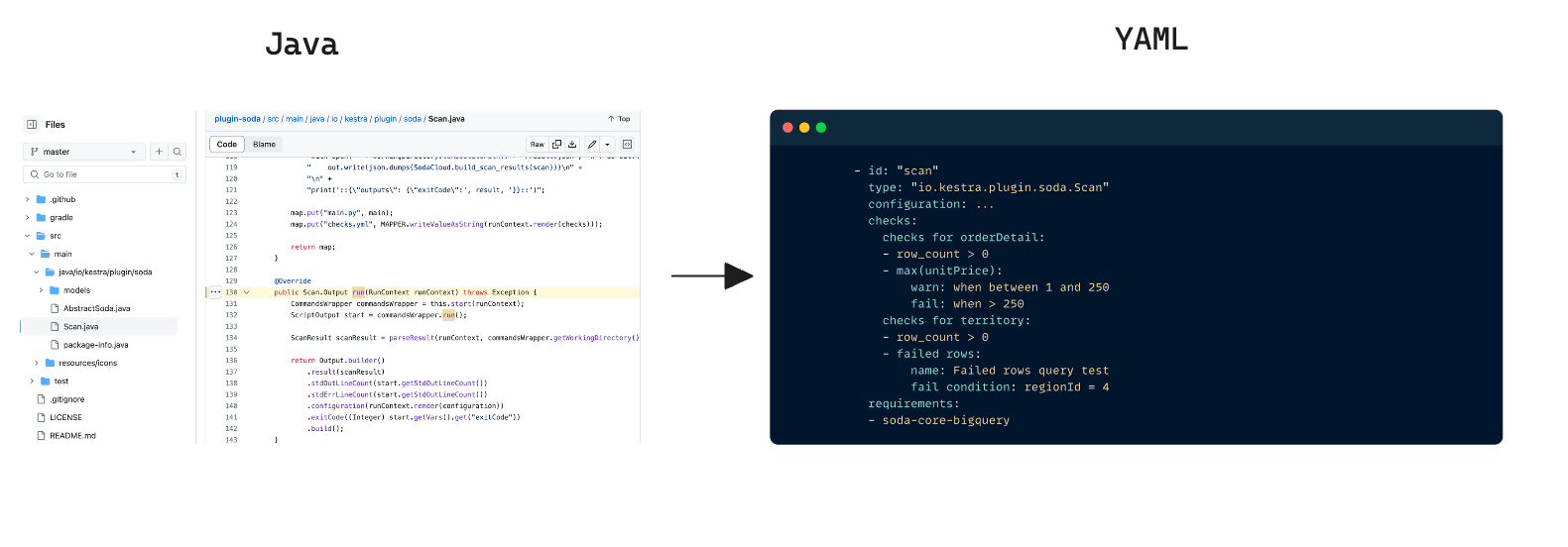
Once the Flow was designed in YAML, converting it to Java was straightforward, as you can see in the image below.
There are two notable approaches here:
Choosing one or the other depends on the situation and the developer’s expertise. Both provide straightforward ways to create custom modular components in your workflows.
Alternatively, you could build custom Python scripts (especially using the embedded Code Editor and use them to build parametrized workflows. By designing a subflow with a Python script task, the team can encapsulate the business logic and expose only a few YAML parameters to execute the underlying script.
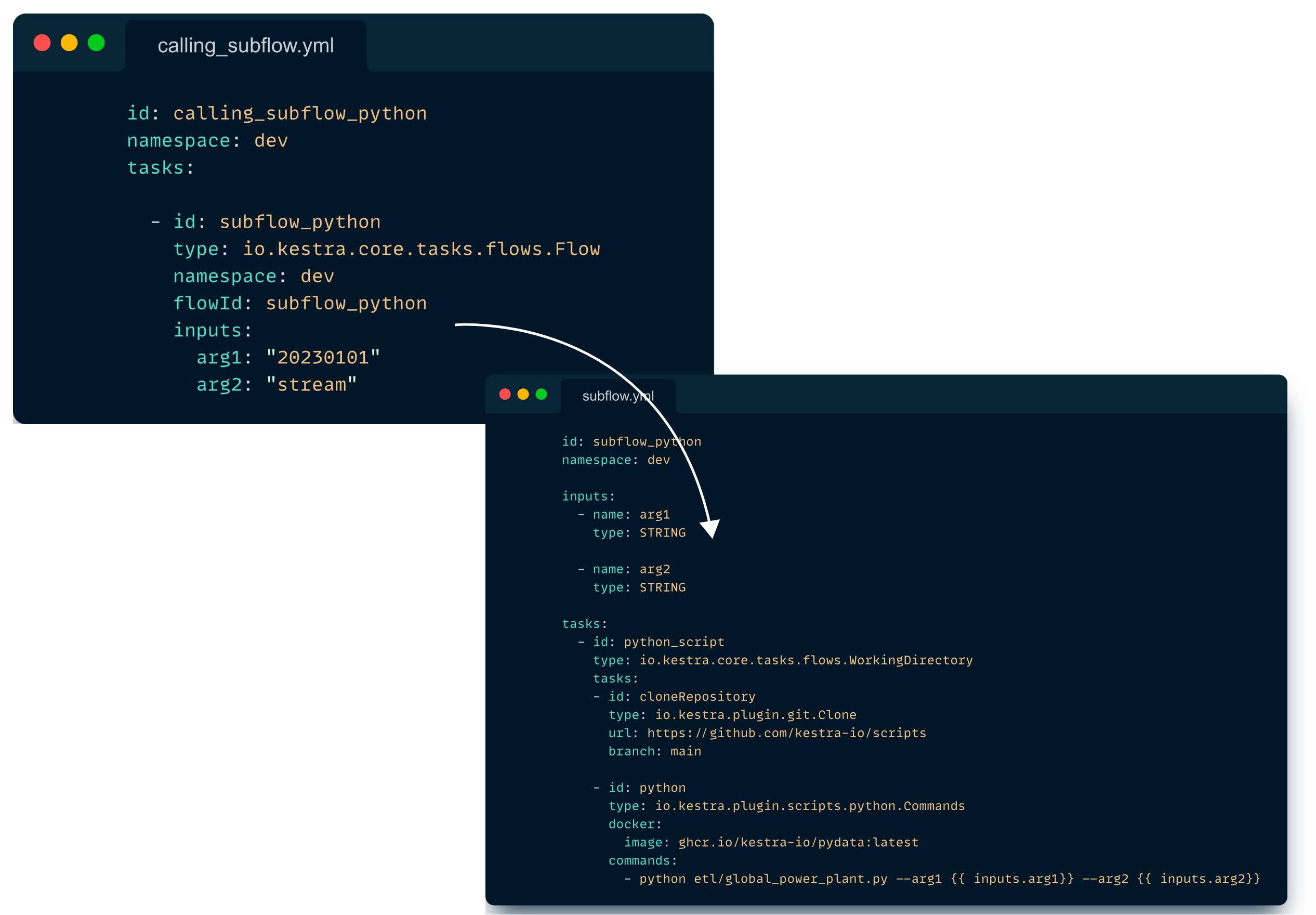
The creation of reusable components is crucial in software development. Kestra’s design enables users to easily construct their own modules and abstract custom logic.
Teams, whether proficient in Java, preferring exclusive work with Python, or utilizing any other language, can utilize Kestra to actively create custom plugins and subflows and interact with these components using YAML syntax.
If you’re interested in developing your own plugin, make sure to check this documentation. We would love to hear from you and learn about your use case, so don’t hesitate to share your ideas or questions in the Slack community.
Follow us on Twitter for the latest news. Check the code in our GitHub repository and give us a star if you like the project.

Stay up to date with the latest features and changes to Kestra