Authors

Shruti Mantri

Shruti Mantri
Kestra is a remarkably powerful orchestration engine. It uses a rather simple, and easy to configure declarative approach for designing workflows. This simplicity facilitates seamless adaptation to Kestra, as one does not need to be a master of any particular programming language. Anyone with clear intentions about the desired workflow can search for the corresponding plugins, and put the workflow together using the powerful YAML notation.
Kestra comes with a rich set of plugins. It has plugins for every popular system out in the market. Not just that, every plugin is also equipped with various actions, called as tasks, that it can perform. For example, if we talk about file systems like S3, Kestra not only provides tasks for uploading and downloading objects from S3, but also provides tasks that take care of smaller nitty-gritties like creating and deleting bucket, and listing the contents of bucket. This makes Kestra more powerful and dependable for all our needs.
While Kestra provides all the features that any orchestration tool in the market has, like scheduling jobs/flows and showing workflow execution in Gantt and graph formats, it has much more to offer. Kestra strikes a perfect balance between the tooling functionalities and the operational reality. Kestra has many cool features that are unique and align with the operational needs of any data engineer. Here are the top 10 features that are my personal favorite and make me fall in love with the tool:
Multiple orchestration tasks generate data, either by fetching it from external systems, or by performing actions on top of the existing data. These resultant data sets are stored internally by the orchestration engines. As part of the orchestration steps, these data sets are uploaded to file systems like S3 and Blob Storage, and used for further processing. But many times, you want to check the contents of the data sets being produced to ensure you are getting the desired results. The only choice you are left with is to download the data from the tool’s internal storage onto your local machine. Soon, your local machine is cluttered with these regularly downloaded files.
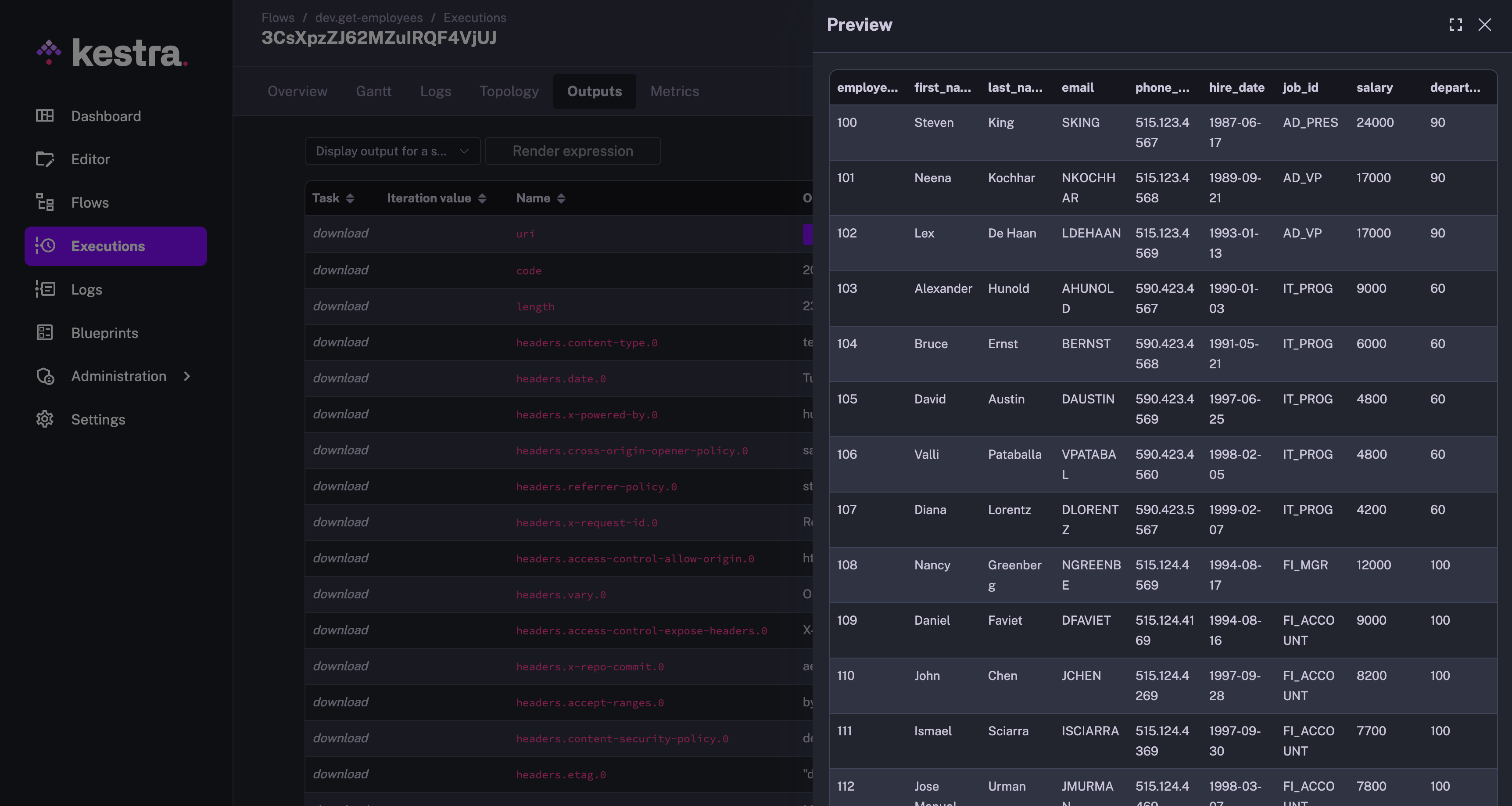
Kestra provides an extremely smart and easy to use feature of previewing these data sets. You can go to the Outputs tab, and the data sets that are downloaded to internal storage are available with Download and Preview option. The Preview option is one of my favorites giving me quick access to look at the output file contents. This is how the Preview of the data set looks like:
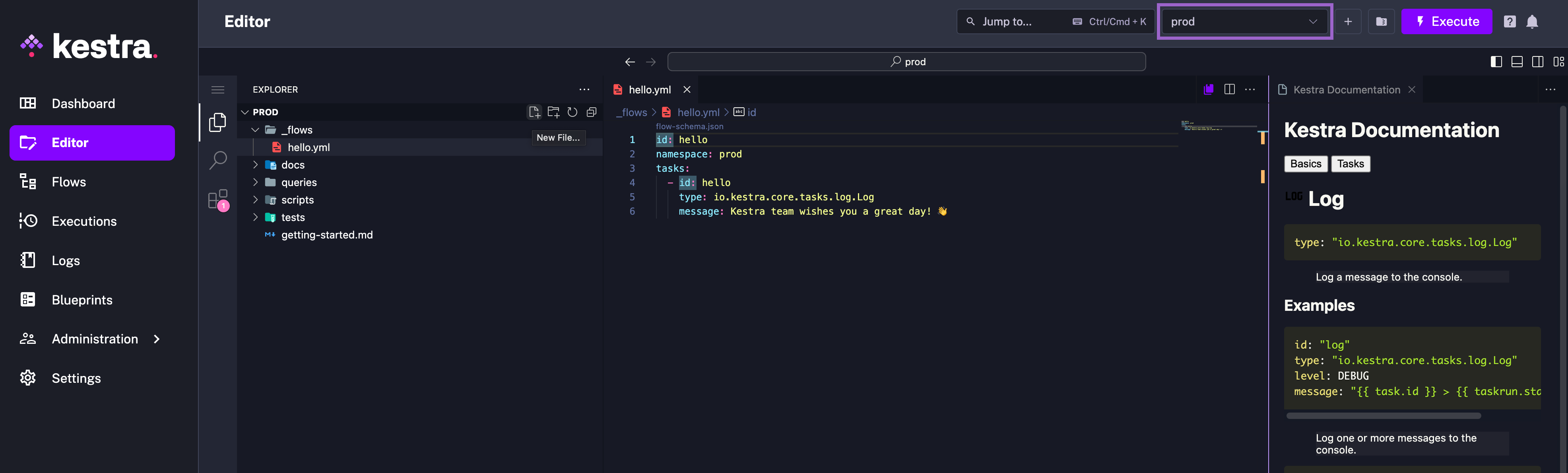
Kestra comes with an embedded Code editor. For any coding that you need to do, you need not go anywhere outside this tool. You have the well-equipped Code editor right there within Kestra itself. It also comes with the Kestra extension installed out of the box, and is flexible to also install any other extensions of your choice. This comes in very handy when you want to write scripts to be used within your orchestration flow.
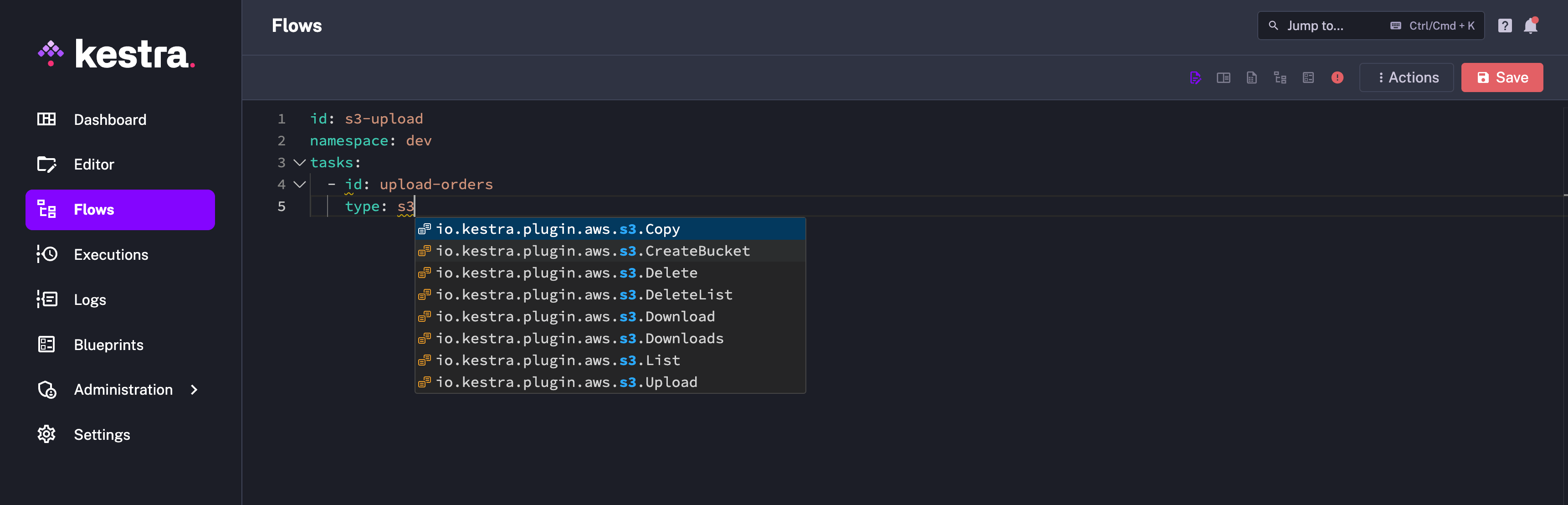
When you become used to Kestra, you create the new flow and start typing out your tasks. While you know that you want to write the task pertaining to certain third-party plugins, it can become difficult to memorize the actual task type. But going to the plugin documentation every time just to get the task type is pretty time-consuming and exhausting.
Kestra has an elegant solution to this problem. After typing out task: , you can start typing out any part of the type content, like the plugin name, and you will get auto-suggestions containing what you have typed. This has saved multiple minutes of my time on a daily basis.
Multiple instances of orchestration requires flow dependencies. For example, you want to trigger a clean-up flow if another flow has failed, or you want to trigger the final flow when multiple other flows have succeeded. It could be daunting to achieve this in many orchestration tools. However, this can be achieved in Kestra in just a couple of lines by adding conditions to the flow trigger. Here is an example of a flow that will get triggered when any production flow fails:
id: send-failure-alertnamespace: company.teamtasks: - id: send-alert type: io.kestra.plugin.slack.notifications.SlackExecution url: "{{ secret('SLACK_WEBHOOK') }}" channel: "#failures" executionId: "{{ trigger.executionId }}"triggers: - id: watch-failed-flows type: io.kestra.plugin.core.trigger.Flow conditions: - type: io.kestra.plugin.core.condition.ExecutionStatus in: - FAILED - type: io.kestra.plugin.core.condition.ExecutionNamespace namespace: company.team prefix: trueYou can read more about it on this page.
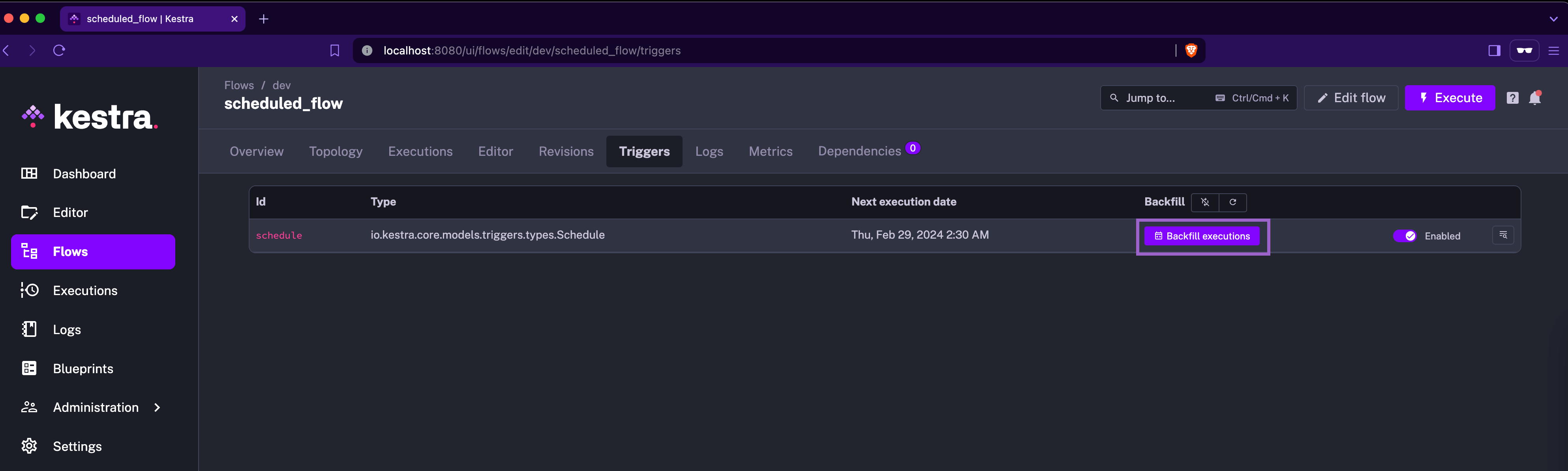
Backfill is one of the dreadful words in the orchestration world. While it is one of the necessary features, it is also one of the difficult tasks to achieve. Many tools are not able to abstract this underlying complexity and make it tedious for the data engineer to trigger a backfill. Data Engineers are confused by the number of parameters they need to fill in and get them right to achieve the desired results from a backfill.
Kestra has done an amazing job of achieving this with the click of a button. If you trigger this from the UI, the “backfill execution” is placed where Kestra is already aware of the context of the backfill and requires as minimum information as the time for which backfill needs to be performed. With Kestra, no data engineer will ever panic about backfilling.
Kestra provides multiple dashboards, each at a different granularity, all out of the box. The global dashabord which is present as the home page of Kestra, gives an overall picture about how different workflows in Kestra are performing. The executions are available in the timeline format, highlighting any abnormal activities on the number of executions that took place. The failures are appropriately highlighted, making it difficult to miss out on them.
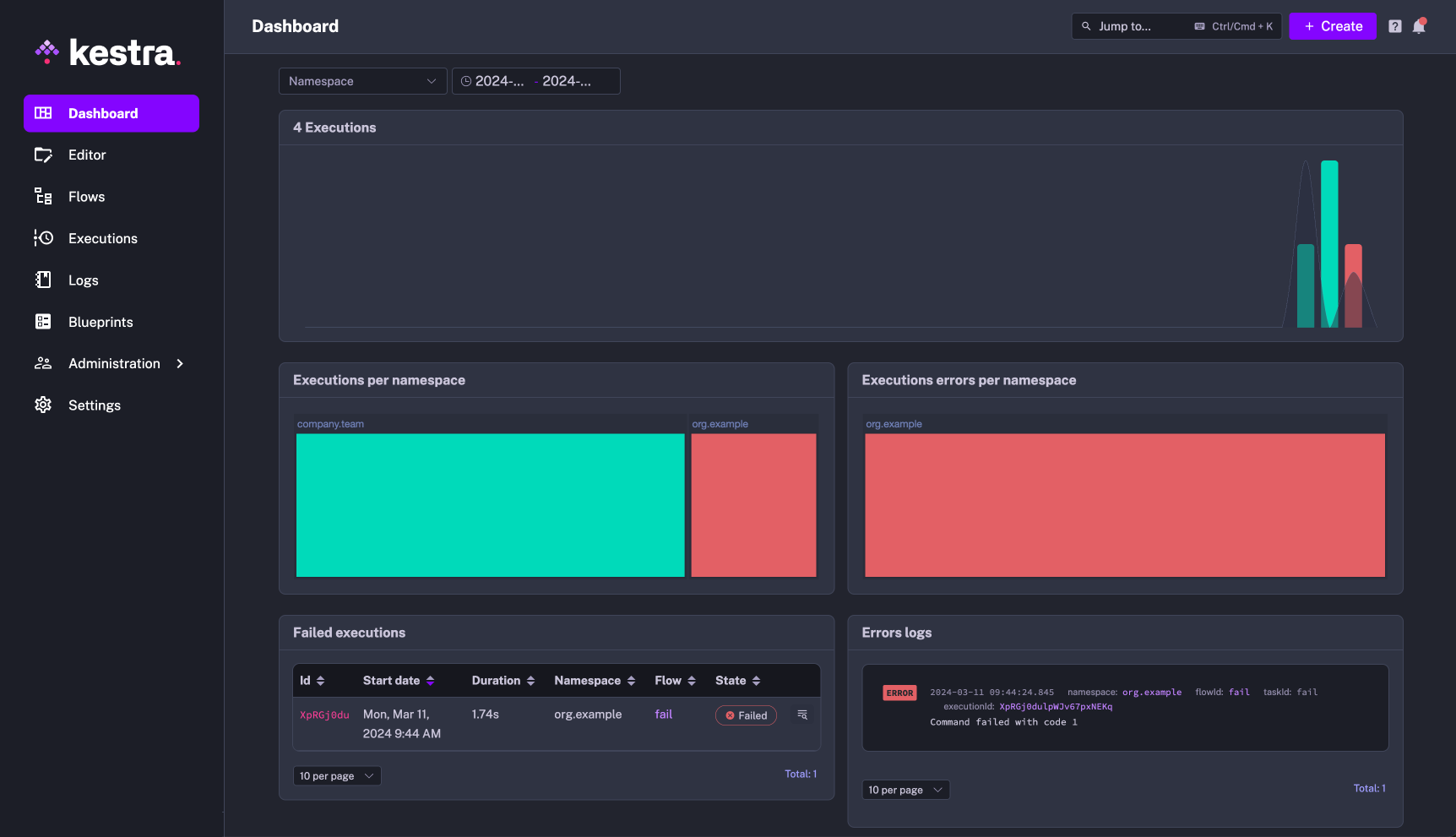
Every flow and namespace (EE-specific feature) are also provided with dashboards. If you find any abnormalities in the global dashboard, you can easily dive deeper by going to the dashboards of the corresponding flow or namespace.
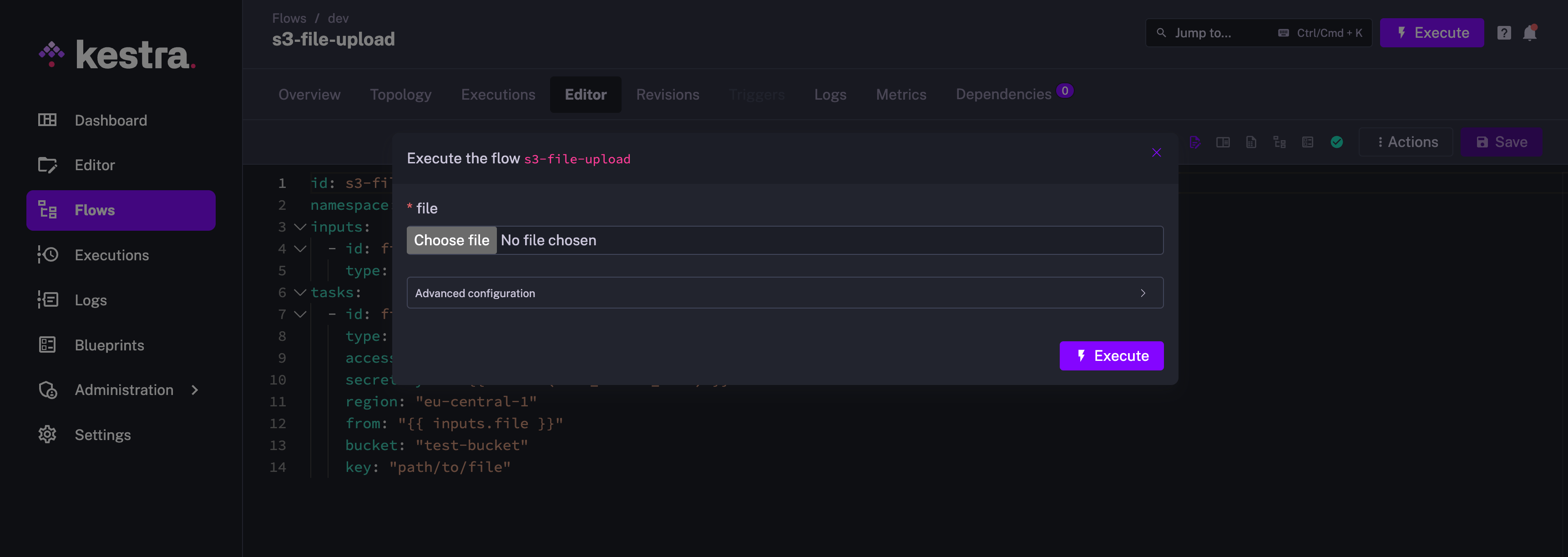
Kestra flows can be configured to accept different types of inputs like string, integer, float, date, datetime, and many more. My favorite one is the FILE input type.
For many orchestration tools, it is a tedious task to provide file input, as the file either needs to be checked in to the code or uploaded to an apporopriate loaction in the file system. With Kestra’s file input, you can literally choose file from any location of your machine, and provide it as an input. This makes it a piece of cake to try out the workflows with different test files. It could not be any simpler to make changes to the file and iterate the testing process.
It is paramount to prioritize the protection of sensitive information. It is a necessity that no sensitive information gets checked-in in its plain or easily-decodeable format. At the same time, it should also be easy to introduce this information in the platform for developer productivity.
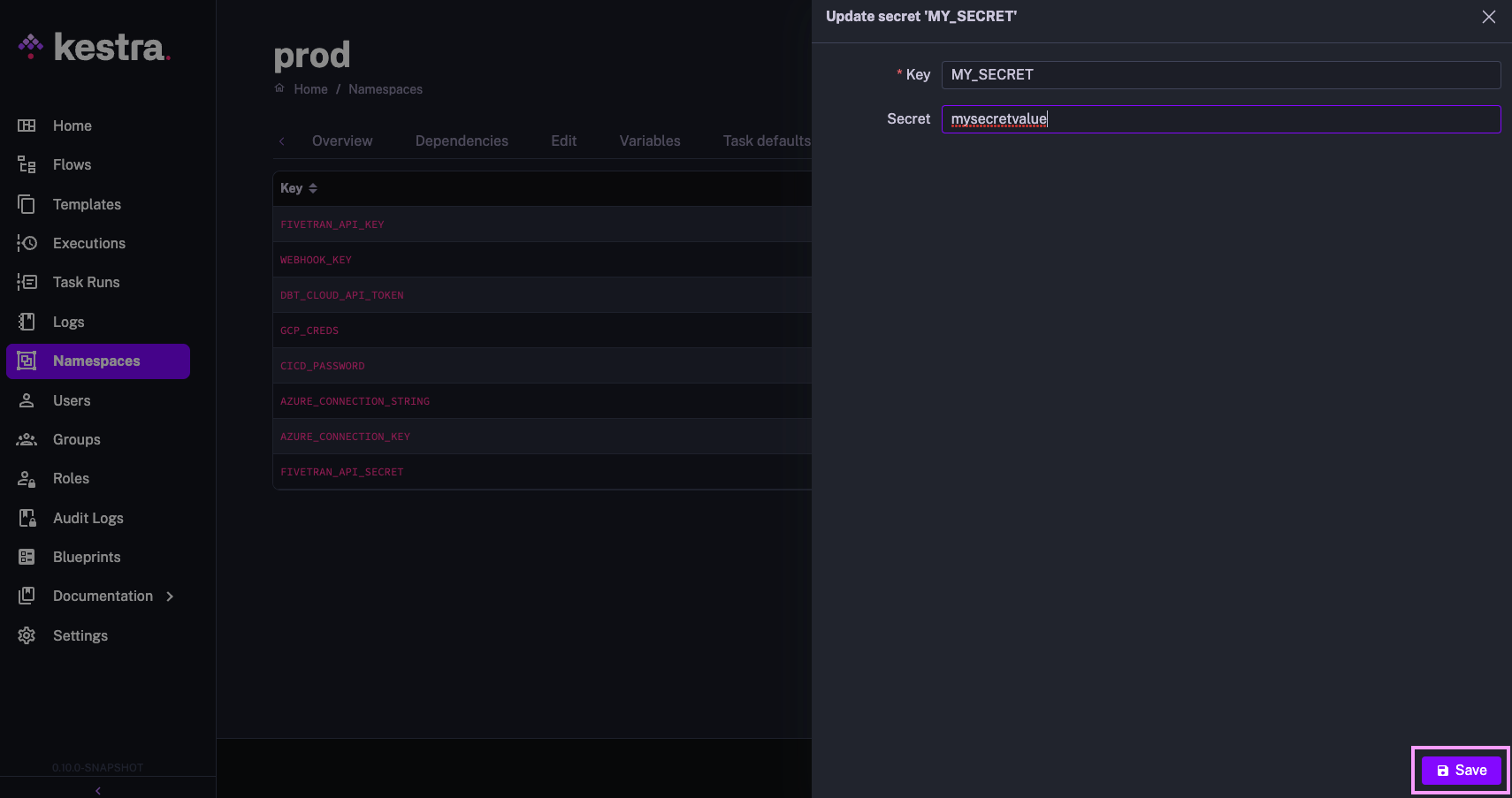
Kestra just has the right solution in place. The secrets can be provided as environment variables in base64 encoded format while operating Kestra in the dockerized mode. The secrets can also be provided from the UI directly in its EE edition. Using secret in Kestra is pretty starightforward as well. You can use the format {{ secret('MY_PASSWORD') }} and access a secret stored under SECRET_MY_PASSWORD environment variable. Overall, its mesmerizing to see how easy it is to introduce and use secrets in Kestra.
Here is an image of adding secret via the UI in EE edition:
This is yet another powerful feature from the developer productivity perspective. Generally, you develop a pipeline related to some technology, and it is extremely likely that you use multiple tasks that correspond to the same technology. For example, in a flow that queries Redshift, it is very likely that you connect to Redshift to create the table in one task and then insert data into it in another task, and then query it for some purpose. In this case, you would just end up duplicating the Redshift connection information in all these tasks. This hampers the developer’s productivity and leads to configuration duplication.
In order to avoid this duplication, Kestra provides plugin defaults. Mention the plugin defaults once in the flow, and it gets referenced in all the tasks of the corresponding type.
You can even set the plugin defaults globally or on a namespace level to ensure that all flows using, e.g., the AWS plugin leverage the same credentials.
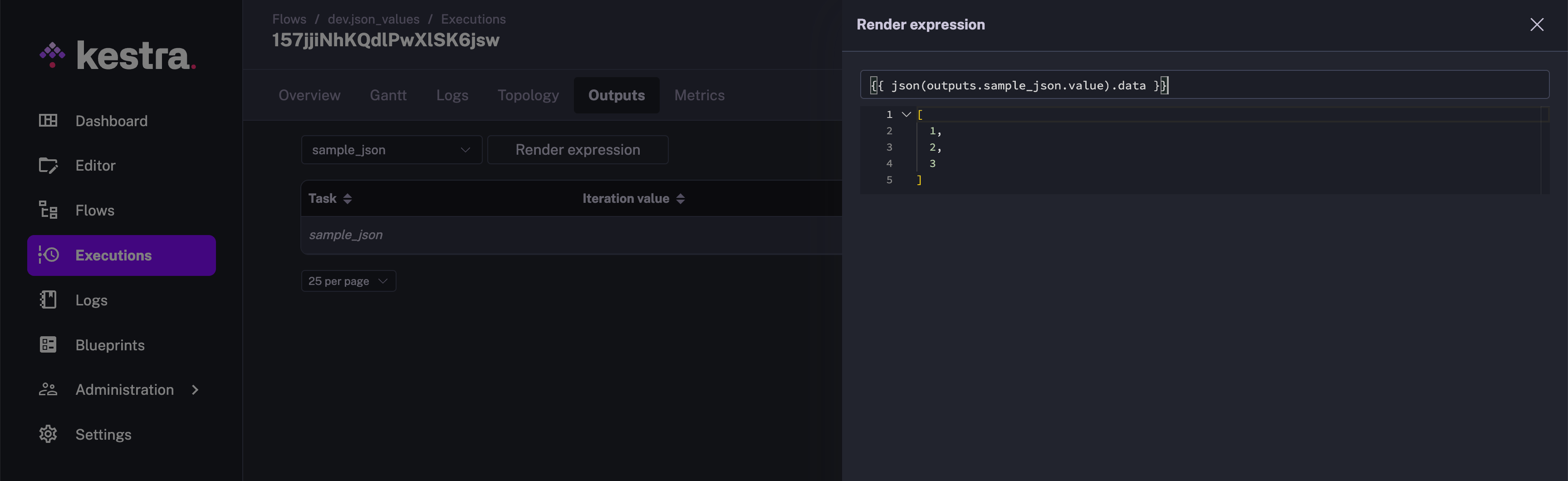
id: redshift_data_pipelinenamespace: company.teamtasks: - id: redshift_create_table_products type: io.kestra.plugin.jdbc.redshift.Query sql: | create table if not exists products ( id varchar(5), name varchar(250), category varchar(100), brand varchar(100) ); - id: redshift_insert_into_products type: io.kestra.plugin.jdbc.redshift.Query sql: | insert into products values (1,'streamline turn-key systems','Electronics','gomez'), (2,'morph viral applications','Household','wolfe'), (3,'expedite front-end schemas','Household','davis-martinez'), (4,'syndicate robust ROI','Outdoor','ruiz-price'), (5,'optimize next-generation mindshare','Outdoor','richardson'); - id: join_orders_and_products type: io.kestra.plugin.jdbc.redshift.Query sql: | select o.order_id, o.customer_name, o.customer_email, p.id as product_id, p.name as product_name, p.category as product_category, p.brand as product_brand, o.price, o.quantity, o.total from orders o join products p on o.product_id = p.id store: truepluginDefaults: - type: io.kestra.plugin.jdbc.redshift.Query values: url: jdbc:redshift://<redshift-cluster>.eu-central-1.redshift.amazonaws.com:5439/dev username: redshift_username password: redshift_passwdDuring the pipeline development phase, you get multiple intermediate data sets that you need to further cleanse or transform in order to achieve the desired results. It is pretty overwhelming to write the next data transformation step as part of the flow and run the complete flow in order to test out the transformation. This is where Kestra has an advanced tooling that helps you perform the data transformation on the existing outputs. It evaluates the transform expression right on the spot and provides you with a preview of the transformed results.
With all these cool features, it is no wonder that Kestra is the new future of the orchestration industry. I would definitely recommend this tool, and would encourage you to make your hands dirty trying out this tool and its awesome features.
Join the Slack community if you have any questions or need assistance. Follow us on Twitter for the latest news. Check the code in our GitHub repository and give us a star if you like the project.

Stay up to date with the latest features and changes to Kestra