Authors

Shruti Mantri
Shruti Mantri
You choose orchestration tools to address the majority of your data pipeline orchestration requirements. Many of these tools offer the essential features for data pipeline orchestration through integration with various third-party services. Nevertheless, when it comes to managing infrastructure and maintaining the scripts necessary for constructing the infrastructure, these orchestration tools exhibit shortcomings. Consequently, you employ additional tools such as Jenkins, GitHub Actions and others, as automation servers for handling infrastructure components. This is where Kestra can come in handy, and can save you the pain of introducing and maintaining yet another tool for managing infrastructure orchestration.
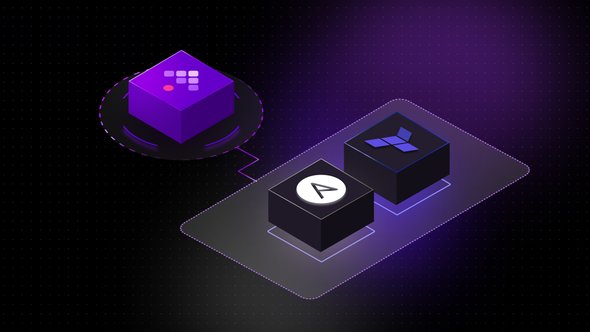
Kestra is a powerful orchestration engine that comes in with an extensive set of third-party integration plugins. It integrates with infrastructure components like Docker and Kubernetes, and most importantly supports Infrastructure as Code (IaC) based CLI tools like Ansible and Terraform via plugins. This helps us leverage Kestra for managing infrastructure components along with data pipeline orchestration.
Ansible stands as a preeminent IaC solution, renowned for its simplicity, flexibility, and efficiency in automating IT tasks and managing infrastructure at scale. Developed by Red Hat, Ansible offers a radically simple approach to configuration management, orchestration, and application deployment, enabling organizations to define and manage their infrastructure through code. At its core, Ansible employs a declarative language called YAML (YAML Ain’t Markup Language) to describe the desired state of systems, networks, and applications in a human-readable format, known as playbooks.
Ansible has an agentless architecture, which eliminates the need for installing and managing client software on target systems. Leveraging SSH (Secure Shell) and Python, Ansible connects to remote hosts seamlessly, executing tasks efficiently and securely across distributed environments. Furthermore, Ansible’s idempotent nature ensures that playbooks can be executed repeatedly without causing unintended changes, promoting reliability and consistency in infrastructure management. With its extensive library of modules and roles, Ansible empowers users to automate a diverse range of tasks, from system provisioning and configuration to application deployment and continuous integration. As organizations strive for agility and scalability in their IT operations, Ansible emerges as a foundational tool for driving automation and accelerating digital transformation initiatives.
Kestra has a plugin support for Ansible CLI using which you can easily orchestrate ansible playbooks via Kestra. Let us see how we can orchestrate a simple Ansible playbook that enables S3 bucket creation via Kestra using the following flow:
id: ansiblenamespace: company.team
tasks: - id: ansible_task type: io.kestra.plugin.ansible.cli.AnsibleCLI containerImage: cytopia/ansible:latest-tools inputFiles: inventory.ini: | localhost ansible_connection=local myplaybook.yml: | --- - name: create s3 bucket hosts: localhost connection: local tasks: - name: create a simple s3 bucket amazon.aws.s3_bucket: name: <bucket-name> state: present region: eu-central-1 access_key: "{{ secret('AWS_ACCESS_KEY_ID') | trim }}" secret_key: "{{ secret('AWS_SECRET_KEY_ID') | trim }}" beforeCommands: - pip install boto3 commands: - ansible-playbook -i inventory.ini myplaybook.ymlThe AnsibleCLI task uses the Docker Task Runner, and spins up the cytopia/ansible:latest-tools docker image. It also uses the inputFiles property to share the inventory.ini and myplaybook.yml files with the container. The myplaybook.yml file is the Ansible playbook to create a S3 bucket. The task then installs the boto3 dependency, as we need to connect to AWS S3. The commands sections of the task runs the ansible-playbook CLI command and refers the files created in the former tasks.
Terraform is a cutting-edge Infrastructure as Code (IaC) tool revolutionizing the way organizations manage and provision their infrastructure. As businesses increasingly rely on cloud-based solutions and dynamic environments, the need for efficient, scalable infrastructure management has never been more critical. Terraform addresses this challenge by providing a declarative language and framework for defining infrastructure resources in a version-controlled configuration file. Developed by HashiCorp, Terraform enables users to codify their infrastructure requirements, including servers, networks, storage, and more, in a concise and human-readable format.
With Terraform, infrastructure provisioning becomes predictable, reproducible, and scalable, offering significant advantages over traditional manual provisioning methods. Its modular and extensible design allows teams to define complex infrastructure topologies with ease, facilitating collaboration and ensuring consistency across environments. Terraform’s provider-based architecture supports a vast ecosystem of integrations with leading cloud providers such as AWS, Microsoft Azure, and Google Cloud Platform, as well as with on-premises solutions and third-party services. This versatility empowers organizations to adopt a multi-cloud strategy seamlessly, leveraging the best features of each provider while maintaining a unified provisioning workflow. In essence, Terraform streamlines the infrastructure lifecycle, from initial provisioning to updates and teardowns, promoting agility, efficiency, and reliability in modern IT operations.
Kestra supports Terraform plugin making it seamless to integrate terraform scripts. The following examples shows how a simple Terraform script to create S3 bucket can be orchestrated using Kestra via the TerraformCLI task:
id: terraform-clinamespace: company.teamtasks: - id: terraform-s3-bukcet-creation type: io.kestra.plugin.terraform.cli.TerraformCLI namespaceFiles: enabled: true inputFiles: main.tf: | provider "aws" { region = "eu-central-1" access_key = "{{ secret('AWS_ACCESS_KEY_ID') | trim }}" secret_key = "{{ secret('AWS_SECRET_KEY_ID') | trim }}" } resource "aws_s3_bucket" "s3_bucket" { bucket = "<bucket-name>" tags = { Environment = "Production" } } beforeCommands: - terraform init commands: - terraform plan 2>&1 | tee plan_output.txt - terraform apply -auto-approve 2>&1 | tee apply_output.txtIn the above examples, the files are written inline for giving a complete picture and for better understanding. You can also choose to define the files in the Editor and refer to those namespace files in the corresponding AnsibleCLI and Terraform CLI task. This helps in file reusability, and also makes the flow compact.
This blog demonstrates how Kestra can be used for managing infrastructure orchestration with the help of its Terraform and Ansible plugins. Kestra also supports Docker and Kubernetes plugins which help control the docker and kubernetes objects respectively.
Join the Slack community if you have any questions or need assistance. Follow us on Twitter for the latest news. Check the code in our GitHub repository and give us a star if you like the project.

Stay up to date with the latest features and changes to Kestra