Authors

Anna Geller
Product Lead
Anna Geller
Product Lead
We’re excited to introduce Apps. With Apps, you can create custom user interfaces on top of your Kestra workflows. This feature makes it possible for anyone — not just technical users — to interact with your flows directly by submitting data, approving tasks, or viewing outputs, allowing you to build self-service applications for your data products and business processes.

Apps act as frontend applications for your Kestra workflows. They allow end-users to interact with workflows through forms, output displays, markdown blocks, approval buttons, and other UI components, while Kestra flows handle all backend processing.
With Apps, you can:
In short, Apps let you turn any Kestra workflow into a user-facing application.
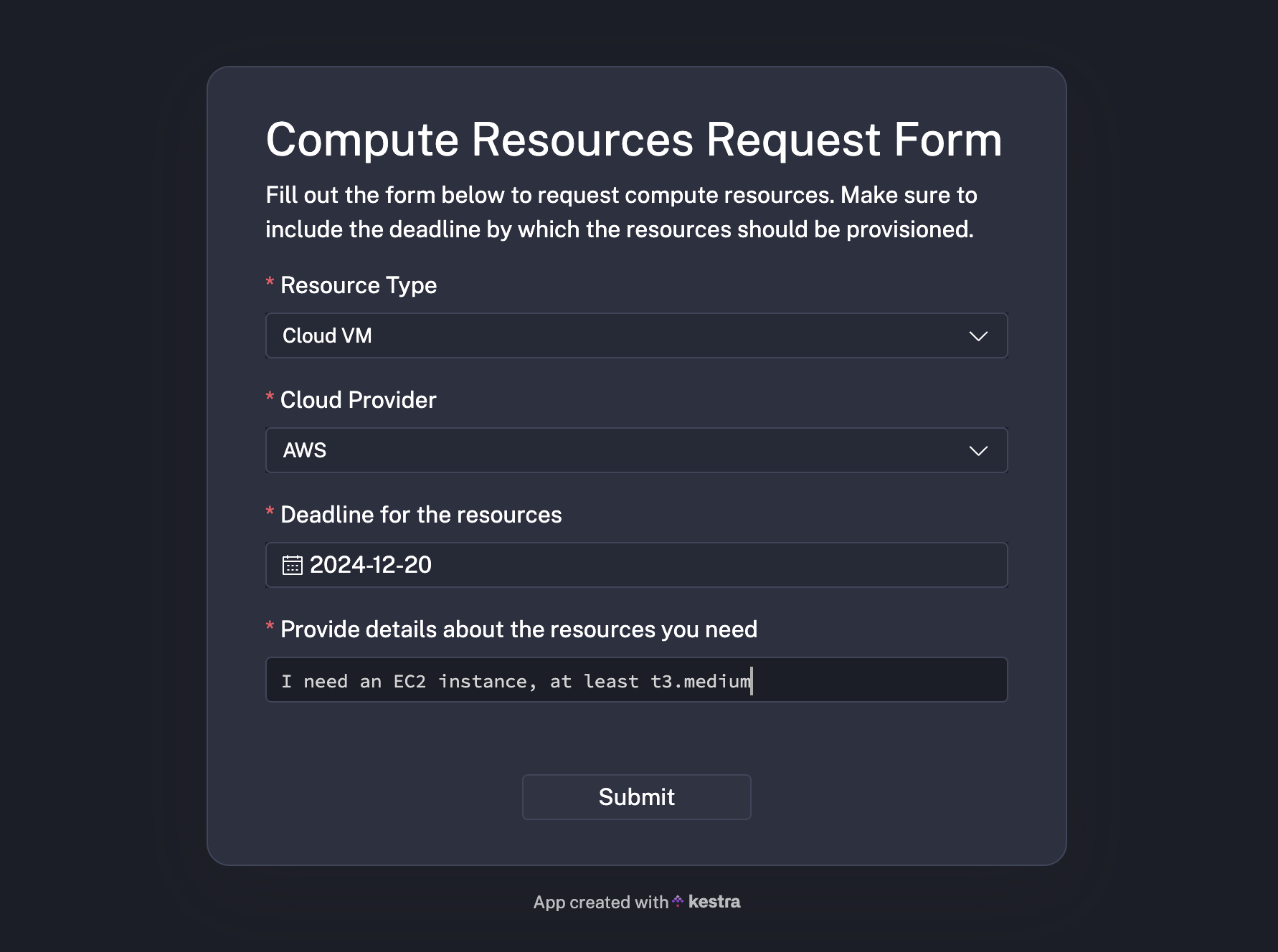
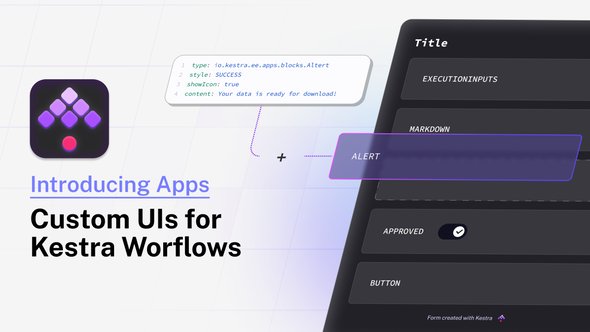
Workflows often require input from non-technical users who need to validate some data processing steps and decide on approval status. Traditionally, building such interfaces required a lot of effort—writing frontend code, connecting to APIs, validating user inputs, and handling security and permissions. Apps eliminate all that complexity. You can configure a custom UI for your workflows in just a few lines of declarative YAML configuration, and Kestra takes care of the rest.
Here are some examples of what you can do with Apps:
Currently, Kestra supports two main use cases with Apps:
Submit button, Kestra initiates a new workflow execution.Both of them are built using the Execution app type. Read more about available App types in our docs.
More types of apps are on the roadmap, such as apps to trigger actions using Kestra’s API. If you have a specific use case in mind, we’d love to hear about it!
You can control who has access to your apps:
This flexibility makes Apps suitable for both internal tools and public-facing forms.
To create an app, start by designing a workflow in Kestra. For example, let’s create a workflow that allows users to request and download datasets:
id: get_datanamespace: company.team
inputs:  - id: data    displayName: Select data to download    type: SELECT    values: [customers, employees, products, stores, suppliers]    defaults: customers
  - id: startDate    displayName: Start date for your dataset    type: DATE    defaults: 2024-12-03
tasks:  - id: extract    type: io.kestra.plugin.core.http.Download    uri: https://huggingface.co/datasets/kestra/datasets/resolve/main/ion/{{inputs.data}}.ion
outputs:  - id: data    type: FILE    value: "{{outputs.extract.uri}}"
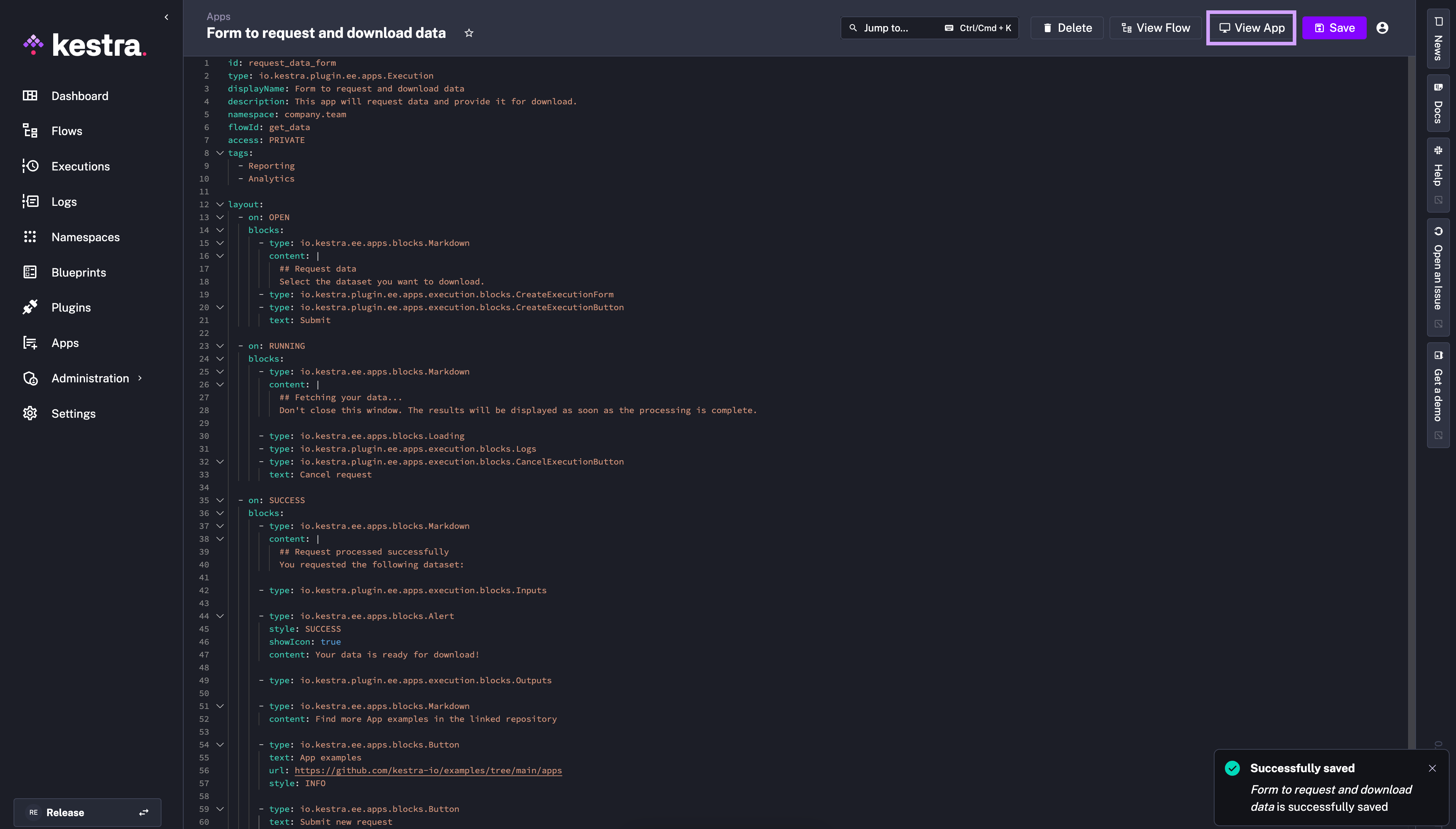
Save that flow. Then, go to the Apps page and click on + Create. Then, paste the app configuration shown below.
id: request_data_formtype: io.kestra.plugin.ee.apps.ExecutiondisplayName: Form to request and download datadescription: This app will request data and provide it for download.namespace: company.teamflowId: get_dataaccess: PUBLICtags:  - Reporting  - Analytics
layout:  - on: OPEN    blocks:      - type: io.kestra.plugin.ee.apps.core.blocks.Markdown        content: |          ## Request data          Select the dataset you want to download.      - type: io.kestra.plugin.ee.apps.execution.blocks.CreateExecutionForm      - type: io.kestra.plugin.ee.apps.execution.blocks.CreateExecutionButton        text: Submit
  - on: RUNNING    blocks:      - type: io.kestra.plugin.ee.apps.core.blocks.Markdown        content: |          ## Fetching your data...          Don't close this window. The results will be displayed as soon as the processing is complete.
      - type: io.kestra.plugin.ee.apps.core.blocks.Loading      - type: io.kestra.plugin.ee.apps.execution.blocks.Logs      - type: io.kestra.plugin.ee.apps.execution.blocks.CancelExecutionButton        text: Cancel request
  - on: SUCCESS    blocks:      - type: io.kestra.plugin.ee.apps.core.blocks.Markdown        content: |          ## Request processed successfully          You requested the following dataset:
      - type: io.kestra.plugin.ee.apps.execution.blocks.Inputs
      - type: io.kestra.plugin.ee.apps.core.blocks.Alert        style: SUCCESS        showIcon: true        content: Your data is ready for download!
      - type: io.kestra.plugin.ee.apps.execution.blocks.Outputs
      - type: io.kestra.plugin.ee.apps.core.blocks.Markdown        content: Find more App examples in the linked repository
      - type: io.kestra.plugin.ee.apps.core.blocks.Button        text: App examples        url: https://github.com/kestra-io/enterprise-edition-examples        style: INFO
      - type: io.kestra.plugin.ee.apps.core.blocks.Button        text: Submit new request        url: "{{ app.url }}"        style: DEFAULT
- type: io.kestra.plugin.ee.apps.core.blocks.RedirectTo delay: PT60S url: https://kestra.io/docs/Click on View App to see it in action:
You should see a page with a form:
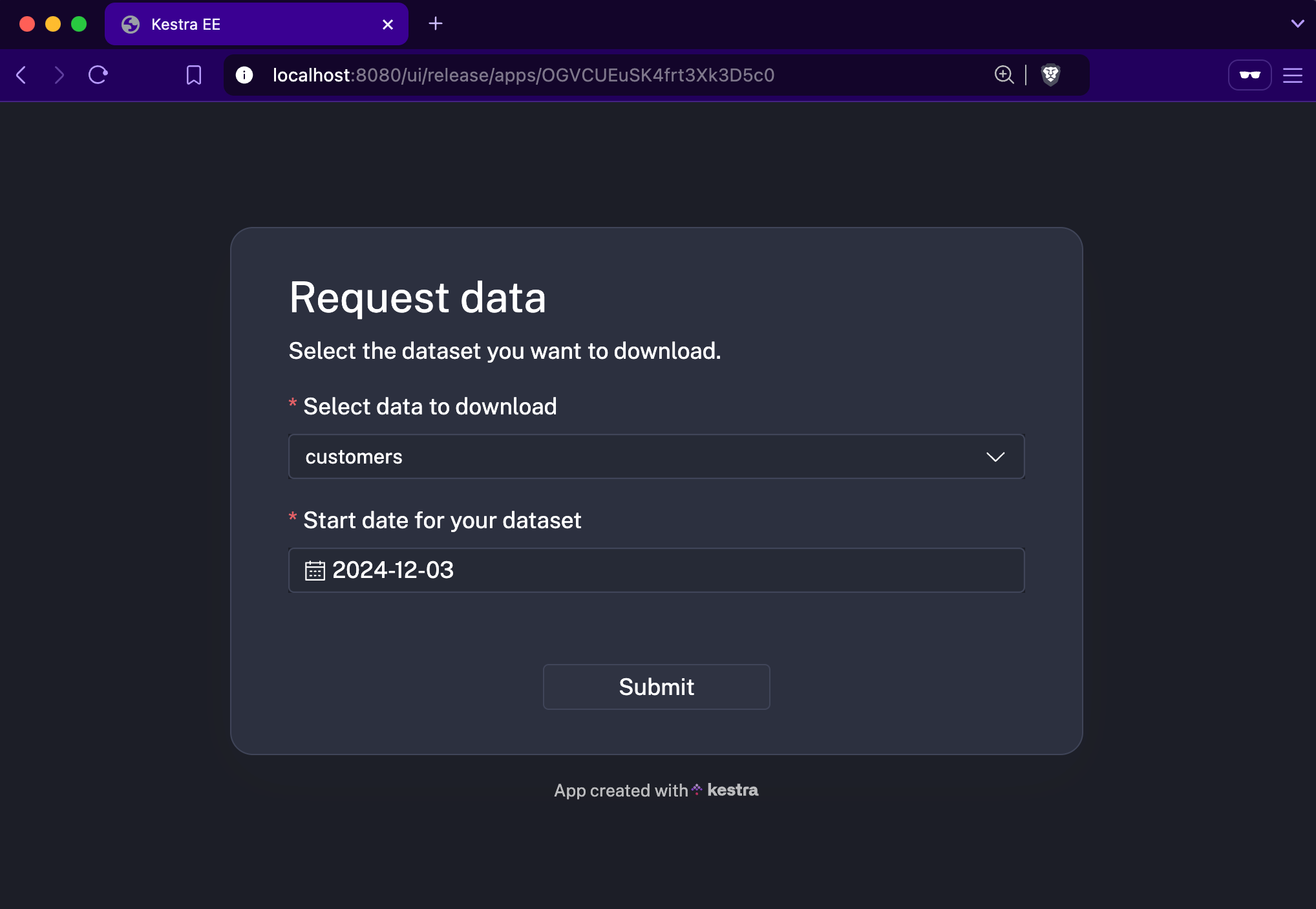
Fill out the form and click on Submit. Once processing is complete, you should see the results displayed.
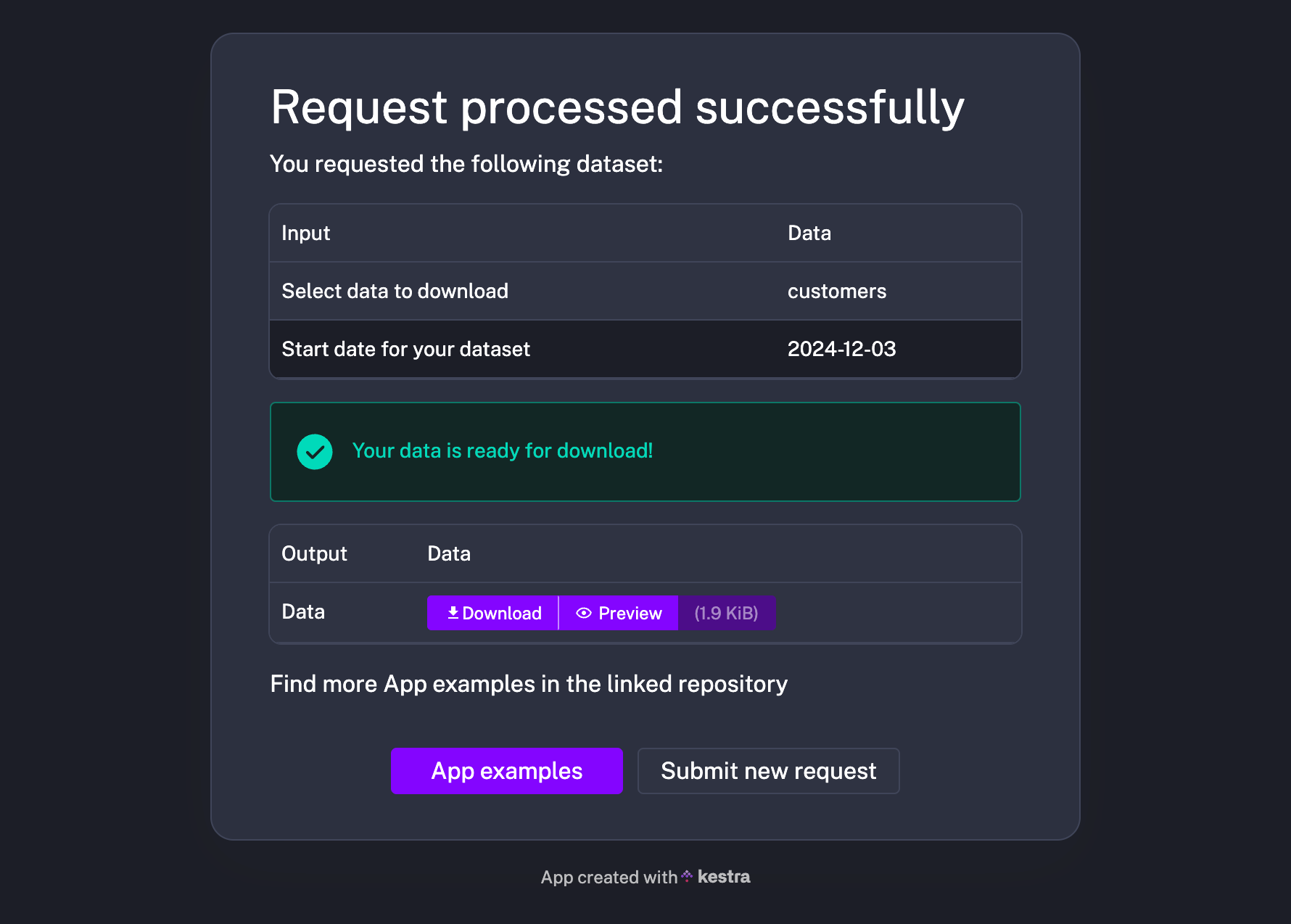
The UI display and all actions performed by the app are configurable through blocks specified in the layout property.
You can share the App link with your end users, or they can access it directly from the Kestra UI by clicking on the View App button. If access is set to PUBLIC, your App link will be accessible by anyone in the world! 🌍
For more examples, check out the GitHub repository.
Apps open up a wide range of possibilities for automating user-facing processes. We’re excited to see how you’ll use them to build self-service applications for your data products and business processes. If you have ideas or feedback, we’d love to hear from you.
With Apps, you can make Kestra workflows accessible to everyone, regardless of their technical expertise. Try out Apps in the latest version of Kestra Enterprise Edition, and let us know what you think!
If you have any questions, reach out via Slack or open a GitHub issue.
If you like the project, give us a GitHub star and join the community.

Stay up to date with the latest features and changes to Kestra