Getting Started with Declarative Orchestration
See how Kestra can simplify your workflows—and scale beyond legacy ETL pipelines.
Azure Data Factory is Microsoft's managed ETL service. Kestra is open-source workflow orchestration for any cloud, any language, and use cases beyond data movement. One is built to integrate data inside Azure. The other orchestrates what your entire engineering team ships.
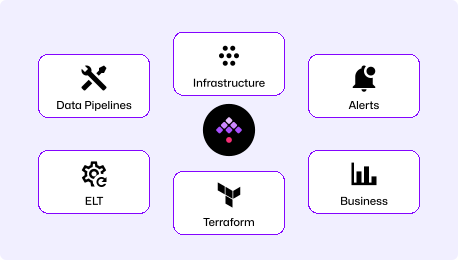
Declarative YAML workflows versioned in Git, executed in isolated containers, deployed through CI/CD. Orchestrate data pipelines, infrastructure operations, AI workloads, and business processes across AWS, Azure, GCP, or on-premises without vendor lock-in.
Fully managed data integration service built into the Azure ecosystem. Author pipelines visually in the Azure portal, connect natively to Azure data services, and scale ETL without managing infrastructure. Pricing is consumption-based per activity run.
ADF requires an Azure subscription, a resource group, a Data Factory instance, linked service credentials for each data source, and dataset definitions before your first pipeline runs. Kestra runs with two commands and no cloud account required.
curl -o docker-compose.yml \https://raw.githubusercontent.com/kestra-io/kestra/develop/docker-compose.ymldocker compose up
# Open localhost:8080# Pick a Blueprint, run it. Done.Download the Docker Compose file, spin it up, and you're ready. Database and config included. Open the UI, pick a Blueprint, run it. No Azure account, no resource groups, no linked service setup.
# 1. Create Azure subscription (or use existing)# 2. Create resource group in Azure portal# 3. Provision Data Factory instance# 4. Configure Linked Services (credentials per data source)# 5. Define Datasets (schema and format per source/sink)# 6. Author pipeline in visual designer or JSON editor# 7. Create triggers (schedule or storage event)
# Or deploy via ARM/Bicep:az deployment group create \ --resource-group my-rg \ --template-file adf-template.jsonRequires an Azure subscription, creating a resource group, provisioning a Data Factory instance, configuring linked services for each data source, and defining datasets before the first pipeline runs. The portal is well-designed, but standing up production infrastructure takes time.
YAML is readable on day 1. Our docs are embedded in the UI for easy reference, the AI Copilot writes workflows for you, or start with our library of Blueprints. Every workflow is a file in your repository, reviewed in pull requests, deployed the same way as application code.
ADF pipelines are authored in the Azure portal visual designer or as JSON. Version control requires connecting to Azure DevOps or GitHub, exporting pipeline definitions, and committing JSON files manually. The JSON schema is verbose and Azure-specific.
Orchestrate data pipelines, infrastructure operations, AI workloads, and business processes across any cloud or on-premises environment. Event-driven at its core, with native triggers for S3, Azure Blob, webhooks, Kafka, database changes, and API events.
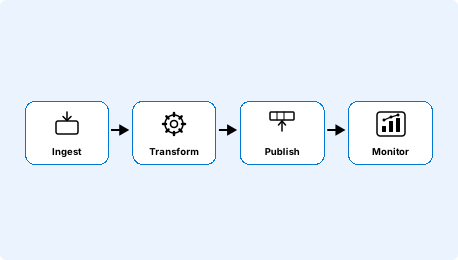
ADF is purpose-built for moving and transforming data within the Azure ecosystem. Connect a source, apply a transformation, publish to an Azure sink, all configured in the portal and executed on Azure-managed infrastructure. Cross-system orchestration beyond the Azure data estate requires custom code or an external tool.
| | | |
|---|---|---|
| Deployment model | Self-hosted (Docker, Kubernetes) or Kestra Cloud | Azure-managed SaaS (Azure subscription required) |
| Workflow definition | Declarative YAML | Visual designer or JSON (ARM templates) |
| Version control | Native Git and CI/CD | Requires Azure DevOps or GitHub integration |
| Cloud support | Multi-cloud and on-premises | Azure-primary (connects to other clouds as sources/sinks) |
| Languages supported | Any (Python, SQL, Bash, Go, R, Node.js) | Mapping Data Flows (Spark-based), Databricks notebooks, SSIS packages |
| Open source | | No open-source version |
| Infrastructure automation | | Not designed for this |
| Self-service for non-engineers | | Monitoring UI only |
| Pricing model | Free open-source core (Enterprise tier available) | Consumption-based per activity run and DIU hour |
| Air-gapped deployment | | Not available (Azure-managed only) |
| Multi-tenancy | Namespace isolation + RBAC out-of-box | Resource group isolation with Azure RBAC |
Kestra runs anywhere Docker runs: AWS, GCP, Azure, on-premises, or a laptop. Multi-cloud teams get one orchestration layer without being tied to a single vendor's pricing, regional footprint, or subscription model. Your workflows deploy identically across environments.
Kestra workflows are YAML files from day one: they live in your repository, go through code review, and deploy through CI/CD the same way as application code. Every change is a readable diff and every deployment is traceable — no portal required.
Kestra handles the full lifecycle: ingesting data, running transformations, triggering infrastructure provisioning, coordinating model training, waiting for approvals, and notifying downstream teams — all from a single YAML definition with shared observability and retry logic across every step.
Find answers to your questions right here, and don't hesitate to Contact Us if you couldn't find what you're looking for.
See how Kestra can simplify your workflows—and scale beyond legacy ETL pipelines.