Authors

Kevin Fleming

Kevin Fleming
The goal of observability is to provide answers to one question: is everything working as expected, and if not, why not? Everything from data quality to workflow bottlenecks to user experience to CICD pipelines can and should be observable by logs, metrics, and traces (the three pillars). And, as they say, absence of evidence is not evidence of absence, so success must be just as observable as failure.
Kestra makes it easy to create, execute, and monitor the progress of workflows and individual tasks in real-time, troubleshoot failure by replaying failed tasks, or doing a full-text search of the workflow execution logs. This article will focus on integrating Sentry.io observability solutions with your workflows.
What’s in this article?
Kestra has two tasks and two blueprints to help you monitor workflow executions (success, failure and everything in between), and I will explain how to use each. Both tasks allow you to send issues - Sentry’s name for the information sent to their API:
Each one of these tasks is described in detail below, and at the end of the article, you’ll find one production-quality example of each task.
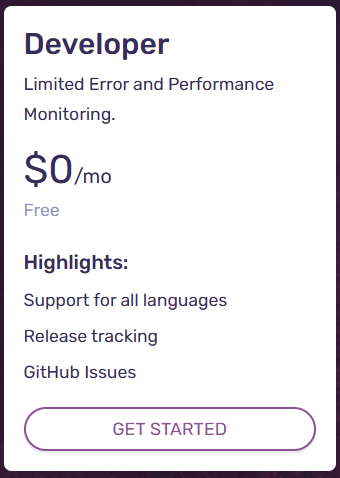
Sentry has a zero-dollar plan for devs (no credit card required) and that’s the plan I’ll be using in this article.
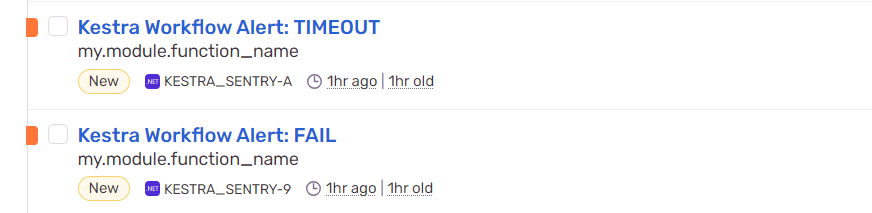
When Sentry receives an issue, it appears in the Issues dashboard:
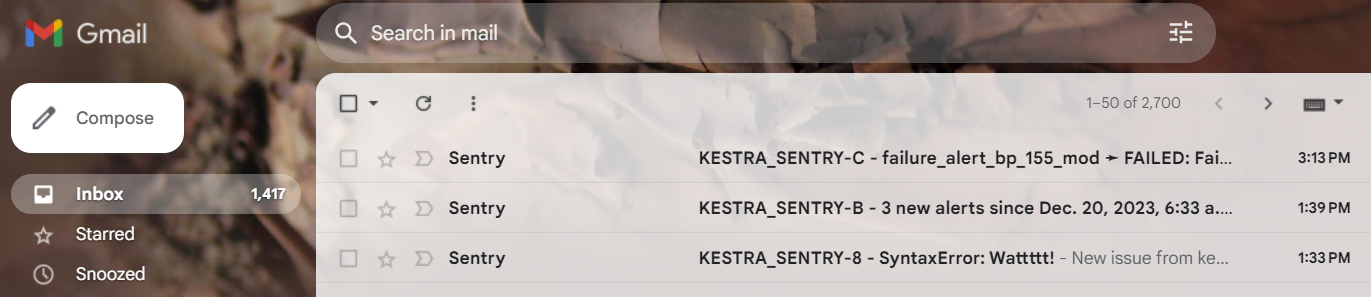
and, with the default configuration, an email alert is sent to the account used during registration:
Registration is quick and easy - you don’t have to choose a plan at this time, Sentry automatically gives everyone a 14-day trial of the Business Plan. During registration, you will be asked to create an initial project and an SDK for your preferred tech. A particular SDK is not needed to use Kestra, but you do need one to move forward with Sentry.
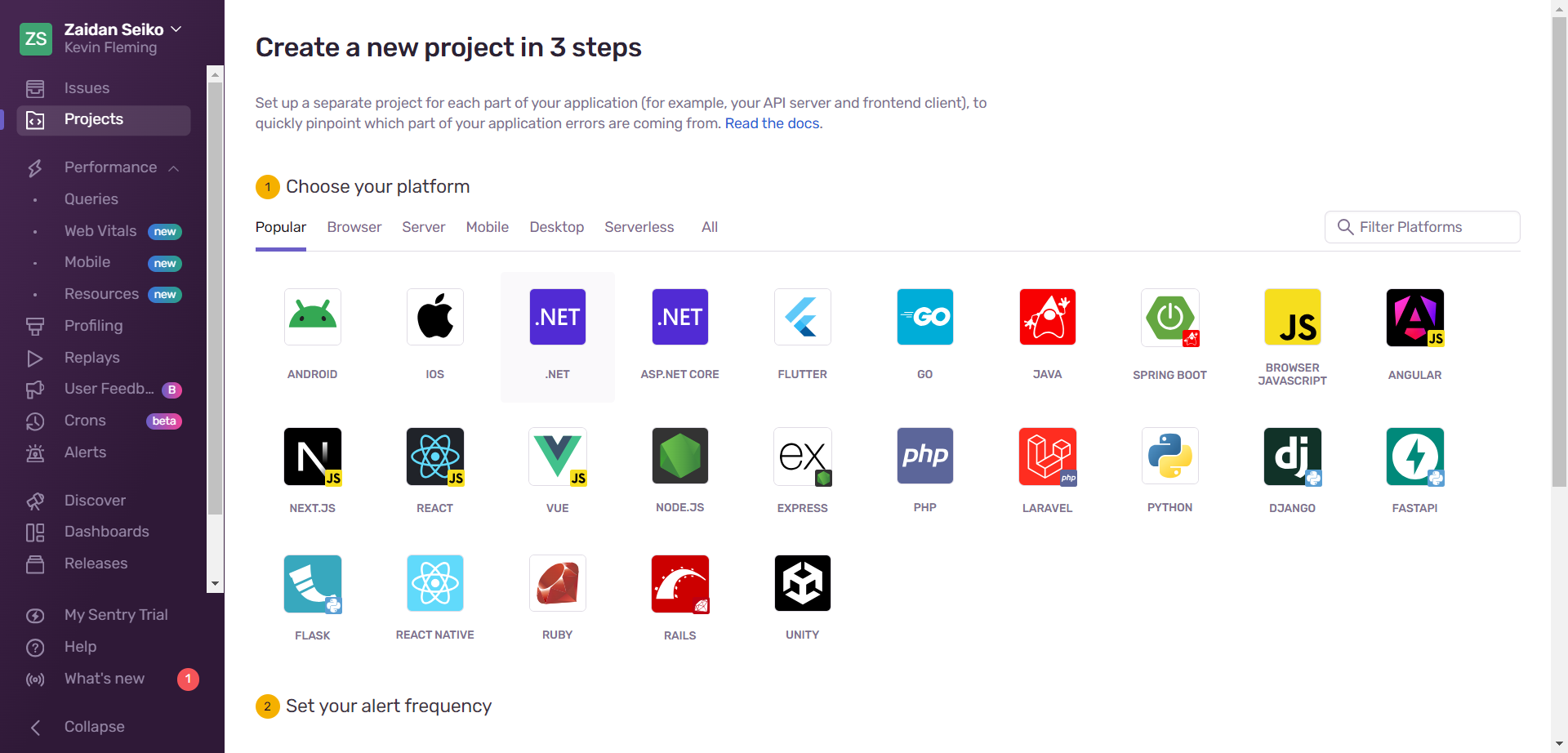
Choose one of the middleware technologies as these make it easy to find your Sentry Client Keys, aka Data Source Name or DSN. Your Kestra flows will need the DSN in order to POST issues to Sentry,
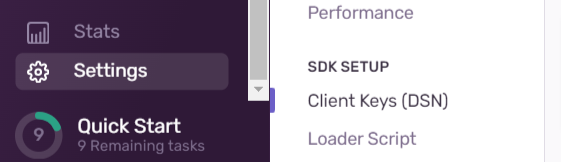
Each project has its own DSN, which can be found by clicking on Settings, then Project Settings, then the Client Keys (DSN) link toward the bottom of the menu:
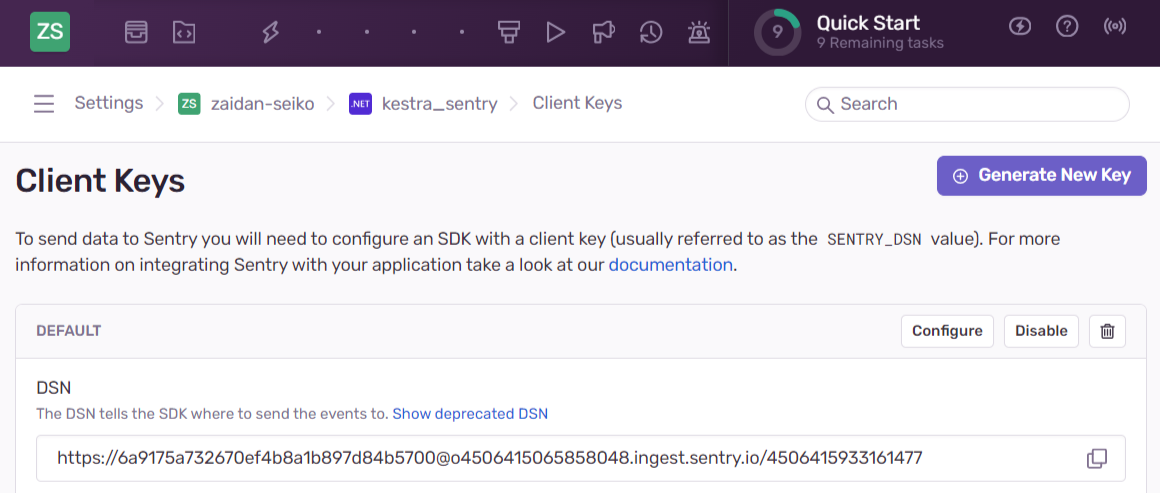
That will take you to this screen, where you can copy the DSN.
N.B. A DSN is all anyone needs to send traffic to your account, and you are responsible for the cost of the traffic, so guard this as carefully as you would any API Key or password.
For more on working with secrets in Kestra, see our Managing Secrets guide.
That’s it. You’re all set with Sentry.
Kestra provides two plugins for sending issues to Sentry. Let’s have a look at each, starting with the use-anytime Sentry Alert:**
type: io.kestra.plugin.sentry.SentryAlert
This is an incredibly useful plugin. You can use it to send an Issue to Sentry for any reason, not just for workflow failure - just keep in mind that you pay based on the volume of issues you send to Sentry.
The payload parameter is JSON and is not required - Kestra will provide one if you don’t. Here is the default payload Kestra will use:
{ "exception": { "values": [ { "type": "Kestra Alert" } ] }, "event_id": "fdc3445611d84a6d9ffffd6f14c44a65", "level": "info", "extra": { "Execution ID": "alert_on_failure" }, "platform": "java", "timestamp": "2023-12-20T08:56:55.658844873Z"}If you do want to use the payload property, then making use of it provides a number of benefits in Sentry. You can send as much or as little as you need.**
Minimal payload example:
payload: | { "message": "Kestra Monthly Data Purge FAIL", "level": "error" }This example uses the full set of payload properties:
tasks: - id: just_send_an_alert type: io.kestra.plugin.sentry.SentryAlert dsn: "{{ secret('SENTRY_DSN') }}" payload: | { "message": "Kestra Task", "culprit": "my.module.function_name", "timestamp": "{{ execution.startDate }}", "platform": "java", "level": "info", "transaction": "/execution/id/{{ execution.id }}", "server_name": "localhost:8080", "extra": { "Title": "Just a demo of sending an alert for any reason.", "Namespace": "{{ flow.namespace }}", "Flow ID": "{{ flow.id }}", "Execution ID": "{{ execution.id }}", "Link": "http://localhost:8080/ui/executions/{{flow.namespace}}/{{flow.id}}/{{execution.id}}" } }The message JSON property will become the label or title of the issue.
"message": "Kestra Task"
Sentry uses this value to group similar issues:

The culprit JSON property is used to define the module or code section related to this issue:
It appears under the label in the Sentry dashboard.
"culprit": "my.module.function_name"
The platform JSON property should always be java (lower case), because Kestra is written in Java:
"platform": "java"
The level JSON property is familiar to all. The possible values are Info, Warning, Error:**
"level": "info"
The reminder of the payload should be sent as in the above example.
Sentry provides the extra property where you can add values as needed. That property will appear on the issue details page in the Additional Data section.
Example:
{ "Title": "Just a demo of sending an alert for any reason.", "Namespace": "{{ flow.namespace }}", "Flow ID": "{{ flow.id }}", "Execution ID": "{{ execution.id }}", "Link": "http://localhost:8080/ui/executions/{{flow.namespace}}/{{flow.id}}/{{execution.id}}"}The Link key-value pair of the extras property in the example above is particularly useful. It will appear on the issue detail page and is conveniently clickable:
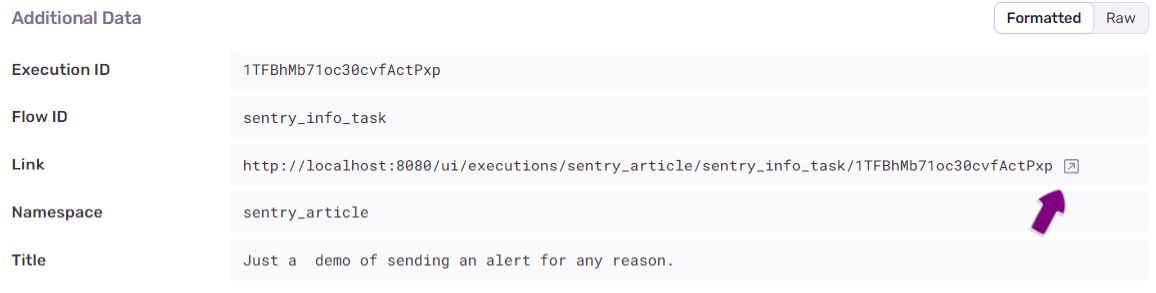
In this example, the link URL has been composed so that it will take you right to the Kestra page for this execution, where you can view any of the relevant information:
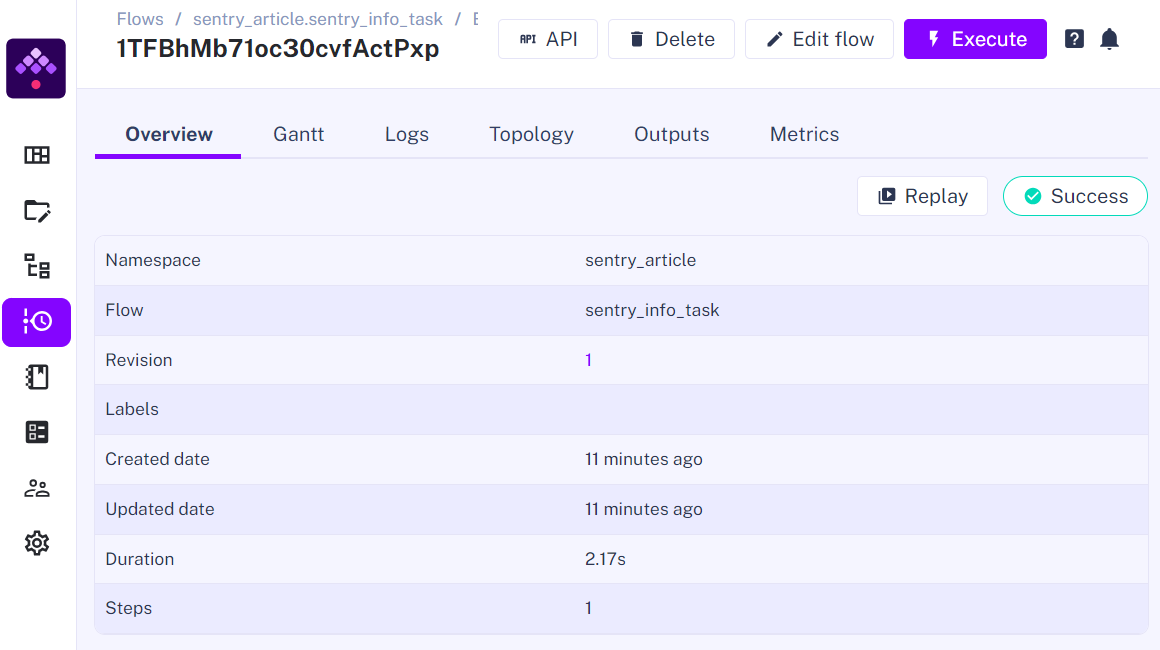
If your use case for Sentry is to actually capture failures, then this link can be composed like this, so that clicking it will take you straight to the logs tab of the executions details:
Link: http://localhost:8080/ui/executions/{{flow.namespace}}/{{flow.id}}/{{execution.id}}/logs
Will produce:
http://localhost:8090/ui/executions/sentry_article/sentry_info_task/1TFBhMb71oc30cvfActPxp/logs
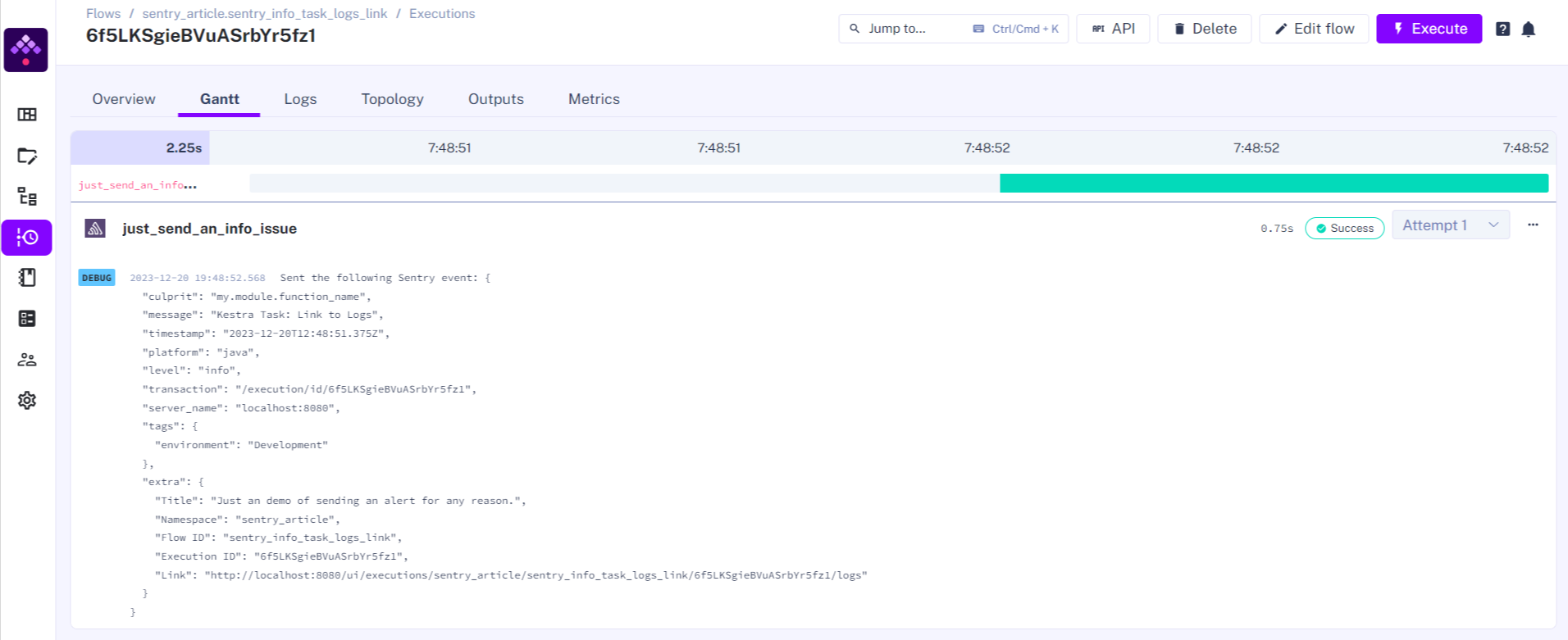
Finally, after you executed the flow, navigate to the logs from the Logs or Gantt tabs, and Kestra will show you the JSON that was sent to Sentry:**
This flow, Purge execution data including logs, metrics and outputs on a schedule. This flow will purge all execution data older than 1 month, including logs, metrics, and outputs. On success or failure, an issue will be sent to Sentry. It demonstrates the minimal use of the payload property:
id: purge_storagenamespace: company.teamdescription: Based on /blueprints/purge
tasks:  - id: clean_up_storage    type: io.kestra.plugin.core.storage.Purge    endDate: "{{ trigger.date | dateAdd(-1, 'MONTHS') }}"    purgeExecution: true    purgeLog: true    purgeMetric: true    purgeStorage: true    states:      - SUCCESS

  - id: send_sentry_alert_on_success    type: io.kestra.plugin.sentry.SentryAlert    dsn: "{{ secret('SENTRY_DSN') }}"    payload: |      {          "message": "Kestra Monthly Data Purge Success",          "level": "info"      }
errors:  - id: send_sentry_alert_on_failure    type: io.kestra.plugin.sentry.SentryAlert    dsn: "{{ secret('SENTRY_DSN') }}"    payload: |      {          "message": "Kestra Monthly Data Purge FAIL",          "level": "error"      }
triggers: - id: monthly type: io.kestra.plugin.core.trigger.Schedule cron: "0 9 1 * *" # every month at 9am on the 1st day of the monthtype: io.kestra.plugin.sentry.SentryExecution
This task demonstrates a really cool feature of Kestra: triggers that trigger other triggers. Let me explain.
If you have just one flow with some non-zero likelihood of failure - you add a SentryAlert like the examples above. But what do you do when you have 10 or 20 flows? You definitely do not want to have to maintain 20 individual SentryAlert tasks. That’s when you use the SentryExecution task because any other flow can trigger it.
Let’s imagine three flows, foo, bar and baz all related to your company’s payroll; you need to know if any one of these falls over. Each one of these three flows has the same namespace: company.payroll.
id: foonamespace: company.payroll
id: barnamespace: company.payroll
id: baznamespace: company.payroll
Now we create a fourth flow using the SentryExecution task that will be triggered when any flow with the company.payroll namespace fails. This flow has two parts, the task and the trigger.
The task is straightforward. All you need to provide is the DSN and the Level:
tasks:- id: send_alert type: io.kestra.plugin.sentry.SentryExecution executionId: "{{ trigger.executionId }}" transaction: "/execution/id/{{ trigger.executionId }}" dsn: "{{ secret('SENTRY_DSN') }}" level: ERRORThe trigger is only slightly more involved: it needs two pieces of information: the condition that will trigger this flow, and the namespace that Kestra will use to link all four flows together.
triggers: - id: failed_prod_workflows type: io.kestra.plugin.core.trigger.Flow conditions: - type: io.kestra.plugin.core.condition.ExecutionStatus in: - FAILED - WARNING - type: io.kestra.plugin.core.condition.ExecutionNamespace namespace: company.payroll prefix: falseIn the YAML above, the ExecutionStatus says that any time the execution status is either FAILED or WARNING, and the ExecutionNamespace says that if the flow namespace matches payroll exactly, then the send_alert task will be executed.
In pseudo-code, the entire flow might read like this:
Execute send_alert task
When the flow execution status is equal to FAILED or WARNING
And the flow namespace equals payroll.
There’s also a handy variation using the prefix: true. In pseudo-code, it would read like this:
Execute send_alert task
When the flow execution status is equal to FAILED or WARNING
And the flow namespace starts with payroll in lowercase
Here’s a full set:
id: task_to_trigger_another_triggernamespace: company.teamdescription: | This flow will always fail. When it does, the sentry_execution_example flowwill be triggered.tasks: - id: say_hello type: io.kestra.plugin.core.log.Log message: This should have triggered the sentry_execution_example flow. - id: task_will_fail type: io.kestra.plugin.core.execution.Failid: sentry_execution_examplenamespace: company.teamdescription: Waits for another flow with the namespace specified below to fail orwarn, and then sends a Sentry issue.tasks:- id: send_alert type: io.kestra.plugin.sentry.SentryExecution executionId: "{{ trigger.executionId }}" transaction: "/execution/id/{{ trigger.executionId }}" dsn: "{{ secret('SENTRY_DSN') }}" level: ERRORtriggers: - id: failed_prod_workflows type: io.kestra.plugin.core.trigger.Flow conditions: - type: io.kestra.plugin.core.condition.ExecutionStatus in: - FAILED - WARNING - type: io.kestra.plugin.core.condition.ExecutionNamespace namespace: company.payroll prefix: false # namespace must match exactly{ "exception": { "values": [ { "type": "task_to_trigger_another_trigger ➛ FAILED", "value": "Failed on task `bash_will_fail` after 00:00:01.706", "module": "trig", "stacktrace": {} } ] }, "extra": { "Namespace": "trig", "Flow ID": "task_to_trigger_another_trigger", "Execution ID": "7SHVIjFA6jTEJdRrs9xPWJ", "Execution Status": "FAILED", "Link":"http://localhost:8090/ui/executions/trig/task_to_trigger_another_trigger/7SHVIjFA6jTEJdRrs9xPWJ" }, "event_id": "d67d9f9959f847a28a2baaf30b8e5769", "timestamp": "2023-12-21T11:55:29.295194301Z", "platform": "java", "level": "error", "transaction": "/execution/id/7SHVIjFA6jTEJdRrs9xPWJ"}Per the online documentation, there are nine possible states for any execution:
However, not all are available or make sense with the ExecutionStatus condition task. This task could be executed by the PAUSED state when someone manually pauses the task execution. The most common for states are FAILED and WARNING.
CREATED: The Execution or Task Run is waiting to be processed. This state usually means that the Execution is in a queue and has yet to be started.RUNNING: The Execution or Task Run is currently running.PAUSED: The Execution or Task Run has been paused. This status is used for two reasons:SUCCESS: The Execution or Task Run has been completed successfully.WARNING: The Execution or Task Run exhibited unintended behavior, but the execution continued and was flagged with a warning.FAILED: The Execution or Task Run exhibited unintended behavior that caused the execution to fail.KILLING: A command was issued that asked for the Execution or Task Run to be killed. The system is in the process of killing the associated tasks.KILLED: An Execution or Task Run was killed (upon request), and no more tasks will run for it.RESTARTED: This status is transitive. It is the same as CREATED, but for a flow that has already been executed, failed, and has been restarted.Finally, let’s look at a production quality example using SentryAlert and SentryExecution.
SentryAlert Production ExampleThe flow below is a production-quality example using the SentryAlert task to send an issue when the get_files task throws an error. This example uses secrets, variables, and pluginDefaults for the DB connection values and the Sentry DSN.
id: gen_postgresql_error_sentry_alertnamespace: company.teamdescription: Generate an error so we can send a SentryAlerterrors:  - id: log_msg_on_err    type: io.kestra.plugin.core.log.Log    message: "Something bad happened while running {{execution.id}} {{task.id}}"  - id: send_sentry_alert_on_failure    type: io.kestra.plugin.sentry.SentryAlert    dsn: "{{ secret('SENTRY_DSN') }}"    payload: |      {        "culprit": "Deliberately bad SQL.",        "message": "Kestra POSTGRES: FAIL DEMO",        "timestamp": "{{ execution.startDate }}",        "platform": "java",        "level": "error",        "transaction": "/execution/id/{{ execution.id }}",        "server_name": "localhost:8080",        "extra": {          "Title": "This is the Title",          "Namespace": "{{ flow.namespace }}",          "Flow ID": "{{ flow.id }}",          "Execution ID": "{{ execution.id }}",          "Link": "http://localhost:8080/ui/executions/{{flow.namespace}}/{{flow.id}}/{{execution.id}}"        }      }
tasks:- id: get_files  type: io.kestra.plugin.jdbc.postgresql.Query  sql: select not_a_real_column from not_a_real_table;  fetchType: FETCH
- id: use_files  type: io.kestra.plugin.core.log.Log  message: Number of rows returned is "{{get_files.outputs.size}}"
triggers:  - id: schedule    type: io.kestra.plugin.core.trigger.Schedule    cron: "*/05 * * * *"    # every 5 minutes
variables:    db_host: "host.docker.internal"    db_name: "summ_dev"
pluginDefaults: - type: io.kestra.plugin.jdbc.postgresql.Query values: username: "{{ secret('PG_USERNAM') }}" password: "{{ secret('PG_PWD') }}" url: jdbc:postgresql://{{vars.db_host}}:5432/{{ vars.db_name}}SentryExecution Production ExampleThe flow below is a production quality example using the SentryExecution task. It uses the same Postgres query task as in the example above to generate the failure condition.
First, the flow that will fail:
id: sentry_execution_task_examplenamespace: company.payrolldescription: |  This flow will always fail. When it does, the sentry_execution_trigger_example flow will be triggered.
tasks:  - id: get_files    type: io.kestra.plugin.jdbc.postgresql.Query    sql: select not_a_real_column from not_a_real_table;    fetchType: FETCH  - id: use_files    type: io.kestra.plugin.core.log.Log    message: Number of rows returned is "{{get_files.outputs.size}}"
triggers:  - id: schedule    type: io.kestra.plugin.core.trigger.Schedule    cron: "*/30 * * * *"    # every 30 minutes
variables:    db_host: "host.docker.internal"    db_name: "summ_dev"
pluginDefaults: - type: io.kestra.plugin.jdbc.postgresql.Query values: username: "{{ secret('PG_USERNAME') }}" password: "{{ secret('PG_PWD') }}" url: jdbc:postgresql://{{vars.db_host}}:5432/{{ vars.db_name}}This is the SentryExecution flow that waits for the above flow to fail:
id: sentry_execution_trigger_examplenamespace: company.teamdescription: Waits for another flow with the namespace specified below to fail or warn, and then sends a Sentry issue.
tasks:- id: send_alert  type: io.kestra.plugin.sentry.SentryExecution  executionId: "{{ trigger.executionId }}"  transaction: "/execution/id/{{ trigger.executionId }}"  dsn: "{{ secret('SENTRY_DSN') }}"  level: ERROR
triggers: - id: failed_prod_workflows type: io.kestra.plugin.core.trigger.Flow conditions: - type: io.kestra.plugin.core.condition.ExecutionStatus in: - FAILED - WARNING - type: io.kestra.plugin.core.condition.ExecutionNamespace namespace: company.payroll # needs to match the namespace of the flow above prefix: falseAfter you’ve tried the examples above in your own environment, you’ll see how easy it is for business or technical users to add Sentry.io monitoring and alerting. From dev to production, whatever the size of your shop, Kestra and Sentry help create issues from workflows, successes or failures, but tracking them throughout any of your issues’ lifecycle stages. Together, Kestra and Sentry are fully capable of delivering enterprise-grade workflow automation and end-to-end observability.
Kestra provides dashboards and metrics directly in the UI, as well as a number of other monitoring solutions that you can read about here: Alerting & Monitoring or in our Notification Blueprints.
If you have any questions, reach out via Slack or open a GitHub issue.
If you like the project, give us a ⭐️ GitHub star and join 🫶 the community

Stay up to date with the latest features and changes to Kestra