Authors

Benoit Pimpaud
Benoit Pimpaud
Recent trends all mention Ops as a shiny suffix. Where did that come from? Is it pure marketing or is there something real behind it? As a basic definition, GitOps is the paradigm making systems reproducible based on the state of a Git repository. Being reproducible based on the state of a Git repository embeds the real power of software engineering.
As Max Beauchemin said: “There’s a multitude of reasons why complex pieces of software are not developed using drag and drop tools: it’s that ultimately code is the best abstraction there is for software”.
As software engineers, we already know about distributed version control systems. We use Git every day. Adding “Ops” here is the realization that consistency, efficiency, and scaling practices are hard to achieve without a proper source of truth and automation processes. In some higher gazes, it extends beyond Git and the software itself.
It’s unsurprising to see every part of the company adding Ops as a suffix in job positions: DataOps, SalesOps, CRMOps, RevOps, etc. Mastering operations is all about adding automated processes and peer-reviewing methods. Hence the trends around “Ops”.
While creating such processes is mostly a human policy matter, our tools still should make this as clear as possible and give us good guidelines. This is the goal of this blog post regarding Kestra integration with Git.
One key point to enable good development and operation processes is the interface. Our vision at Kestra is to let everyone choose their preferences. As Kestra is fully API-based, it’s easy to expose the Kestra system to different interfaces: Kestra User Interface is the most obvious one but users could also use VS Code extension to develop flows, use Terraform provider to interact with Kestra’s API, use the API directly, etc. This openness is essential to let everyone find their spot — for both development and operation.
You might want to use code to define your assets at some maturity level. Having one single source of truth from which we can deploy, review, and edit those assets is critical. This is why every developer uses Git nowadays. That’s why we introduced new Git tasks and capabilities in Kestra.
There are plenty of benefits to separating your business logic from orchestration logic. Such a decoupled approach keeps your code portable without vendor lock-in and allows you to evolve your business logic without having to worry about orchestration and vice versa.
The separation of concerns in your application and orchestration layer helps you stay adaptable to evolving business needs, tools, and a dynamic market landscape. Here are some ways of how you can accomplish that in Kestra:
Python.commands task to execute your scripts. The orchestration logic is dead simple (few lines of YAML), uncoupled to your business logic that can evolve at its own pace.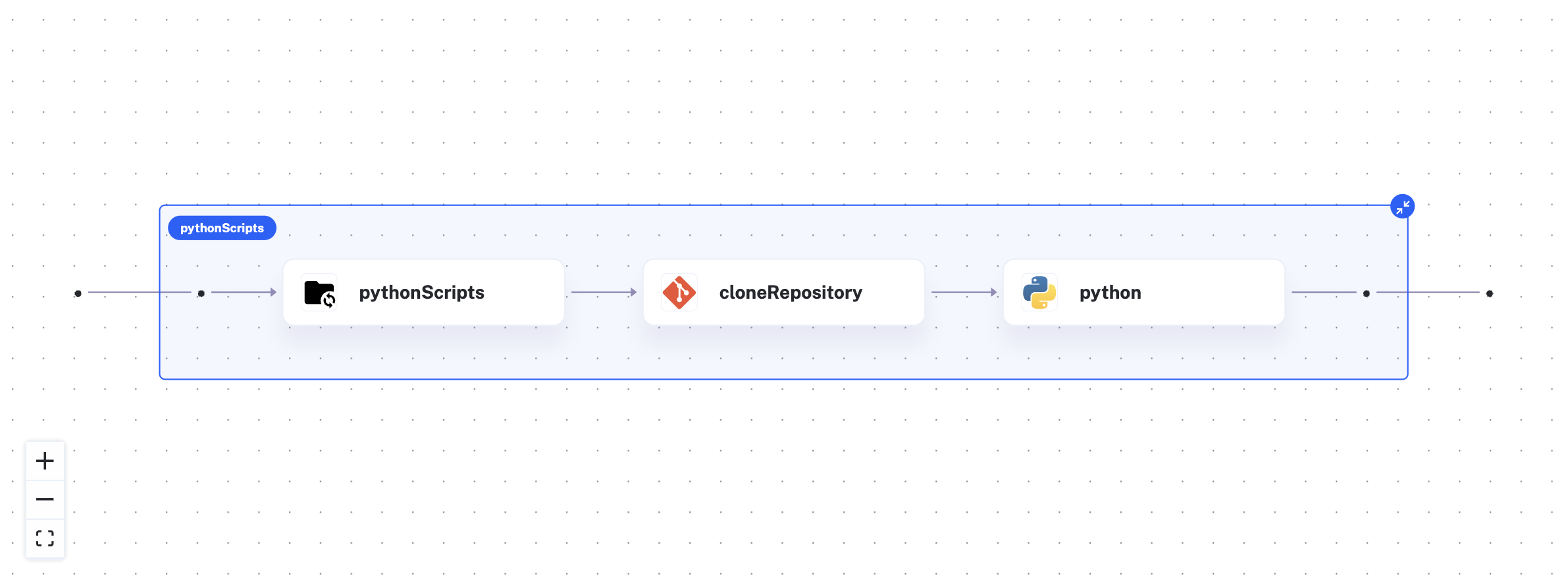
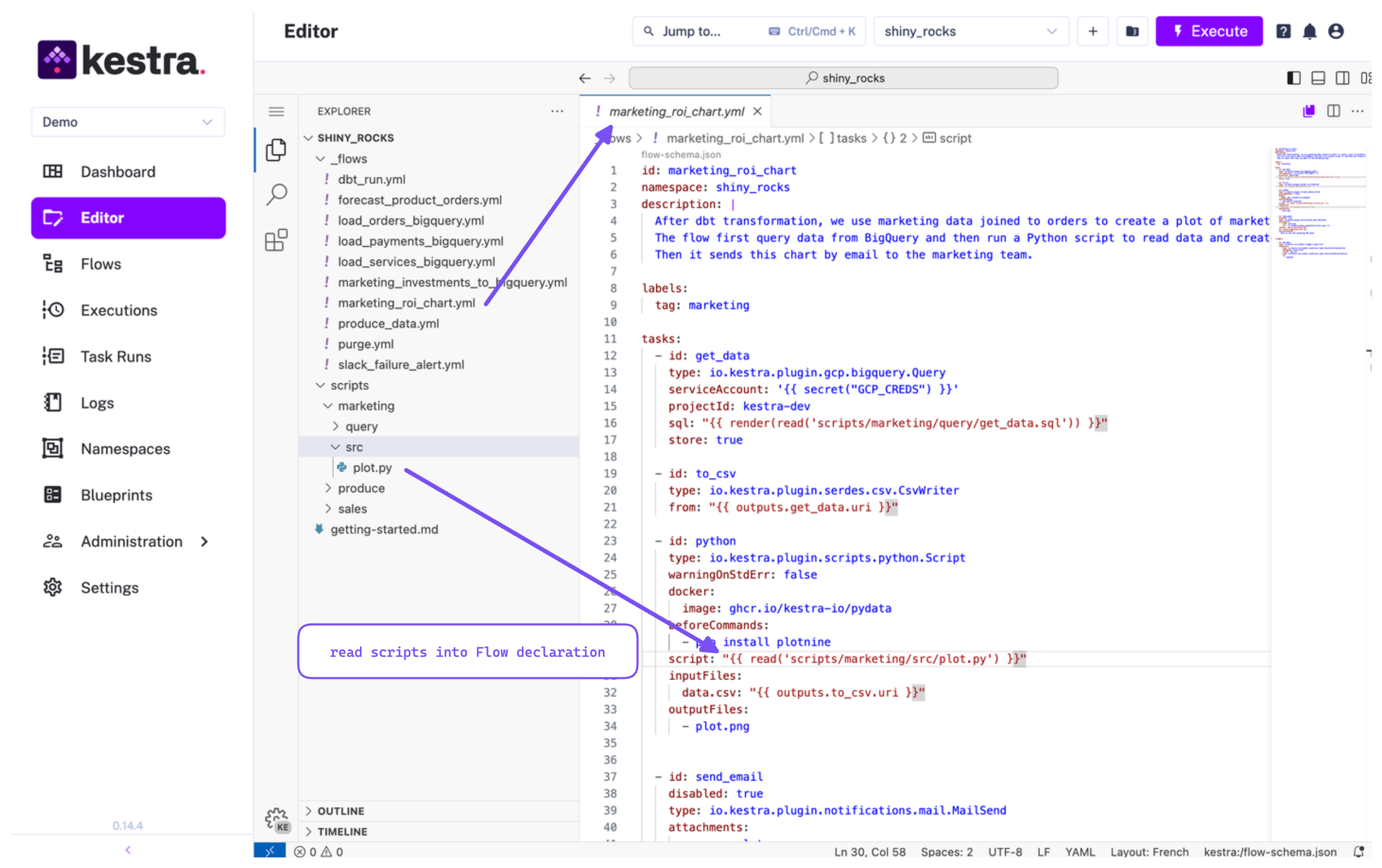
FROM python:3.11-slimRUN pip install --upgrade pipRUN pip install --no-cache-dir kestra requests pandas- id: parquet_output type: io.kestra.plugin.scripts.python.Script warningOnStdErr: false runner: DOCKER docker: image: kestra-custom:latest # Use your custom image here pullPolicy: NEVER # Use the local image instead of pulling it from DockerHub script: | import os import pandas as pd ...In Kestra you have the flexibility to craft your flows and business logic directly from the user-friendly UI. However, it’s essential to synchronize these developments with Git at some point seamlessly.
The dilemma often lies in deciding between the convenience of a graphical interface and the power of an IDE or terminal. Kestra empowers users to make their own choices—eliminating the need to compromise on Git integration. It’s not about choosing one over the other; it’s about enabling everyone to work the way they prefer.
Developing from the UI:
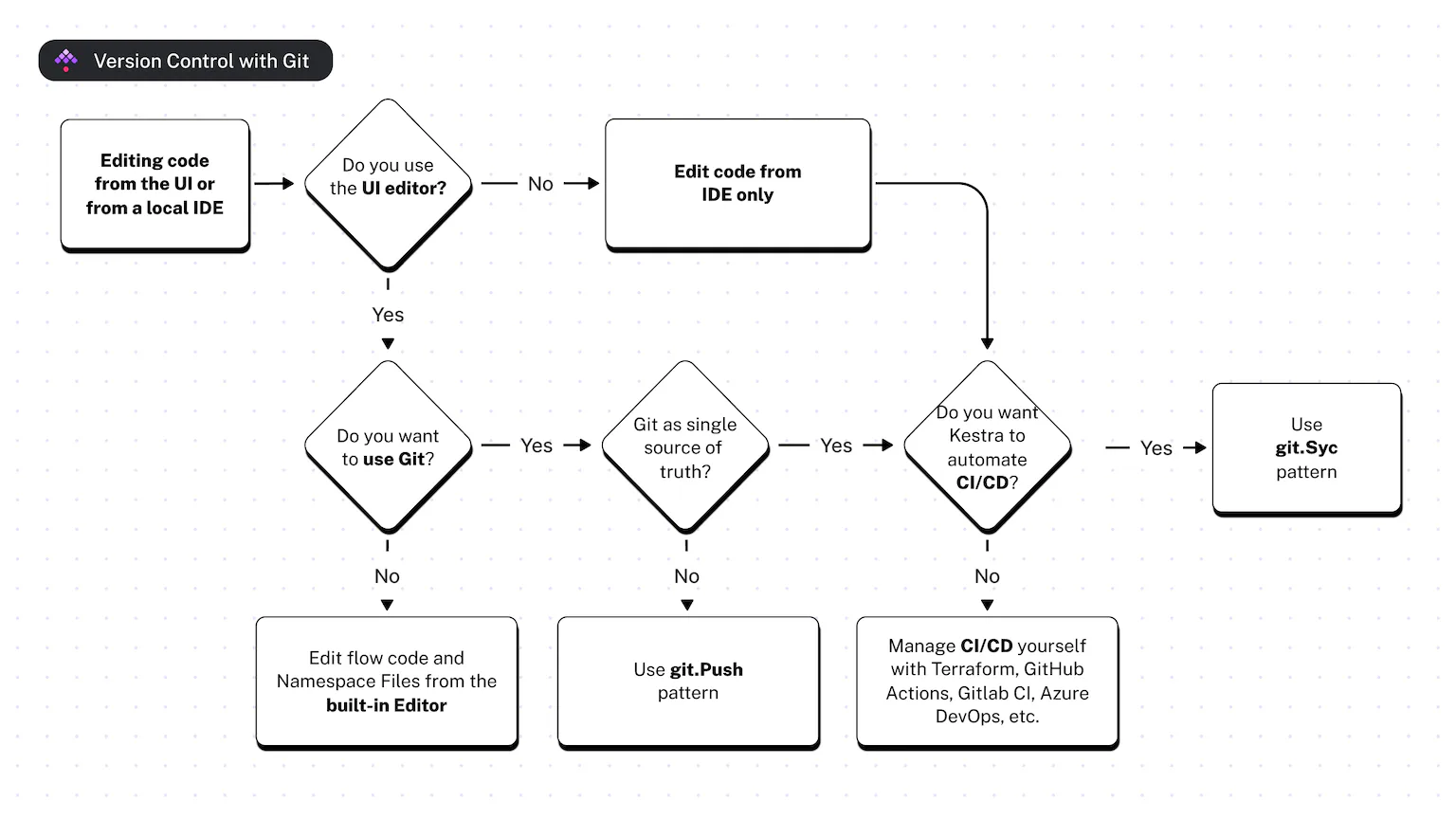
Git Push task: once you’ve developed your flow in the UI you want to push it to your Git repository. The Git Push task allows you to push any flow or files stored in the Namespace File editor to a dedicated Git branch. This way you can develop in Kestra UI and save the changes in Git.
Git Sync task in Kestra ensures your development stays in sync with Git. Making Git the single source of truth. If you prefer developing in the UI but want Git to hold all changes, use the Git Sync task to align your Kestra instance with Git. This maintains a clean production environment by overwriting any UI changes.
Using IDE/Terminal (“As Code”):
You’re probably using an IDE if you navigate through different projects daily. Kestra offers a VS Code extension allowing full auto-completion on Flow YAML declaration, making development in IDE very productive. Once your code is in Git you want to deploy it to the final production environment. This is usually done through CI/CD.
Kestra supports many CI/CD engines like GitHub Actions, GitLab CI/CD Pipeline, Azure DevOps Pipeline, and BitBucket pipes. It also offers a CLI to integrate into any system. Moreover, users already using Terraform will love to declare flows, secrets, and any Kestra asset as Terraform resources so they can be easily deployable across environments.
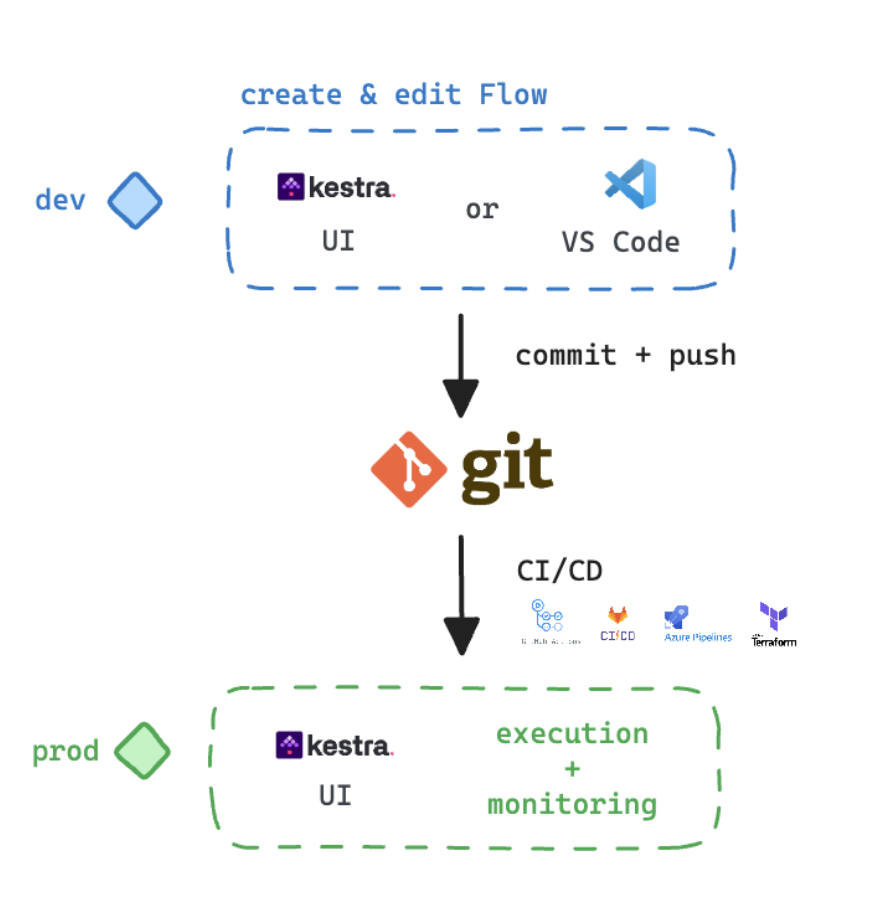
Nowadays version control with Git and Infrastructure as Code are non-negotiable. They are needed to scale and collaborate effectively.
At Kestra we firmly believe that the GitOps paradigm will extend far beyond its current prominence in software. Data already initiates this shift, but Sales, CRM, HR, Revenue, and every part of the company will find themselves in the need for scalability, collaboration management, and robust safeguarding.
Implementing GitOps enables a holistic view of the company stack. It gathers everyone at the same table. Having a robust, fast, and consistent platform overcomes the challenges posed by hyperspecialization in various domains — be it data orchestration, process, and microservice orchestration, or infrastructure and business automation.
Applying GitOps aims to provide support for projects to be consistent, manageable, and transparent. That’s what Kestra provides too.
Are you already implementing GitOps in your projects? What are the benefits? Please share your views in Kestra’s Slack channels.
Follow us on Twitter for the latest news. Check the code in our GitHub repository and give us a star if you like the project.

Stay up to date with the latest features and changes to Kestra