Authors

Anna Geller
Product Lead
Anna Geller
Product Lead
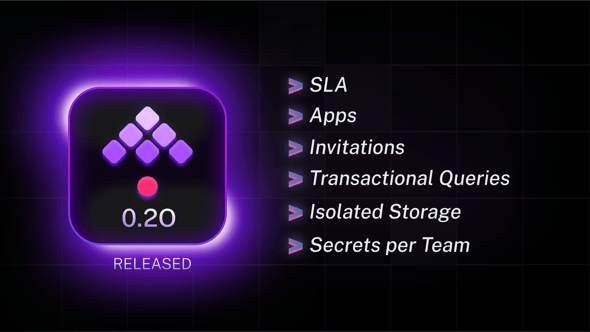
Kestra 0.20.0 is here, introducing multiple highly requested features to your favorite open-source orchestration platform. This release adds new flow and task properties, such as sla and runIf, and new Flow trigger preconditions bringing advanced time-driven dependencies across flows.
Enterprise Edition users can now benefit from more team-level isolation, a new invite process, and custom UIs to interact with Kestra from the outside world using Apps.
The table below highlights the key features of this release.
| Feature | Description | Edition |
|---|---|---|
| Apps | Build custom UIs to interact with Kestra from the outside world. | Enterprise Edition |
| Team-level Storage and Secret Backends Isolation | Provide data isolation across business units or teams by configuring dedicated storage or secret backends for each tenant or namespace. | Enterprise Edition |
| Invitations | Add new users to your tenant or instance by using the invitation process. | Enterprise Edition |
| Announcements | Add a custom announcement to inform users about planned maintenance downtimes, outages, or incidents. | Enterprise Edition |
| Flow-level SLA (Beta) | Set custom SLA conditions for each workflow using the new sla property of a flow. | All editions |
New core runIf task property | Skip a task if the provided condition evaluates to false. | All editions |
| System Labels | Prevent edits from the UI with system.readOnly label and track cross-execution dependencies with system.correlationId label. | All editions |
| Flow Trigger enhancements | Configure complex dependencies, e.g., when a flow relies on multiple other flows to finish by a certain deadline. | All editions |
New errorLogs() function | Provide context about why workflow has failed in alert notifications. | All editions |
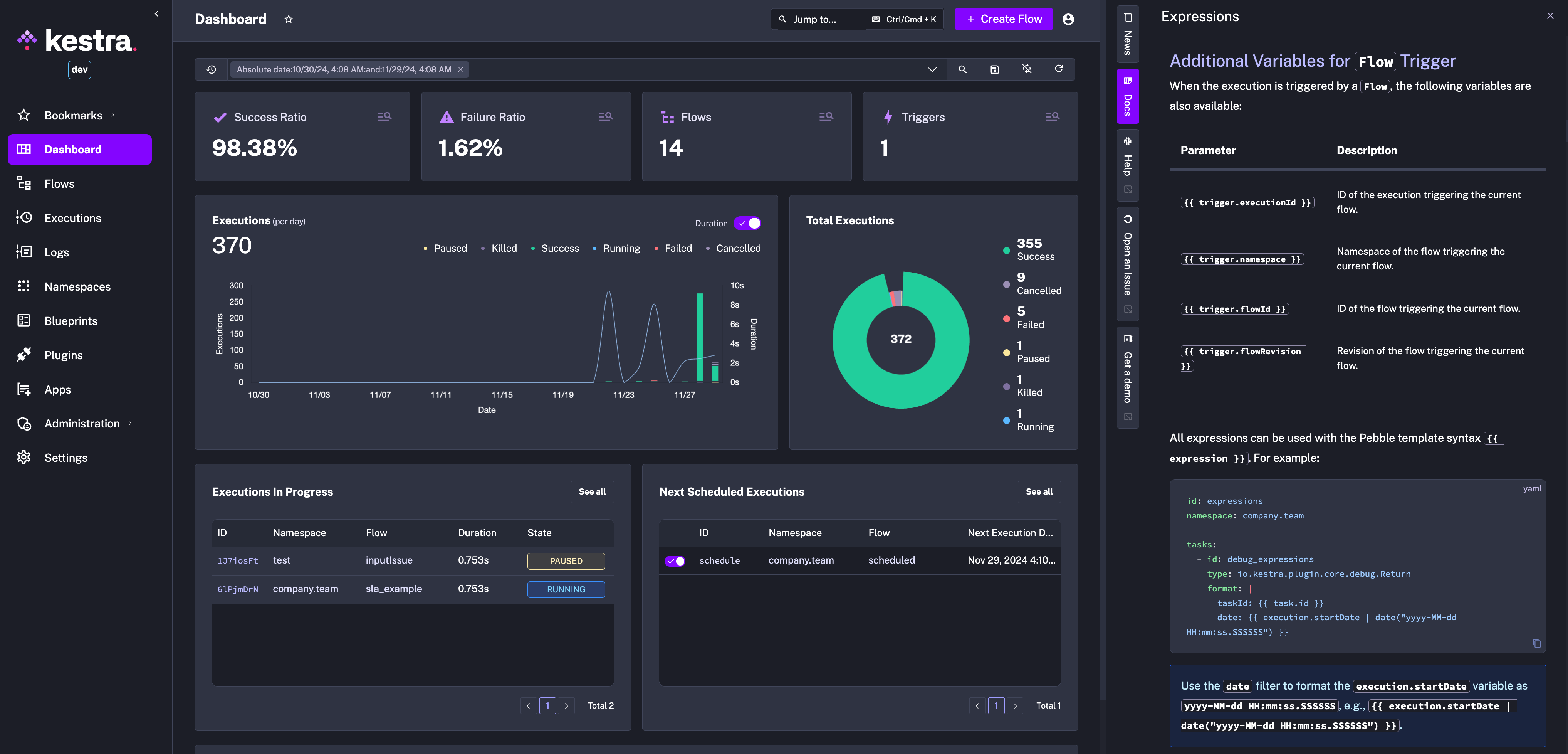
| New sidebar | See the latest product news and docs from the right sidebar. | All editions |
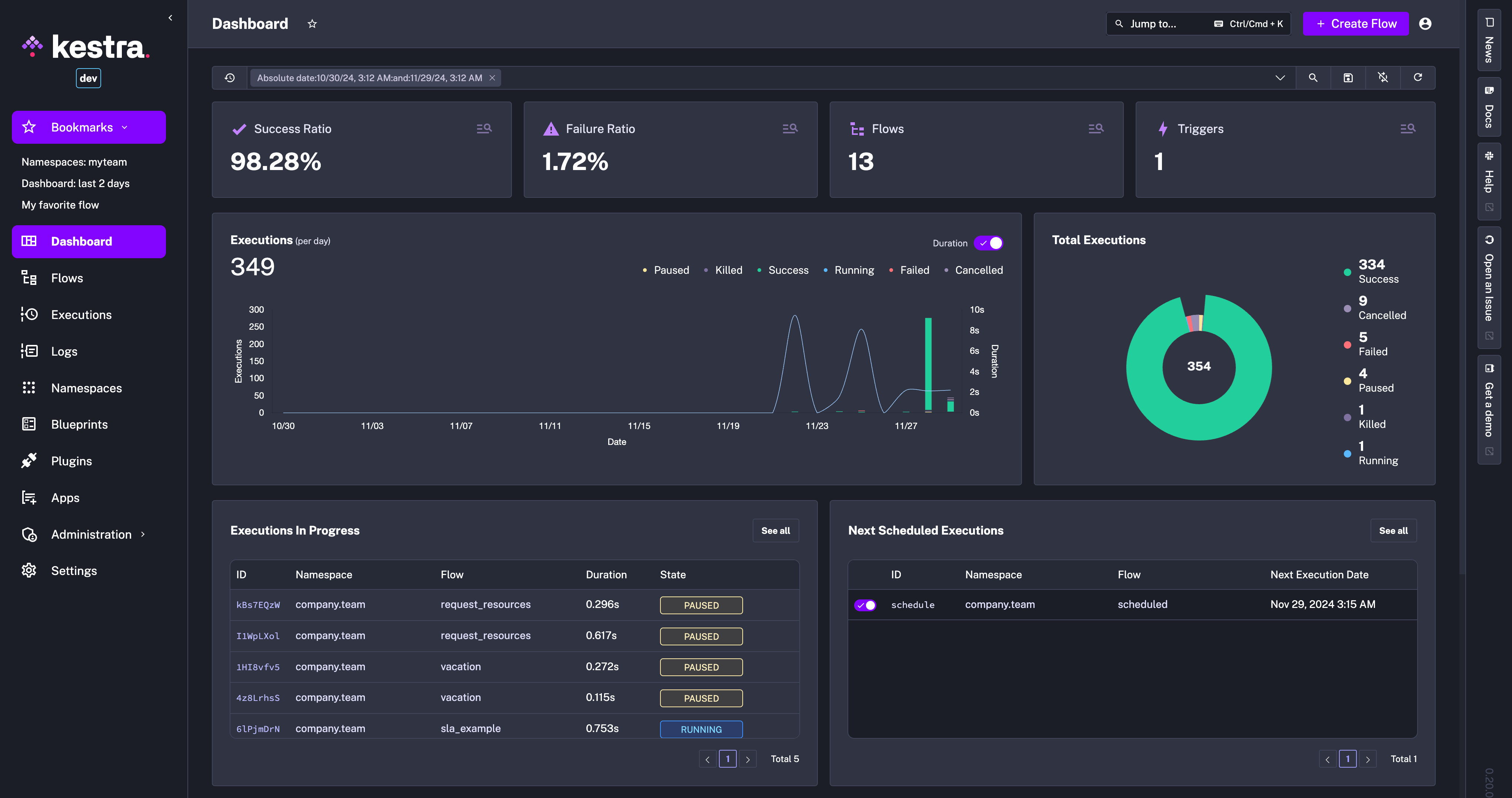
| Bookmarks | Bookmark any page with your selected UI filters. | All editions |
| Transactional Queries | Execute multiple SQL Queries in a single task as an atomic database transaction. | All editions |
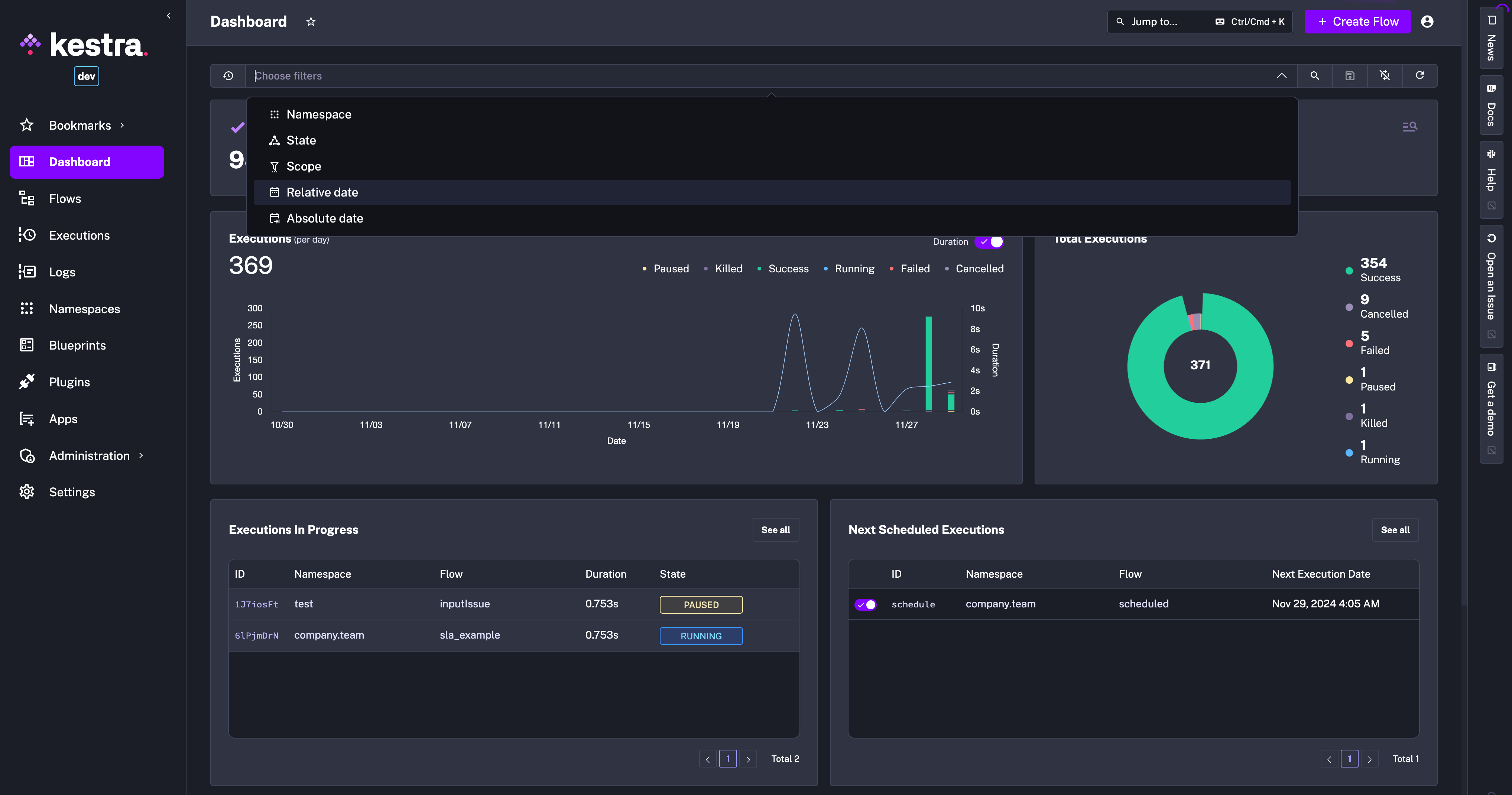
| Improved filter & search bar | Adjust filters on any UI page simply by typing your filter criteria. | All editions |
| Enhancements to dbt | Persist the dbt manifest in the KV Store to rebuild only dbt models that changed since the last run. | All editions |
| Azure ADLS Gen2 plugin | Process files from Azure ADLS Gen2 data lake. | All editions |
| OAuth token tasks for AWS and Azure | Fetch OAuth tokens that you can use along with the Kubernetes task runner. | All editions |
| Manually pause running Executions | Pause an execution manually to pause all downstream tasks until manually resumed (pause starts after finishing the task in progress). | All editions |
| Sync flows with a local directory | Sync your local directory containing your locally developed flows to your Kestra instance and they will be bi-directionally synced. | All editions |
Check the video below for a quick overview of the new features.
Let’s dive into these highlights and other enhancements in more detail.
Apps let you create custom interfaces for interacting with Kestra workflows. Within each app, you can specify custom frontend blocks, such as forms for data entry, output displays, approval buttons, or markdown blocks. Flows act as the backend, processing data and executing tasks, while Apps serve as the frontend, allowing anyone in the world to interact with your workflows regardless of their technical background. Business users can trigger new workflow executions, manually approve workflows that are paused, submit data to automated processes using simple forms, and view the execution results to perform data validation and quality checks for critical business processes.
You can think of Apps as custom UIs for flows, allowing your end users to interact with Kestra from anywhere without any technical knowledge. They can resume paused workflows waiting for approval or trigger new workflow executions.
Kestra Enterprise has built-in multitenancy, providing virtual isolation across teams or business units. By default, each tenant uses the same internal storage and secrets backend configured in your Kestra instance.
However, teams often need physical data isolation per organizational unit. Starting with version 0.20, Kestra now supports team-level isolation for internal storage and secrets. This means you can configure dedicated storage and secrets managers per tenant or namespace, providing stricter data isolation for your business units. This capability is particularly useful for organizations requiring infrastructure isolation across teams or customers.
To configure dedicated storage and secrets backends per tenant, navigate to the respective tenant in the UI, click on Edit, and select the storage and secrets backend you want to use. You can configure the same on a namespace level if you want multiple teams to work in their isolated workspaces but still be able to have shared workflow dependencies (using subflows or flow triggers).
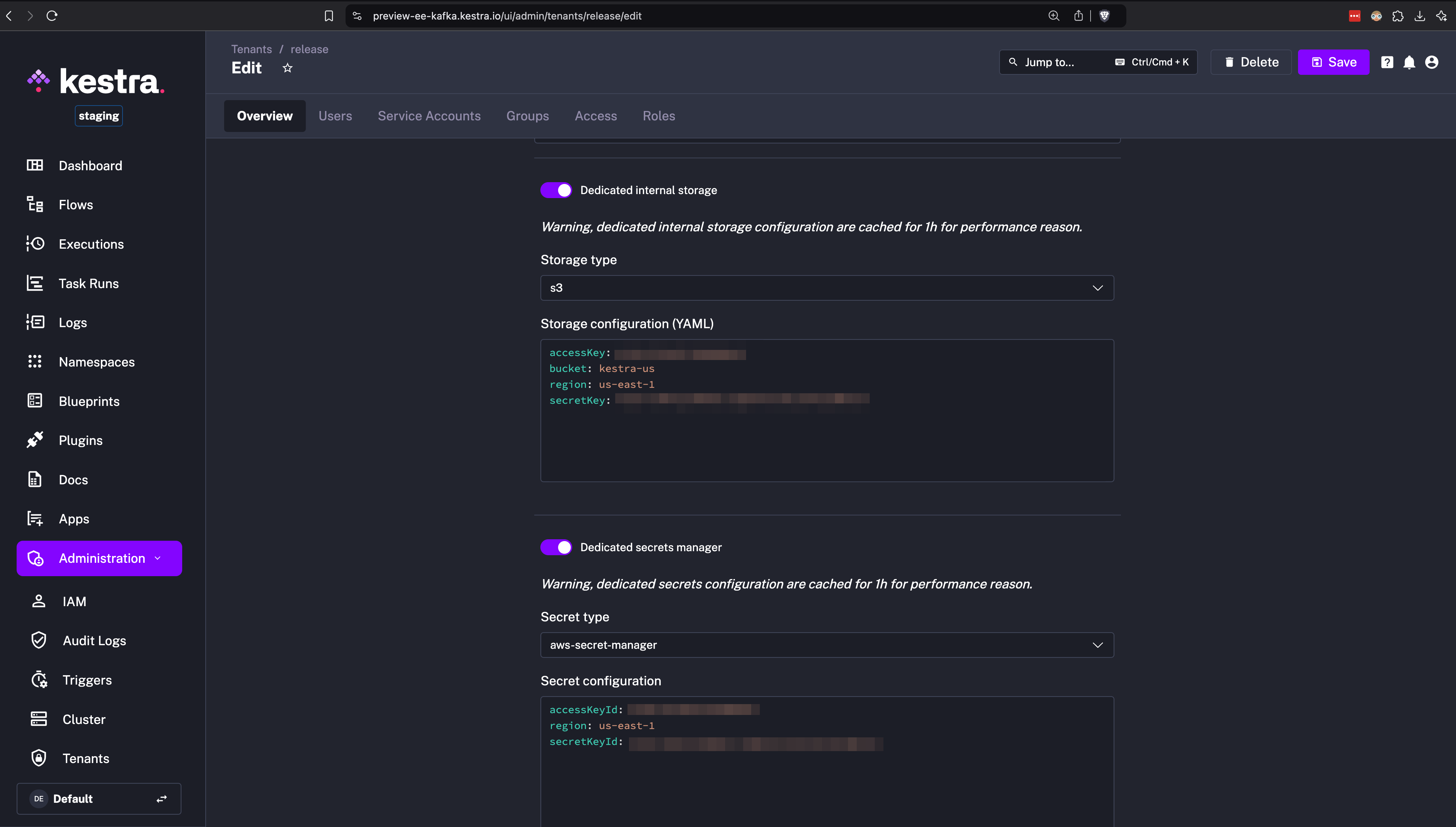
This feature enables decentralized workspaces for individual business units with centralized governance for operational teams.
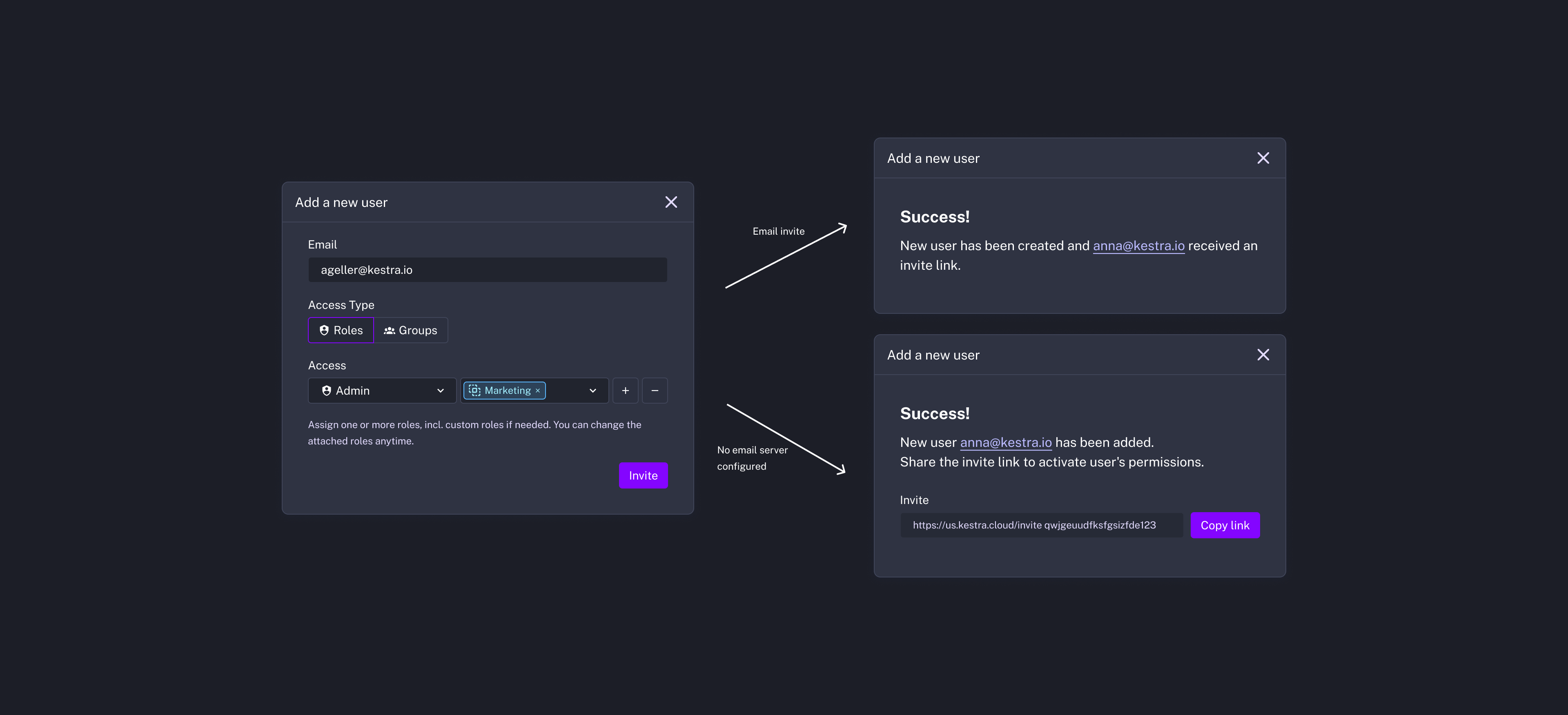
Adding new users to Kestra just got simpler. With the new invitation feature, administrators can invite users with pre-configured RBAC permissions. Invitations can be emailed directly, and users can set up their accounts upon acceptance.
Previously, administrators needed to create users manually and then assign roles afterward. Now, once you create an invitation with the right permissions, users can join in a more self-service manner.
By default, if the email server is configured in Kestra EE, we send an email with an invitation link. If the email server isn’t configured, you can manually share the link with invited users.
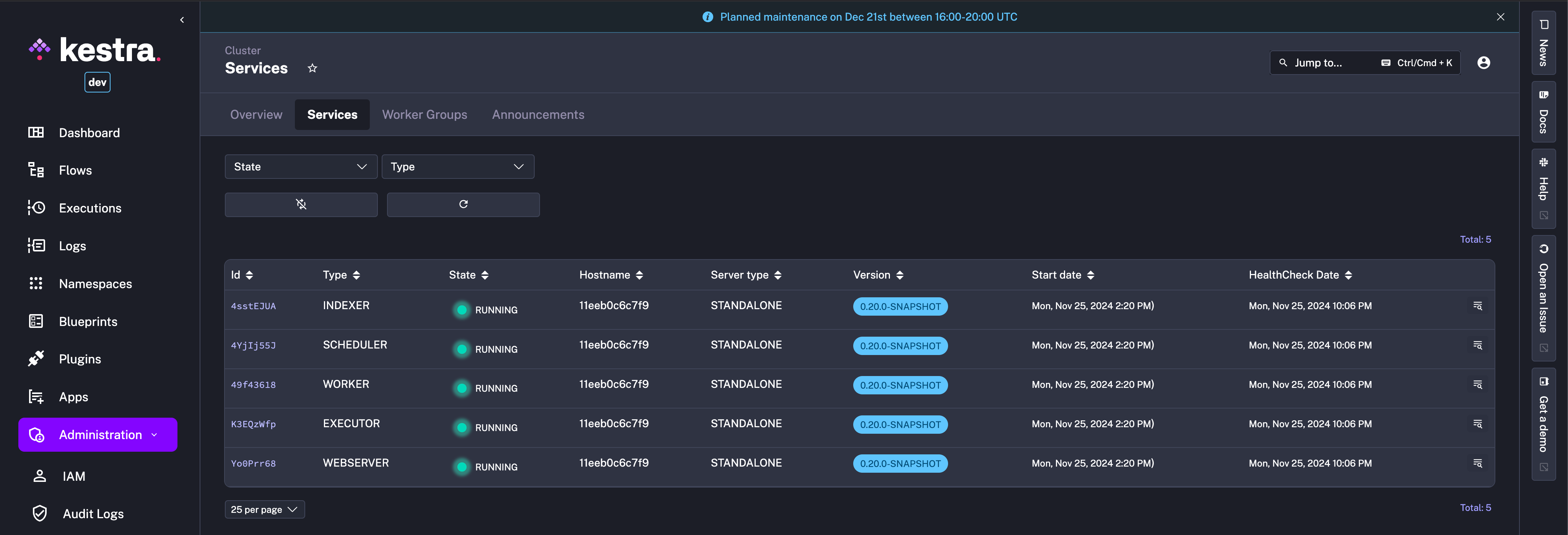
You can now add custom announcements from the Kestra UI to inform users about planned maintenance, outages, or incidents. This feature helps communicate important events directly from the UI.
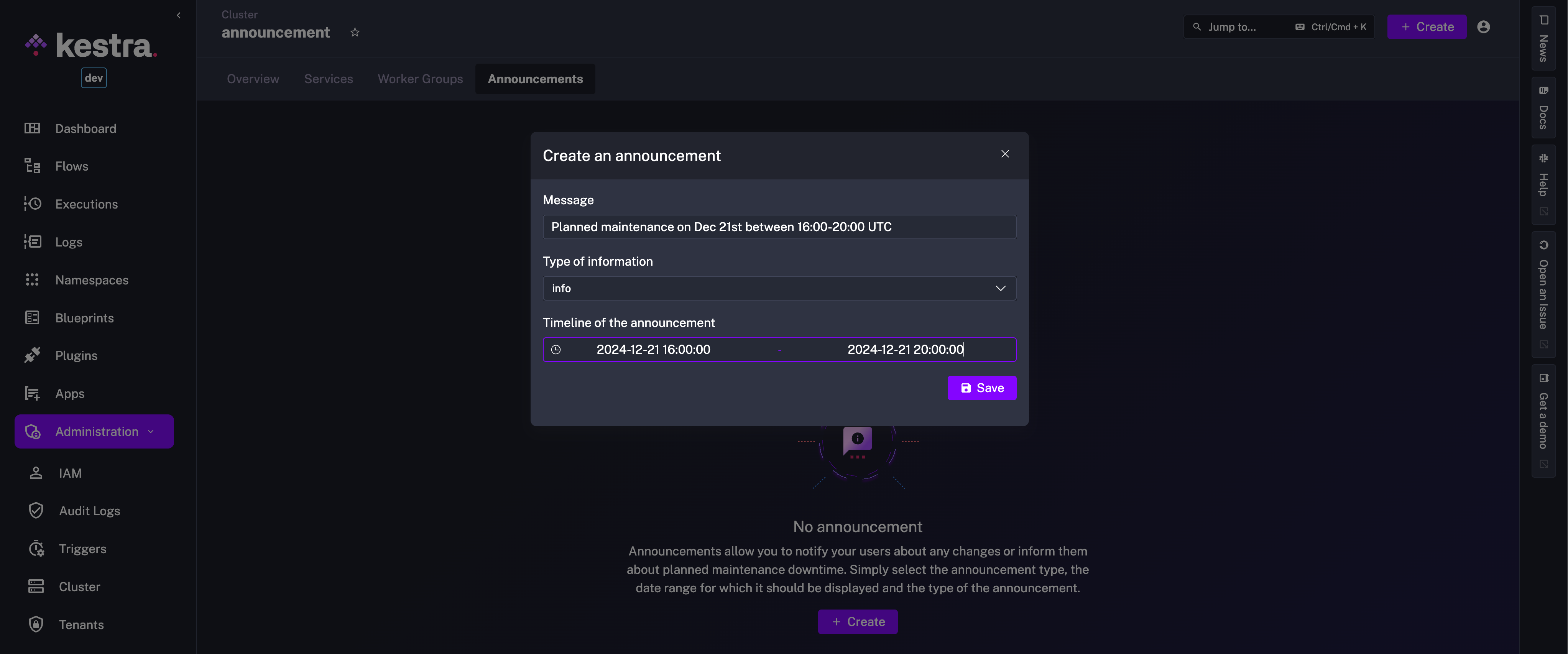
Announcements appear as banners of the chosen type (Info, Warning, Error) for the specified time period.
System Labels provide a powerful way to add extra metadata to manage executions. For example, they allow you to disable edits from the UI by making workflows read-only or track cross-execution dependencies using correlation IDs.
Labels prefixed with system. are hidden in the UI unless you explicitly filter for them. If you prefer to display them by default, remove the system. prefix from the list of hidden prefixes in your Kestra configuration.
Starting from Kestra 0.20, you can set custom Service Level Agreements (SLAs) per workflow, defining what happens if a workflow runs longer than expected or doesn’t satisfy conditions. You can assert that your workflows meet SLAs and trigger corrective actions when they don’t.
For instance, if a workflow takes longer than expected (MAX_DURATION) or doesn’t return the expected results (EXECUTION_ASSERTION), you can set an SLA behavior to cancel or fail the execution. Alternatively, an SLA behavior can be set to NONE to simply log a message and add specific labels indicating the SLA breach.
id: sla_examplenamespace: company.team
sla:  - id: maxDuration    type: MAX_DURATION    behavior: FAIL    duration: PT2S    labels:      sla: missed
tasks:  - id: punctual    type: io.kestra.plugin.core.log.Log    message: "Workflow started, monitoring SLA compliance."
  - id: sleepyhead    type: io.kestra.plugin.core.flow.Sleep    duration: PT3S  # Sleeps for 3 seconds to exceed the SLA
  - id: never_executed_task    type: io.kestra.plugin.core.log.Log    message: "This task won't execute because the SLA was breached."
Note that SLA is in Beta so some properties might change in the next release or two. Please be aware that its API could change in ways that are not compatible with earlier versions in future releases.
Flow Triggers have been enhanced to allow easier configuration of complex dependencies. You can now configure triggers that rely on multiple other flows finishing by a specific deadline, making it easier to coordinate workflows that span multiple teams or processes.
Expand the examples below to see what’s possible with the improved Flow trigger conditions.
id: silver_layernamespace: company.team
tasks:  - id: transform_data    type: io.kestra.plugin.core.log.Log    message: deduplication, cleaning, and minor aggregations
triggers: - id: flow_trigger type: io.kestra.plugin.core.trigger.Flow preconditions: id: bronze_layer timeWindow: type: DAILY_TIME_DEADLINE deadline: "09:00:00" flows: - namespace: company.team flowId: bronze_layer states: [SUCCESS]id: alert_on_failurenamespace: system
tasks: - id: alert_task type: io.kestra.plugin.slack.notifications.SlackExecution url: "{{secret('SLACK_WEBHOOK')}}" channel: "#general" executionId: "{{trigger.executionId}}"
triggers: - id: alerts_on_failure type: io.kestra.plugin.core.trigger.Flow description: Send a Slack alert on failure in a company namespace or its sub-namespaces states: - FAILED - WARNING preconditions: id: company_namespace where: - id: company_prefix filters: - field: NAMESPACE type: STARTS_WITH value: companyCheck the Flow trigger docs and plugin examples to learn more about the new Flow trigger preconditions.
runIfThe new runIf task property allows performing a check before executing a task. This feature is particularly useful when you need to conditionally execute tasks based on the output of a previous task or a user input. If the provided condition evaluates to false, the task will be skipped.
id: conditional_branchingnamespace: company.team
inputs:  - id: run_task    type: BOOLEAN    defaults: true
tasks:  - id: run_if_true    type: io.kestra.plugin.core.log.Log    message: Hello World!    runIf: "{{ inputs.run_task }}"
This new property is useful in microservice orchestration scenarios where you need to conditionally execute tasks based on the status code of prior API calls.
allowWarning core task propertyOften some tasks emit warnings that are not important enough to block downstream processes or require manual intervention.
The new core task property allowWarning allow a task run with warnings to be marked as Success by simply setting allowWarning: true.
Let’s take the following flow example:
id: failnamespace: company.teamtasks: - id: warn type: io.kestra.plugin.core.execution.Fail allowFailure: true allowWarning: trueIncluding allowFailure: true alone would cause the failure in the task run to be considered as a Warning. However, adding the new allowWarning: true property will turn that Warning into a Success state.
Here is a mini-schema to visualize the state transitions:
FAILED state → allowFailure → WARNING state → allowWarning → SUCCESS state
errorLogs() FunctionSpeaking of failures and warnings: we have introduced a new errorLogs() Pebble function, allowing you to add specific error details to alert notifications. This makes it easier to understand what went wrong without diving into individual execution logs.
id: error_logs_demonamespace: company.team
tasks:  - id: fail    type: io.kestra.plugin.core.execution.Fail    errorMessage: Something went wrong
errors: - id: alert type: io.kestra.plugin.core.log.Log message: "Failure alert: {{ errorLogs() }}"The new sidebar on the right side of the Kestra UI provides quick access to the latest product news, documentation, and other resources. You can now stay up-to-date and browse the docs (soon contextual!) without leaving the UI.
You can now bookmark any Kestra UI page with your selected filters which is particularly handy when you need quick access to specific filtered views, such as “Failed Executions within the last 2 days”. This new feature makes frequently-used pages available at a fingertip.
Execute multiple SQL statements in a single task with Transactional Queries. These queries will be executed as an atomic database transaction, meaning either all succeed or none are applied. This ensures data integrity, especially for workflows involving critical business processes when you may want to retrieve, e.g. account balance right after an INSERT or UPDATE operation.
In short, you can use this feature to safely execute sequences of SQL operations without worrying about partial updates.
The filter and search bars have been improved to better handle more complex filtering criteria. You can now adjust filters on any UI page simply by typing your filter criteria. The improved filtering system applies across different parts of the Kestra UI, including the main Dashboard, Executions, Logs, Flows, Apps, and more.
Kestra can now persist the dbt manifest in the KV Store, which allows you to rebuild only those models that have changed since the last run.
Check the plugin example showing how to use it.
A big thanks to all the contributors who helped make this release possible. Your feedback, bug reports, and pull requests have been invaluable.
If you want to become a Kestra contributor, check out our Contributing Guide and the list of good first issues.
This post covered new features and enhancements added in Kestra 0.20.0. Which of them are your favorites? What should we add next? Your feedback is always appreciated.
If you have any questions, reach out via Slack or open a GitHub issue.
If you like the project, give us a GitHub star ⭐️ and join the community.

Stay up to date with the latest features and changes to Kestra