Authors

Anna Geller
Anna Geller
We’re excited to announce the release of Kestra 0.15.0 which focuses on three core areas: scheduling, triggers and subflows. Let’s dive into the key features of this release.
Key highlights include:
scheduleConditions are now unified with trigger conditionshttp.Trigger feature allowing workflows to be initiated based on HTTP API responsesstopAfter property letting you disable the trigger after a failure or success (when a specific condition is met)NONE action for file detection triggers for more control over how you can process filesSECRET type has been added for dealing with sensitive inputsSave and Actions buttons, as well as the Editor tabsid property for inputs, replacing the name property for consistency with the rest of the Kestra flow configurationENUM input type will ensure valid user inputsFor a list of breaking changes, refer to the Breaking Changes section in the GitHub release notes.
The scheduling system in Kestra has received a major upgrade, improving performance and usability. Changes in the Scheduler enabled significant improvements in the backfill functionality, making it easier to manage and execute backfills directly from the UI.
You can now trigger backfills directly from the UI, specifying the start and end dates for the period you want to cover. This API-first feature eliminates the need to edit source code to execute backfills, significantly simplifying the process without disrupting your deployment patterns. No more Terraform state conflicts due to backfill changes in the source code!
Moreover, backfills are now more flexible — they can be paused or cancelled at any time. You can also add custom execution labels to your backfills, making it easier to track why a backfill process was started. For more details on this feature, check out the new Backfill documentation.
Speaking of backfills, Kestra 0.15.0 introduces a new configuration allowing you to choose whether you want to automatically backfill missed schedules on server startup or not. This gives you more control over your scheduled executions, especially after a planned maintenance window or an outage. The recoverMissedSchedules configuration can be set to ALL, NONE or LAST, and can be defined globally for all flows or within a specific flow. For more information, check out the Recover Missed Schedules documentation.
To make the configuration more consistent, we’ve unified the scheduleConditions with the generic trigger conditions.
Note that as a result of this change, the scheduleConditions property is marked as deprecated; simply rename it to conditions to future-proof your flows.
This change is implemented in a non-breaking way, so you don’t need to immediately change your existing flows in order to successfully migrate to 0.15.0. However, the scheduleConditions property will be removed in the future.
For more details and examples, check out the Schedule Conditions migration guide.
This release also introduces several improvements to triggers, adding a new toggle for disabling and re-enabling triggers, a new http.Trigger feature, and a new NONE action for file detection triggers. Additionally, all triggers now have a new stopAfter property, and the HTTP trigger and the HTTP Request task now support automatic encryption and decryption of outputs.
You can now disable and re-enable triggers directly from the UI without having to modify the source code. This feature is particularly useful for managing triggers during maintenance or when you need to temporarily pause a trigger. Additionally, you can now see the status of each trigger and unlock it when needed with a single click from the Trigger tab on the Flow’s detail page.
You can read more about this functionality in the Trigger documentation.

NONE Action in File Detection TriggersWe’ve added a new type of action to file detection triggers, offering more control over how you can process recently detected files. When setting the action to NONE, the trigger will not move nor delete the file, allowing you to manually manage the file after it has been processed within the execution.
Here is an example of how you can use the NONE action with an S3 trigger:
id: s3_process_new_filesnamespace: company.team
tasks:  - id: for_each_file    type: io.kestra.core.tasks.flows.EachSequential    value: "{{ trigger.objects | jq('.[].key') }}"    tasks:      - id: process_file        type: io.kestra.plugin.scripts.shell.Commands        runner: DOCKER        commands:          - echo "processing file {{ taskrun.value }}"
      - id: delete_after_processing        type: io.kestra.plugin.aws.s3.Delete        key: "{{ taskrun.value }}"
triggers:  - id: watch    type: io.kestra.plugin.aws.s3.Trigger    interval: "PT1M"    prefix: "data/"    action: NONE # ⚡️ this is the new action
taskDefaults: - type: io.kestra.plugin.aws values: accessKeyId: "{{ secret('AWS_ACCESS_KEY_ID') }}" secretKeyId: "{{ secret('AWS_SECRET_ACCESS_KEY') }}" region: us-east-1 bucket: my-bucketThe action: NONE property allows you to manually move or delete the file after it has been processed. The taskDefaults property is used to avoid duplicating the AWS credential configuration across multiple tasks and triggers from the AWS plugin.
For more details on the NONE action, check out:
Thanks to the recently introduced HTTP Trigger, your workflows can be initiated based on specific conditions in the HTTP response. This feature is particularly useful for integrating Kestra with external APIs. Example use cases include:
stopAfter trigger propertyKestra 0.15.0 introduces the stopAfter property allowing triggers to be automatically disabled after a success or failure. You can use this property in all triggers, including the new HTTP trigger:
id: send_alert_when_price_dropsnamespace: company.team
tasks:  - id: slack    type: io.kestra.plugin.slack.notifications.SlackIncomingWebhook    url: "{{ secret('SLACK_WEBHOOK') }}"    payload: |      {        "channel": "#general",        "text": "The price is now below the threshold: {{ json(trigger.body).products[0].price }}"      }
triggers:  - id: http    type: io.kestra.plugin.core.http.Trigger    uri: https://dummyjson.com/products/search?q=macbook-pro    responseCondition: "{{ json(response.body).products[0].price < 1800 }}"    interval: PT30S    stopAfter:      - SUCCESS
Check the trigger documentation for more details on how to use the stopAfter property.
For maximum security, the HTTP trigger and the HTTP Request task now additionally support an automatic encryption and decryption of outputs. This feature ensures that sensitive data is protected both in transit and at rest. To enable encryption, set the encryptBody boolean flag to true. Also, make sure to configure the kestra.encryption.secret-key in your Kestra configuration.
Subflows behave like functions in a programming language. They can encompass reusable logic providing modularity across many complex workflows. However, until now, passing data between subflows and their parent flows has been challenging.
From this release on, flows can emit strongly typed outputs by key. This way, the parent flow doesn’t need to know the internals of a subflow in order to access its outputs. Instead, the subflow can return output values, just as functions do in any programming language. This change significantly improves the UX of passing data between subflows and their parent flows.
Here is a simple example to illustrate how subflows can emit strongly typed outputs:
id: hellonamespace: company.team
tasks:  - id: mytask    type: io.kestra.core.tasks.debugs.Return    format: hey there
outputs:  - id: myval    type: STRING    value: "{{ outputs.mytask.value }}"
And here is a parent flow that can consume the output of the subflow by the key myval:
id: parentnamespace: company.team
tasks:  - id: subflow    type: io.kestra.core.tasks.flows.Subflow    flowId: hello    namespace: company.team    wait: true
  - id: log_subflow_output    type: io.kestra.plugin.core.log.Log    message: "{{ outputs.subflow.outputs.myval }}"
🚨 Keep in mind that you need to set the wait property to true in the Subflow task to enable passing data between flows because parent flow needs to wait for the subflow to finish before it can use its outputs.
As a result of the new flow outputs feature, the outputs property of a Subflow task is deprecated. To pass data between flows, use flow outputs as shown in the example above. If you have many subflows passing data between each other and you need more time for the migration, you can add a configuration flag to keep the old behavior. Check the migration documentation for more details.
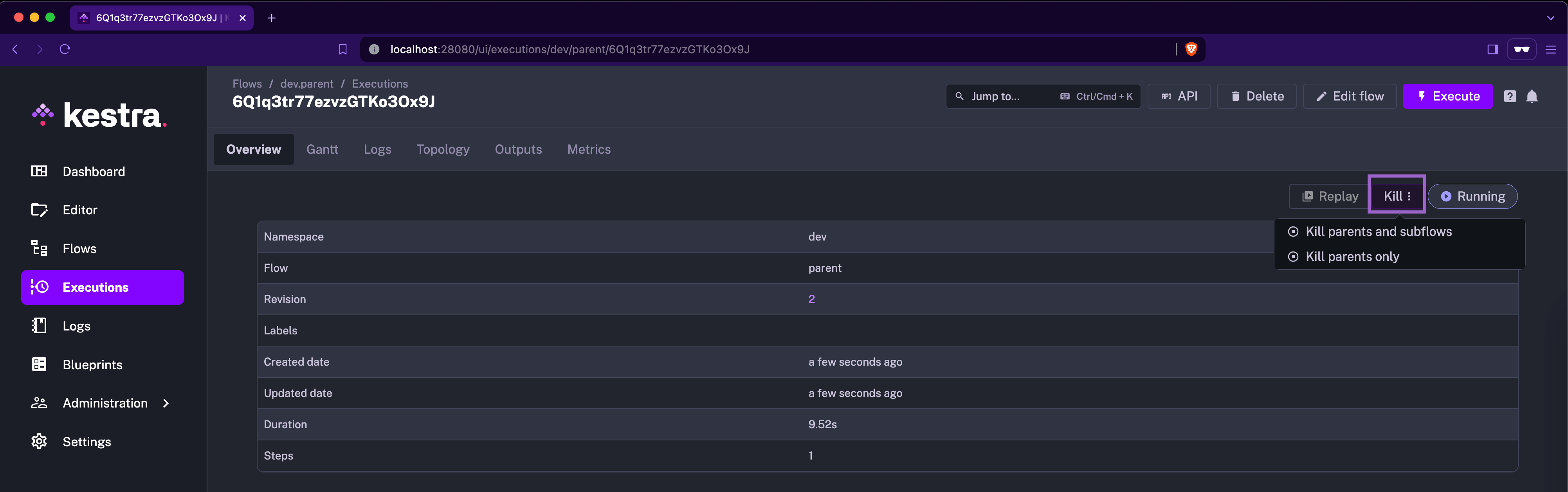
We’ve also enhanced how subflow executions can be terminated. Specifically, terminating a parent flow will now also end all its associated subflows. However, you can also terminate both parent and child executions independently.
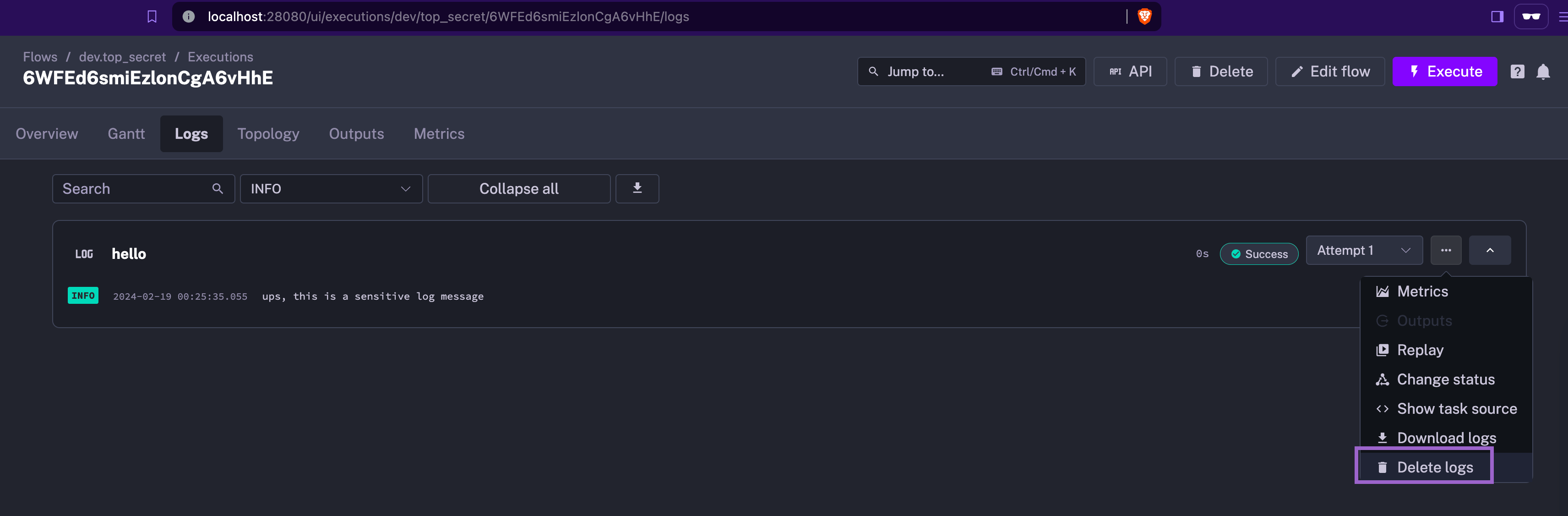
Secrets management has been further improved in this release, with the introduction of SECRET type inputs and new functions for encrypting and decrypting data. Additionally, the UI now allows for easy deletion of logs for specific task runs, helping quickly address any accidental exposure of sensitive data.
Some outputs such as GCP or ECR tokens are now automatically encrypted and decrypted.
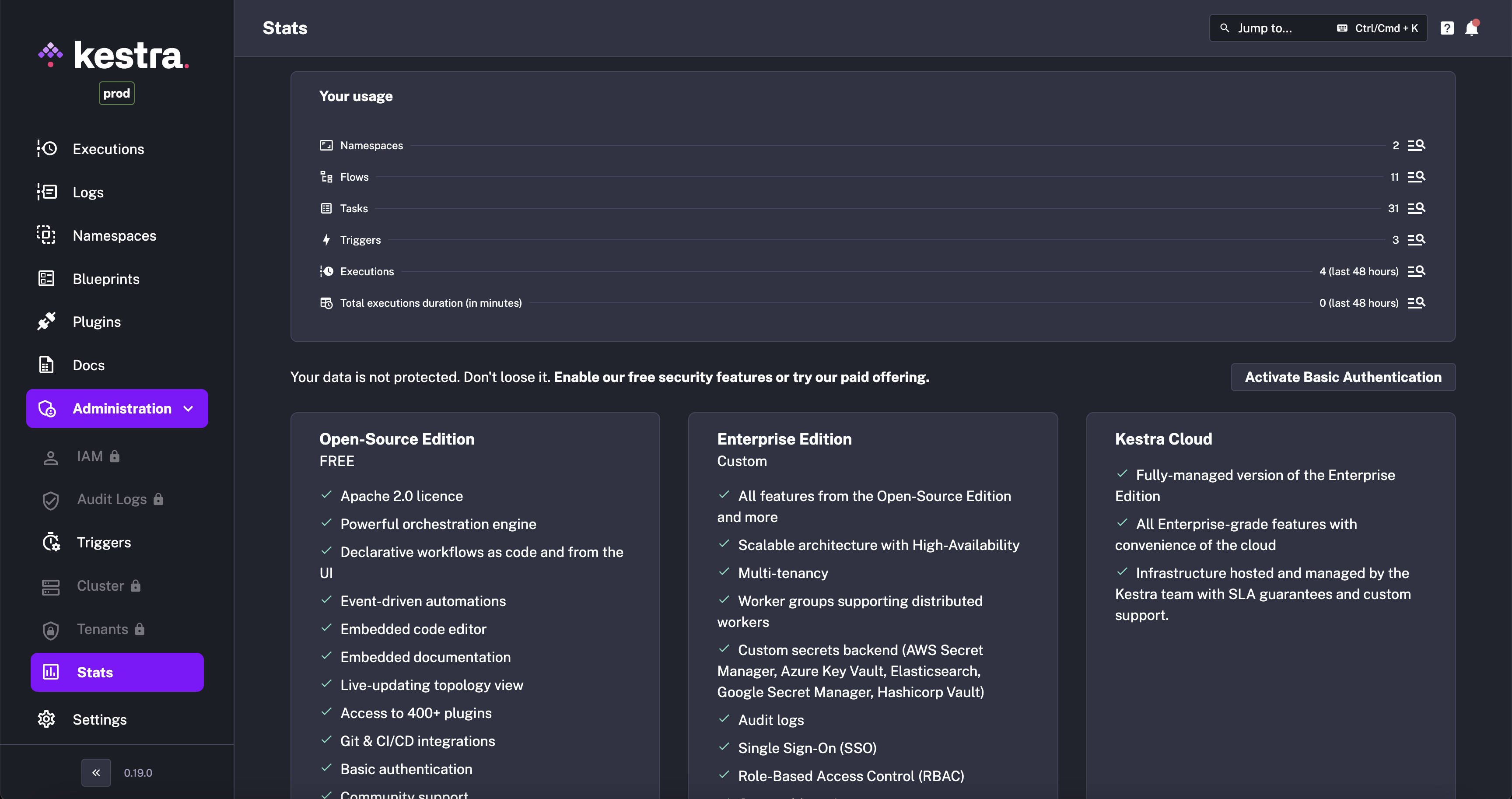
The Kestra UI continues improving the user experience. A notable addition is the new Stats page, which provides a comprehensive overview of executions, flows, namespaces, and triggers at a glance.
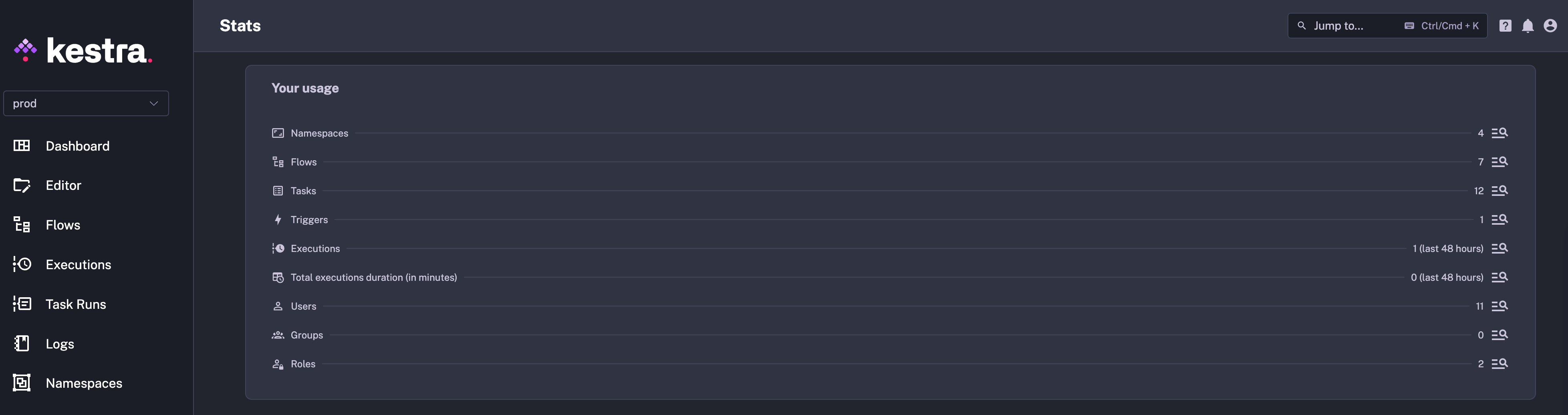
In the open-source edition, this page enables configuring basic authentication for the Kestra instance directly from the UI.
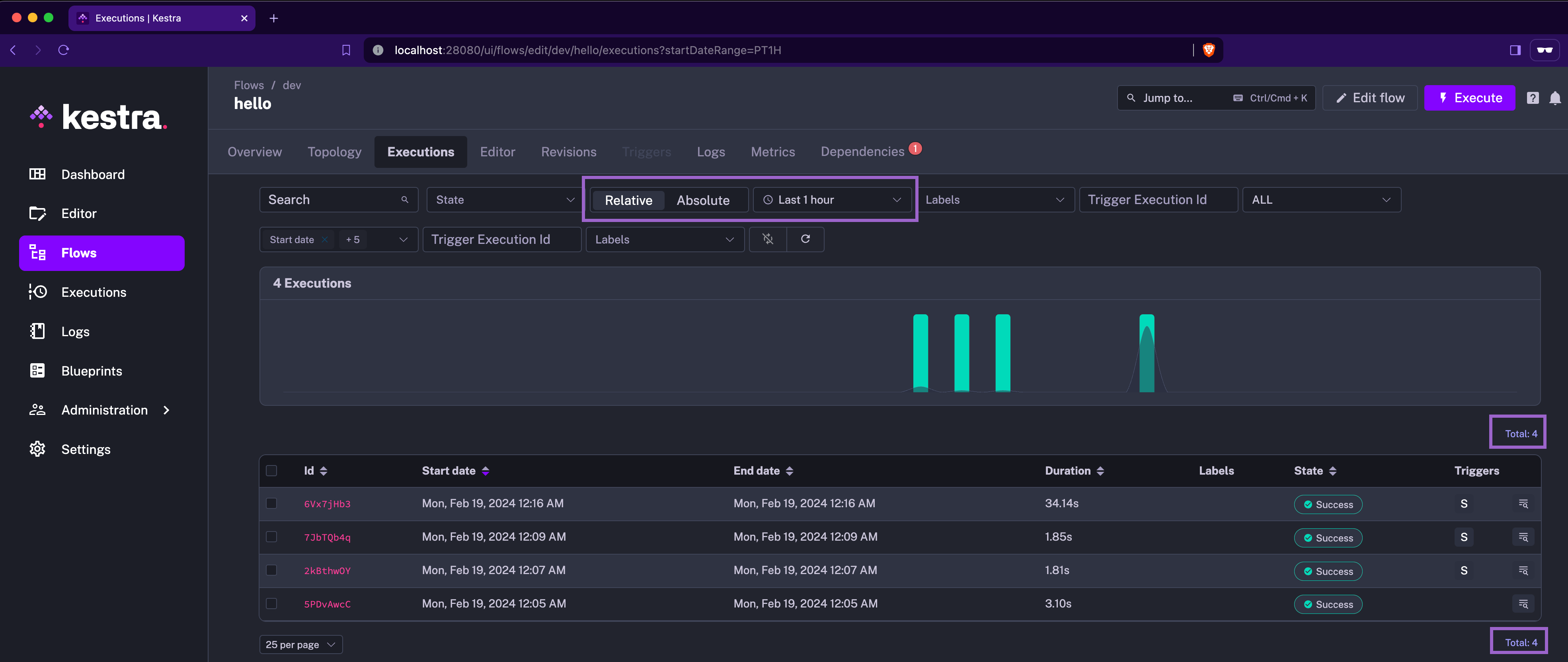
The UI tabs and pagination display have been redesigned for easier navigation. Additionally, you can now filter by absolute or relative time ranges.
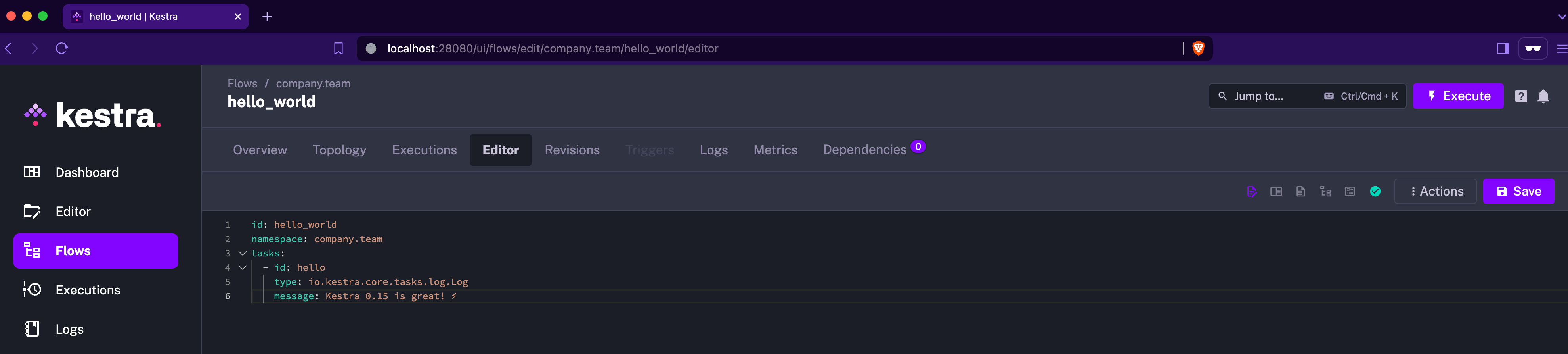
Lastly, the Save and Actions buttons have been moved to a dedicated UI menu for improved navigation:
With this release, we’re introducing Azure EventHubs and Solace plugins, which extend the integration capabilities for event-driven architectures. These plugins open up new possibilities for data processing and event handling within your workflows.
We’ve also added a new generic Singer plugin that simultaneously integrates with all taps and targets, thereby significantly expanding the range of data sources and destinations that can be declaratively orchestrated in Kestra using the Singer ecosystem.
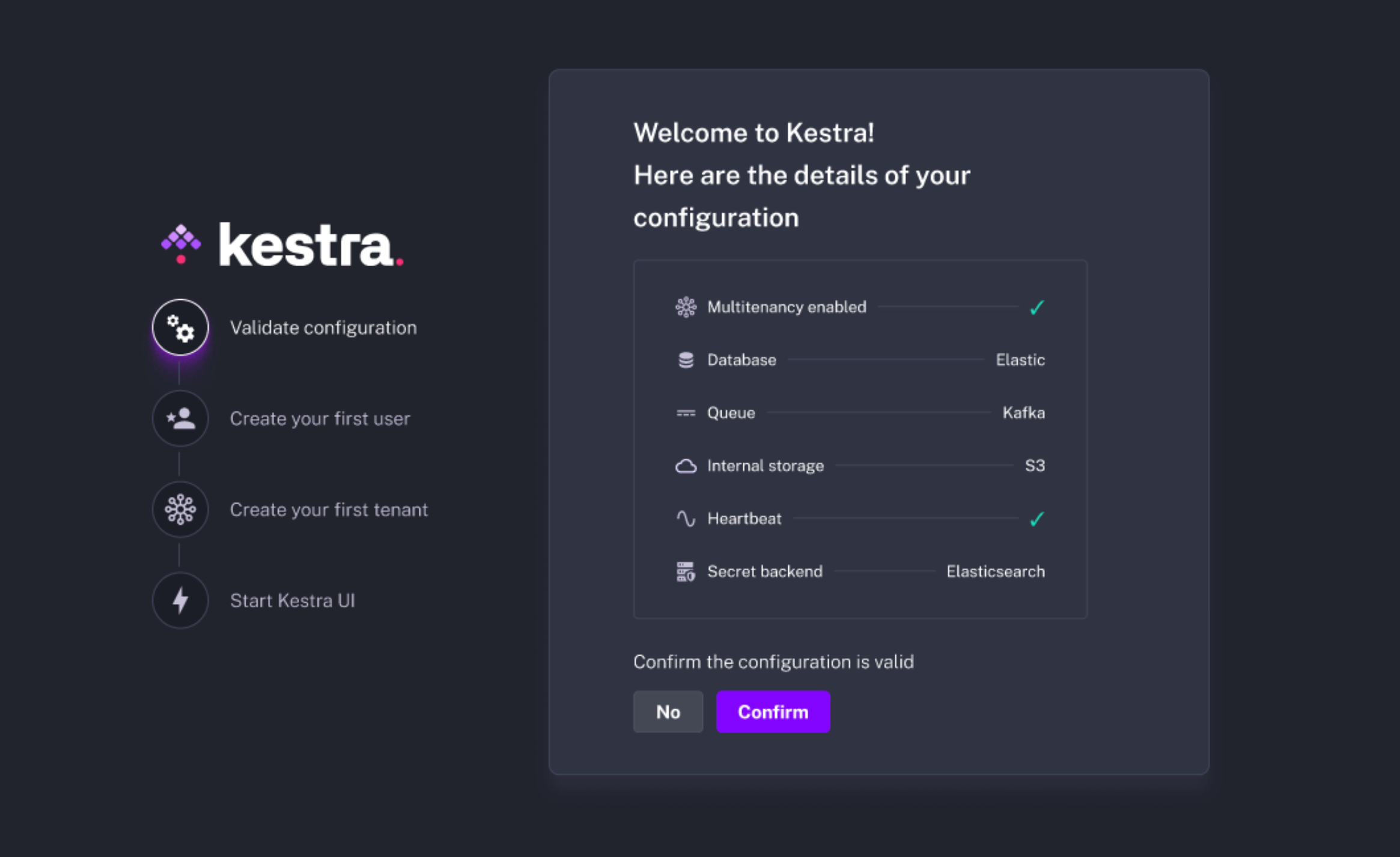
For Enterprise Edition users, we’ve added a new Setup page in the UI, showing the most important configuration options and streamlining the setup process for a new Kestra instance. That setup wizard will guide you through the initial configuration of your instance, making it easier to get started.
We’ve also revamped the RBAC system, with improved handling of Superadmin access. There is also a dedicated UI page called Access allowing you to configure tenant-level RBAC.
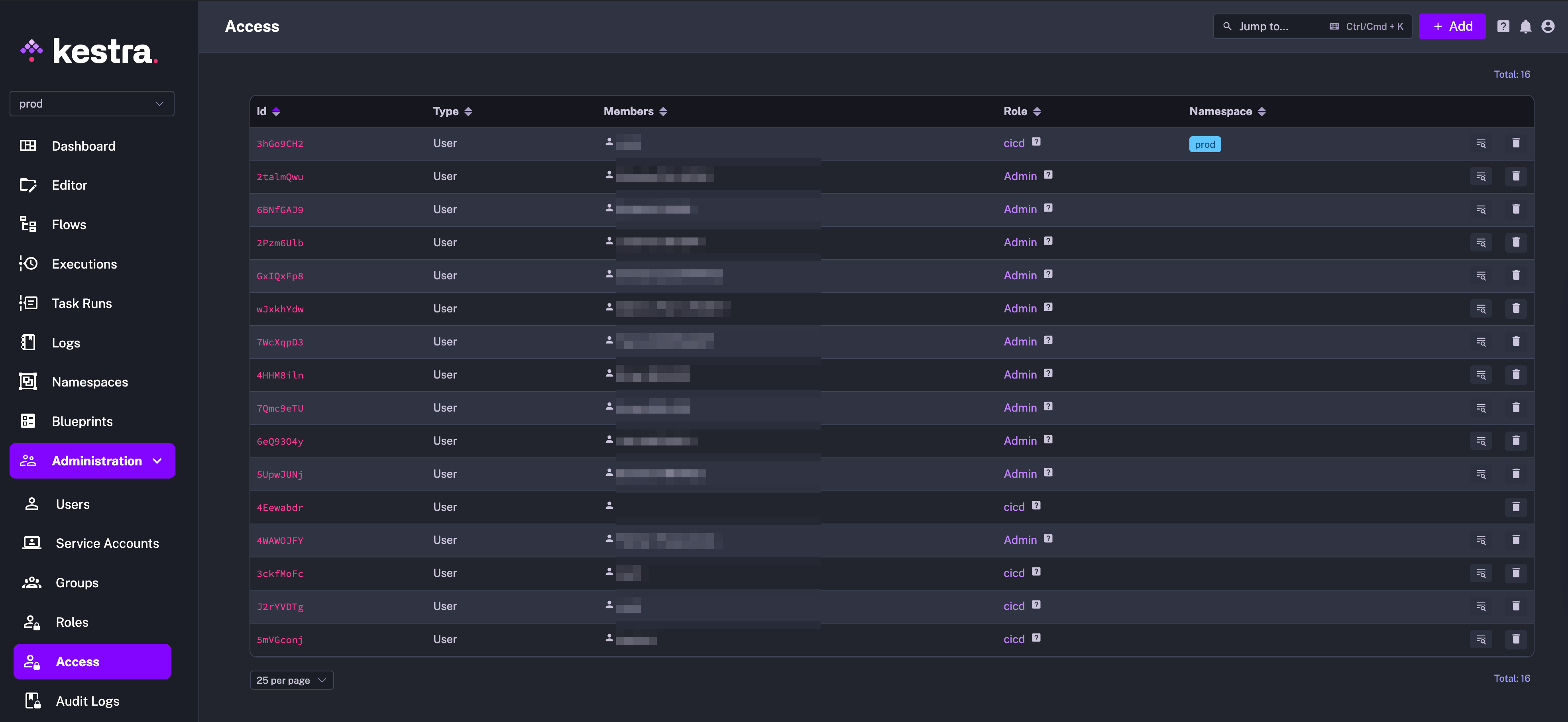
The new Service Accounts UI page allows you to create and manage service accounts, and we’ve introduced API tokens valid for a specific period of time, allowing you to grant programmatic access to Kestra for Users and Service Accounts. This feature is particularly useful for CI/CD with GitHub Actions and Terraform, as well as for using the API token in API calls.
id Property for InputsThe inputs property now uses id instead of name for consistency with the rest of the Kestra flow configuration. This change is implemented in a non-breaking way, so you don’t need to immediately change your existing flows in order to successfully migrate to 0.15.0. The name property will be removed in the future.
ENUM Input TypeSpeaking of inputs, we’ve added a new ENUM input type that will ensure valid user inputs matching a predefined list of values.
We’ve renamed Organization blueprints to Custom blueprints to better reflect their purpose — they are used to create custom sharable configuration of flows, tasks, and triggers, even if they are used only on a single tenant within the organization.
Kestra 0.15.0 migrates to Micronaut 4.3. Check the migration guide for more details on how you can migrate your custom plugins.
If you’re on the Kestra Enterprise Edition with a Kafka backend, make sure that all executions that use concurrency limits terminate (they must finish or you need to manually kill them) before upgrading to 0.15.0. This is due to a fix implementing concurrency limits without ExecutionQueued. To efficiently drain all your executions, you can stop the Webserver and the Scheduler, and then wait for the Executor and the Worker to finish pending executions. Once all executions are finished, you can upgrade to 0.15.0.
This post covered new features and enhancements added in Kestra 0.15.0. Which of them are your favorites? What should we add next? Your feedback is always appreciated as we continue to refine the platform based on your suggestions.
If you have any questions, reach out via Slack or open a GitHub issue.
If you like the project, give us a GitHub star and join the community.

Stay up to date with the latest features and changes to Kestra