Authors

François Delbrayelle
Lead Software Engineer
François Delbrayelle
Lead Software Engineer
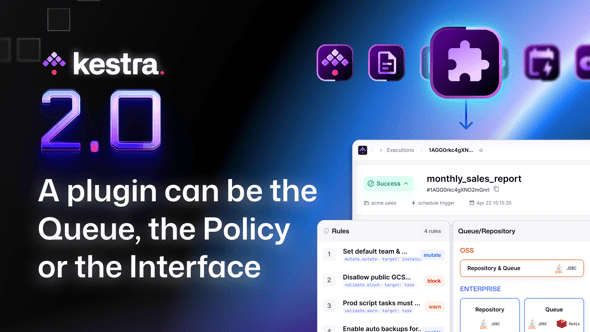
Kestra 2.0 just crossed 2,000 plugins. For most of Kestra’s life, “plugin” meant one thing: a task that talks to something, such as Snowflake, dbt, S3, Slack.
While building 2.0, the plugin team kept asking a different question: what else could a plugin be?
The answer turned out to be:
That is a different kind of product than a bigger catalogue, one where the surface you extend is the platform itself. This post is what changed, and what it means if you build on Kestra or maintain a plugin for it.
Three new plugin types arrived this cycle, out of seventeen total (tasks, triggers, storages, secrets, task runners, apps, charts, etc.): policy rules (Enterprise Edition), log data stores (Enterprise Edition), and file preview renderers. Each one turns a piece of Kestra’s internal machinery, what governs a task, where logs live, how a file renders, into something you write yourself.
A governance rule is now a plugin. Typed by fully qualified class name in YAML, discovered by the same scan that finds tasks, registered in the same registry, generating the same JSON schema so the editor validates and autocompletes it.
rules: - type: io.kestra.plugin.ee.rules.Deny on: PLUGIN where: - field: type operator: STARTS_WITH value: io.kestra.plugin.scripts.shellThe mechanism for enforcing what may run in your platform is part of the engine everyone gets: it’s open source. The rules shipped on top of it, like Deny above, are Enterprise, which makes this a product decision rather than an architectural one. Policies also brought a POLICY schema type and a policyRefs field on flows, tasks and triggers, so a rule is addressable from the thing it governs.
The same work that gave us policy rules took away plugin defaults. While plugin defaults suggested values, policies enforce them. Keeping both would have meant two answers to the same question.
So flow level pluginDefaults is removed, the service that implemented it was renamed to describe what it actually does now, and a flow containing that block will not parse. This is the change most likely to interrupt your upgrade: it arrives without a deprecation window, so migrate your flows before you upgrade rather than after.
What replaces it depends on your edition. In Enterprise, a REFERENCE policy that flows opt into through policyRefs, or an Add rule scoped to a namespace. Namespace level plugin defaults, which shipped in 1.3, are the surviving mechanism and migrate automatically. In open source there is no centralized replacement: inline the values or hoist them into flow variables.
Two behaviors follow, and neither is obvious until it bites:
Plugin aliases are not resolved in rule matching. A where clause matches the type string literally, so a rule naming the canonical type will not catch a flow using a deprecated alias. Which matters more in 2.0 because core task aliases and trigger aliases were removed outright during the cycle.
A more specific policy list replaces a broader one instead of merging with it. A tenant policy setting three environment variables and a namespace policy setting one leaves you with just the one from the namespace policy.
Do not confuse any of this with kestra.plugins.configurations, which is unchanged and is for tuning plugin features a flow never expresses:
kestra: plugins: configurations: - type: io.kestra.plugin.scripts.runner.docker.Docker values: volumeEnabled: trueDefaults applied reusable task values. Configurations enable or tune plugin behavior. Only the first one was replaced.
This one arrived as a category with the Enterprise log shipper. What is new in 2.0 is that open source can choose one, with a config key:
kestra: logs: type: postgres postgres: url: jdbc:postgresql://logs-db:5432/kestra_logs username: kestra password: k3str4Three things convinced us this had to exist. One customer’s database held 500GB of logs. Several others simply dropped their database between releases, because that was easier than managing it. And Xiaomi maintained a fork of Kestra for the sole purpose of storing logs somewhere else.
When people fork your product to solve a problem, the problem is yours. There is also a payoff beyond that: logs are the single biggest reason a database migration runs long, so moving that table out makes every upgrade after this one less frightening.
The Enterprise version of this goes further with an external log repository that needs no shipper installed at all, connecting CloudWatch or Elastic directly. Because kestra.logs.type applies to new executions only, there is a deliberate opt-in CLI to migrate historical logs across, since copying them can take hours or days and nobody wants that inside a startup sequence.
The preview panel in the execution view stopped being a list of formats we happened to support.
Two methods is the whole contract:
boolean supports(String extension);FilePreview render(String extension, InputStream in, Optional<Charset> charset, int maxRows);FilePreview carries a type of TEXT, MARKDOWN, LIST, IMAGE or PDF, where LIST becomes an interactive table and images and PDFs render inline from base64. We ship text, ION, images and PDF.
If your team lives in Parquet, or Avro, or some binary format that exists in exactly one industry, the preview panel is now yours. Write the renderer, drop it on the classpath, and the scanner finds it at startup: no YAML, no service loader entry, no configuration. Respect maxRows, which the Row count control drives and which defaults to 100, and set truncated when you cut rows. That is it.
The reason this is more than a convenience: the moment somebody has to download a file to understand a run, they have left the platform, and everything the platform knew about that run stays behind.
This is one of the biggest plugin features for 2.0, and it has a name of its own: Artifacts.
Until 2.0 a plugin could contribute a form generated from its schema, and that was the whole of its UI surface. A task in the execution view was configuration, logs and a list of output files, so understanding what a task did often meant leaving Kestra: download the Parquet somewhere else, open dbt Cloud for the model graph, read Kubernetes events to find out why a pod took four minutes.
Artifacts let a plugin render a rich, domain specific view inside Kestra, before and after a run, with no extra YAML in anyone’s flow. Three kinds shipped:
The architecture is worth knowing because it is more considered than a typical plugin hook. A slot is a part of the Kestra UI a plugin may modify. A plugin UI artifact is the object in the plugin that modifies the visualization for a task. A slot contract is a TypeScript interface defining the props your component receives, and the contracts live in the Kestra repository under ui/packages/slot-contracts, so they are enforced at compile time. Module federation glues it together, letting a plugin ship a Vue component that shares Kestra’s own Vue, API client and design system instead of bundling its own copies.
In the plugin model this surfaces as a UI manifest on the registered plugin, carrying the module, its styles and a flag for whether it belongs to open source or Enterprise, with a source hash so browsers pick up new versions.
There is an artifact-sdk repository that acts as a development studio for building and publishing them, and plugin-gcp is the reference implementation. That’s a different SDK from client-sdk, the one that talks to the Kestra API: the Artifact SDK is what actually renders a plugin’s UI, and the plugin artifact developer guide covers it, plus slot registration and bundling setup. Artifacts already cover the Query task in the GCP plugin’s BigQuery module, every AI plugin task, and every task runner. The roadmap targets data orchestration next: dbt, JDBC, Fivetran and similar plugins.
If you maintain a plugin, this is the most interesting thing 2.0 gives you. It is the difference between extending Kestra and improving it.
Queue implementations used to live inside the Enterprise repository, compiled in, part of the engine. In 2.0 they moved out and became plugins. The thing at the very bottom of the stack as well as the component every execution in the system passes through is now an extension point.
Today that shows up as an internal simplification: you still choose with kestra.queue.type, and the supported pairings are documented and finite. What it means is that the list can grow without a core release, and that the boundary between “the engine” and “a thing you plug into the engine” moved down a layer.
Storage, secret managers and log data stores are plugins in the strict sense too, selected by a type key and looked up by @Plugin.Id through the registry:
@Plugin@Plugin.Id("s3")public class S3Storage implements S3Config, StorageInterfaceThe repository, on the other hand, is still a compiled-in Gradle module. QueueInterface extends Closeable and Pauseable, and no repository interface extends Plugin. So “pluggable backend” means selected by configuration for all of them, and means a registry plugin for storage, secrets, logs and now queues.
If you have configured a plugin with forty properties, you know the problem: the form lists them in schema order, required and obscure side by side, and finding timeout means a lot of scrolling.
2.0 added a property group taxonomy to @PluginProperty, with nine groups: main, connection, source, processing, execution, destination, reliability, advanced and deprecated, plus an optional index for ordering inside a group. The generator threads it into the JSON schema and the task form renders the sections.
The scale of the follow-up is the detail I find most telling about the size of the plugin catalogue: annotating roughly 8,800 properties across more than 150 plugin repositories, with an optional fallback bucket kept in place until that migration finishes. So the mechanism shipped and the annotation lands progressively, which is why some plugins already group cleanly and others do not yet.
Useful for plugin authors: the annotation is non-breaking and was made available to 1.x plugin builds, so you can adopt it without moving your plugin to a 2.0 dependency. The rendering is what is new.
While in the same area, plugin icons became real SVG resources instead of data URIs, with lazy loading and content sanitization through a new sanitizer, and a monochrome flag derived from whether the SVG uses currentColor. The measurable result is 12MB removed from a JSON payload, which is a page load rather than a feature but you will feel it on the plugins page.
The default image bundles every plugin at its latest version. That is convenient but it is over 3GB, which is a genuinely bad first experience: almost every product evaluator mentioned image size as a drawback of onboarding.
2.0 splits it. Every tag has a -slim twin, so kestra/kestra:latest-slim is the lean core and you add what you need. It’s also what kestra.io/get-started hands you by default:
docker run --pull=always --rm -it -p 8080:8080 --user=root \ --name kestra \ -v kestra_data:/app/storage \ -v kestra_db:/app/data \ -v /var/run/docker.sock:/var/run/docker.sock \ -v /tmp:/tmp \ kestra/kestra:latest-slim server localThat auto-install is scoped: it’s an open source, server local behavior, gated by KESTRA_PLUGINS_AUTO_INSTALL_ENABLED (or kestra.plugins.auto-install.enabled in configuration), true by default for that mode. Turn it off and the -slim image goes back to needing plugins pre-installed, which is the setting to reach for once you’re past evaluating and want a fixed, reviewed plugin set.
None of that costs the editor. For every release, CI compiles a plugin bundle schema, one JSON schema per registered plugin, task and trigger, and bakes it directly into the Kestra JAR. The editor loads that bundled schema at startup, so a task from a plugin you haven’t installed yet still validates and autocompletes correctly. Auto-download only happens when needed, e.g. the moment a flow actually runs that task.
If you maintain a plugin, here is the sentence that matters: your 1.x plugin runs on 2.0, on purpose.
Of the roughly 230 plugin Maven artifacts compatible with 2.0, 216 (93.91%) are still published at a 1.x version. Only ten plugins declare a hard kestraVersion=2.0.0 requirement: plugin-ai, plugin-azure, plugin-dbt, plugin-ee-git, plugin-git, plugin-graalvm, plugin-jdbc, plugin-kestra, plugin-serdes and plugin-slack. There is no plugin API migration guide because there was no plugin API break.
That took work to keep true. A nightly compatibility check runs against the development branch, and most of what it caught was a Java version gap, with plugins on 21 while core moved to 25. We decided against forcing every plugin onto a 2.0 build, so older plugin versions stay usable. We put the tradeoff plainly internally: keeping 1.x compatibility means holding some dependency upgrades until 1.x support ends. Concretely, Micronaut 5 and Jackson 3 are not in 2.0 for exactly this reason.
What changed for plugin authors is not the API but instead what plugin code may touch. Workers in 2.0 never reach the database, but some core tasks did. To rectify that, they were removed and replaced with tasks that call the Kestra API through the plugin-kestra SDK:
| Removed in 2.0 | Replacement |
|---|---|
io.kestra.plugin.core.execution.Count | io.kestra.plugin.kestra.executions.Count |
io.kestra.plugin.core.execution.Resume | io.kestra.plugin.kestra.executions.Resume |
io.kestra.plugin.core.trigger.Toggle | io.kestra.plugin.kestra.triggers.Toggle |
io.kestra.plugin.core.log.Fetch | io.kestra.plugin.kestra.logs.Fetch |
Only the last one is renamed automatically by the flow migration CLI. The other three need a manual rewrite, and moving Resume in particular was about permissions: changing another execution’s state should go through the API where RBAC applies.
The SDK that absorbed them grew a lot in the cycle, and it is worth knowing about the changes at a high level. Open source: executions.Count, Delete, Kill, Query, Resume, flows.Export, ExportById, List, logs.Fetch, namespaces.List, NamespacesWithFlows, triggers.ScheduleMonitor and Toggle. Enterprise adds asset management, test running, and the whole IAM surface, covering bindings, groups, invitations, roles, service accounts and tenant access.
That IAM family is a 2.0 addition worth pausing on. Until now IAM was only manageable from outside a flow, through the REST API, Terraform or kestractl. Now it is a set of tasks, which makes event driven onboarding a flow: a joiner event arrives, a flow creates the user, adds them to groups and binds a role, and every step is an audited execution. Authentication is usually free, because auth.auto defaults to on and reuses the credentials of the instance the flow is running on.
The 2.0 cycle also produced a category of Enterprise plugins that has nothing to do with data pipelines, and it is the clearest signal of where Kestra is being taken.
The stated strategy is that the winning position in private infrastructure is a tightly integrated orchestration layer across compute, network, storage and management. Compute existed already, with VMware, Nutanix and Proxmox. Network existed, with Infoblox, Netbox and phpIPAM. Storage, load balancing, a new hyperscaler family, and log and secret backends are the pieces 2.0 added, all named individually under New plugins since 1.3 below.
The use cases those enable are day two operations rather than analytics: snapshot before patching, clone a volume for a dev and test environment, check replication health on a schedule, provision a VM and register it in IPAM and put it behind a load balancer in one flow. Combine that with asset locking, which stops two executions mutating the same VM at once, and Kestra starts being the thing running your infrastructure changes rather than the thing reporting on them.
Four new Enterprise task runners arrived in the same cycle, each targeting workloads that cannot or should not run in a container: GPU training tied to a custom AMI, licensed software bound to a specific machine image, or workloads where direct VM control matters.
Same pattern as the storage and network plugins above: a task runner is a plugin too, so none of this required touching the engine, just adding four more implementations of an interface that already existed.
The plugin count kept moving after 1.3 shipped on March 3. Here is everything that landed as a brand new plugin repository since then, grouped by catalogue category.
These are not new plugin repositories, they’re new capabilities added to plugins that already existed: a new catalogue entry, or a whole new task/trigger family bolted onto a plugin that already had one.
Running several versions of the same plugin side by side isn’t new, Enterprise has supported that since late 2024. What 2.0 added around it is smaller: work toward the same version selection inside the instance UI, and a clearer distinction between open source and Enterprise plugins in the catalogue, backed by artifact filtering on the distribution flag.
The real addition is on the docs side. Task and trigger docs used to reflect whatever version happened to be latest at build time, which is a problem the moment a flow deliberately pins an older one: the documentation in front of you and the plugin actually running could disagree on what a property does.
Plugin pages on the catalogue are now versioned. The dbt plugin is a good one to look at, since it has accumulated enough releases to make the version picker worth having: pick an older version from the dropdown and the page shows that version’s tasks, properties and examples, not the latest one. If your flow pins version: "0.21.0" on a task, the docs for 0.21.0 are the ones you actually want, and now they are the ones you get.
Two mechanisms, both worth setting up before you hand out an instance.
Instance wide, in Enterprise Edition, there is an allow list in the configuration, matching by trailing wildcard, regex or plain prefix:
kestra: plugins: security: includes: - io.kestra.* excludes: - io.kestra.plugin.core.debug.EchoPer tenant or namespace, an Enterprise policy. Deny bans a plugin type wherever it appears, including error handlers, triggers and task runners. Restrict on taskRunner.type with an enum whitelists which runners a namespace may use. Require on taskRunner forces every script task to name its runner rather than inheriting a default nobody reviewed.
Nothing urgent, which is the point. But three things are worth doing.
Annotate your property groups. The taxonomy is available to 1.x builds, and a plugin with grouped properties is visibly nicer to configure than one without now that the form renders sections.
Check your Java version. Core moved to Java 25 while the public plugin template still targets Java 21 and a 1.3 dependency. The template works, and it is not yet the 2.0 reference. If you are starting fresh, look at plugin-kestra for what a current build looks like.
Consider whether your plugin should render something. Artifacts and file renderers are both new, and both turn a plugin from something that extends Kestra into something that improves it. Start with the artifact-sdk repository and read plugin-gcp. If your plugin produces a graph, a table or a multi-step process, there is a view worth building.
The version pin in gradle.properties still governs compatibility, and it doesn’t have to target 2.0.0. Pinning to the latest 1.3.x is fine too, and keeps your plugin working on both 1.3 and 2.0 instances:
version=1.0.0-SNAPSHOTkestraVersion=1.3.38Build against a library older than your instance expects and flow creation returns a 422 with an Invalid bean error.
The queue moved out of core. Governance rules became plugins. The log store became something you choose. The preview panel and now whole regions of the interface became things a plugin can supply. In every case, something we owned became something you can own.
That is a different bet than a bigger integration catalogue. A catalogue makes Kestra useful with more tools. This makes Kestra shaped like your platform: your queue, your storage, your rules about what may run, your view of what a task did, your plugin rendering your format in a panel we never wrote.
The storage and backup plugins that arrived this cycle are the same bet pointed outward. NetApp, Veeam, Pure Storage, PowerStore and Ceph are not analytics integrations.
If you maintain a plugin, the practical version of all this is short. Annotate your property groups, check your Java version, and go look at whether your plugin should be drawing something. The first two take an afternoon. The third one is the one that will make somebody’s day better.

Stay up to date with the latest features and changes to Kestra