Authors

Federico Trotta
Federico Trotta
In a recent blog post, we defined what an orchestrator is, the differences between orchestration and automation, and how orchestration can help you to automate your workflows.
Now, it’s time to answer the question: when should you choose an orchestrator over a CI/CD solution? Both have overlapping functionality so how do you decide which one is best for your job?
In this article, we’ll explore what CI/CD tools are, dive into some of the most popular ones, and look at what Kestra brings to the table. In particular, we’ll also provide a deeper comparison between Kestra and Jenkins.
Before comparing CI/CD tools, let’s first define what is a CI/CD tool.
CI/CD tools are software applications that automate the processes of integrating code changes (Continuous Integration) and deploying applications (Continuous Deployment) to production environments. They help teams collaborate effectively by automating builds, tests, and deployments, ensuring that new features and bug fixes are delivered quickly and reliably.
By automating these steps, CI/CD tools reduce the reliance on manual intervention, which not only accelerates the development cycle but also minimizes the potential for human error. Automation, in fact, ensures that deployments are consistent and repeatable, eliminating mistakes that can occur when developers have to remember and execute complex sequences manually.
In particular, CI/CD tools are designed to:
These tools are fundamental for maintaining high-quality code and rapid release cycles in today’s fast-paced development environments. By removing manual steps and standardizing workflows, they enhance reliability and reduce the chance of errors slipping into production. So, without them, teams would struggle to keep up with the demand for frequent updates, making it much harder to maintain a competitive edge.
There are a lot of CI/CD tools out there, so let’s take a closer look at some of the most popular ones. For each, we’ll provide an overview, highlight a unique feature, and list pros and cons.
GitHub Actions is GitHub’s integrated CI/CD solution, allowing you to automate your workflows directly from your GitHub repository. It enables you to build, test, and deploy your code right alongside your pull requests and issues, providing a seamless experience for developers.
Also, by integrating tightly with GitHub, it reduces context switching, allowing teams to manage their entire CI/CD pipelines within a single interface; this makes GitHub Actions particularly attractive for teams that want to quickly implement automation without having to leave their existing GitHub environment.
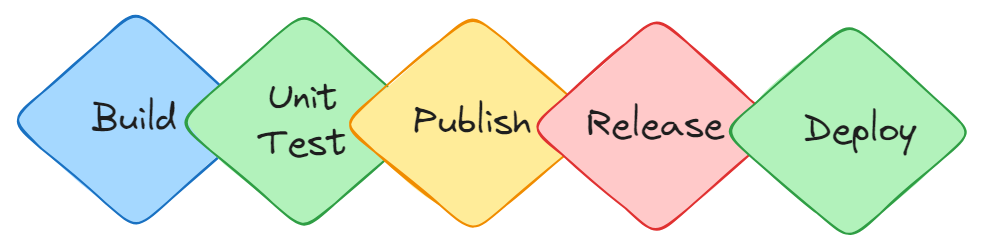
Unique feature: deep integration with the GitHub ecosystem GitHub Actions offers seamless integration with the entire GitHub platform, letting you trigger workflows based on any GitHub event—like pull requests, issues, or commits. This makes it an excellent choice for projects already using GitHub, as it provides a highly streamlined experience.
Pros:
Cons:
GitLab CI/CD is an integral part of GitLab, providing a seamless experience from code commit to deployment. It offers robust features for automating the entire DevOps lifecycle within a single application, including source control, continuous integration, testing, and deployment. By providing a comprehensive DevOps solution, GitLab CI/CD ensures that teams can collaborate effectively, track progress, and maintain high levels of code quality, all without needing to switch between multiple tools.
This integrated approach reduces the friction typically associated with using diverse systems, making GitLab CI/CD a powerful option for teams seeking a streamlined and efficient workflow. Additionally, GitLab’s focus on security with built-in features - such as vulnerability scanning and compliance management - strengthens its appeal for enterprises looking for a secure, all-in-one solution.
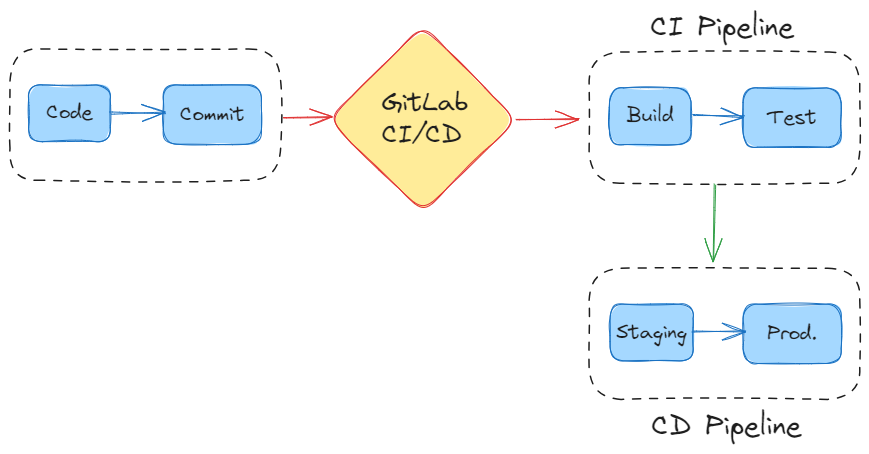
Unique feature: all-in-one DevOps platform GitLab CI/CD combines source control, CI/CD, project management, and deployment automation in one place, streamlining collaboration, efficiency, and simplifying the overall development lifecycle. With everything under one roof, there’s no need to manage multiple tools, which can greatly reduce operational overhead.
Pros:
Cons:
Azure DevOps is a suite of development tools from Microsoft, providing version control, CI/CD pipelines, testing, and artifact management. It’s designed to support teams in planning work, collaborating on code development, and building and deploying applications, and offers a highly integrated set of tools that help teams manage every stage of the development lifecycle, including version control, CI/CD, artifact management, and testing.
Key features include Azure Boards for tracking work, Azure Repos for version control, Azure Pipelines for CI/CD, Azure Artifacts for package management, and Azure Test Plans for testing. This makes this CI/CD tool ideal for teams using Microsoft technologies, offering streamlined collaboration and a high-quality development process.
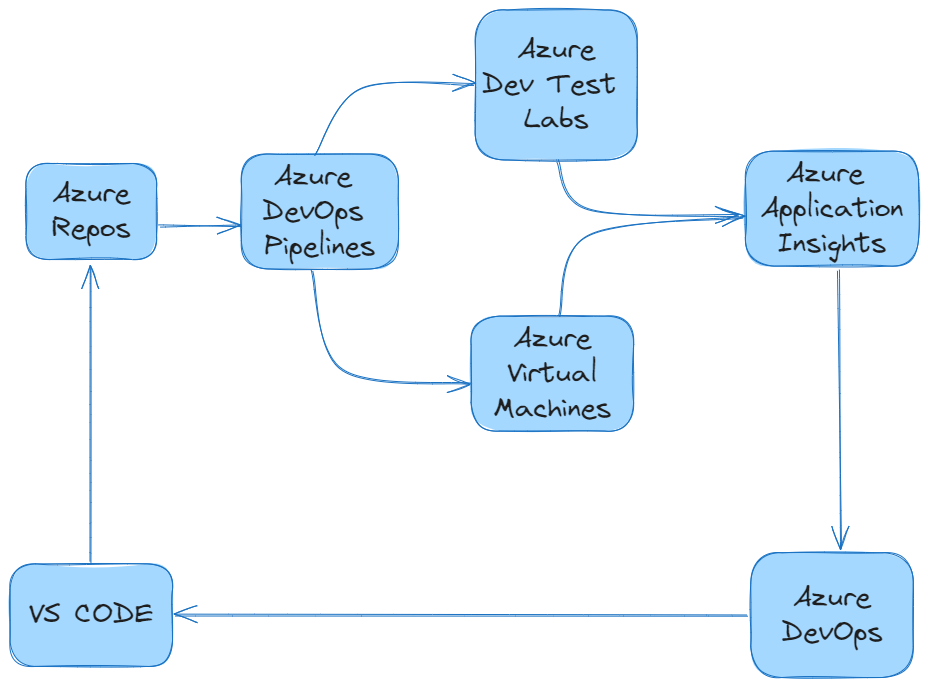
Unique feature: integrated end-to-end DevOps solution for the Microsoft environment Azure DevOps offers an integrated suite covering the entire DevOps lifecycle, from project planning with Azure Boards to deploying applications with Azure Pipelines. This makes it a powerful choice for teams that want a complete, all-in-one DevOps experience when using other Microsoft services.
Pros:
Cons:
CircleCI is a cloud-based CI/CD platform that automates development workflows and accelerates software delivery. It supports rapid setup and provides powerful customization options for building, testing, and deploying applications.
Known for its emphasis on speed - allowing developers to create efficient pipelines that run with minimal delays - the platform supports a variety of configurations, giving teams the ability to tailor workflows to their specific needs, whether they are working with traditional applications, containerized microservices, or other deployment strategies. Additionally, its cloud-based nature means that CircleCI can easily scale to meet the demands of growing projects, handling parallel tasks effectively to minimize build times.
Unique feature: optimized for speed and parallelism CircleCI excels at running pipelines quickly by allowing tasks to run in parallel, significantly reducing build times. This makes it ideal for teams that need fast feedback on their code changes.
Pros:
Cons:
Jenkins is an open-source automation server that helps developers build, test, and deploy their software. It’s one of the most popular tools in the CI/CD space, thanks to its extensive plugin ecosystem that allows it to integrate with almost any tool or platform. It has also been around for over a decade, and its longevity speaks to its reliability and flexibility.
However, Jenkins’ extensibility comes with its challenges. Managing a large number of plugins - in fact - can lead to compatibility issues, and keeping everything up to date requires ongoing maintenance. Additionally, configuring Jenkins for optimal performance — especially in distributed environments — can be complex and time-consuming.
Unique feature: self-hosted, customizable agent management Jenkins offers the ability to set up and manage self-hosted agents (nodes) with full customization. This feature allows teams to control the environment in which their CI/CD tasks run, giving them the flexibility to configure build environments specifically to their needs.
Pros:
Cons:
After exploring these popular CI/CD tools, you might be wondering where Kestra fits in. So, let’s dive into what makes Kestra unique and when it might be the right choice for your projects.
Kestra is an open-source orchestration and scheduling platform designed to handle complex workflows across various systems. While traditional CI/CD tools focus on automating code integration and deployment, Kestra specializes in orchestrating tasks that span multiple environments and services.
Here are its unique capabilities:
At this point, you might be wondering when to choose Kestra over a CI/CI tool. So here are some guidelines to consider:
So, along this article, we’ve described what are CI/CD tools used for and we listed the most popular ones. We have also presented Kestra as an orchestration tool and described when to choose it over traditional CI/CD tools.
As Jenkin is a “jack of all trade” CI/CD tool, here we want to make a deep comparison between it and Kestra to help you understand why and when you should choose Kestra over it. To do so, we’ll discuss why developers use Jenkins and difficulties in using it that Kestra solves.
Jenkins has many pros, and we believe the three that are woth mentioning are:
Wide Adoption and Ecosystem: Jenkins has been around for over a decade, so it is mature and “battle-tested”: this makes it a staple in continuous integration and deployment. Also, its vast plugin ecosystem and open-source nature make it adaptable for almost any CI/CD pipeline need.
Flexibility: With Jenkins, developers can create highly customized pipelines as it supports different environments, tools, and languages.
Community Support: Jenkins has an active community that ensures there’s a large amount of documentation, tutorials, and forums where developers can find answers to their problems.
Now, let’s see where Jenkins falls short.
While Jenkins is a powerful tool, it does come with some challenges.
One of Kestra’s standout features is its intuitive interface which provides built-in autocomplete and detailed error handling: this helps developers quickly define and manage their workflows without getting bogged down by tedious setup processes.
Unlike Jenkins, which can be slow and challenging to configure, Kestra’s interface accelerates the workflow-building experience, allowing developers to focus more on building their systems rather than troubleshooting pipeline syntax or configuration issues.
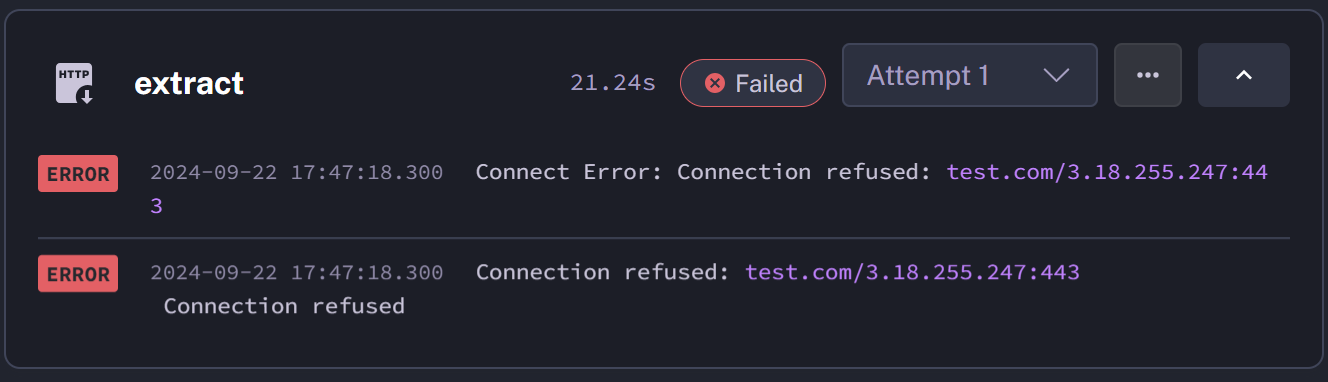
In fact, in Jenkins debugging pipelines can be difficult to set up as logs can become scattered across different plugins and stages, making it hard to trace the root cause of an issue.
Kestra, instead, provides centralized logging and error-handling across all tasks in a workflow. So, if a pipeline fails, developers can easily view the entire execution history and debug issues with a unified logging system.
Jenkins uses Groovy-based scripting for pipeline creation, which can be unintuitive for developers unfamiliar with it - as it also a language not widely used. This can create a steep learning curve that can slow down development and cause errors.
Kestra, instead, uses a declarative YAML-based syntax that is much easier to read and write. YAML is also widely known and used in the industry, making it more accessible to developers, and reducing the learning curve for new users. Its human-readable format makes YAML a practical choice, as it is straightforward to understand, allowing team members across different roles to easily collaborate on workflow definitions.
Jenkins requires a lot of manual setup for distributed builds or scaling across multiple nodes, and this can lead to bottlenecks when the infrastructure needs to grow.
In contrast, Kestra leverages Worker Groups, which are collections of workers that can be targeted for executing tasks based on specific requirements, allowing for efficient workload distribution across different nodes. Additionally, Task Runners enable the dynamic allocation of tasks in various cloud environments, facilitating the execution of compute-intensive jobs without the need for permanent infrastructure.
These features provide streamlined and scalable approach to managing complex workflows, reducing the operational overhead associated with scaling Jenkins.
In conclusion, selecting a CI/CD tool depends on your project’s unique needs. In particular, to summarize:
However, when your workflows become complex and span multiple systems or require real-time event handling, these tools might not suffice. In such cases, Kestra stands out by seamlessly orchestrating complex workflows across diverse platforms, offering robust error handling, and scaling effortlessly. So, for most modern applications that demand more than what traditional CI/CD tools offer, Kestra provides a comprehensive solution that simplifies complexity and accelerates development.

Stay up to date with the latest features and changes to Kestra