Authors

Benoit Pimpaud
Benoit Pimpaud
The table below highlights the key features of this release.
| Feature | Description | Edition |
|---|---|---|
| Plugin Versioning | Manage multiple versions of plugins simultaneously across your environment | Enterprise Edition |
| Read-Only Secrets Backends | Read secrets from an external secret manager backend without the ability to add or modify credentials from Kestra | Enterprise Edition |
| New flow property | Define tasks to run after the execution is finished (e.g. alerts) using the afterExecution property | All Edition |
| Cross-Namespace File Sharing | Use code and KV pairs from other namespaces in your tasks thanks to improved inheritance and Namespace Files sharing | All Edition |
| LDAP Sync | Securely fetch users and credentials from an existing LDAP directory to simplify authentication and user management in enterprise environments | Enterprise Edition |
| Log Shipper plugins | New log exporters for Splunk, AWS S3, Google Cloud and Azure Blob Storage, and a new log shipper plugin for Audit Logs | Enterprise Edition |
| Secrets and KV Store UI | Unified interface for managing secrets and key-value pairs across namespaces | All Edition |
Check the video below for a quick overview of all enhancements.
Let’s dive into these highlights and other enhancements in more detail.
Managing plugin versions is critical for the stability of your orchestration platform. That’s why we are excited to introduce Plugin Versioning in the Enterprise Edition. Versioned Plugins allow you to simultaneously use multiple versions of plugins across your environment. This powerful capability allows teams to progressively adopt new features while pinning the plugin version for critical production workflows.
You can access that feature from the new dedicated UI page under Administration → Instance → Versioned Plugin, showing all available versions and making it easy to gradually upgrade your plugins when new versions are available.
To enable that capability, Kestra now stores plugins in internal storage and automatically synchronizes them across all workers, ensuring consistency throughout your environment. For organizations relying on custom plugins, we’ve added support for custom artifact registries.
For detailed instructions on how to use and configure plugin versioning, check out our comprehensive documentation on Plugin Versioning.
Plugin versioning is currently in Beta and may change in upcoming releases.
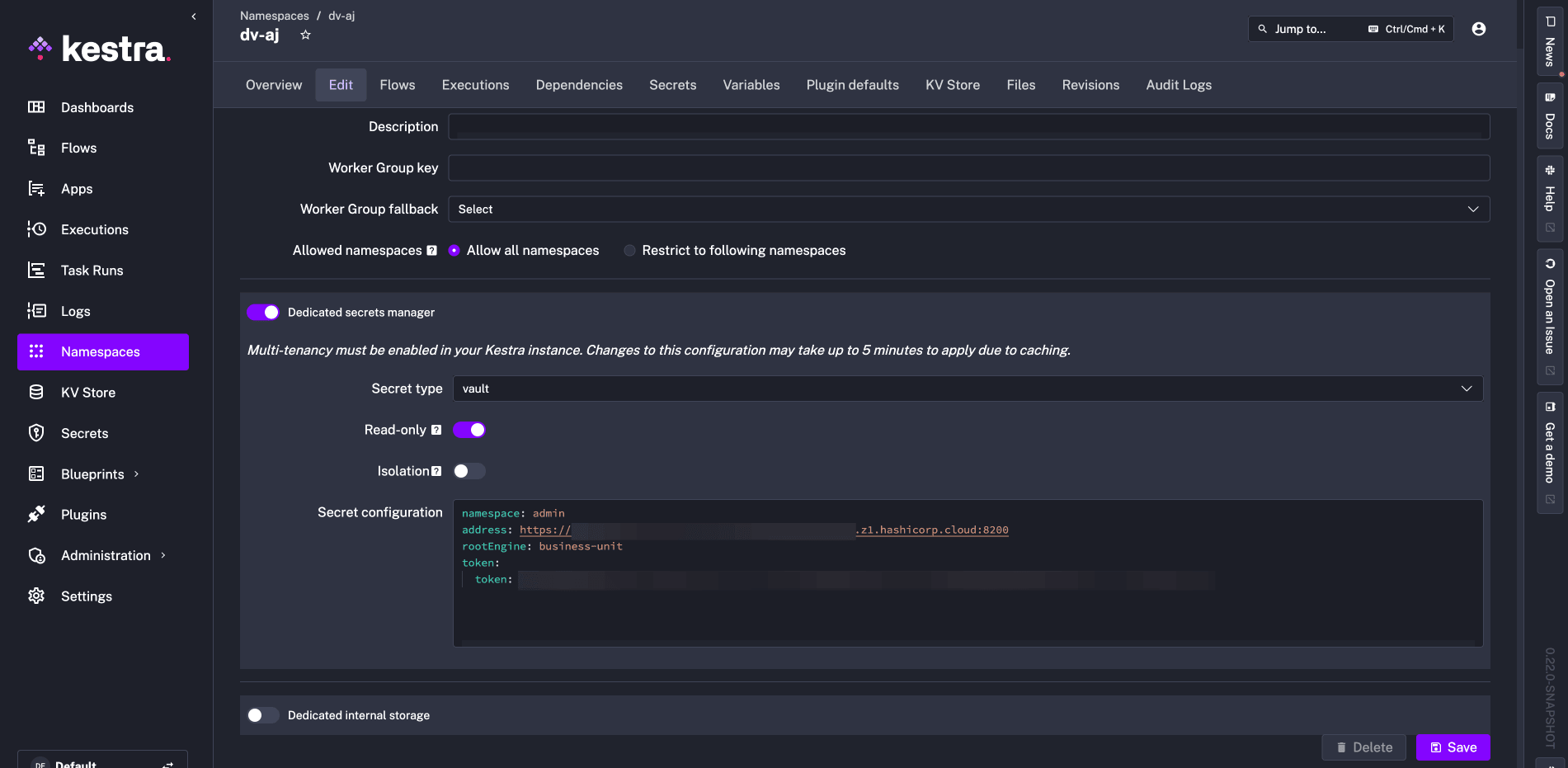
Kestra 0.22 introduces Read-Only Secret backends, allowing you to use your existing secrets manager in a read-only mode without the ability to add or modify secrets in Kestra.
The read-only mode for secrets managers allows you to reference secrets entirely managed in an external system. This feature is particularly useful for customers with centralized secrets management in place who prefer to avoid managing secrets from the Kestra UI, e.g., for compliance reasons.
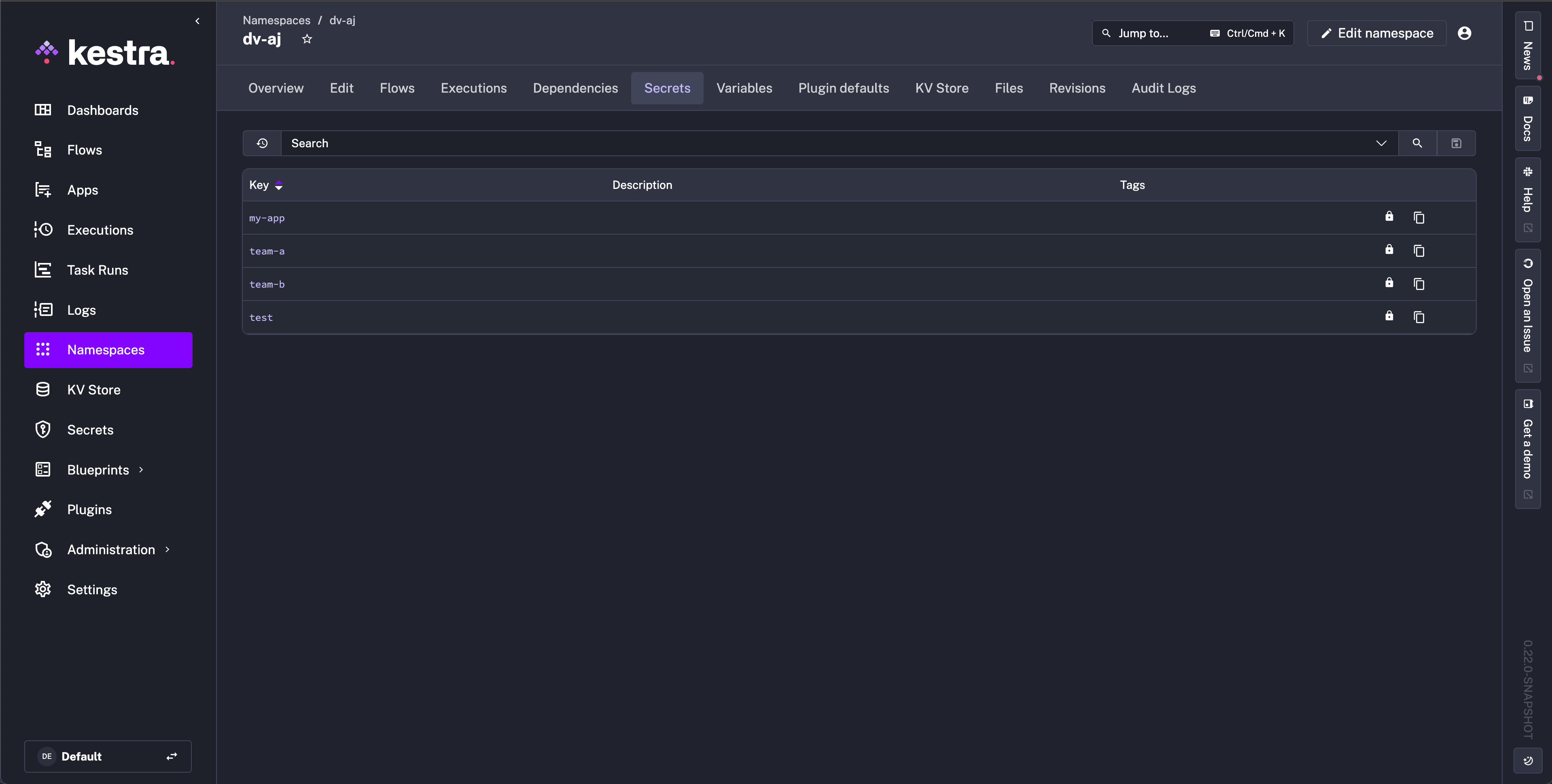
The UI clearly distinguishes externally managed secrets with a lock icon, providing visual confirmation of their read-only status. These secrets cannot be edited, created, or deleted through Kestra, ensuring your security policies remain enforced at the source.
For detailed instructions on how to configure and use this feature, visit the Read-Only Secrets Backends documentation.
afterExecutionThis release introduces a new flow property called afterExecution, allowing you to run tasks after the execution of the flow e.g. to send different alerts depending on some condition. For instance, you can leverage this new property in combination with the runIf task property to send a different Slack message for successful and failed Executions — expand the example below to see it in action.
id: alerts_demonamespace: company.team
tasks:  - id: hello    type: io.kestra.plugin.core.log.Log    message: Hello World!
  - id: fail    type: io.kestra.plugin.core.execution.Fail
afterExecution:  - id: onSuccess    runIf: "{{execution.state == 'SUCCESS'}}"    type: io.kestra.plugin.slack.notifications.SlackIncomingWebhook    url: https://hooks.slack.com/services/xxxxx    payload: |      {        "text": "{{flow.namespace}}.{{flow.id}} finished successfully!"      }
- id: onFailure runIf: "{{execution.state == 'FAILED'}}" type: io.kestra.plugin.slack.notifications.SlackIncomingWebhook url: https://hooks.slack.com/services/xxxxx payload: | { "text": "Oh no, {{flow.namespace}}.{{flow.id}} failed!!!" }The afterExecution differs from the finally property because:
finally runs tasks at the end of the flow while the execution is still in a RUNNING stateafterExecution runs tasks after the Execution finishes in a terminal state like SUCCESS or FAILED.You might use afterExecution to send custom notifications after a flow completes, regardless of whether it succeeded or failed. Unlike finally, which runs while the execution is still in progress, afterExecution ensures these tasks only begin after the entire execution finishes.
For detailed instructions on how to configure and use this feature, check out our comprehensive documentation on afterExecution.
Namespace files can now be shared and reused simply by referencing a given namespace directly in your script task. If you define multiple namespaces, Kestra will fetch the corresponding namespace files in the same order the namespaces are listed. If you have the same file(s) defined in multiple namespaces, the later namespaces will override files from earlier ones.
id: namespace_files_inheritancenamespace: company
tasks:  - id: ns    type: io.kestra.plugin.scripts.python.Commands    namespaceFiles:      enabled: true      namespaces:        - "company"        - "company.team"        - "company.team.myproject"    commands:      - python main.py
For detailed instructions on how to configure and use this feature, check the Namespace Files documentation.
We’ve introduced native inheritance for KV pairs so that the kv('NAME') function works the same way as secret('NAME') — first looking for the NAME key in the current namespace and then in the parent namespace if it’s not found, then in the parent of the parent, and so on.
You can still provide a namespace explicitly as follows: kv('KEY_NAME', namespace='NAMESPACE_NAME').
In the example below, the first task will be able to retrieve the key-value pair defined upstream in the company namespace (but not present in company.team namespace). The second task is able to get the key-value pair defined from another namespace explicitly provided in the kv() function.
For more details on how to use and configure the KV pairs, check our KV Store documentation.
id: key_value_inheritancenamespace: company.team
tasks:  - id: get_kv_from_parent    type: io.kestra.plugin.core.log.Log    message: "{{ kv('my_key_from_company_namespace') }}"
- id: get_kv_from_another_namespace type: io.kestra.plugin.core.log.Log message: "{{ kv('test_value', namespace='test') }}"Enterprise environments require robust authentication and user management capabilities. Kestra 0.22 introduces LDAP integration to synchronize users, groups and authentication credentials from your existing LDAP directory.
Key features include:
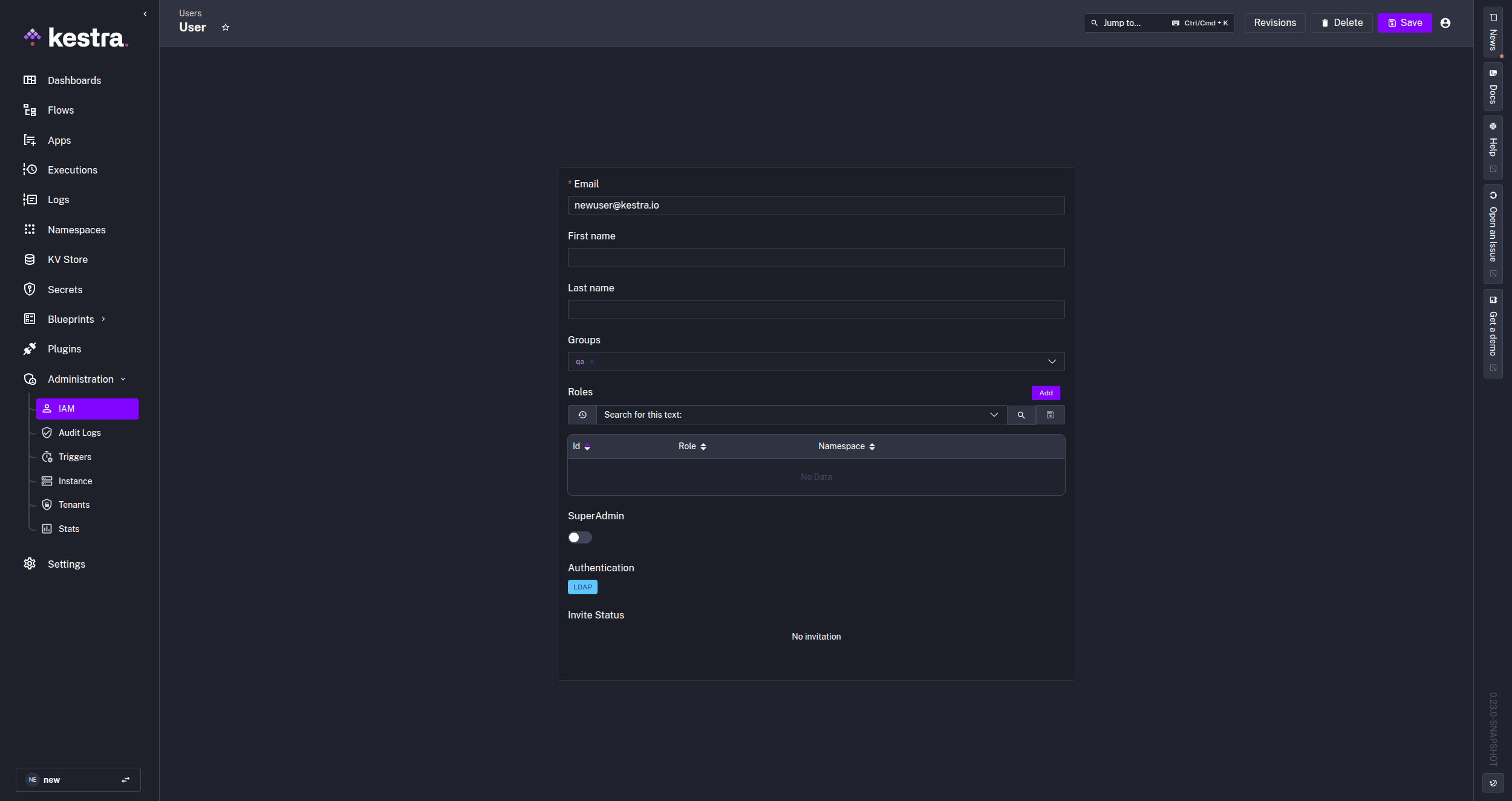
Once LDAP integration is set up, users logging into Kestra for the first time will have their credentials verified against the LDAP directory. Users belonging to groups defined in the directory will see those groups created in Kestra, or if a given group already exists in Kestra, LDAP users will be automatically added to it after login.
For detailed information on setting up and configuring LDAP in Kestra, check our LDAP documentation.
This release adds a new AuditLogShipper and new log exporter plugins to the Enterprise Edition, including:
The cloud storage log exporters provide a cost-effective long-term storage solution for your logs.
Additionally, the new AuditLogShipper plugin allows you to export audit trails to multiple destinations, providing a convenient way to analyze comprehensive record of all user and service account actions within your Kestra instance.
For detailed information on setting up and configuring log shippers, check the Log Shipper documentation.
This release introduces new global views for managing secrets and key-value pairs across your entire Kestra instance:
queues database table to take up to 90% less database space due to aggresive cleaning and perform better. Queues can now sustain a much higher Executions throughput with lower database load. We also haven’t forgotten about the Kafka runner, which also benefits from latency improvements due to configuration finetuning.{{tasks.your_task_id.state }} context returns a task run’s state while the {{execution.state}} allows to retrieve the flow execution state.Here are UI enhancements worth noting:
{{kv('my_value')}}) in KV Store and Secret tables for easier referenceSettings and toggle the Multi Panel Editor on.Our website performance has also significantly improved following Nuxt 2 to 3 migration, including a redesigned plugin page for easier navigation of plugin properties and outputs
We’re pleased to introduce GraalVM integration to Kestra. GraalVM is a high-performance runtime that supports multiple programming languages, offering significant performance advantages through its advanced just-in-time compilation technology.
This integration enables in-memory execution of Python, JavaScript, and Ruby within Kestra workflows, eliminating the requirement for separate language installations or Docker images. The GraalVM plugin is currently in Beta, and we welcome your feedback on this exciting new feature.
id: parse_json_datanamespace: company.team
tasks:  - id: download    type: io.kestra.plugin.core.http.Download    uri: http://xkcd.com/info.0.json
- id: graal type: io.kestra.plugin.graalvm.python.Eval outputs: - data script: | data = {{ read(outputs.download.uri )}} data["next_month"] = int(data["month"]) + 1This release resolves several issues and enhances persistence capabilities for operations involving DuckDB and SQLite databases.
The new outputDbFile boolean property enables both plugin tasks to fully support data persistence across your workflow tasks.
id: duckdb_demonamespace: company.team
tasks:  - id: write    type: io.kestra.plugin.core.storage.Write    content: |      field1,field2      1,A      2,A      3,B
  - id: duckdb    type: io.kestra.plugin.jdbc.duckdb.Query    inputFiles:      data.csv: "{{ outputs.write.uri }}"    sql: CREATE TABLE my_data AS (SELECT * FROM read_csv_auto('data.csv'));    outputDbFile: true
  - id: downstream    type: io.kestra.plugin.jdbc.duckdb.Query    databaseUri: "{{ outputs.duckdb.databaseUri }}"    sql: SELECT field2, SUM(field1) FROM my_data GROUP BY field2;    fetchType: STORE
Also, it’s now possible to avoid using workingDir() Pebble method in DuckDB to read local files.
id: duckdb_no_working_dirnamespace: company.team
tasks:
  - id: download    type: io.kestra.plugin.core.http.Download    uri: https://huggingface.co/datasets/kestra/datasets/raw/main/csv/orders.csv

- id: query type: io.kestra.plugin.jdbc.duckdb.Query fetchType: STORE inputFiles: data.csv: "{{ outputs.download.uri }}" sql: SELECT * FROM read_csv_auto('data.csv');Developers can now streamline their Snowflake workflows using the new Snowflake CLI, enabling quick creation, management, and deployment of applications across Snowpark, Streamlit, native app frameworks and all the other possibilities offered by Snowflake. All of this with the automation power of Kestra!
id: run_snowpark_functionnamespace: company.team
tasks:  - id: snowflake_cli    type: io.kestra.plugin.jdbc.snowflake.SnowflakeCLI    commands:      - snow --info      - snow snowpark execute function "process_data()"
pluginDefaults: - type: io.kestra.plugin.jdbc.snowflake values: account: "{{secret('SNOWFLAKE_ACCOUNT')}}" username: "{{secret('SNOWFLAKE_USERNAME')}}" password: "{{secret('SNOWFLAKE_PASSWORD')}}"We’ve also introduced a new plugin for MariaDB, including Query, Queries and Trigger, allowing you to interact with MariaDB databases directly from your Kestra workflows. Check out the MariaDB plugin documentation for more details.
We’ve expanded our ServiceNow integration with a new Get task and improvements to other ServiceNow plugins. This addition allows you to retrieve data from ServiceNow instances directly within your Kestra workflows. Check out the ServiceNow plugin documentation to learn more.
Kestra 0.22.0 introduces several new Pebble functions that enhance your workflow capabilities:
{{ fileSize(outputs.download.uri) }} — Returns the size of the file present at the given URI location.{{ fileExists(outputs.download.uri) }} — Returns true if file is present at the given URI location.{{ isFileEmpty(outputs.download.uri) }} — Returns true if file present at the given URI location is empty.{{ kestra.environment }} — Returns the name given to your environment. This value should be configured in the Kestra configuration.{{ kestra.url }} — Returns the environment’s configured URL. This value should be configured in the Kestra configuration.Thank you to everyone who contributed to this release through feedback, bug reports, and pull requests. If you want to become a Kestra contributor, check out our Contributing Guide and the list of good first issues. With the new DevContainer support, it’s easier than ever to start contributing to Kestra.
Special thanks to V-Rico for their pull request resolving an XSS vulnerability in Kestra.
This post covered new features and enhancements added in Kestra 0.22.0. Which of them are your favorites? What should we add next? Your feedback is always appreciated.
If you have any questions, reach out via Slack or open a GitHub issue.
If you like the project, give us a GitHub star ⭐️ and join the community.

Stay up to date with the latest features and changes to Kestra