Isolate Task Execution in Docker Containers
For the complete documentation index, see llms.txt. For a full content snapshot, see llms-full.txt. Append.mdto anykestra.io/docs/*URL for plain Markdown.
Run tasks as Docker containers.
Run tasks in containers with the Docker runner
The following example shows how to use the Docker task runner to execute commands in a Docker container:
yamlid: docker_task_runner
namespace: company.team

tasks:
  - id: shell
    type: io.kestra.plugin.scripts.shell.Commands
    containerImage: ubuntu
    taskRunner:
      type: io.kestra.plugin.scripts.runner.docker.Docker
      cpu:
        cpus: 1
    commands:
      - echo "Hello World!"
Once you specify the taskRunner type, you get autocompletion and validation for the runner-specific properties. In the example above, the task allocates one CPU to the container.
The container does not start in the Kestra working directory. Use {{ workingDir }} or WORKING_DIR to reference input and output files — do not rely on relative paths.
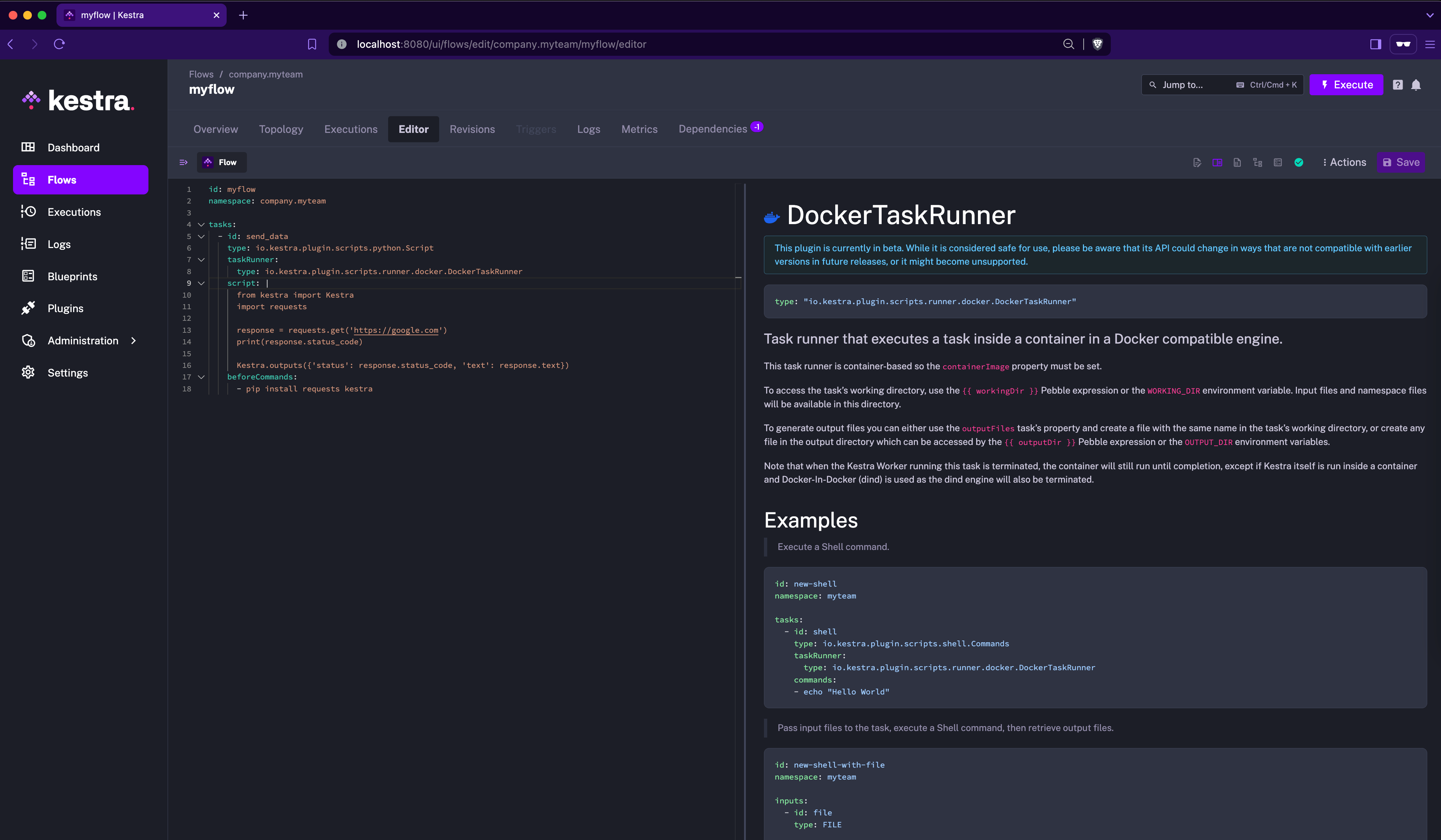
Docker task runner properties
The only required property when using the Docker task runner is containerImage, which must be set on the script task. The image can come from a public or private registry.
Additionally, when using the Docker task runner, you can configure memory allocation, volumes, environment variables, and more. For a full list of available properties, refer to the Docker plugin documentation or explore them in the built-in Code Editor in the Kestra UI.
The Docker task runner executes the script task as a container in a Docker-compatible engine. This means you can use it to run scripts within a Kubernetes cluster using Docker-In-Docker (DinD) or in a local Docker engine.
File handling strategy
fileHandlingStrategy sets how the task's files, such as input files, output files, and namespace files, reach the container:
VOLUME(default): Kestra creates a Docker volume and copies the files into it.MOUNT: Kestra bind-mounts the worker's working directory into the container at the same path, so no files are copied. This saves time when a task reads or writes large files.
yamlid: docker_mount
namespace: company.team

tasks:
  - id: script
    type: io.kestra.plugin.scripts.python.Script
    containerImage: python:3.13-slim
    taskRunner:
      type: io.kestra.plugin.scripts.runner.docker.Docker
      fileHandlingStrategy: MOUNT
    script: print("hello")
With MOUNT, the Docker daemon must reach the worker's temporary directory, set by kestra.tasks.tmp-dir.path, at the same absolute path. Otherwise, the task fails. When Kestra runs in a container, bind-mount that directory from the Docker host at the same path, as the Kestra Docker Compose file does with /tmp/kestra-wd:/tmp/kestra-wd. If the Docker daemon can't access the worker's file system, for example a remote Docker engine, use VOLUME.
Task runner behavior in a failure scenario
In general, each task runner container initiated by Kestra will continue running until the task completes, even if the Kestra worker is terminated (for example, due to a crash). However, there are a few caveats depending on how Kestra and the task runner are deployed.
Kestra running in a Docker container, task runner running in DinD
When Kestra runs in a Docker container and uses DinD for task runners, terminating the Kestra container will also terminate the DinD container and any running task containers inside it. No container is automatically restarted.
Kestra running in Kubernetes, task runner running in DinD
When Kestra and DinD are deployed in the same pod in a Kubernetes environment, the pod will restart if the Kestra Worker fails. This ensures that both the DinD container and any task runner containers are restarted.
Kestra deployed with Docker Compose, task runner running in DinD
When using Docker Compose, Kestra and DinD containers can be managed independently. Restarting the Kestra container does not automatically restart the DinD container. Therefore, task runners running inside DinD may continue running even if Kestra is restarted.
Insecure registry
The Docker task runner relies on the Docker daemon for registry configuration. If you need to use an insecure (HTTP) registry, it must be configured at the daemon level, not within the task or flow — make sure that the insecure registry is configured on the host machine where your Kestra server is running.
For example, if your registry is at 10.10.1.5:5000, add the following to /etc/docker/daemon.json, then restart the Docker daemon:
json{
  "insecure-registries": ["10.10.1.5:5000"]
}
Important notes:
- Do not include
http://orhttps://in the registry address. - The
insecure-registriessetting cannot be provided in the task configuration; it has no effect there. - Restart the Docker daemon after updating this file.
You can then reference your registry directly in the flow:
yamlid: docker_example
namespace: demo

tasks:
  - id: my_command
    type: io.kestra.plugin.scripts.shell.Commands
    taskRunner:
      type: io.kestra.plugin.scripts.runner.docker.Docker
    containerImage: 10.10.1.5:5000/my-image
    commands:
      - echo "Hello World!"