Reduce Repetition by Setting Global Plugin Defaults
For the complete documentation index, see llms.txt. For a full content snapshot, see llms-full.txt. Append.mdto anykestra.io/docs/*URL for plain Markdown.
Plugin defaults are default values applied to every task of a given type within one or more flows.
They work like default function arguments, helping you avoid repetition when tasks or plugins frequently use the same values.
Plugin Defaults on a flow-level
You can define plugin defaults in the pluginDefaults section to avoid repeating properties across multiple tasks of the same type. For example:
yamlid: api_python_sql
namespace: company.team

tasks:
  - id: api
    type: io.kestra.plugin.core.http.Request
    uri: https://dummyjson.com/products

  - id: hello
    type: io.kestra.plugin.scripts.python.Script
    script: |
      print("Hello World!")

  - id: python
    type: io.kestra.plugin.scripts.python.Script
    beforeCommands:
      - pip install polars
    outputFiles:
      - "products.csv"
    script: |
      import polars as pl
      data = {{outputs.api.body | jq('.products') | first}}
      df = pl.from_dicts(data)
      df.glimpse()
      df.select(["brand", "price"]).write_csv("products.csv")

  - id: sql_query
    type: io.kestra.plugin.jdbc.duckdb.Query
    inputFiles:
      in.csv: "{{ outputs.python.outputFiles['products.csv'] }}"
    sql: |
      SELECT brand, round(avg(price), 2) as avg_price
      FROM read_csv_auto('{{workingDir}}/in.csv', header=True)
      GROUP BY brand
      ORDER BY avg_price DESC;
    store: true

pluginDefaults:
  - type: io.kestra.plugin.scripts.python.Script
    values:
      taskRunner:
        type: io.kestra.plugin.scripts.runner.docker.Docker
        pullPolicy: ALWAYS # set it to NEVER to use a local image
      containerImage: python:slim
In this example, Docker and Python configurations are defined once in pluginDefaults, instead of being repeated in every task. This approach helps to streamline the configuration process and reduce the chances of errors caused by inconsistent settings across different tasks.
If you move required attributes into pluginDefaults, the UI code editor may show warnings about missing arguments, because defaults are only resolved at runtime. As long as pluginDefaults contains the relevant arguments, you can save the flow and ignore the warning displayed in the editor.
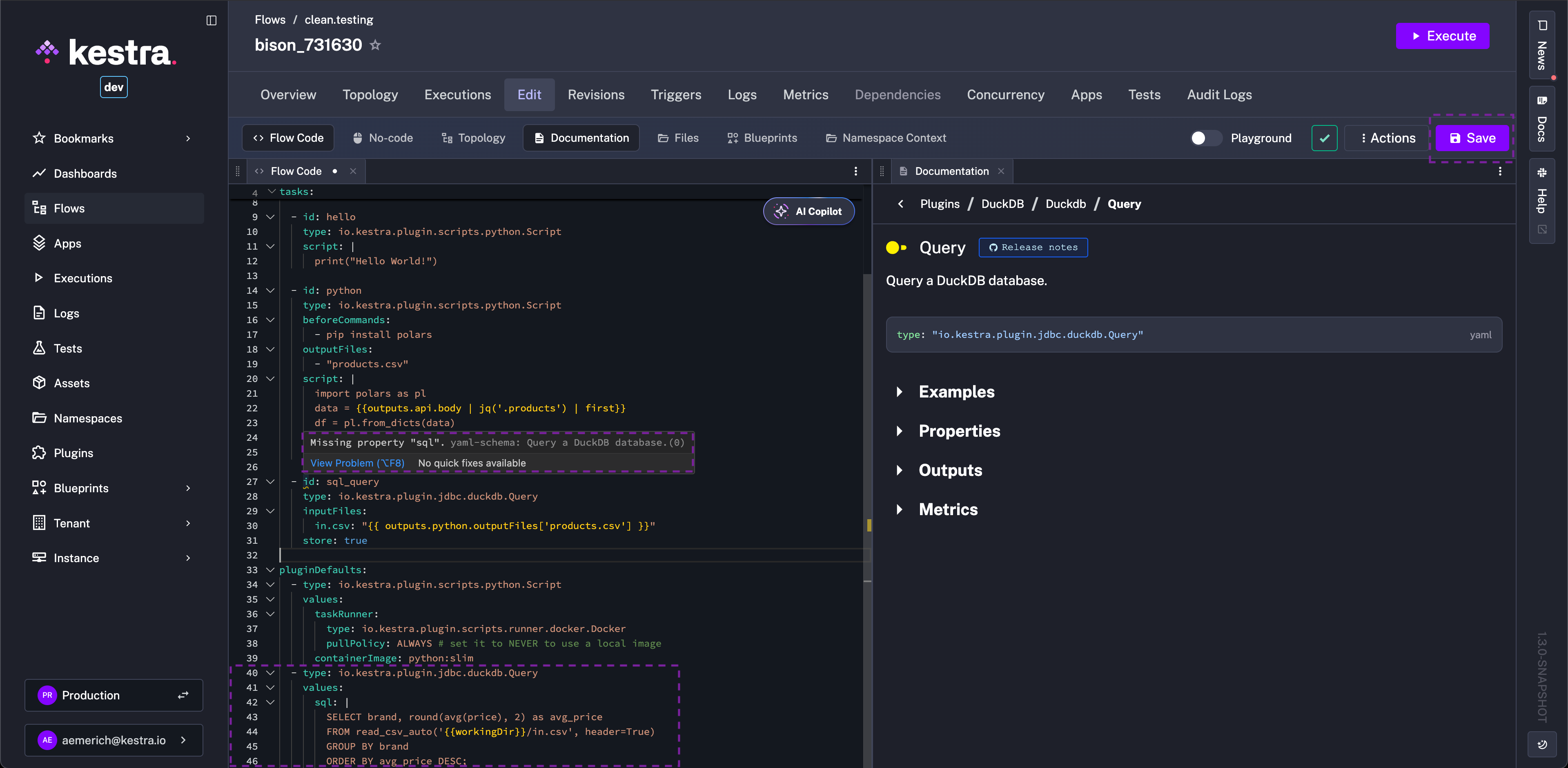
forced attribute in pluginDefaults
Setting forced: true in pluginDefaults ensures that default values override any properties defined directly in the task. By default, the value of the forced attribute is false.
Precedence of plugin defaults
Kestra applies non-forced plugin defaults from lowest to highest priority:
- Global plugin defaults (
kestra.plugins.defaults) - Namespace-level plugin defaults
- Flow-level
pluginDefaults - Properties defined directly on the task
For forced defaults the direction reverses — the most privileged level wins:
- Global forced defaults (
kestra.plugins.defaultswithforced: true) ← highest priority - Namespace-level forced defaults
- Flow-level forced defaults
This means a global forced default cannot be overridden by a namespace-level forced default. Use global forced defaults for platform-wide policies that must apply unconditionally.
Plugin defaults in a global configuration
Plugin defaults can also be defined globally in your Kestra configuration, applying the same values across all flows. This is useful when you want to apply the same defaults across multiple flows. Let's say that you want to centrally manage the default values for the io.kestra.plugin.aws plugin to reuse the same credentials and region across all your flows. You can add the following to your Kestra configuration:
yamlkestra:
  plugins:
    defaults:
      - type: io.kestra.plugin.aws
        values:
          accessKeyId: "{{ secret('AWS_ACCESS_KEY_ID') }}"
          secretKeyId: "{{ secret('AWS_SECRET_ACCESS_KEY') }}"
          region: "us-east-1"
If you want to set defaults only for a specific task, you can do that too:
yamlkestra:
  plugins:
    defaults:
      - type: io.kestra.plugin.aws.s3.Upload
        values:
          accessKeyId: "{{ secret('AWS_ACCESS_KEY_ID') }}"
          secretKeyId: "{{ secret('AWS_SECRET_ACCESS_KEY') }}"
          region: "us-east-1"
Nested property values
For plugins with nested properties, define the values using the same nested YAML structure you would use in a flow. For example, to set resource limits for the Kubernetes task runner:
yamlkestra:
  plugins:
    defaults:
      - type: io.kestra.plugin.ee.kubernetes.runner.Kubernetes
        forced: true
        values:
          resources:
            limit:
              cpu: "1"
              memory: "128Mi"
This is equivalent to writing the same nested structure directly in a task. The forced: true attribute ensures these defaults override any values set at the task level.
Plugin Defaults Enterprise Edition
In the Enterprise Edition or Kestra Cloud, plugin defaults can be configured directly in the UI under the Plugin Defaults tab of a Namespace.
You can create them via form or directly as YAML code for the Namespace:
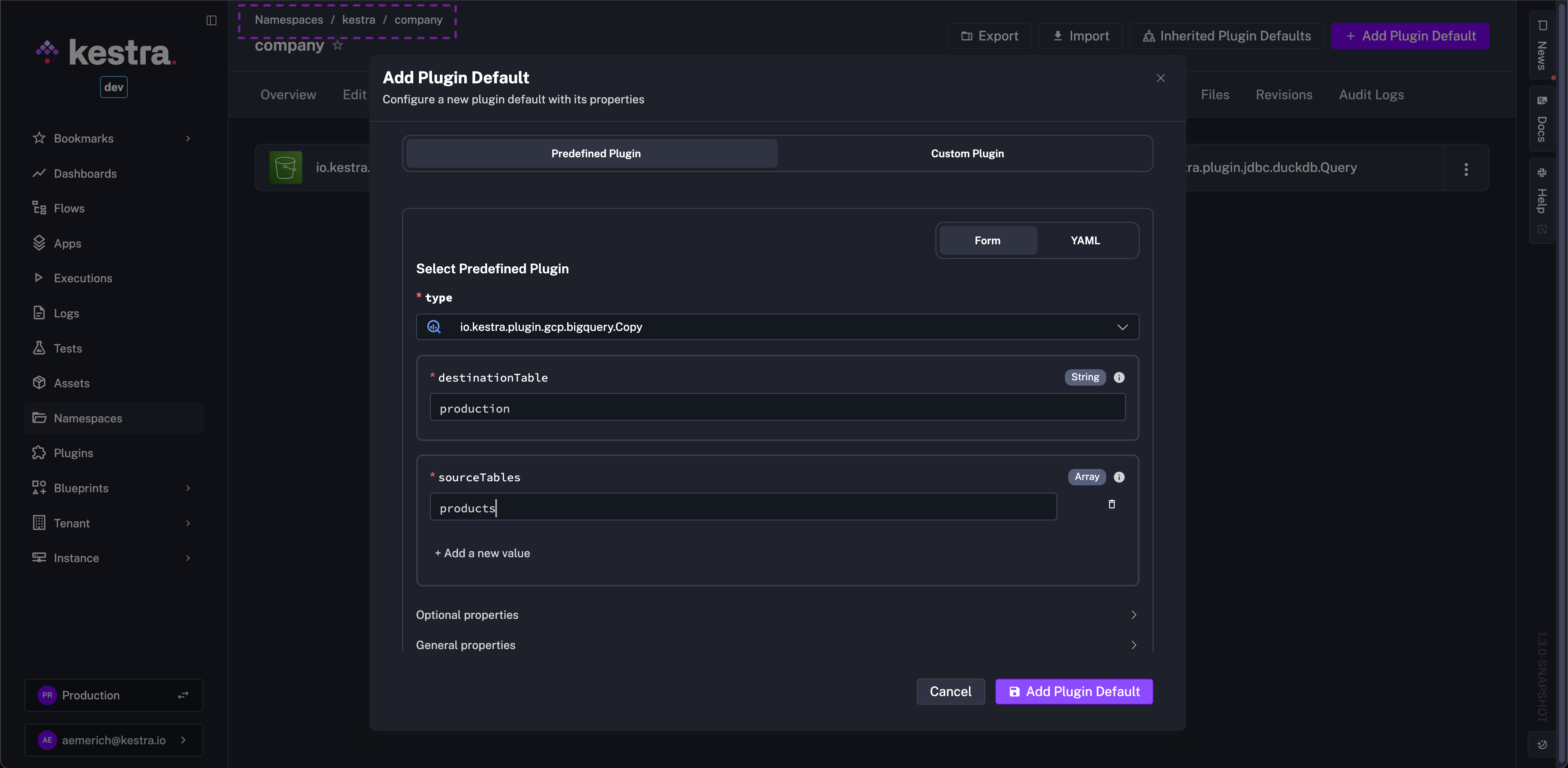
Or click on YAML and, for example, paste the following:
yaml- type: io.kestra.plugin.aws.s3.Upload
  values:
    accessKeyId: "{{ secret('AWS_ACCESS_KEY_ID') }}"
    secretKeyId: "{{ secret('AWS_SECRET_ACCESS_KEY') }}"
    region: "us-east-1"
Inherited Plugin Defaults
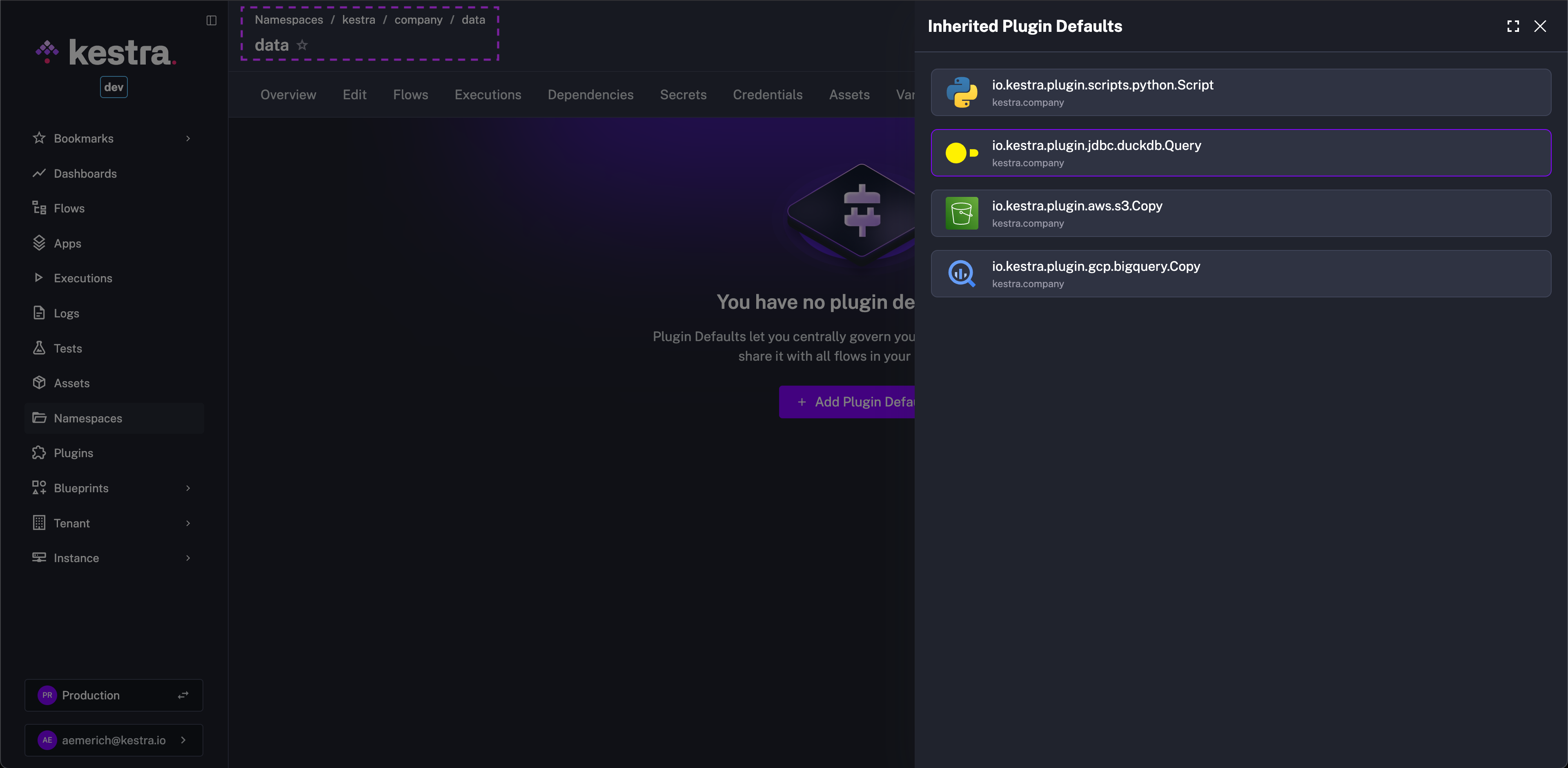
Plugin Defaults are inherited from the parent Namespace to children Namespaces. In the example above, the image shows the Plugin Default was created in the kestra.company Namespace. Navigating to the Plugin Defaults tab of a child Namespace, for example kestra.company.data, shows the parent Namespace's Plugin Defaults. This avoids having to recreate Plugin Defaults across children Namespaces, but it still allows for the children Namespaces to maintain their own isolated defaults if needed.