Set Up Workflow Failure Alerts via Slack and PagerDuty
For the complete documentation index, see llms.txt. For a full content snapshot, see llms-full.txt. Append.mdto anykestra.io/docs/*URL for plain Markdown.
Configure alerts that fire whenever a workflow fails.
Alerting is essential to keeping production systems reliable. Kestra makes it easy with multiple ways to attach alerts to workflows so you always know what’s happening.
Kestra’s Notifications plugin group ships tasks for popular platforms such as Slack, Teams, and PagerDuty, making it straightforward to configure alerts directly inside workflows.
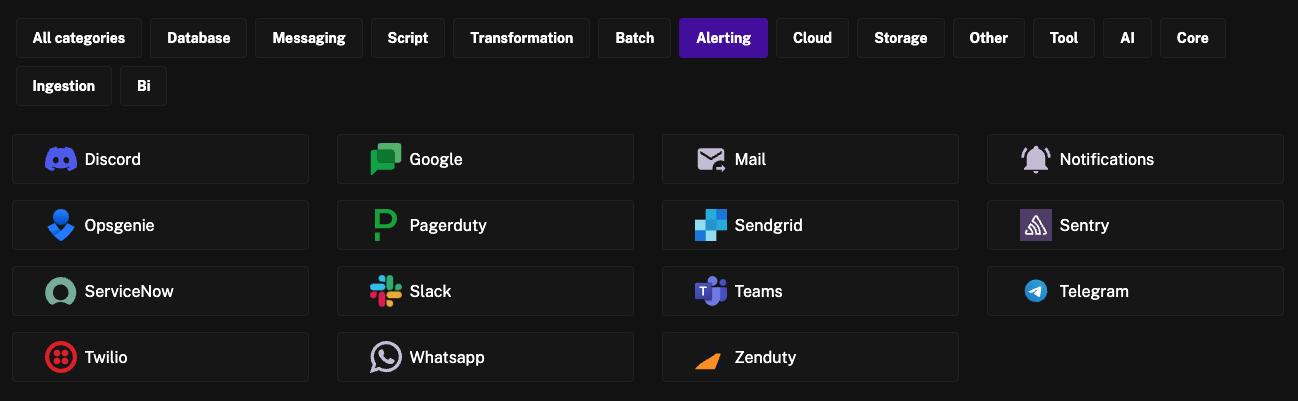
Each platform exposes two task types:
- Execution task – sends execution metadata directly in the notification, including a link to the run, ID, namespace, flow name, start time, duration, and final status.
- Send task – sends a custom message, useful when you want to describe the state of a specific task or output.
For this walkthrough we’ll use the SlackExecution task to send a detailed execution summary.
errors property
If we add the task directly to a workflow, it runs every time — which isn’t useful. Instead, place it in the errors block so it only fires when the execution fails.
Just like the tasks block, define SlackExecution under errors:
yamlerrors:
  - id: alert
    type: io.kestra.plugin.slack.notifications.SlackExecution
    channel: "#general"
    url: "{{ secret('SLACK_WEBHOOK') }}"
When executed, it looks like this in Slack:
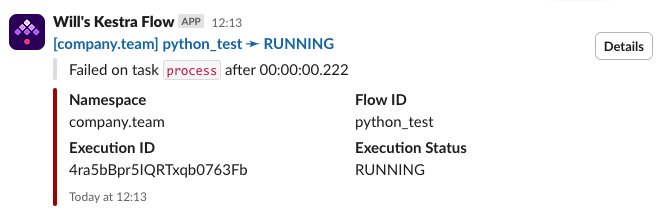
Use errors when you only want failure alerts. If you need different notifications for different final states such as SUCCESS, FAILED, or WARNING, use afterExecution instead.
Subflows
Copying that snippet into every flow is repetitive and hard to maintain. Instead, move the alerting logic into a subflow and reference it from any workflow that needs alerts.
Move the errors tasks into their own subflow so the errors block only calls that subflow. Update the alert logic once and every consumer benefits.
Subflow containing the alert logic:
yamlid: slack_alert
namespace: system

tasks:
  - id: alert
    type: io.kestra.plugin.slack.notifications.SlackExecution
    channel: "#general"
    url: "{{ secret('SLACK_WEBHOOK') }}"
Parent flow that calls the subflow only when an error occurs:
yamlerrors:
  - id: alert
    type: io.kestra.plugin.core.flow.Subflow
    flowId: slack_alert
    namespace: system
Flow trigger
Subflows cut down on duplication, but you still need the errors block in every flow. For a fully centralized approach, use a Flow trigger that reacts to execution status. Trigger conditions let you target specific states, such as FAILED or WARNING, and you can define separate triggers per status if needed.
yamlid: failure_alert_slack
namespace: system

tasks:
  - id: send_alert
    type: io.kestra.plugin.slack.notifications.SlackExecution
    url: "{{ secret('SLACK_WEBHOOK') }}"
    channel: "#general"
    executionId: "{{ trigger.executionId }}"

triggers:
  - id: on_failure
    type: io.kestra.plugin.core.trigger.Flow
    conditions:
      - type: io.kestra.plugin.core.condition.ExecutionStatus
        in:
          - FAILED
          - WARNING
With multiple options for automatic alerting in Kestra, you can choose the level of centralization and customization that fits each use case.