Parse, Query, and Transform JSON Data in Workflows
For the complete documentation index, see llms.txt. For a full content snapshot, see llms-full.txt. Append.mdto anykestra.io/docs/*URL for plain Markdown.
Interact with JSONs using expressions.
APIs often use JSON bodies to send data. Being able to interact with them in your workflows is crucial to any API related orchestration.
Making a Request Inside of Your Workflow
The API https://kestra.io/api/mock will return a JSON body that looks like the following:
{ "title":"Success", "method":"GET", "params":{}, "code":200, "createdAt":"2025-07-04T15:42:29.545Z", "body":"Request processed successfully"}Kestra can make a request to this API using the Request task. This will give us an output called body containing our JSON body. To access this in later tasks, we can use an expression like {{ outputs.request.body }}. This will return the full body:
id: json_demonamespace: company.team
tasks:  - id: request    type: io.kestra.plugin.core.http.Request    uri: https://kestra.io/api/mock
  - id: log    type: io.kestra.plugin.core.log.Log    message: "My response: {{ outputs.request.body }}"
The log message returns:
My response: {"title":"Success","method":"GET","params":{},"code":200,"createdAt":"2025-07-04T16:36:44.193Z","body":"Request processed successfully"}Accessing Part of the Body
However, if the body is large, we may only want to access a certain part of it. To do this, jq is required as the expression returns a string, not a JSON. Using jq, the JSON can be parsed and accessed:
{{ outputs.request.body | jq('.title') | first }}This will access the key title from the JSON. jq will return the result in an array when used within an expression. To access the value, add the function first to the end of the expression to remove it from the array.
We can put that into the example:
id: json_demonamespace: company.team
tasks:  - id: request    type: io.kestra.plugin.core.http.Request    uri: https://kestra.io/api/mock
  - id: log    type: io.kestra.plugin.core.log.Log    message: "My response: {{ outputs.request.body | jq('.title') | first }}"
The log message says My response: Success.
Nested JSON
If the JSON you’re working with has multiple levels, you can extend the jq expression.
In this example, the API https://kestra.io/api/mock?example=test has additional parameters which return the following body with nesting:
{ "title": "Success", "method": "GET", "params": { "example": "test" }, "code": 200, "createdAt": "2025-07-04T16:39:02.871Z", "body": "Request processed successfully"}The jq expression can be extended as follows to access example:
{{ outputs.request.body | jq('.params.example') | first }}It looks like this when added to the workflow:
id: json_demonamespace: company.team
tasks:  - id: request    type: io.kestra.plugin.core.http.Request    uri: https://kestra.io/api/mock?example=test
  - id: log    type: io.kestra.plugin.core.log.Log    message: "My response: {{ outputs.request.body | jq('.params.example') | first }}"
The log message returns My response: test.
Debugging Expressions
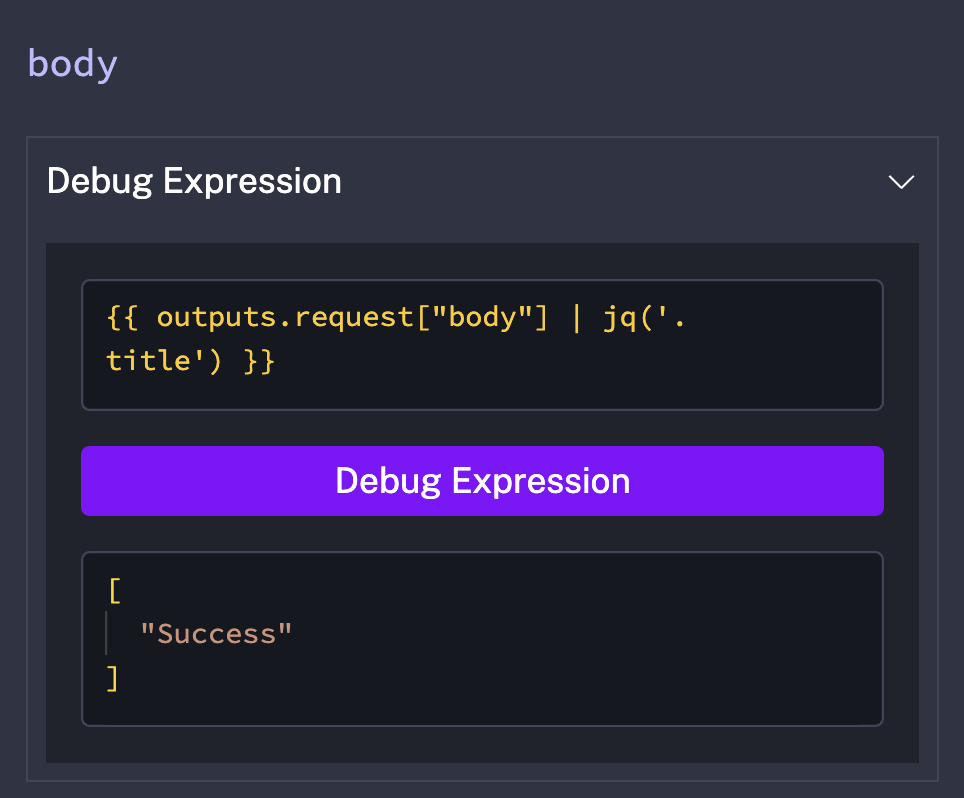
You can use Debug Expression to test expressions without running your workflow. This is useful for inspecting different parts of a JSON structure.
Was this page helpful?