Track, Inspect & Manage Flow Runs via Gantt and Topology Views
For the complete documentation index, see llms.txt. For a full content snapshot, see llms-full.txt. Append.mdto anykestra.io/docs/*URL for plain Markdown.
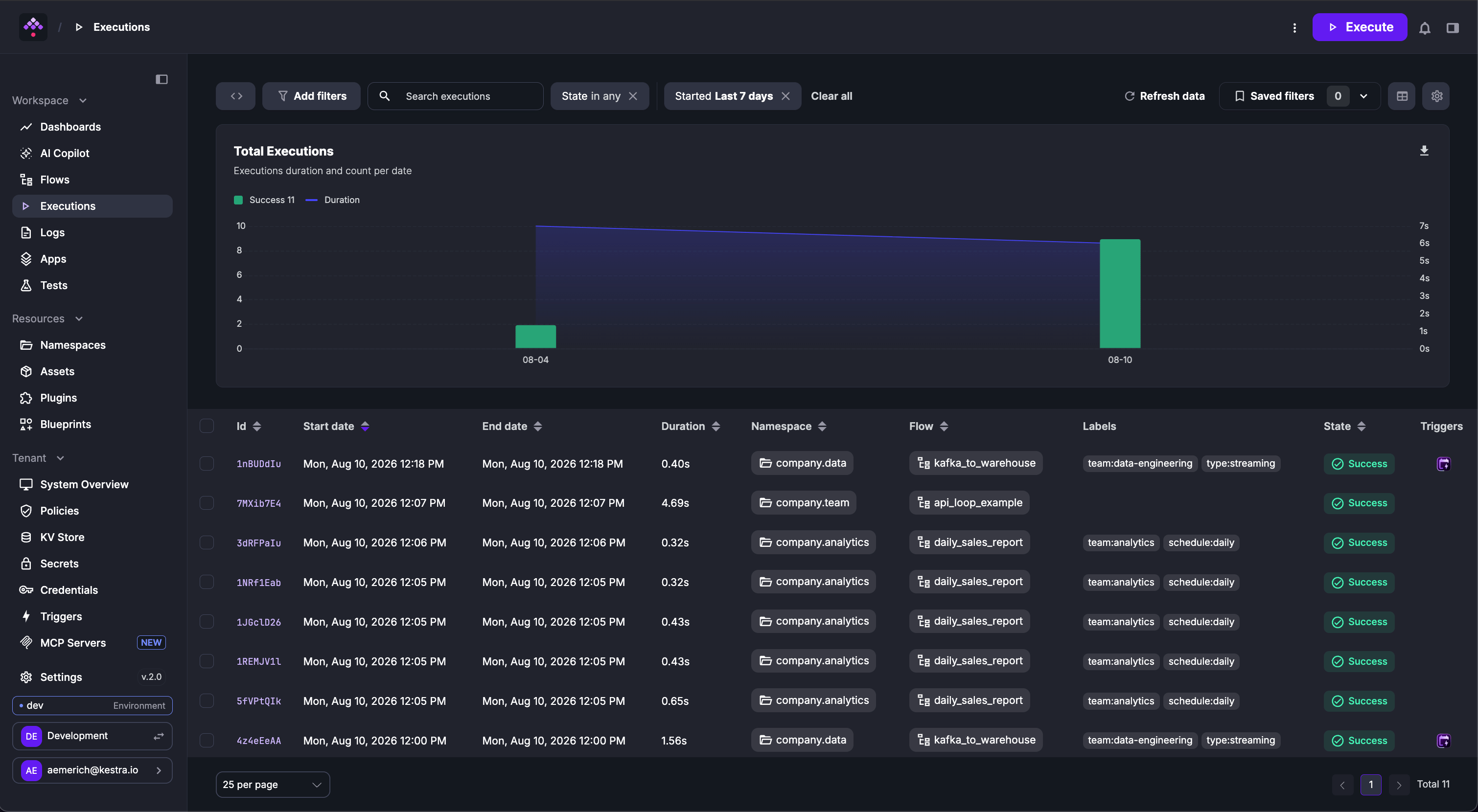
The Executions page lists all flow executions across the tenant.
Selecting one or more executions enables bulk actions (Restart, Kill, Pause, Force Run). An execution ID opens to the execution detail view.
Overview
The Overview tab displays the details of a flow execution.
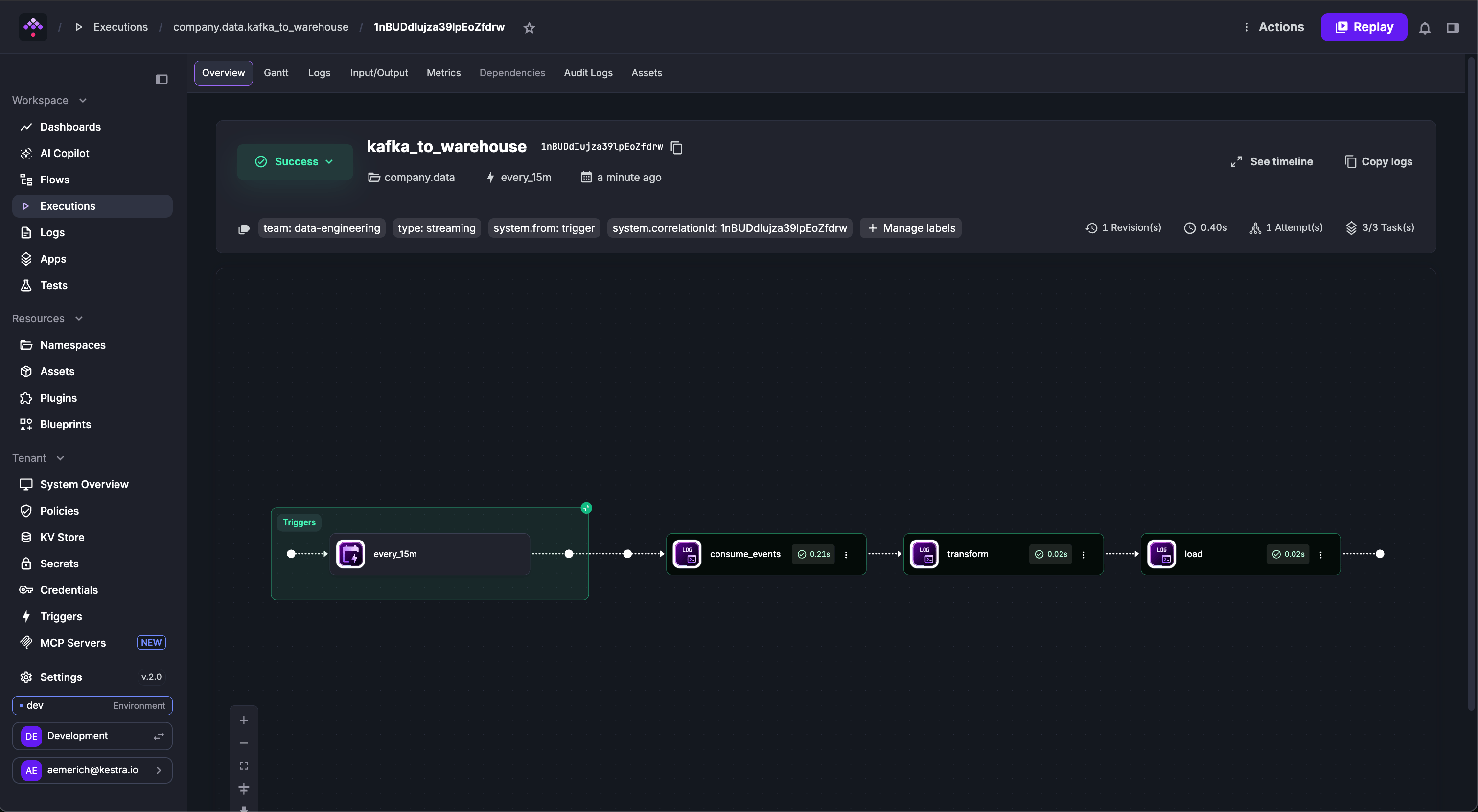
The Overview tab provides these actions:
- Set Labels — adds a label to the execution for tracking or filtering.
- Change State — manually updates the execution state.
- Force Run — forces the execution to run. May create duplicate task executions.
The Previous and Next Execution buttons step through past and scheduled future executions.
- Execution state is displayed along with a timestamped state history from
CREATEDtoRUNNINGtoSUCCESS(or any other possible state). - Flow Variables and Inputs are clearly listed along with execution details including dates and the corresponding namespace and flow.
- Flow outputs and trigger data are captured with expression rendering.
The Overview tab also supports Replay and Pause, and displays execution history for comparing previous runs.
The Overview tab also embeds a topology diagram showing each task’s state in the execution graph — green for SUCCESS, red for FAILED. Click any task node to access its logs, replay it, or change its status.
Filters
Executions can be filtered by namespace, flow ID, labels, state, start date, or free text. Applied filters can be saved and results exported. The following video demonstrates the filters in action:
Gantt
The Gantt tab visualizes each task’s duration. From this view, a specific task can be replayed, its source code viewed, status changed, or metrics and outputs inspected.
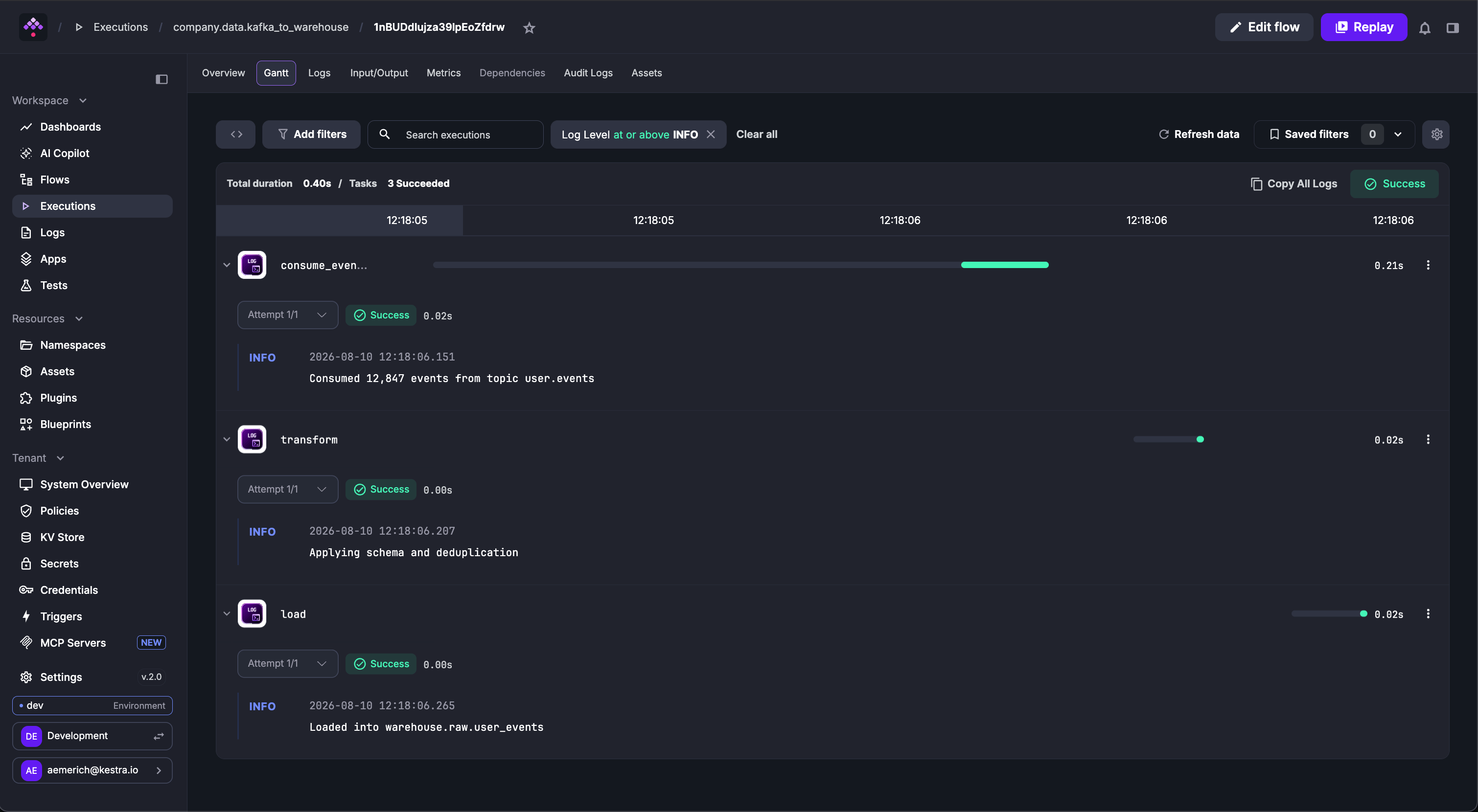
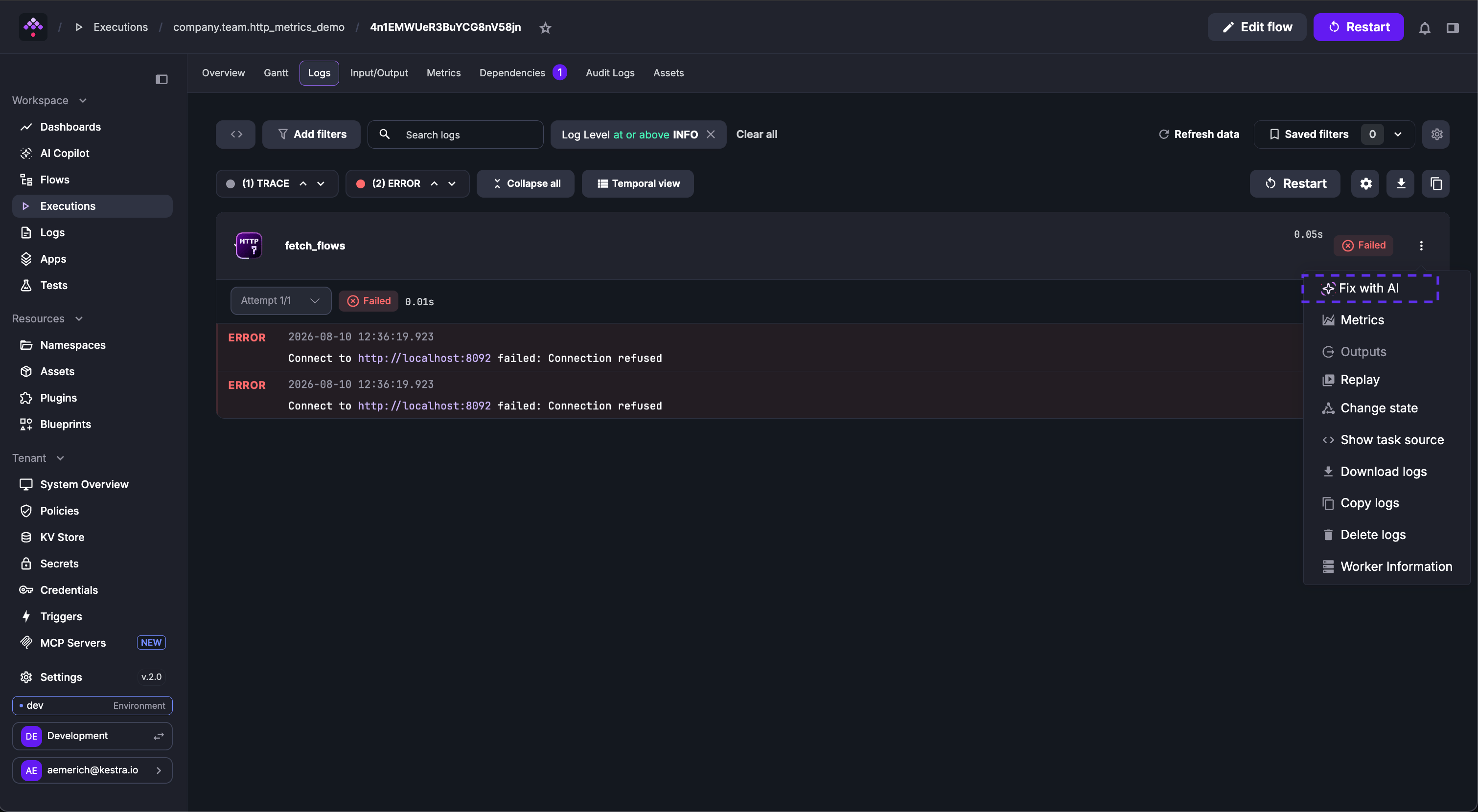
The Gantt view displays all successful and failed tasks in the execution. For failed tasks, use Fix with AI from the task menu to open the flow editor with AI Copilot pre-loaded with the error context.
Logs
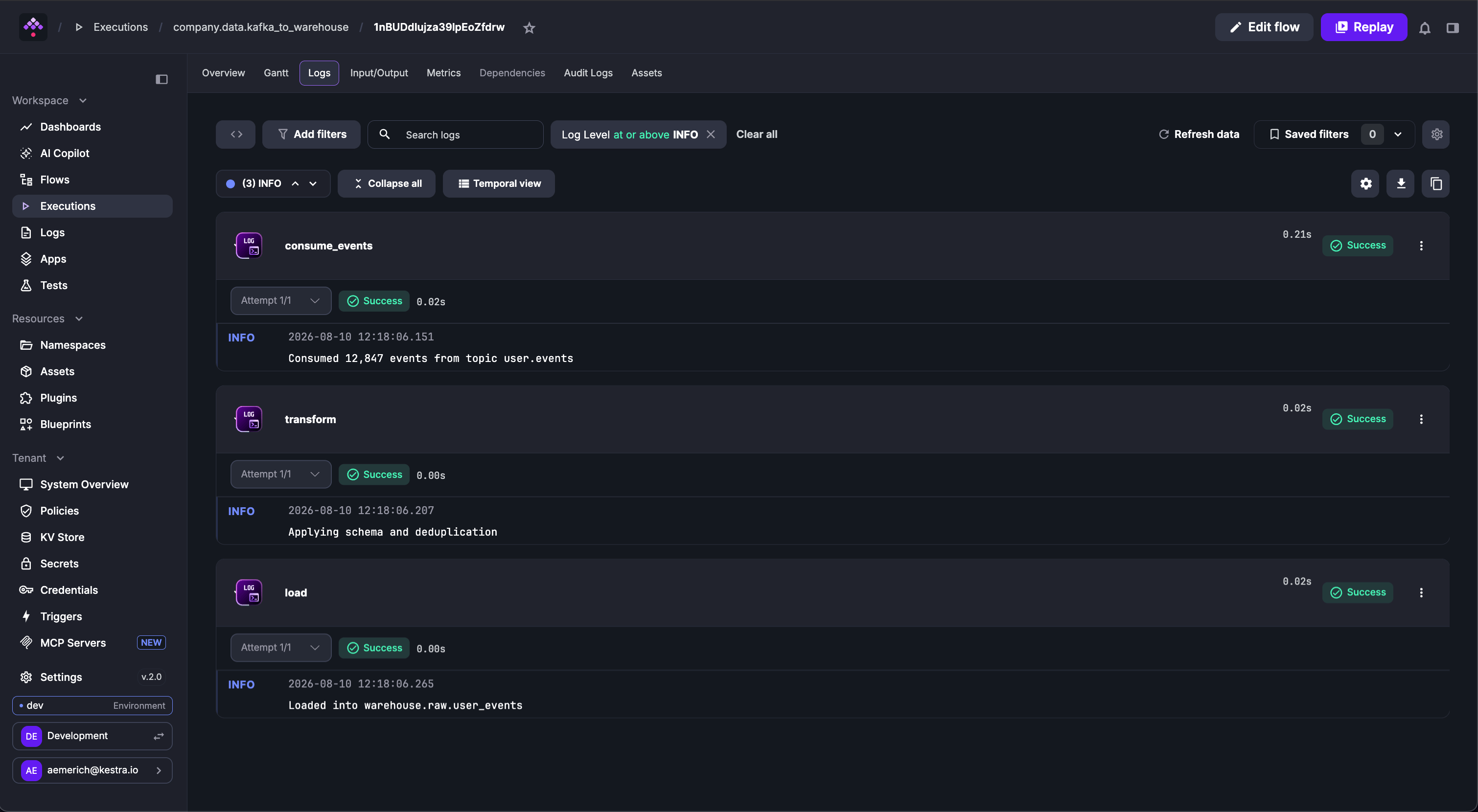
The Logs tab displays task logs, filterable by log level. Logs can be copied to clipboard or downloaded as a file. Logs can be viewed per task in the Default View or temporally based on timestamp in the Temporal View.
For failed tasks, use Fix with AI from the task menu to open the flow editor with AI Copilot pre-loaded with the error context.
Input/Output
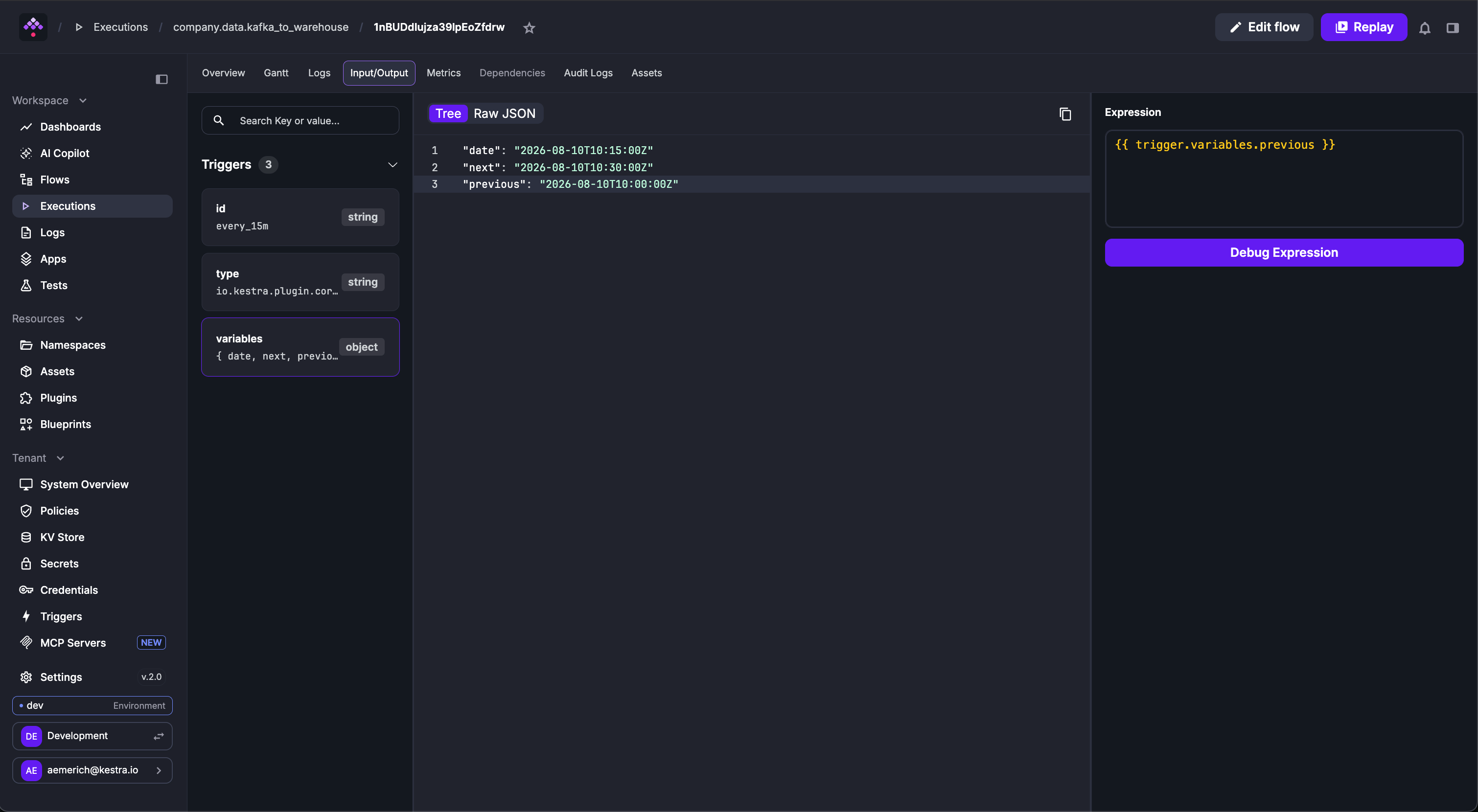
The Input/Output tab shows execution inputs and all task outputs — variables to pass downstream or files to download and inspect. The example below downloads a file generated from a SQL query.
The Debug Expression button evaluates expressions against task outputs. A task must be selected first to enable it.
Metrics
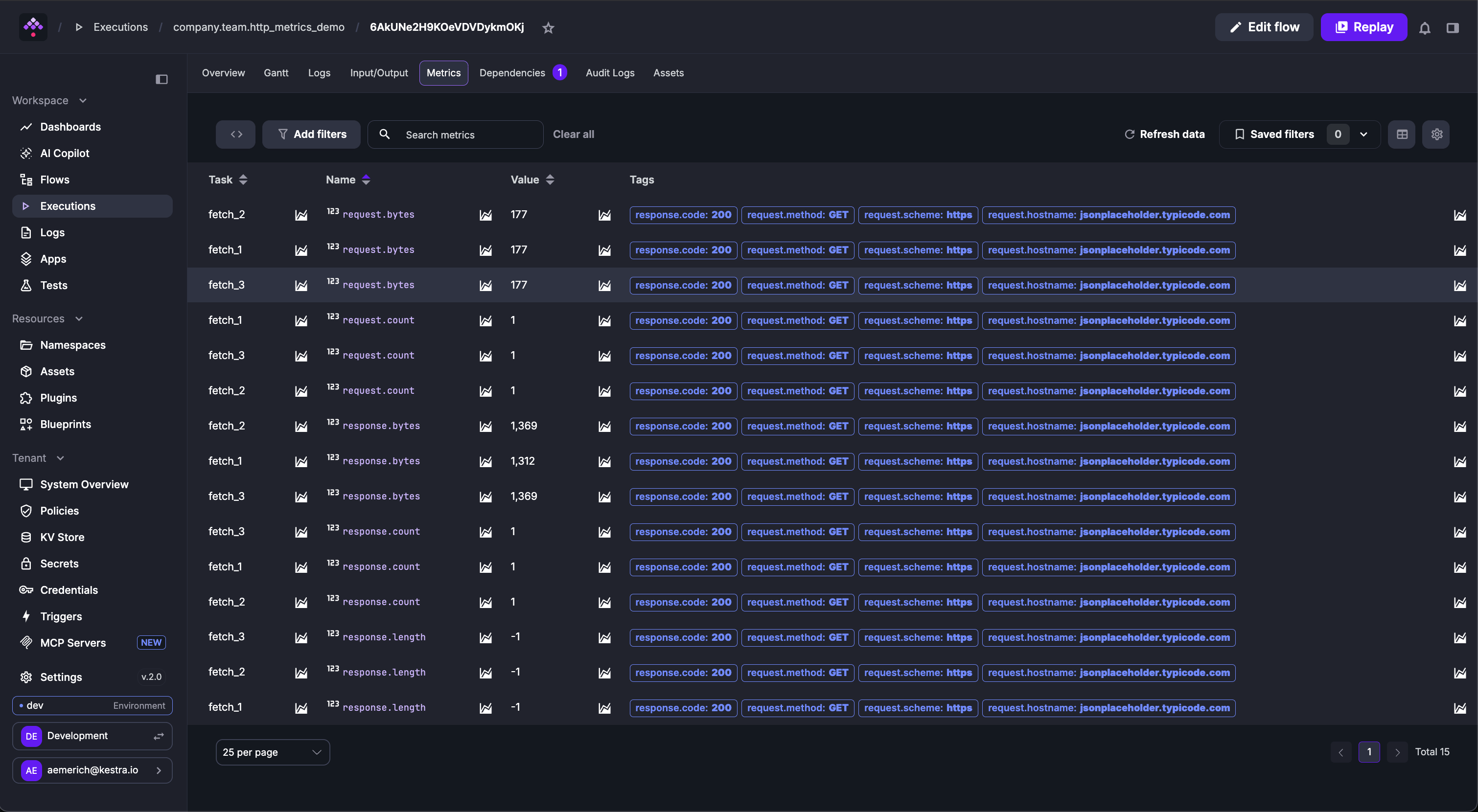
The Metrics tab shows every metric exposed by tasks after execution. For example, an HTTP Request task emits request.bytes, response.bytes, and response.length per request. A BigQuery load task might expose rows inserted and bytes processed. An AI plugin task might show token usage.
Dependencies
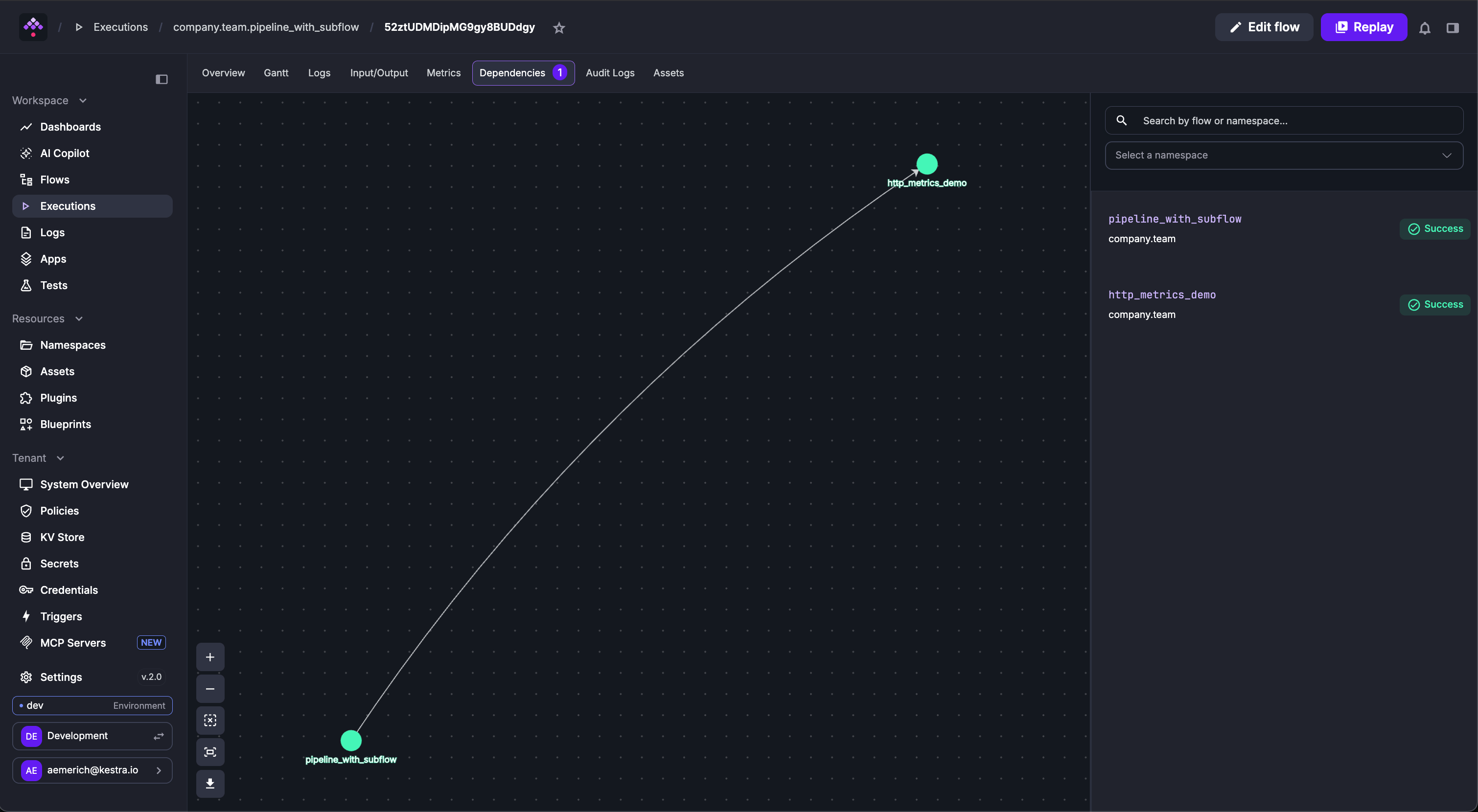
The Dependencies tab shows the relationship between other flows and the selected execution, including extra execution metadata such as state.
Was this page helpful?