Re-run Any Workflow Execution from a Chosen Task
For the complete documentation index, see llms.txt. For a full content snapshot, see llms-full.txt. Append.mdto anykestra.io/docs/*URL for plain Markdown.
Replay re-runs a workflow execution from any chosen task, skipping tasks that already completed successfully. Use it to recover from failures without reprocessing upstream tasks, or to iterate on a specific task without re-running the full flow.
To replay from a specific task, open the Gantt or Logs tab of any execution and use the three-dot menu on the task run. You can also replay a single execution or bulk-replay from the Executions page, with the option to use the latest flow revision.
To replay all missed schedule intervals in a time window instead, see Backfill.
Example: fixing a failed task and replaying
Consider a flow that downloads a file and then validates its schema:
id: replay_demonamespace: company.team
tasks:  - id: download    type: io.kestra.plugin.core.http.Download    uri: https://huggingface.co/datasets/kestra/datasets/raw/main/csv/orders.csv
  - id: validate    type: io.kestra.plugin.core.execution.Assert    errorMessage: "Schema validation failed — unexpected number of columns"    conditions:      - "{{ 8 >= 5 }}"
  - id: notify    type: io.kestra.plugin.core.log.Log    message: Validation passed, data is ready for processing.
Run the flow once with 8 == 5 as the condition. download succeeds, then validate fails because the assertion is always false.
Open the failed execution and go to the Gantt tab. Use the three-dot menu on validate to select Fix with AI, or correct the condition yourself: change 8 == 5 to 8 >= 5 and save as a new revision. Then select Replay from the same menu.
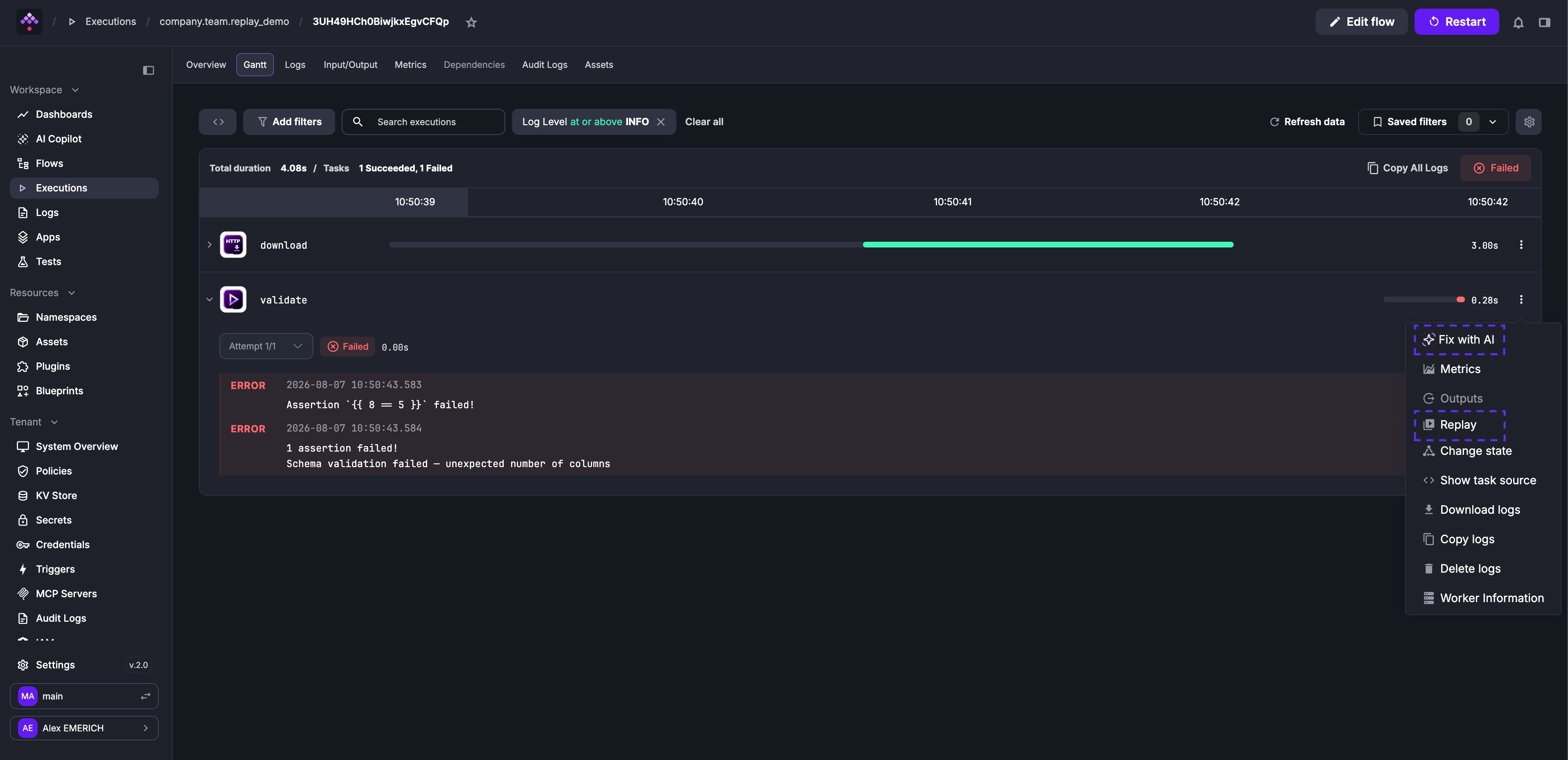
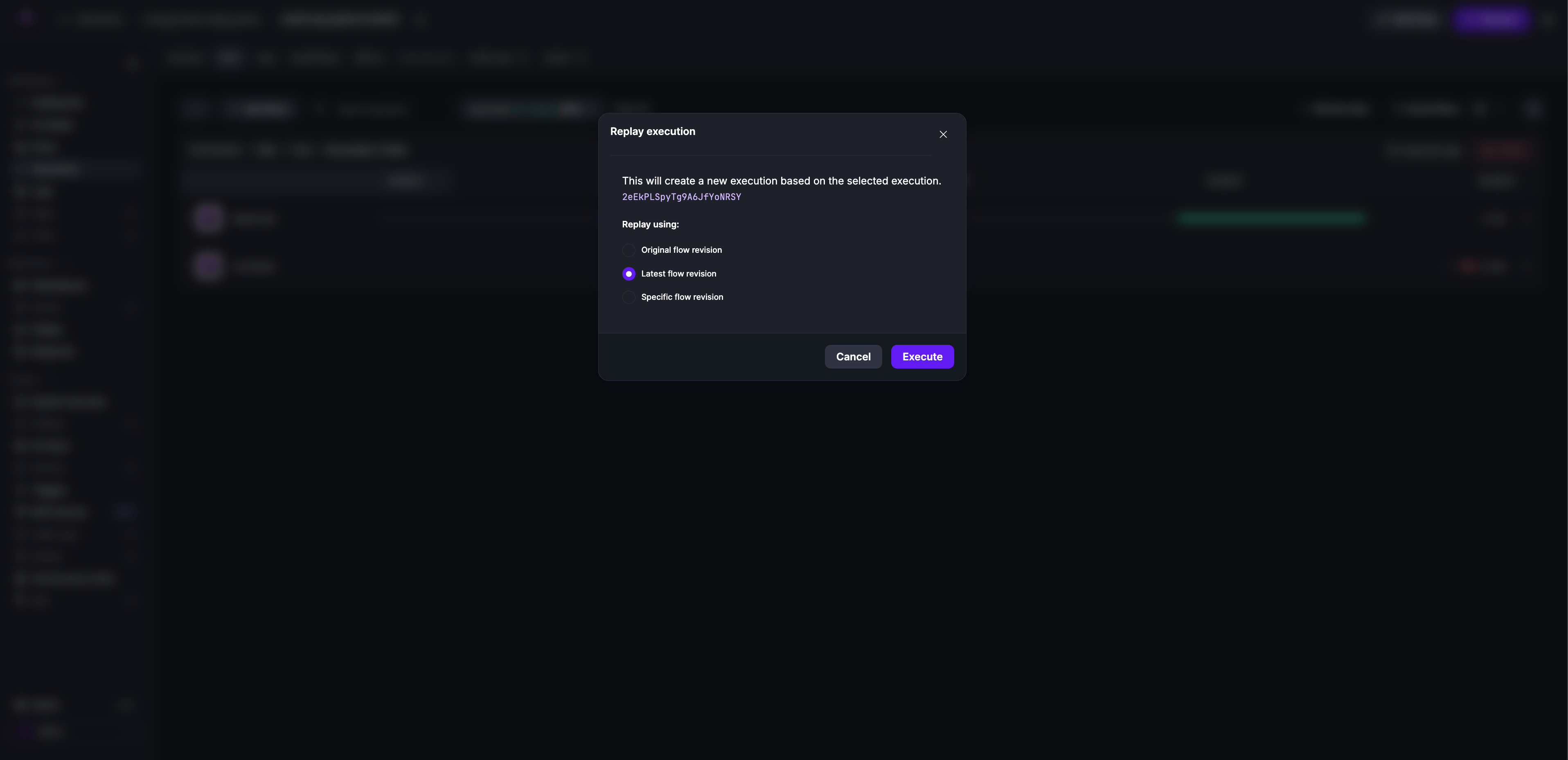
In the confirmation dialog, select Latest flow revision to use the revision containing your fix.
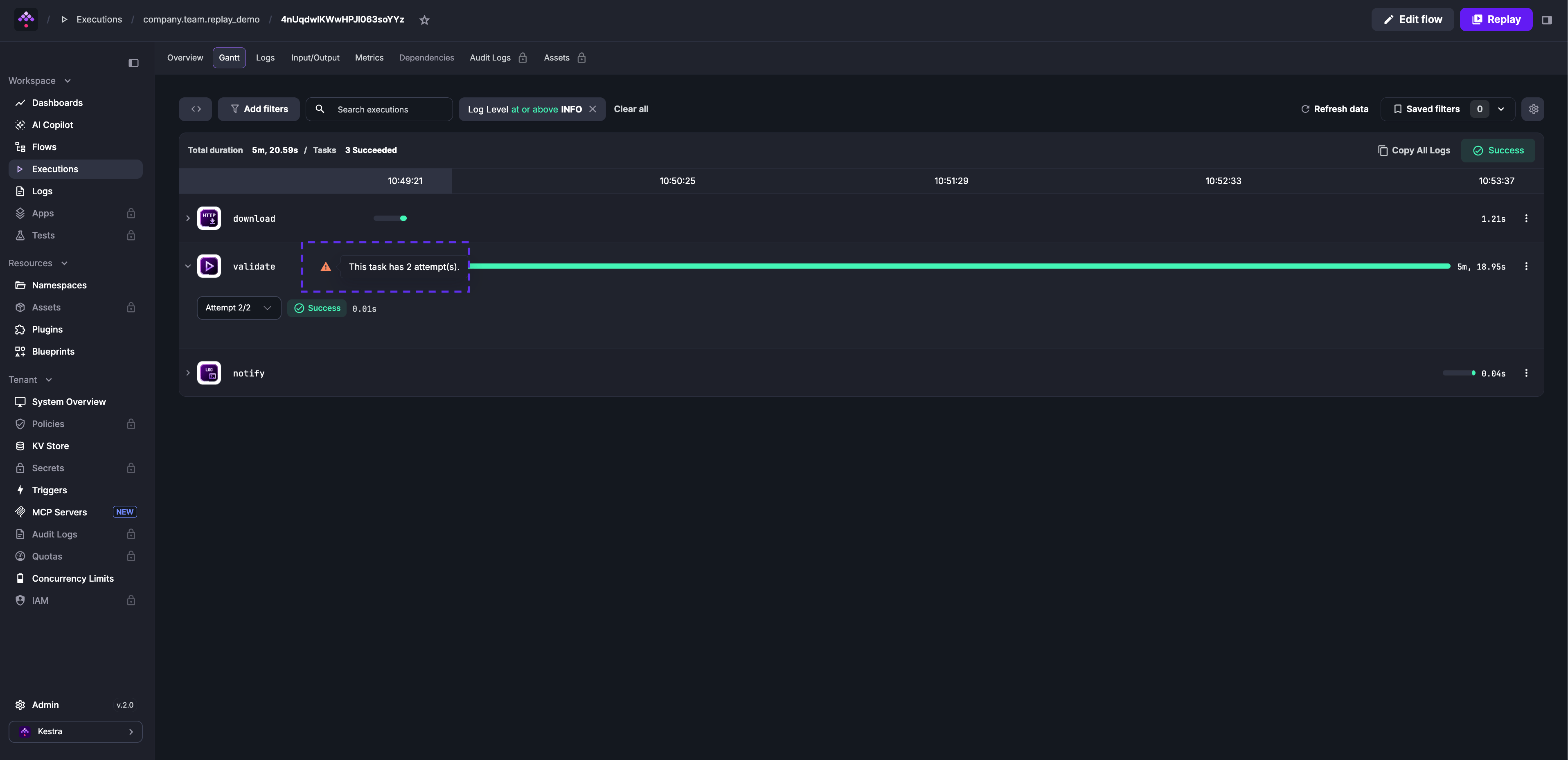
The download task is skipped; Kestra reuses its output from the original execution. Only validate and notify run again. The Attempt 2/2 label on validate confirms this is the replayed run.
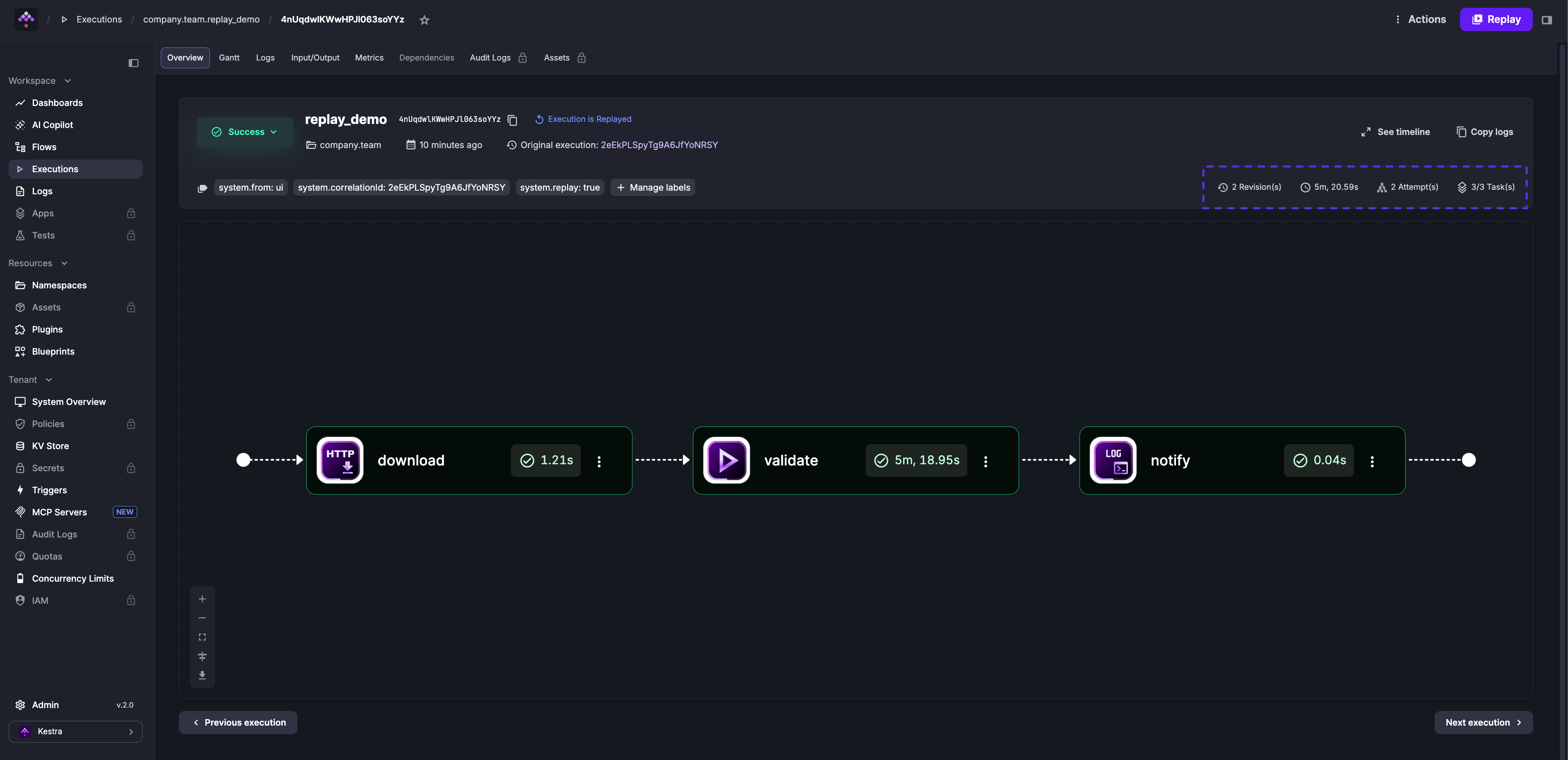
The Overview tab shows the attempt number, the revision used, a system.replay: true label marking this as a replay, and a system.correlationId label linking back to the original execution.
Replay on another flow revision
When you replay from a task run on the Latest flow revision or a Specific flow revision, Kestra reuses the stored results of the tasks before the one you replay from. The original revision produced those results, so Kestra first checks that the chosen revision would have produced the same results, and refuses the replay otherwise.
Compared with the revision the execution ran on, Kestra refuses the replay when:
- a task before the one you replay from changed, was renamed, was removed, or had a task inserted in front of it (Flowable tasks are compared recursively; Kestra ignores changes to
description,retry,timeout,workerSelector,allowFailure, andallowWarning) - an input was removed, changed type, or lost its default value.
- a variable was removed or changed.
You can still edit the task you replay from, any task after it, and any task that never ran. Replaying on the original revision, or replaying a whole execution without selecting a task run, needs no check because nothing is reused.
The replay dialog runs the check as soon as you pick a revision and shows the result before you confirm. When the check fails, the confirm button is disabled and the dialog shows the reason. Select Replay the whole execution instead to keep the chosen revision and run every task again. Kestra keeps and links the original execution, as with any replay.
The API exposes the same check. POST /api/v1/{tenant}/executions/{executionId}/actions/replay/validate takes the taskRunId and revision query parameters and returns 200 when the replay is possible, or 409 with the reason when it is not.
What the check cannot tell
Kestra compares flow definitions. A passing check does not make a replay on another revision deterministic, because the results of the tasks after the chosen one can still depend on things outside the flow:
- secrets, which Kestra reads on every call and which may have been rotated or expired
- file inputs and non-interactive inputs, which may have changed since the original run
- Pebble expressions that call external systems, which may return different values today
Was this page helpful?