How Kestra detects server failures and recovers stalled jobs
For the complete documentation index, see llms.txt. For a full content snapshot, see llms-full.txt. Append.mdto anykestra.io/docs/*URL for plain Markdown.
Kestra is separated into several components that can be deployed independently or inside a single process (a standalone deployment).
These components are called server components or just servers.
See the server components and deployment sections for more information.
Kestra has a built-in liveness mechanism. Each server sends a periodic heartbeat. Workers send theirs to the Worker Controller over gRPC, and every other server writes its heartbeat to the database. The Executor runs the cluster-wide liveness coordinator: it reviews every registered service instance on a scheduled tick and drives state transitions when heartbeats are missed.
When a server is not alive, Kestra runs maintenance routines such as worker job resubmission.
The liveness mechanism
When a server starts, it sends a heartbeat with a RUNNING status.
When it stops, it first transitions to TERMINATING. If the server has pending tasks, it waits up to the configured kestra.server.terminationGracePeriod for them to finish. If it completes within that window, it sends a TERMINATED_GRACEFULLY heartbeat; otherwise the process is terminated with status TERMINATED_FORCED. A worker that stops cleanly but can’t deliver every task result also reports TERMINATED_FORCED.
The Executor’s liveness coordinator detects missing heartbeats and runs maintenance tasks:
- For a worker, it resubmits the worker’s pending jobs to other workers, according to the restart strategy, before marking the worker
NOT_RUNNING. - Other server types transition to
NOT_RUNNINGimmediately.
By default, liveness checks run every 10 seconds.
NOT_RUNNING servers transition to INACTIVE at the next liveness check.
If a server does not send a heartbeat within kestra.server.liveness.timeout, it is marked DISCONNECTED and then NOT_RUNNING at the next check. If that server is still alive, it self-terminates after detecting that other components classified it as NOT_RUNNING, preventing “resurrection.”
For configuration details, see Liveness and worker task restarts.
Worker job resubmission
The Worker has a special behavior that allows it to resubmit jobs that were not completed due to a server termination or any kind of failures.
Worker jobs are tasks or triggers currently executing on a worker.
Before the Worker Controller sends a task to a worker, it records an entry in the worker job store. The Worker Controller removes the entry when the worker reports the task’s result. The same logic applies to triggers that the Scheduler sends to workers.
The Executor’s liveness coordinator resubmits pending jobs from a worker that stopped to another worker, ensuring each job runs at least once.
Configure this behavior via kestra.server.workerTaskRestartStrategy:
AFTER_TERMINATION_GRACE_PERIOD(default): wait another grace period before resubmitting jobs, preventing a terminated worker from returning.IMMEDIATELY: resubmit jobs as soon as the worker is detected asDISCONNECTED(missed heartbeat, unclean failure such as OOM kill). This strategy does not apply when a worker is in theTERMINATINGstate — a gracefully shutting-down worker always honors the fullterminationGracePeriodbefore its jobs are resubmitted, regardless of the configured strategy. This ensures the worker has time to finish or cleanly abandon its tasks before another worker picks them up, preventing duplicate execution.NEVER: never resubmit jobs (tasks remain incomplete and flows stayRUNNING).
This resubmission mechanism also applies to Realtime Triggers. If the worker running a Realtime Trigger listener is stopped gracefully, Kestra waits for the terminationGracePeriod before reassigning the trigger to another worker. See Worker failover for Realtime Triggers for more details.
::
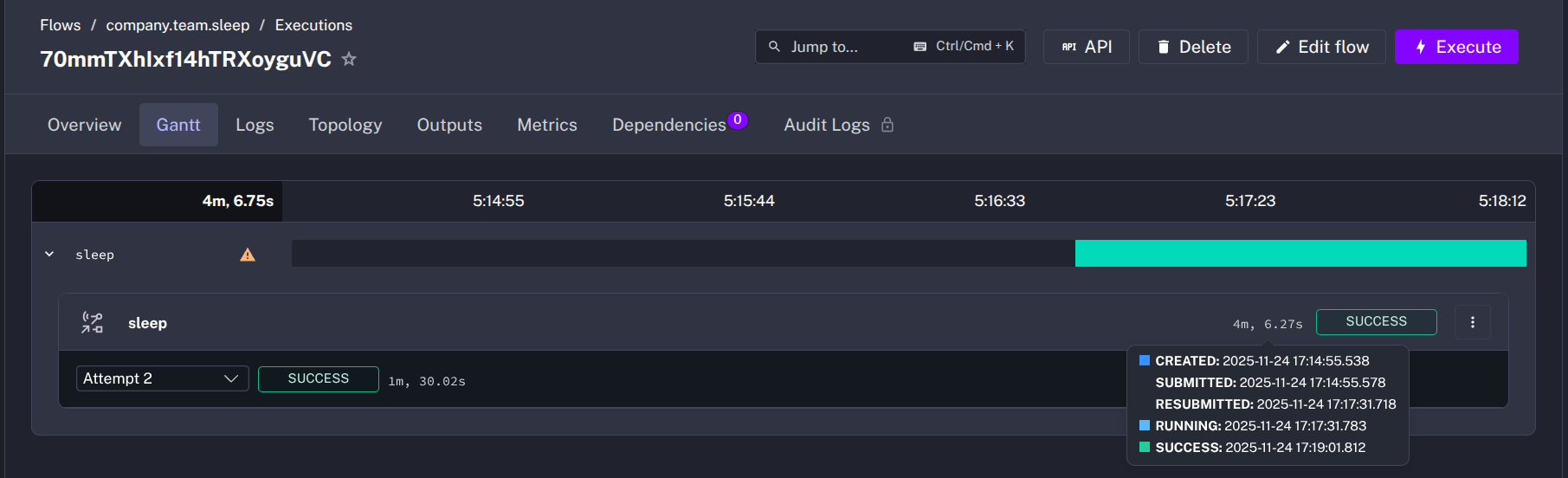
Resubmitted task runs show multiple attempts in the UI.
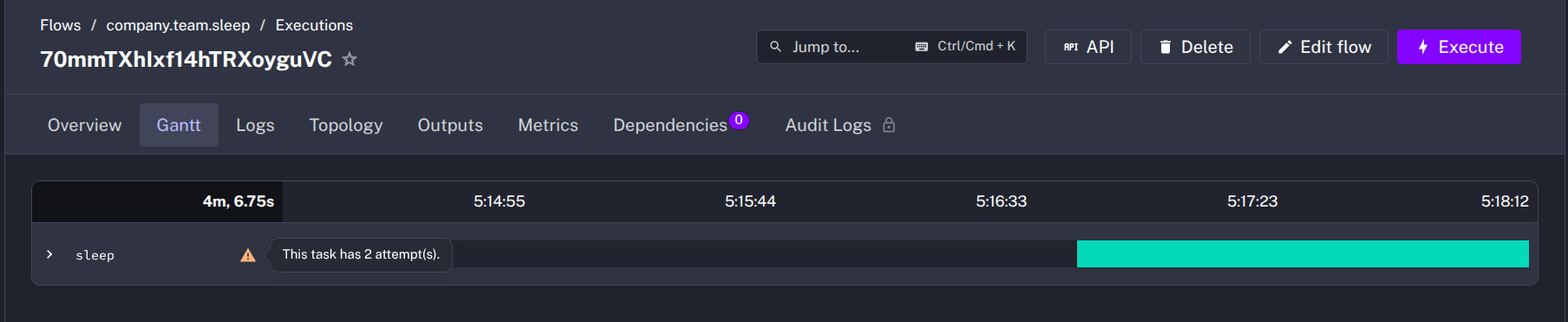
In the timeline, one of the states will be RESUBMITTED.
Instance view (EE only)
Kestra Enterprise exposes an instance dashboard accessible via the Instance Owner console that summarizes heartbeats, liveness status, and maintenance activity across clusters. See the instance dashboard documentation for a walkthrough.
Was this page helpful?