Write Unit Tests to Protect Your Microservices
For the complete documentation index, see llms.txt. For a full content snapshot, see llms-full.txt. Append.mdto anykestra.io/docs/*URL for plain Markdown.
Available on:Enterprise EditionCloud
Build an automated guardrail that pings a microservice endpoint, alerts Slack when it fails, and runs only when its unit tests pass.
Modern microservices and API backends often expose health endpoints. With Kestra you can monitor those endpoints, write unit tests to validate the monitoring flow, and gate downstream automations on the test results. This guide walks through:
- Creating a flow that checks an HTTP endpoint and notifies Slack when it is down
- Writing Enterprise Edition unit tests that cover both success and failure paths
- Triggering a downstream flow only when the test suite passes
Prerequisites
- Kestra Enterprise Edition (required for Unit Tests and the
RunTesttask) - A Slack Incoming Webhook URL (or another channel supported by the Notifications plugin)
- A Kestra API token stored as
KESTRA_API_TOKEN(used by the test runner flow)
Step 1: Monitor the API endpoint
Create the following flow in the your namespace to send an alert when the target server is unreachable:
id: microservices-and-apisnamespace: tutorialdescription: Microservices and APIs
inputs:  - id: server_uri    type: URI    defaults: https://kestra.io
  - id: slack_webhook_uri    type: URI    defaults: https://kestra.io/api/mock
tasks:  - id: http_request    type: io.kestra.plugin.core.http.Request    uri: "{{ inputs.server_uri }}"    options:      allowFailed: true
  - id: check_status    type: io.kestra.plugin.core.flow.If    condition: "{{ outputs.http_request.code != 200 }}"    then:      - id: server_unreachable_alert        type: io.kestra.plugin.slack.notifications.SlackIncomingWebhook        url: "{{ inputs.slack_webhook_uri }}"        payload: |          {            "channel": "#alerts",            "text": "The server {{ inputs.server_uri }} is down!"          }    else:      - id: healthy        type: io.kestra.plugin.core.log.Log        message: Everything is fine!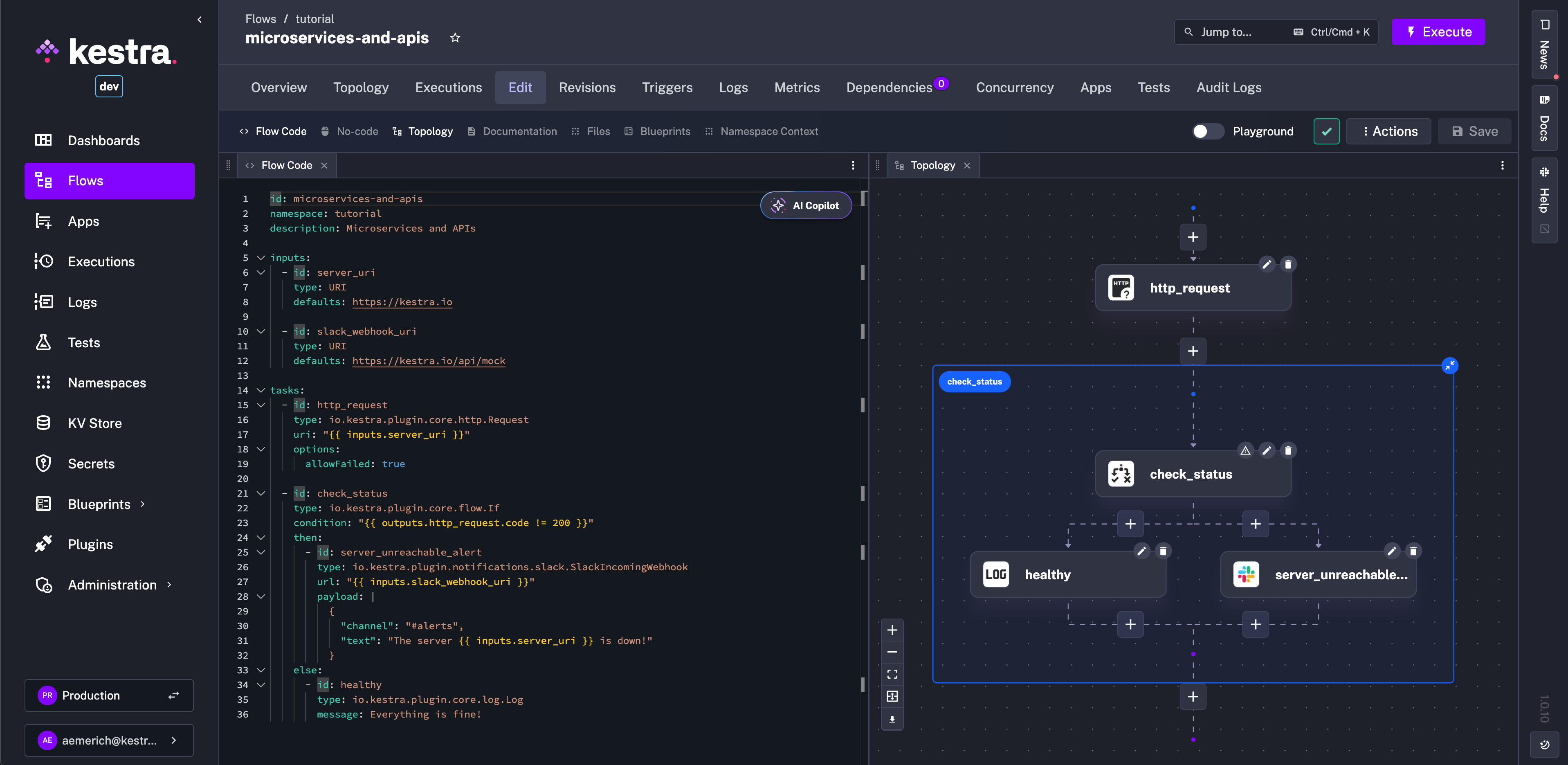
This flow issues an HTTP request, lets it fail gracefully (allowFailed: true), then either sends a Slack alert or logs a healthy status.
Breakdown of the components:
- Inputs
server_uri: parameterizes the target so you can reuse the flow for staging, production, or any other health endpoint.slack_webhook_uri: stores the Slack webhook that receives alerts without hardcoding secrets in the flow body. Instead of an input, you can also use the KV Store or a secret in theurlproperty.
http_requesttask: performs the status check and captures the HTTP code;allowFailedensures the flow continues even if the request fails.check_statusconditional: branches on the HTTP response, triggering the Slack alert when the service is down or logging “Everything is fine!” when the endpoint returns 200.
Step 2: Add unit tests
Next, define unit tests to cover both outcomes. Save the snippet below as a test resource in the same namespace.
id: test_microservices_and_apisflowId: microservices-and-apisnamespace: tutorialtestCases:  - id: server_should_be_reachable    type: io.kestra.core.tests.flow.UnitTest    fixtures:      inputs:        server_uri: https://kestra.io    assertions:      - value: "{{ outputs.http_request.code }}"        equalTo: 200
  - id: server_should_be_unreachable    type: io.kestra.core.tests.flow.UnitTest    fixtures:      inputs:        server_uri: https://kestra.io/bad-url      tasks:        - id: server_unreachable_alert          description: no Slack message from tests    assertions:      - value: "{{ outputs.http_request.code }}"        notEqualTo: 200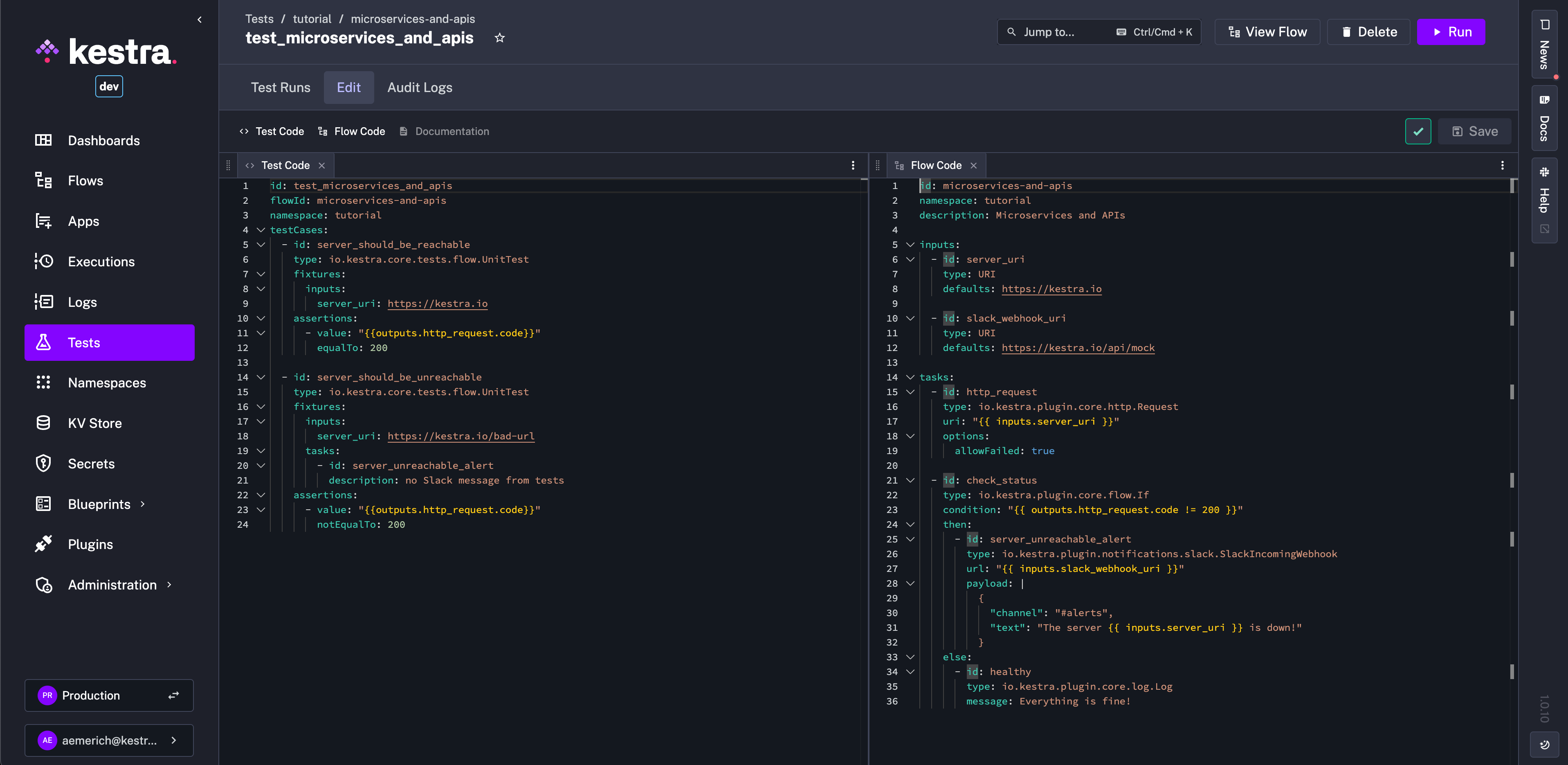
Each test case supplies fixtures (inputs and optional task overrides) and assertions. The second test disables the Slack call while still confirming that the alert path runs when the endpoint fails.
Breakdown:
- Test definition:
id,flowId, andnamespacetie this test suite to the flow created in Step 1. server_should_be_reachablecase: feeds a validserver_uriand asserts the HTTP response code is 200.server_should_be_unreachablecase: points to a bad URL, stubs the Slack task so no message is sent during testing (reduce channel noise or spamming test messages), and asserts the HTTP code differs from 200.
Step 3: Run downstream logic only when tests pass
Finally, create a control flow that executes the test suite and gates additional work on the result. The RunTest task returns a boolean in outputs.run_test.result.state.
id: run_if_tests_passnamespace: tutorial
tasks:  - id: run_test    type: io.kestra.plugin.kestra.ee.tests.RunTest    auth:      apiToken: "{{ secret('KESTRA_API_TOKEN') }}"    namespace: tutorial    testId: test_microservices_and_apis
  - id: run_if_tests_pass    type: io.kestra.plugin.core.flow.If    condition: "{{ outputs.run_test.result.state }}"    then:      - id: log        type: io.kestra.plugin.core.log.Log        message: hello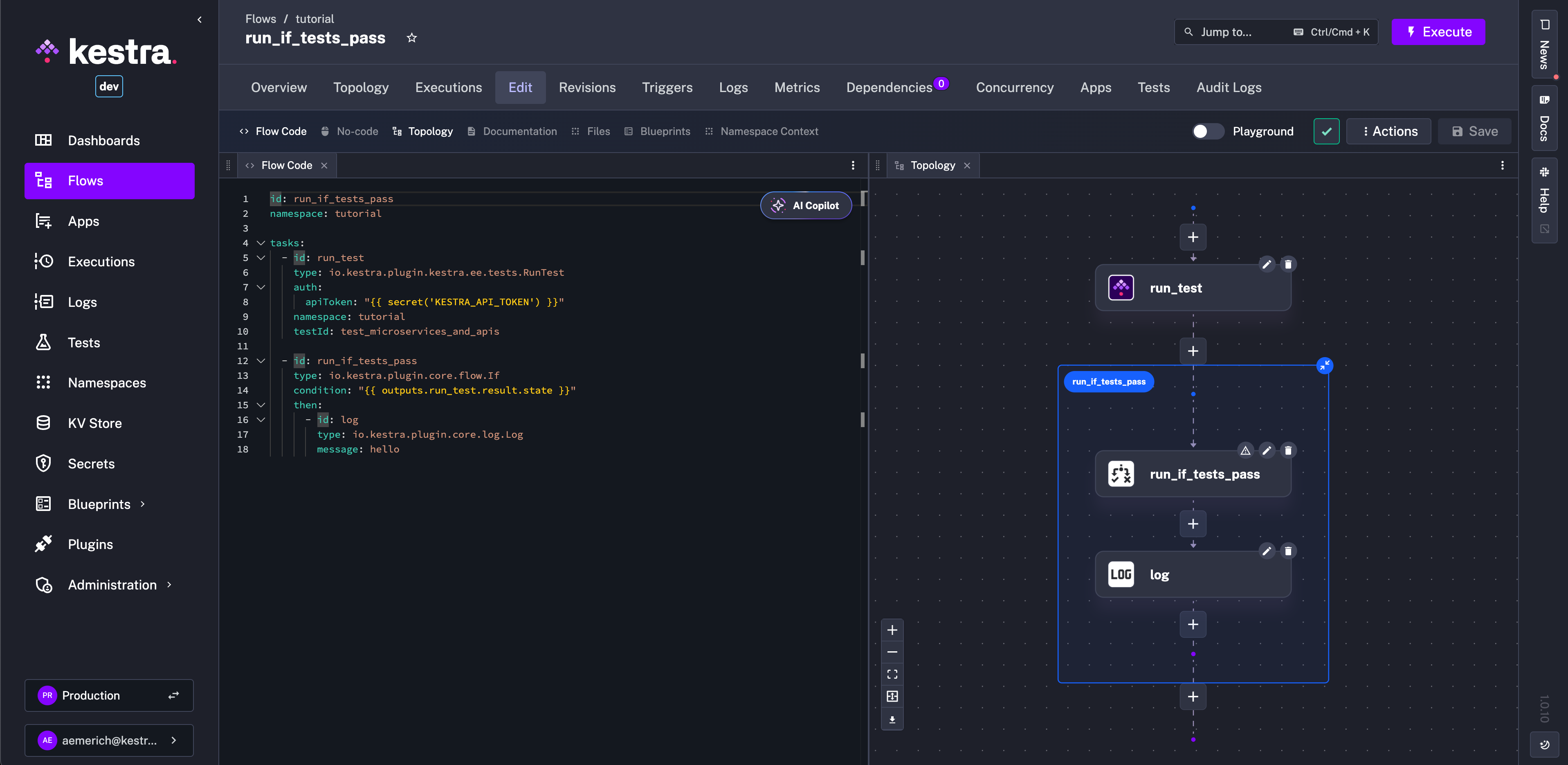
Replace the final log task with deployments, escalations, or other automations that should run only after the tests succeed.
Breakdown:
run_testtask: invokes the Enterprise EditionRunTestplugin with an API token, namespace, and test ID; the result includes astateboolean.run_if_tests_passconditional: checks that boolean before proceeding, ensuring downstream work executes only when all test cases pass.
Step 4: Execute the tests
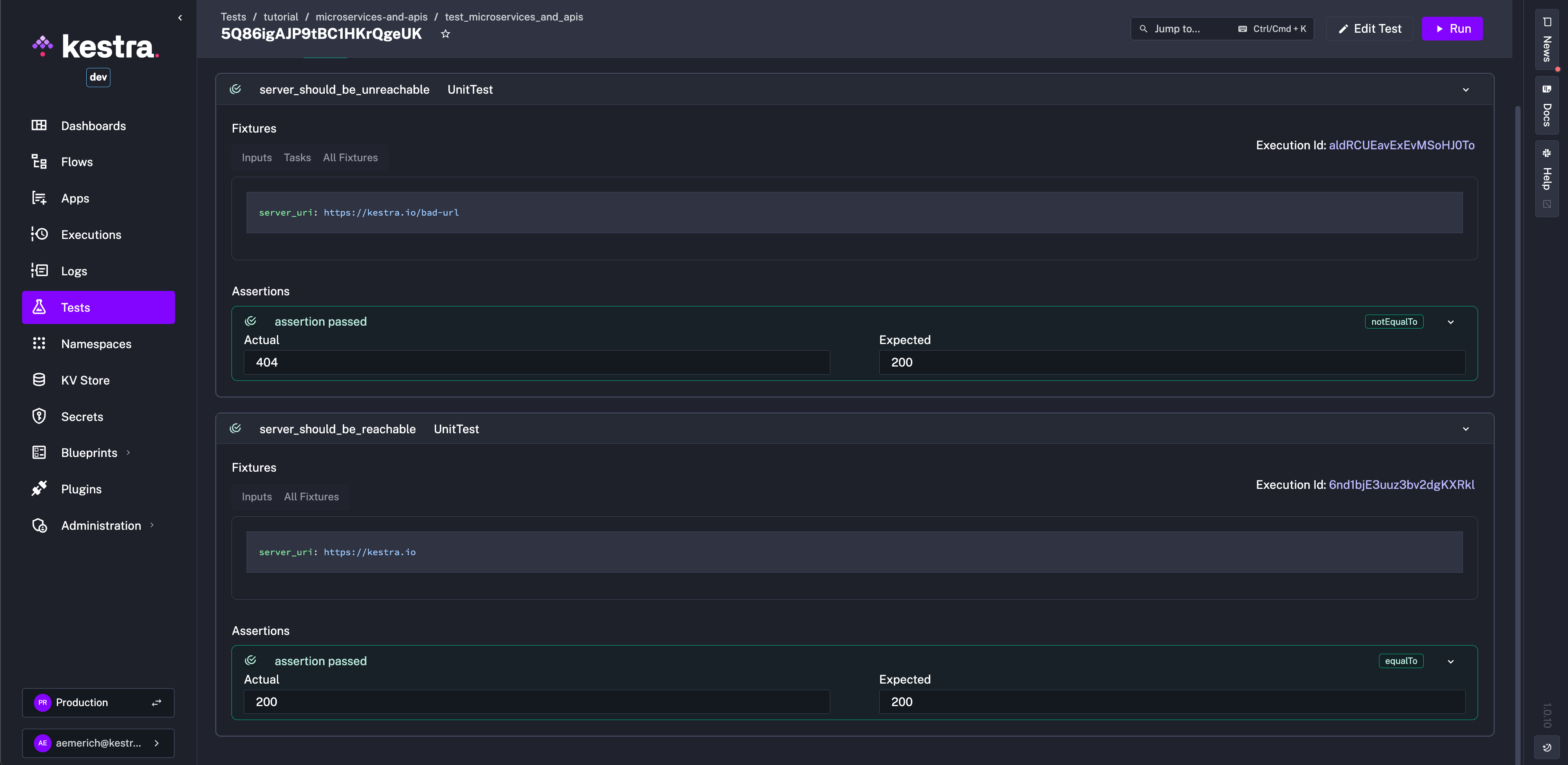
Run the unit tests from the Kestra UI or CLI to verify both assertions pass. A successful run confirms the monitor behaves correctly without sending Slack noise during testing.
Next steps
- Expand the monitoring flow to cover multiple endpoints by looping over inputs or using a namespace file.
- Send alerts to PagerDuty, Teams, or email by swapping the Slack task for a different Notifications plugin.
- Wire the gated flow into your CI/CD pipeline so every deployment validates critical monitors before rollout.
Was this page helpful?