Use HashiCorp Vault as a Read-Only Secrets Backend
For the complete documentation index, see llms.txt. For a full content snapshot, see llms-full.txt. Append.mdto anykestra.io/docs/*URL for plain Markdown.
Available on:Enterprise EditionCloud
Configure HashiCorp Vault as a read-only secrets backend so Kestra reads secrets from an existing Vault instance without managing their lifecycle.
Prerequisites
- A running Vault instance with the KV Secrets Engine v2 enabled.
- A Kestra Enterprise namespace configured to use a dedicated secrets manager.
- A Vault token with read access to the relevant secret paths.
For background on how read-only mode differs from managed mode, see Secrets manager modes.
Vault secret structure
Kestra reads secrets from Vault using a path-based structure. A Vault secret engine can host multiple secret paths, and each path contains key-value pairs (subkeys).
secret/ ├── app1/ │ ├── db/ ← secret path (visible as a secret name in Kestra) │ │ ├── DATABASE_USERNAME ← subkey │ │ └── DATABASE_PASSWORD ← subkey │ └── api/ │ └── API_TOKEN └── app2/ └── configsecret— the KV engine name (root-enginein Kestra config).app1,app2— path prefixes (set viasecret-path-prefix).db,api,config— secret names visible in Kestra UI.DATABASE_USERNAME,API_TOKEN— subkey names referenced in flows.
Configure Vault as a read-only backend
In Kestra, navigate to the namespace you want to connect to Vault and open the Edit tab. Under Dedicated secrets manager, enter the Vault configuration:
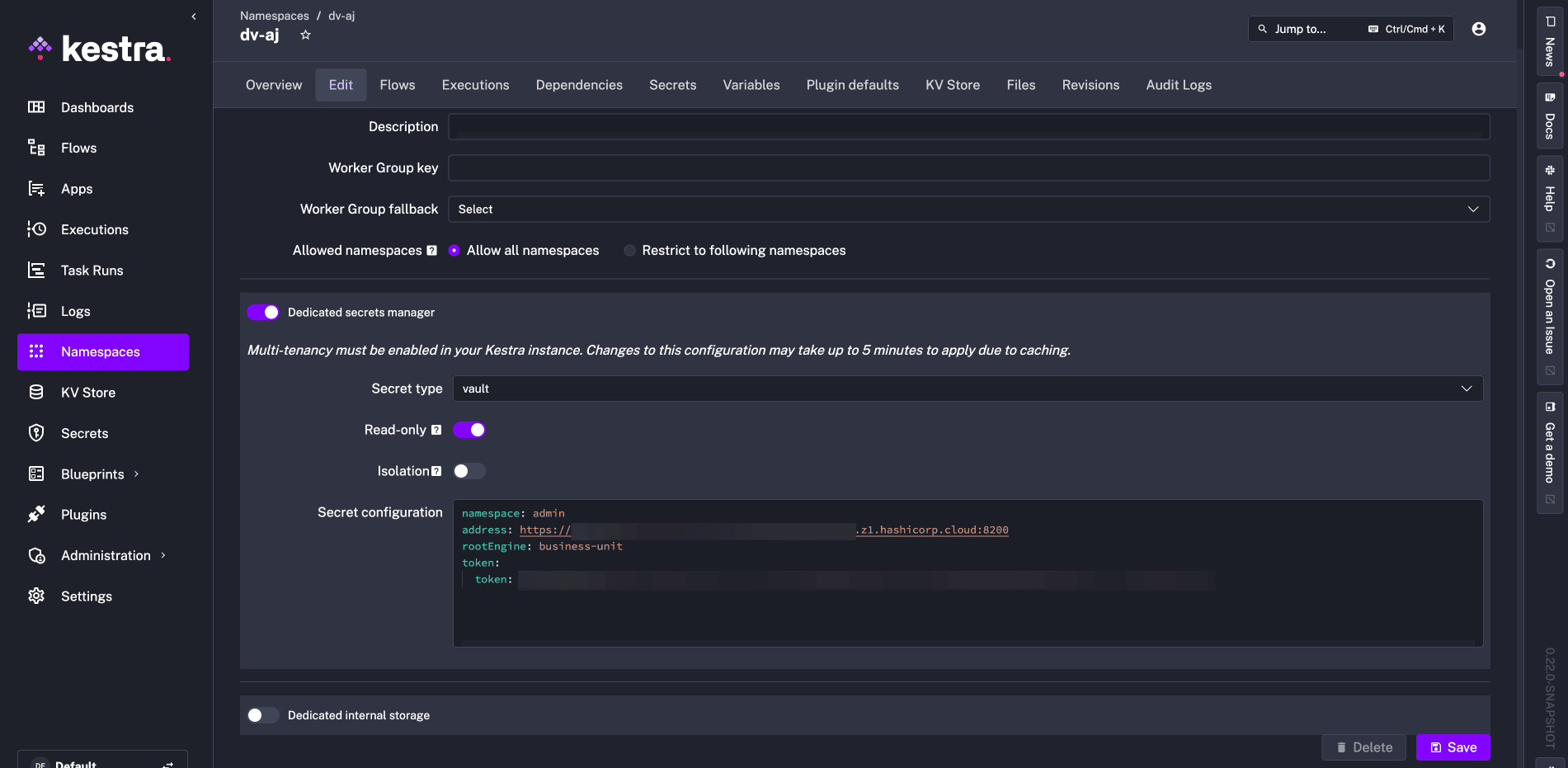
The equivalent YAML configuration is:
kestra: secret: type: vault vault: address: https://my-vault:8200/ root-engine: secret secret-path-prefix: app1 token: token: my-vault-access-token read-only: truesecret-path-prefix: app1 limits Kestra’s view to secrets under the app1 path — in this example, db and api.
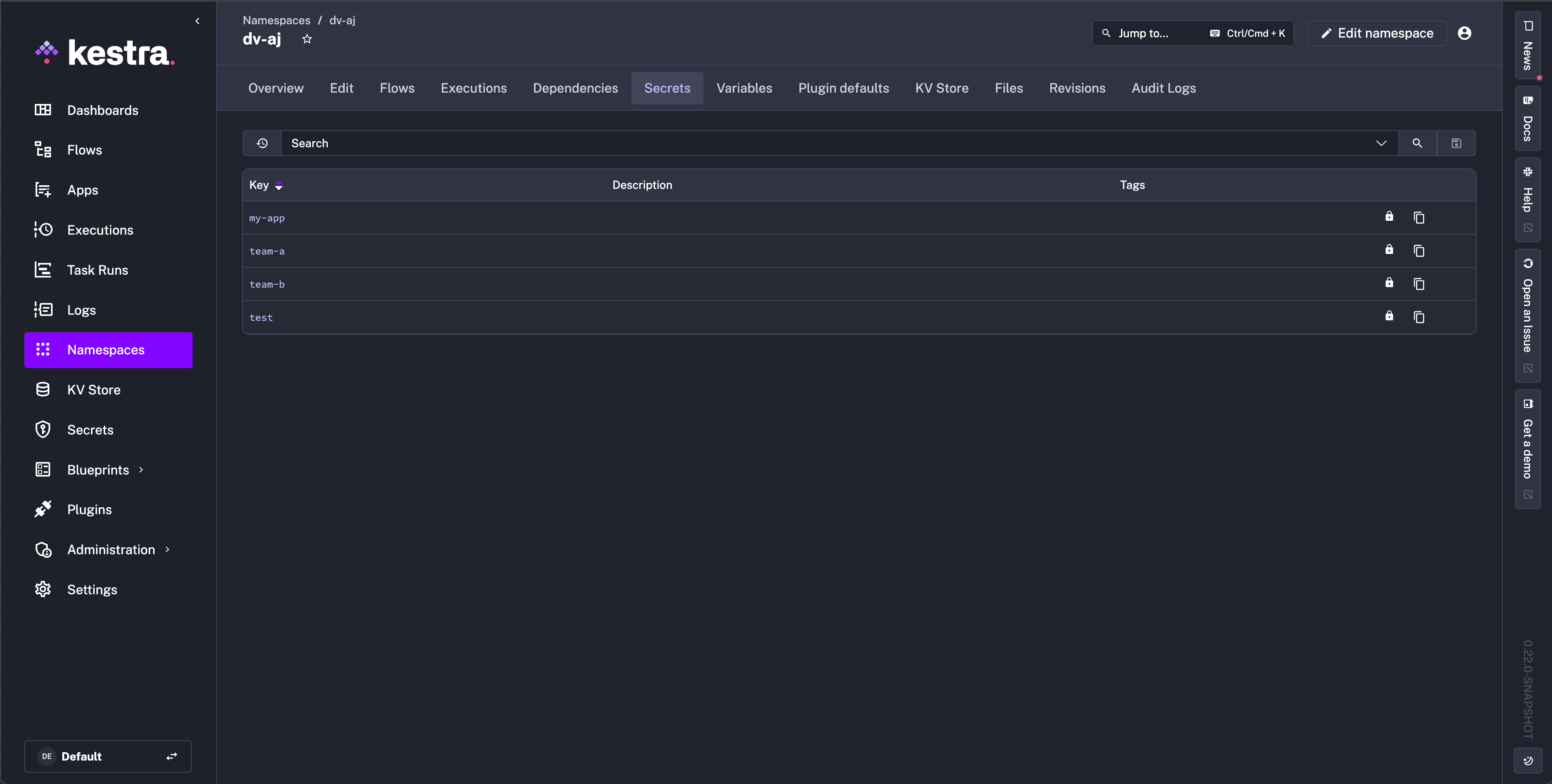
After saving, the Secrets tab shows the available secret paths with a lock icon, confirming read-only mode is active. No new secrets can be created and existing ones cannot be edited from Kestra:
Read a Vault secret in a flow
Use the secret() function with a subkey parameter to access a specific key within a Vault secret path.
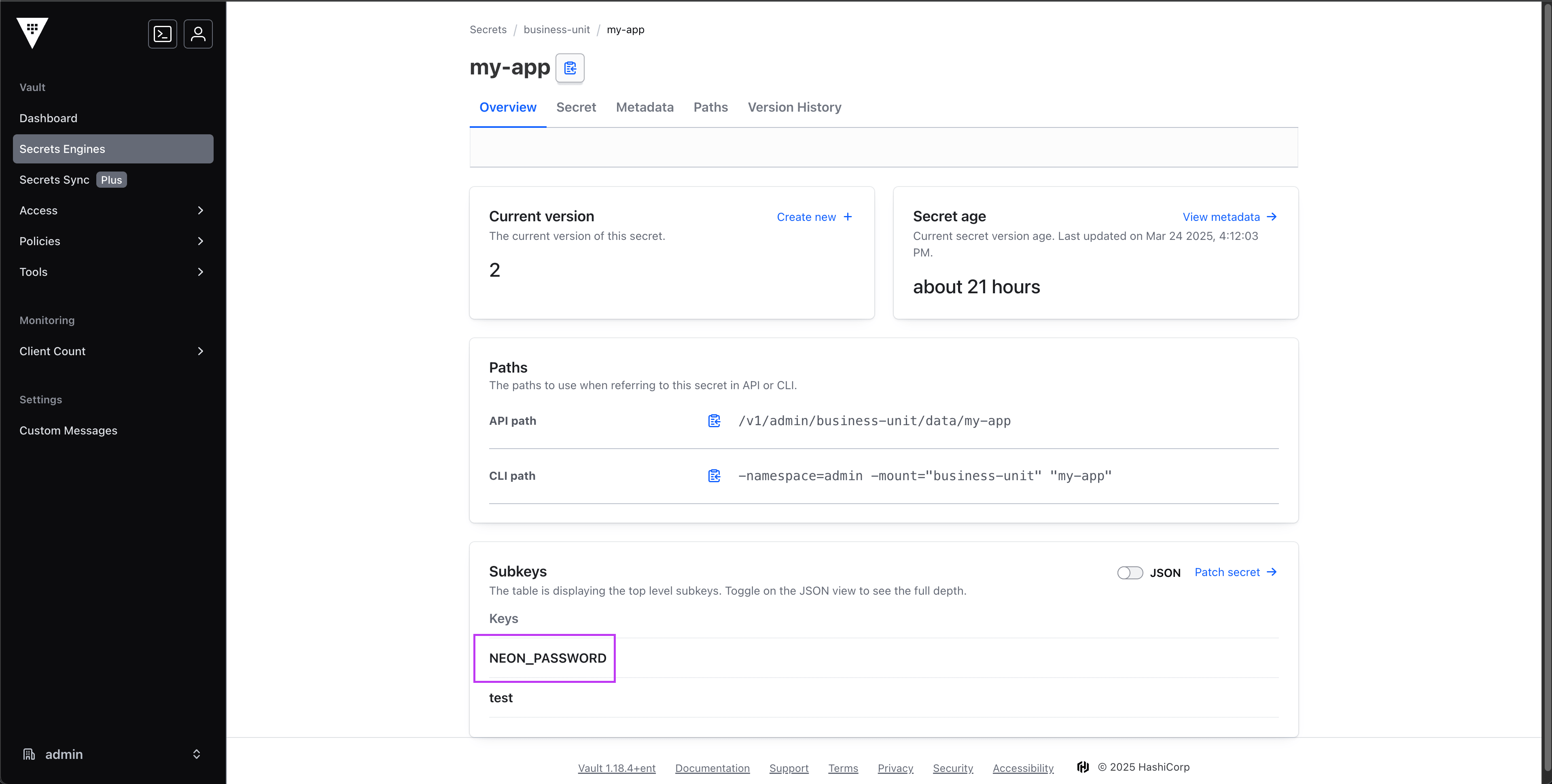
In this example, my-app is the Vault secret (path visible in Kestra) and NEON_PASSWORD is the subkey:
Reference it in a flow:
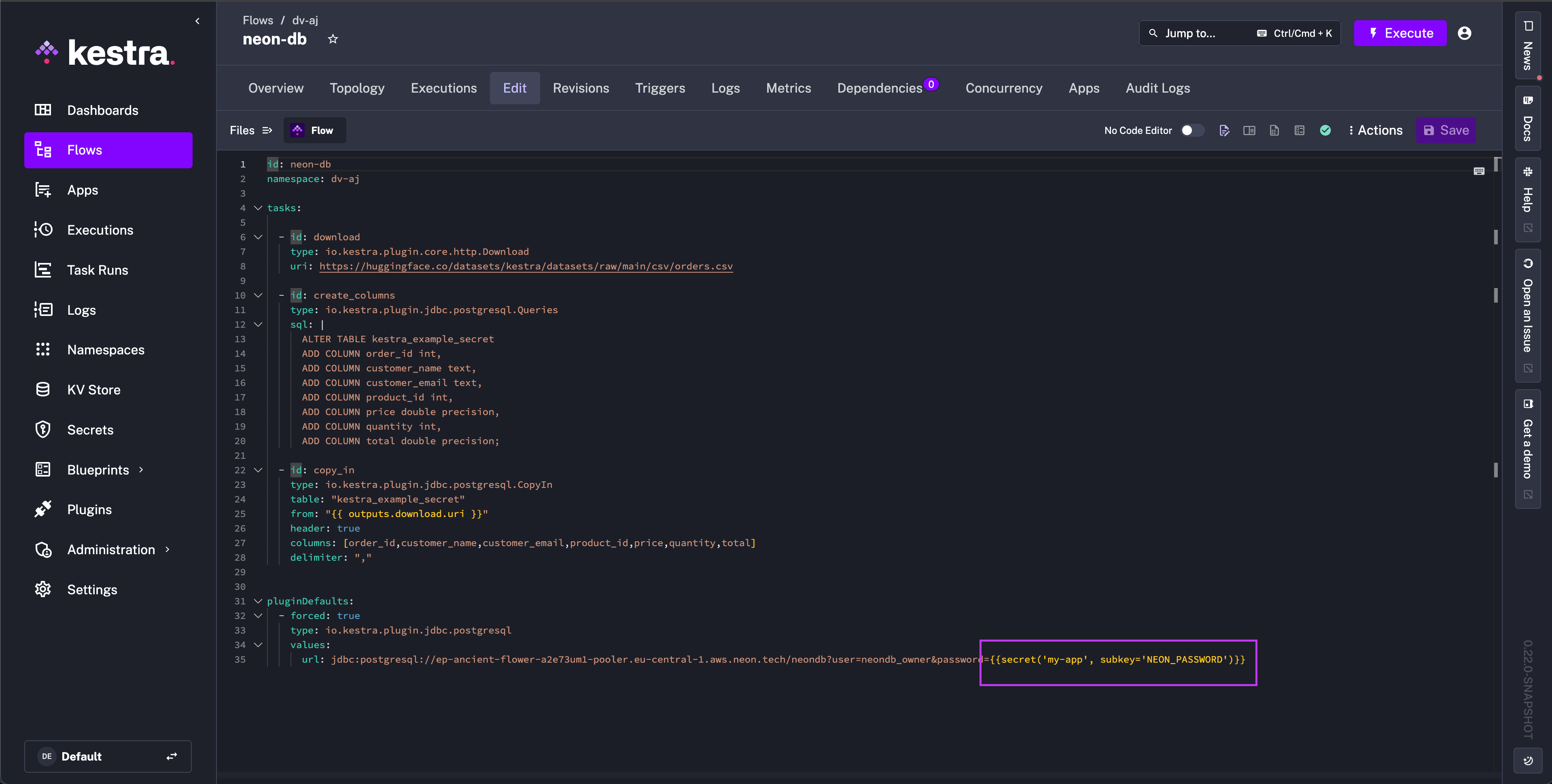
{{ secret('my-app', subkey='NEON_PASSWORD') }}Here is a complete flow example that uses the Vault-backed secret to connect to a Neon PostgreSQL database:
Expand for full flow YAML
id: neon-dbnamespace: company.team
tasks:  - id: download    type: io.kestra.plugin.core.http.Download    uri: https://huggingface.co/datasets/kestra/datasets/raw/main/csv/orders.csv
  - id: create_columns    type: io.kestra.plugin.jdbc.postgresql.Queries    sql: |      ALTER TABLE kestra_example_secret      ADD COLUMN order_id int,      ADD COLUMN customer_name text,      ADD COLUMN customer_email text,      ADD COLUMN product_id int,      ADD COLUMN price double precision,      ADD COLUMN quantity int,      ADD COLUMN total double precision;
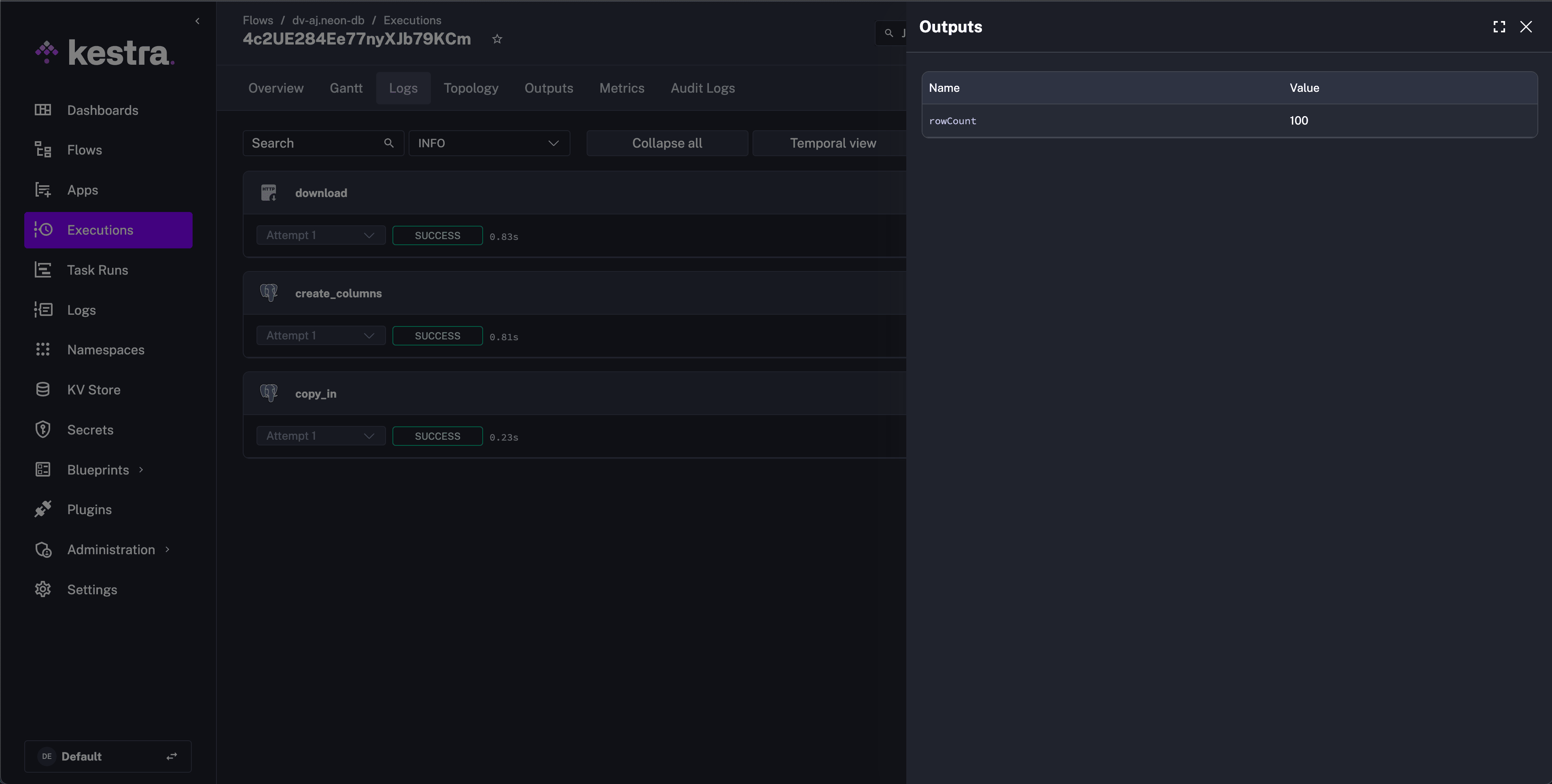
- id: copy_in type: io.kestra.plugin.jdbc.postgresql.CopyIn url: "jdbc:postgresql://ep-ancient-flower-a2e73um1-pooler.eu-central-1.aws.neon.tech/neondb?user=neondb_owner&password={{ secret('my-app', subkey='NEON_PASSWORD') }}" table: "kestra_example_secret" from: "{{ outputs.download.uri }}" header: true columns: [order_id,customer_name,customer_email,product_id,price,quantity,total] delimiter: ","After execution, Kestra confirms it read NEON_PASSWORD from Vault and inserted 100 rows:
What happened in Vault
Vault held the secret at the path business-unit/my-app (in the admin namespace, if using Vault Enterprise):
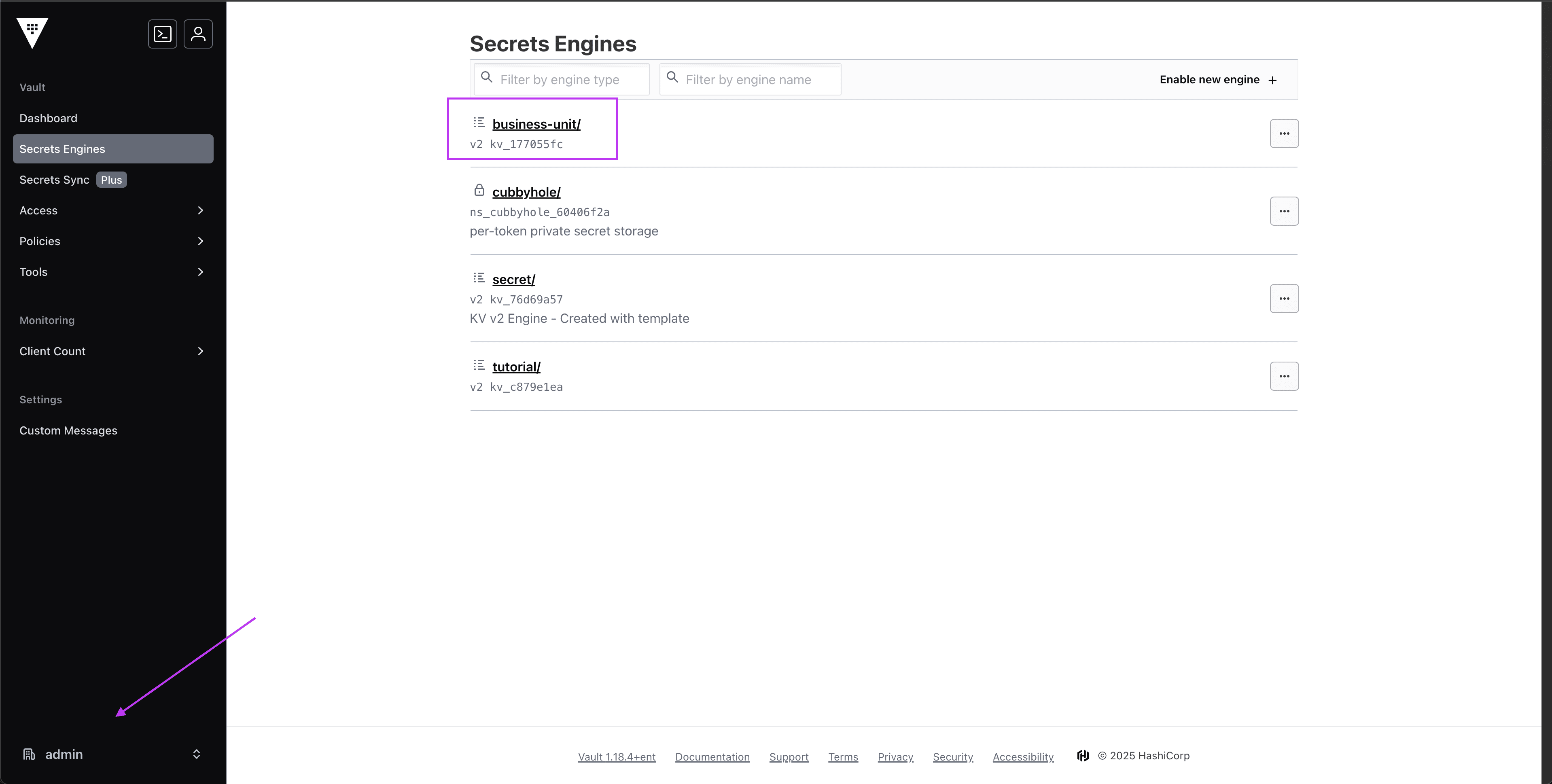
Kestra resolved NEON_PASSWORD from that path at runtime. The value is not persisted; it is cached in memory (~60s, configurable).
Related
Was this page helpful?